
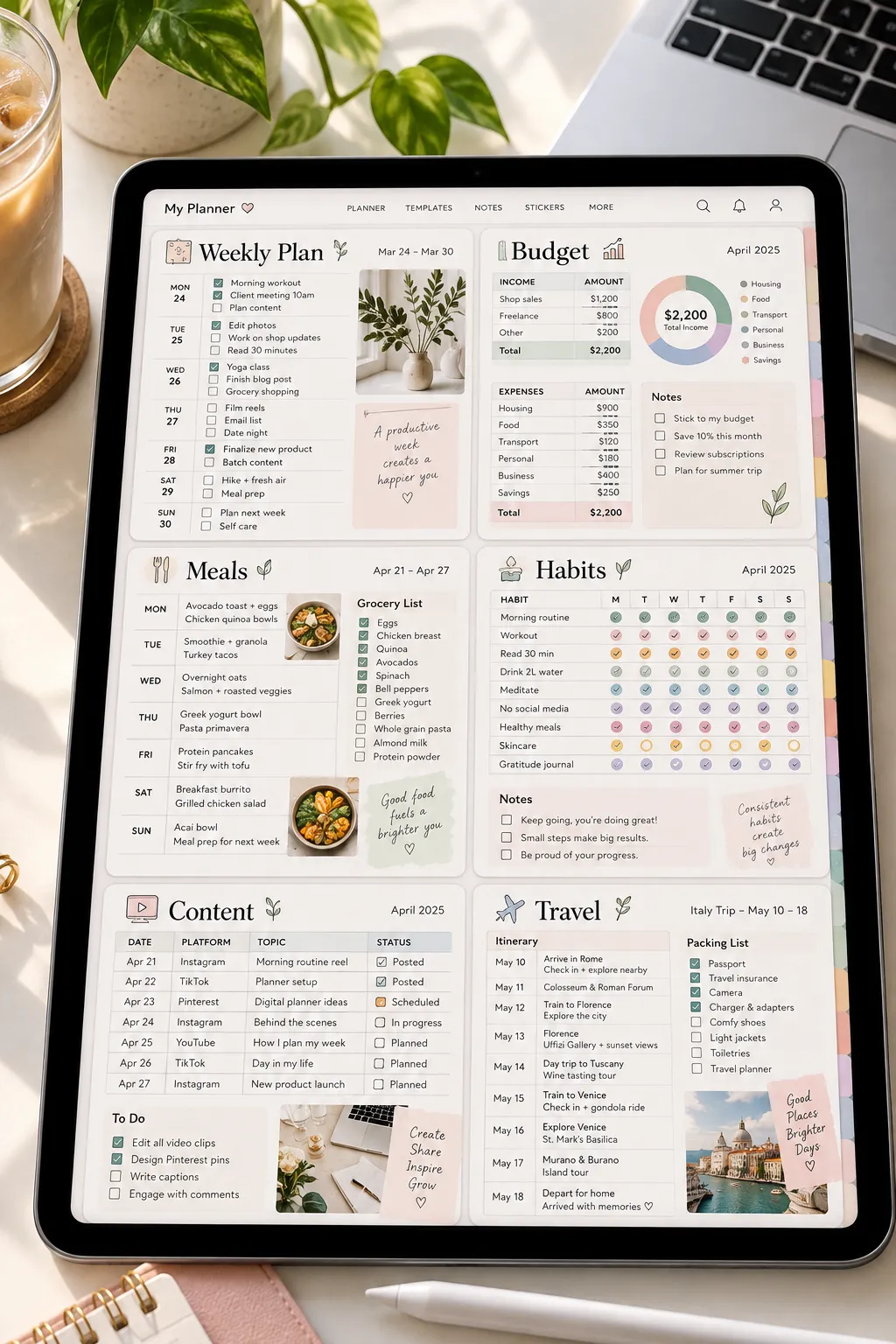
A digital planner can look polished and still be hard to sell if it does not solve a clear problem. One of the easiest beginner mistakes is making a huge planner with dozens of pages before deciding who it is actually for.
A better approach is to start with one clear buyer and one job they want help with. That could be planning school assignments, organizing meals, tracking a small business, or keeping a weekly schedule under control. The strongest digital planner ideas are usually easy to understand within a few seconds because the buyer can quickly see where the planner fits into daily life.
You also do not need to build every possible page at once. Start with the core pages, keep the layout simple, and create a clear mockup that shows how someone would use it on a tablet. You can always add more pages later.
Here are 25 focused product ideas, starting with eight planner types that give beginners plenty of room to create something useful and distinct.
1. Weekly Digital Planner With Daily Time Blocks
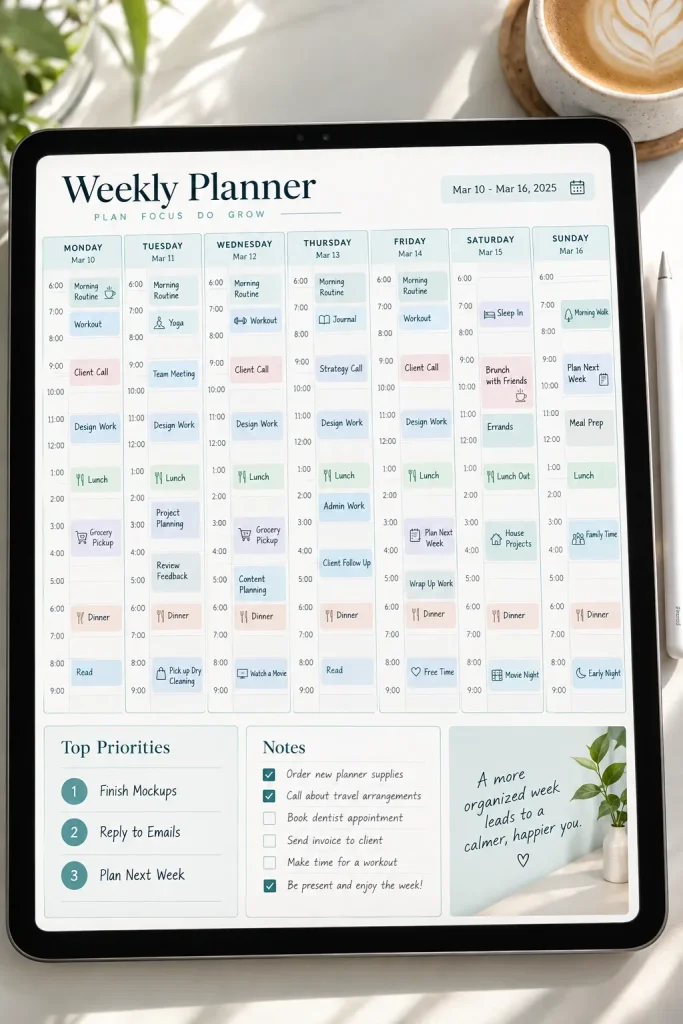
A weekly planner becomes much more useful when the buyer can see where their time is actually going.
Instead of filling the page with tiny boxes, give each day a clear section with simple time blocks. Add space for the few things that matter most that week.
- Seven daily planning areas
- A short weekly priority list
- Notes or reminders
- A small space for unfinished tasks
Keep the page roomy enough to write on with a stylus. Buyers who juggle appointments, work, errands, and personal tasks may find this format easier to use than a planner built around long task lists.
2. Student Study Planner for Classes and Assignments
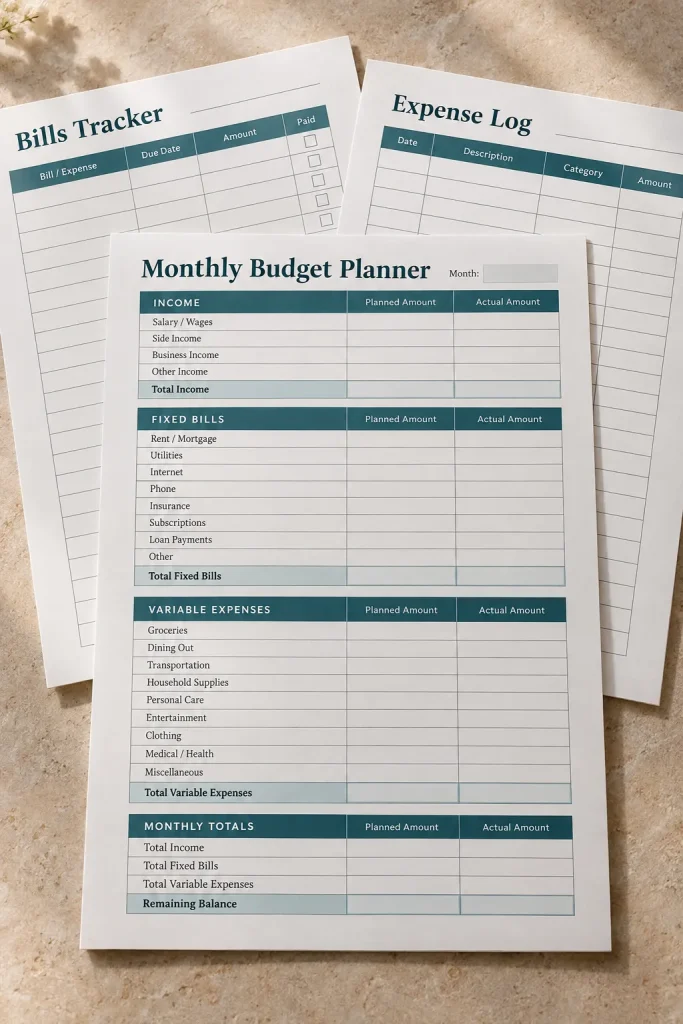
Students often have assignments, exams, readings, and class schedules competing for attention at the same time.
A study planner can bring those pieces into one place without trying to act like a full school management system. Build it around the things a student checks most often.
- Class overview
- Assignment tracker
- Exam planning page
- Weekly study schedule
Keep subjects easy to separate with tabs, icons, or simple color sections. A clean layout matters more than decorative extras here. The buyer should be able to open the planner, find the right class, and see what needs attention without digging through several pages.
Pages worth including
3. Digital Budget Planner for Monthly Money Tracking
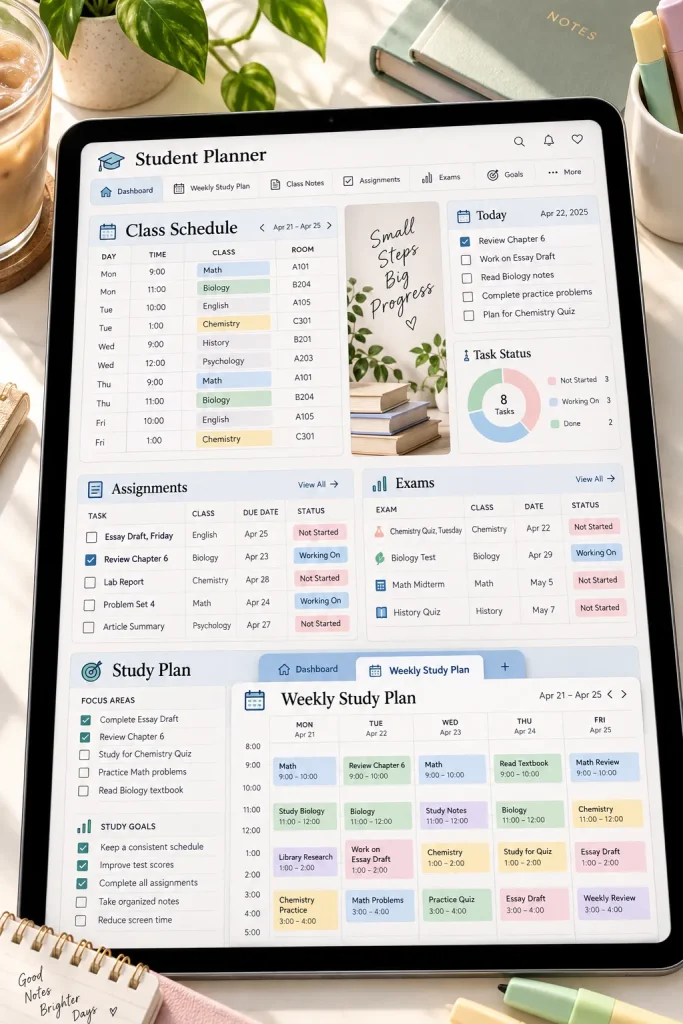
A budget planner does not need complicated formulas to be useful. Many buyers simply want a clean place to organize the numbers they already track.
Start with one monthly dashboard and build supporting pages around it. You might include sections for planned spending, actual spending, bills, savings goals, and notes.
For a beginner product, keep the categories editable or broad enough to suit different households.
A simple structure works well:
1. Plan the month.
2. Record spending.
3. Review what changed.
Avoid making promises about saving a certain amount of money. The planner is an organization tool, not a guarantee of financial results.
4. Meal Planning Organizer With Grocery Sections
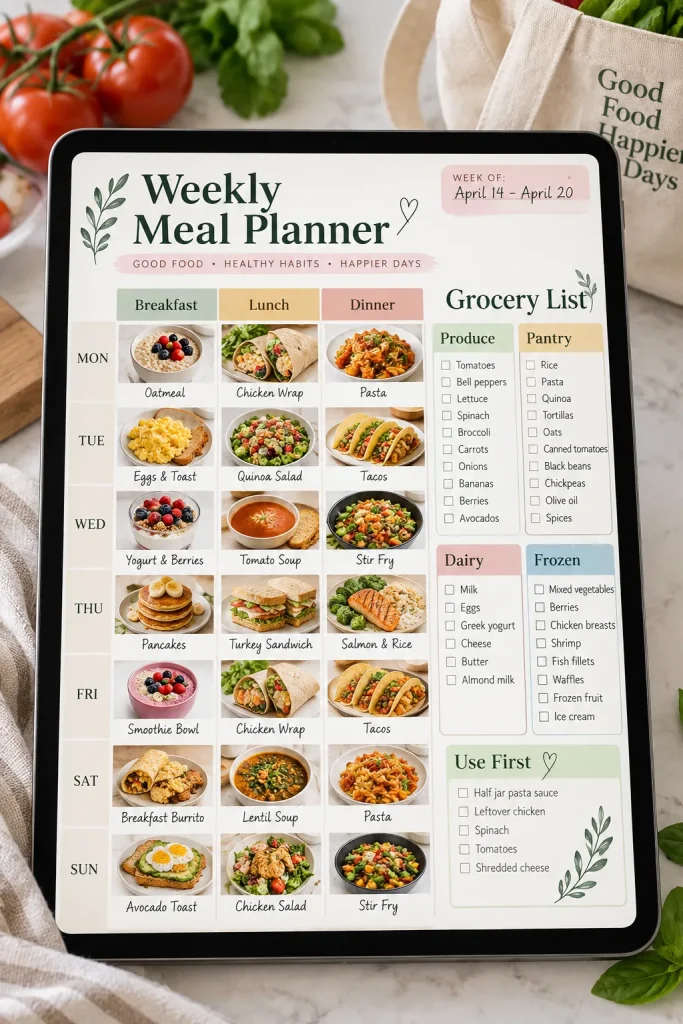
Meal planning gets annoying when the menu sits on one page and the shopping list lives somewhere else.
Put the two together. Give buyers a weekly meal grid, then add a grocery section they can fill while planning. Categories such as produce, pantry, frozen food, and household items can make the list faster to scan in a store.
You could also add:
- A page for favorite meals
- A simple pantry check
- Space for leftovers
- A blank notes area
Keep recipe storage optional. Some buyers only want help deciding what to cook and what to buy, so the core planner should still work without a large recipe section.
Choose meals for the week before starting the shopping list.
Check what is already in the kitchen so duplicate items are easier to spot.
Move needed ingredients into a grocery list grouped by shopping category.
5. Digital Fitness Planner for Workout Scheduling
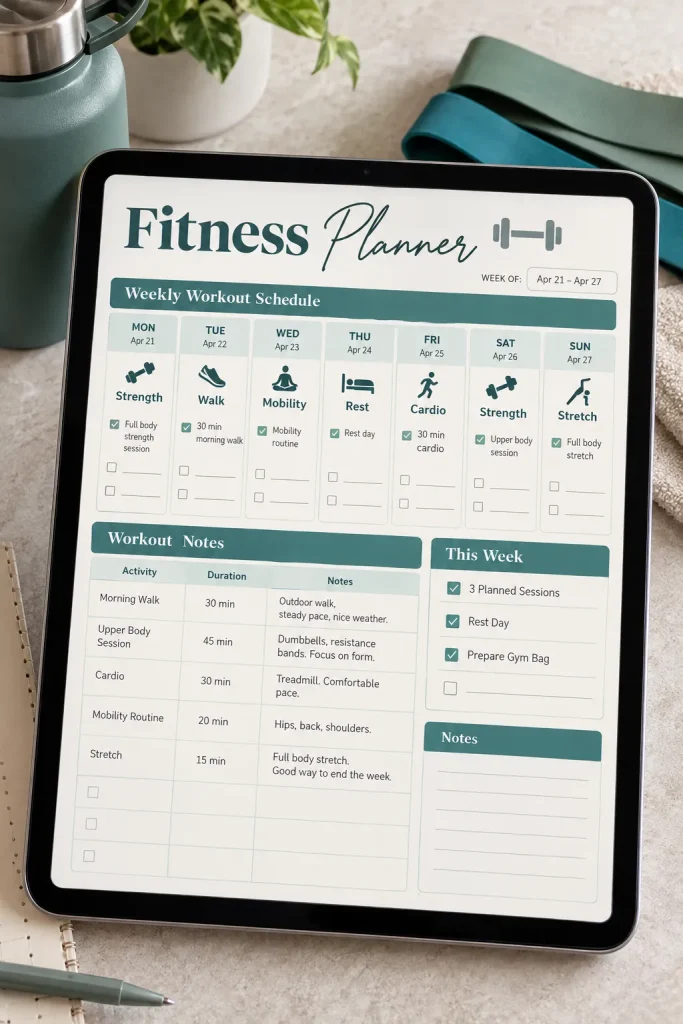
Fancy workout pages can get crowded fast. A useful fitness planner often starts with something much simpler: what the person plans to do and when they plan to do it.
Create a weekly schedule with room for the activity, day, and personal notes. Supporting pages could cover exercise lists, routine planning, or general progress notes without making health promises.
For example:
- Monday: strength session
- Wednesday: walk or cardio
- Saturday: planned activity
Leave enough blank space for buyers to adapt the planner to their own routine. Avoid prescribing workouts or making medical claims. The product works best as a scheduling and organization tool rather than fitness advice.
Workout ideas are scattered across notes, screenshots, and memory with no clear weekly plan.
Planned activities, days, and personal notes sit together on one easy to scan weekly page.
6. Daily Productivity Planner With Priority Tasks
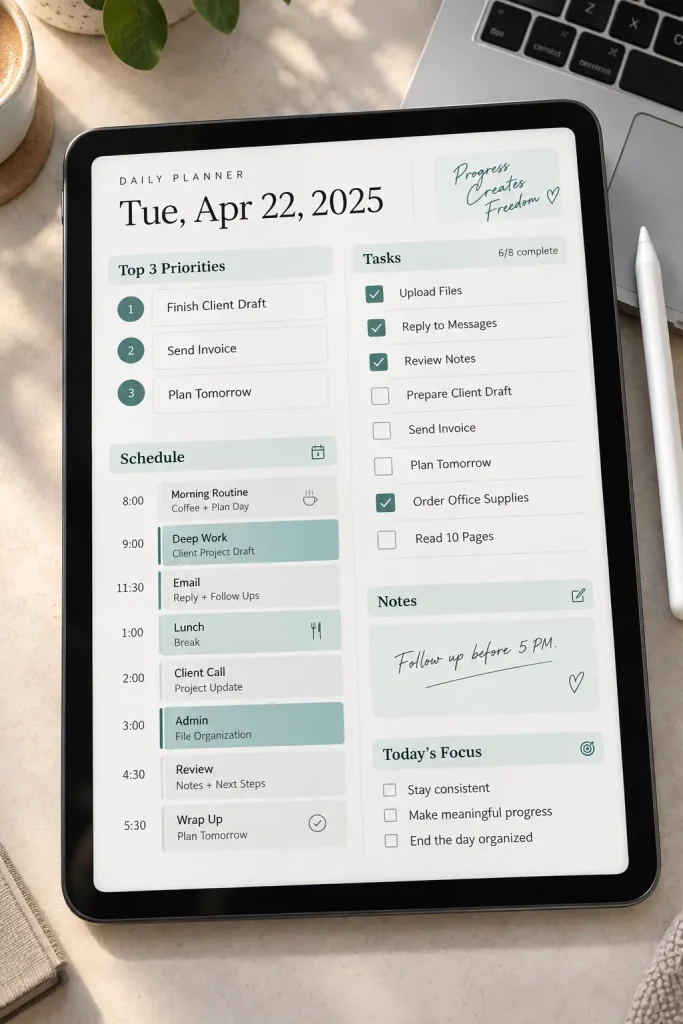
The biggest problem with many daily planners is that every task looks equally important.
Give the buyer a place to separate the few things that need attention from everything else. A simple page might start with three priority spaces, followed by a task list, schedule area, and notes section.
That gives the page a natural order:
- Decide what matters most.
- Add time sensitive plans.
- Capture smaller tasks afterward.
Resist the urge to squeeze ten different trackers onto the same page. White space can make a digital planner easier to write on and quicker to scan, especially when someone opens it during a busy workday.
💡 Quick Tip
Design the priority area near the top of the page. A buyer should not have to scan past several trackers before seeing the tasks that matter most.
7. Digital Wedding Planner for Couples
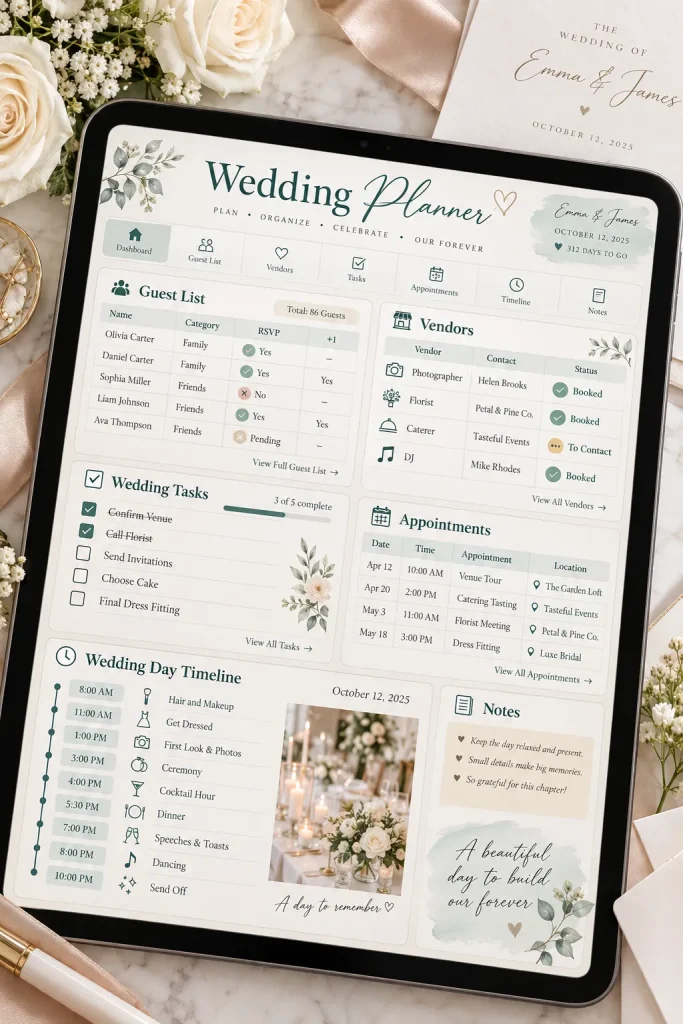
Wedding planning involves many separate decisions, which makes it a strong fit for a planner built around clear categories.
Instead of cramming everything into one dashboard, divide the product into useful sections. Think guest planning, vendor notes, ceremony details, reception ideas, task lists, and important dates.
A simple starter planner might include:
- Master task page
- Guest list section
- Vendor information pages
- Event day schedule
- Notes and idea pages
Blank fields are useful because every wedding is different. Keep layouts flexible rather than assuming one type of venue, ceremony, budget, or guest count. That makes the planner easier for more couples to adapt.
8. Content Planner for Bloggers and Creators
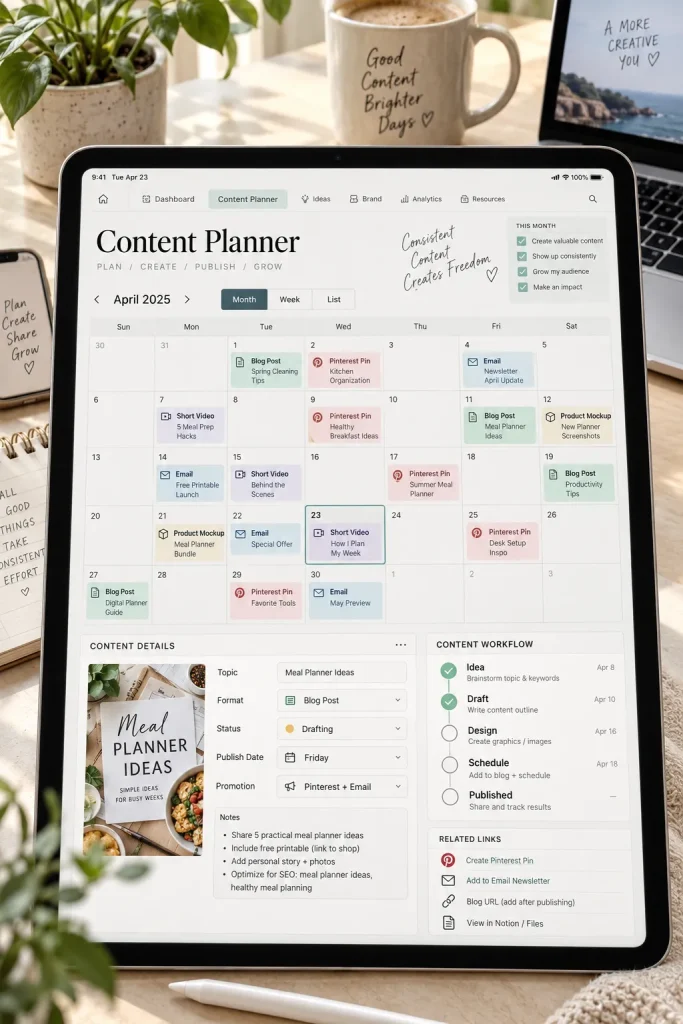
Content gets harder to manage once ideas, drafts, graphics, and publishing dates are stored in different places.
A digital content planner can give bloggers and creators one simple overview. Start with a monthly or weekly calendar, then add a page for individual content ideas.
Useful fields might include:
- Topic
- Format
- Draft status
- Publishing date
- Notes for images or promotion
Do not make the system more complicated than the work itself. Some buyers will prefer a calendar view, while others will want a detailed planning page for each piece of content. Including both gives them two practical ways to use the same planner.
| Calendar View | Detail Page |
|---|---|
| Useful for seeing publishing plans across a week or month. | Useful for developing one content idea in more detail. |
| Keeps dates and gaps easy to spot. | Keeps topic, format, status, and notes together. |
9. Digital Habit Tracker With Monthly Check Ins
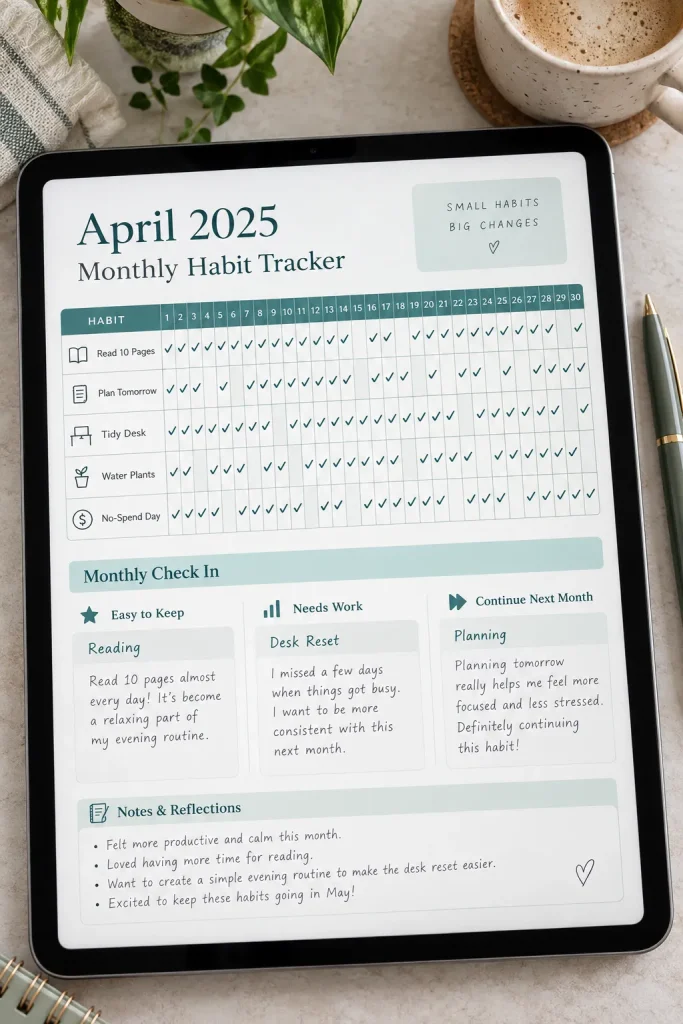
A row of unchecked boxes can tell a buyer more than a decorative cover ever will. Habit trackers work because progress is easy to scan at a glance.
Keep the main page simple. Give each habit its own row and each day a small box or circle. Then add a monthly reflection area for notes such as:
- What felt easy
- What kept getting skipped
- What to continue next month
Avoid squeezing too many habits onto one page. A little breathing room makes the tracker easier to mark with a stylus. The goal is a clear record, not a crowded dashboard.
10. Self Care Planner for Simple Wellness Routines
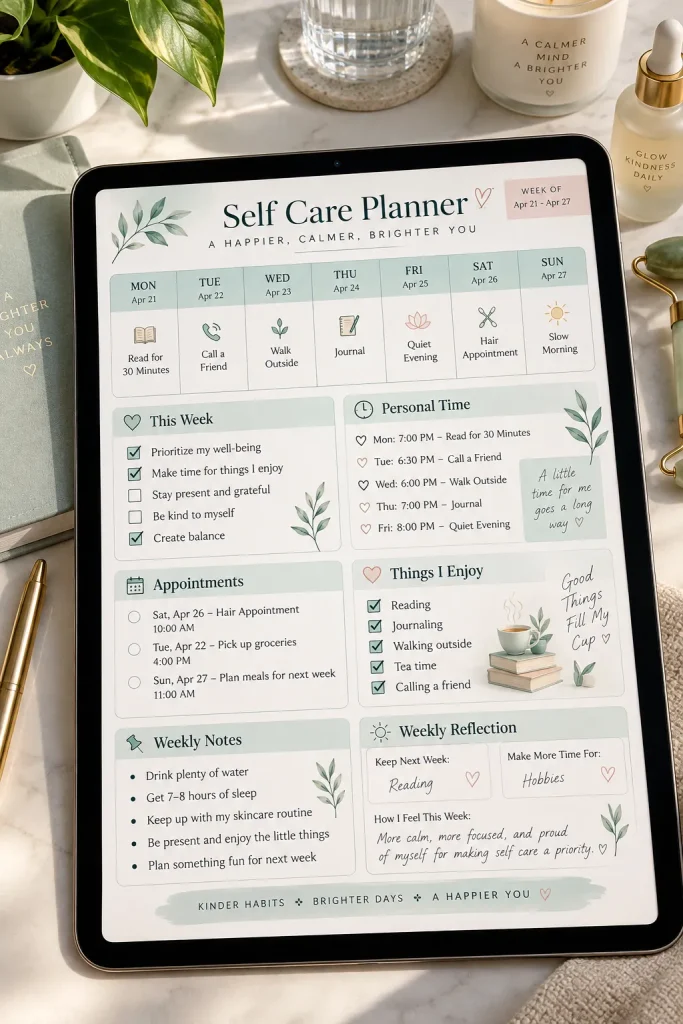
A self care planner works best when it feels light enough to use on a busy day.
Instead of filling it with strict routines, create flexible pages where buyers can plan small personal care habits and make notes about what helps them feel more organized. You could include space for rest, meals, movement, hobbies, social time, and personal appointments.
Keep the wording gentle and practical. This planner should support everyday organization rather than give health advice.
A simple weekly check in page can also help buyers notice which routines they actually want to keep instead of asking them to track everything at once.
Simple page ideas
11. Small Business Planner for Orders and Tasks
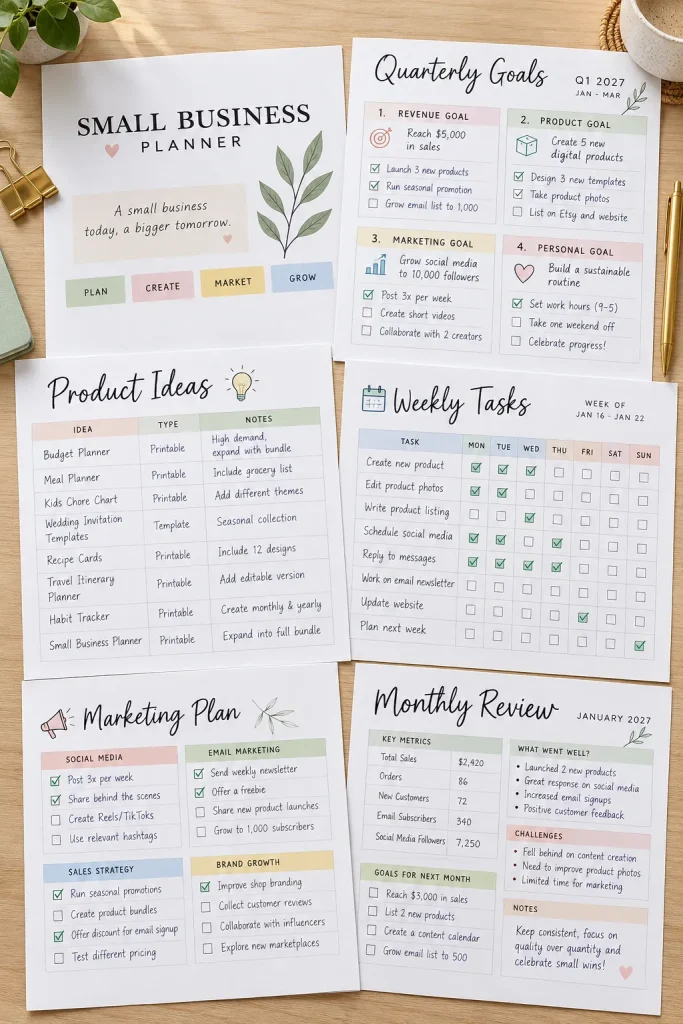
A small business planner does not need to run the business for the buyer. Its job is to keep everyday work easier to see.
Focus on simple pages that help a seller track what needs attention. An order overview, weekly task page, product idea list, and supplier notes can make a useful starter set.
Keep financial pages basic unless you are qualified to create more specialized material.
For sellers using Etsy or another marketplace, leave platform specific instructions out of the planner unless you know they are current. Rules and features can change, so buyers should always check the platform’s latest guidance themselves.
Keep order status, next tasks, and product notes easy to scan.
Use blank or editable fields that can fit different types of small shops.
Do not fill pages with platform rules that may become outdated.
Avoid making promises about sales, income, or business results.
12. Digital Reading Planner and Book Tracker
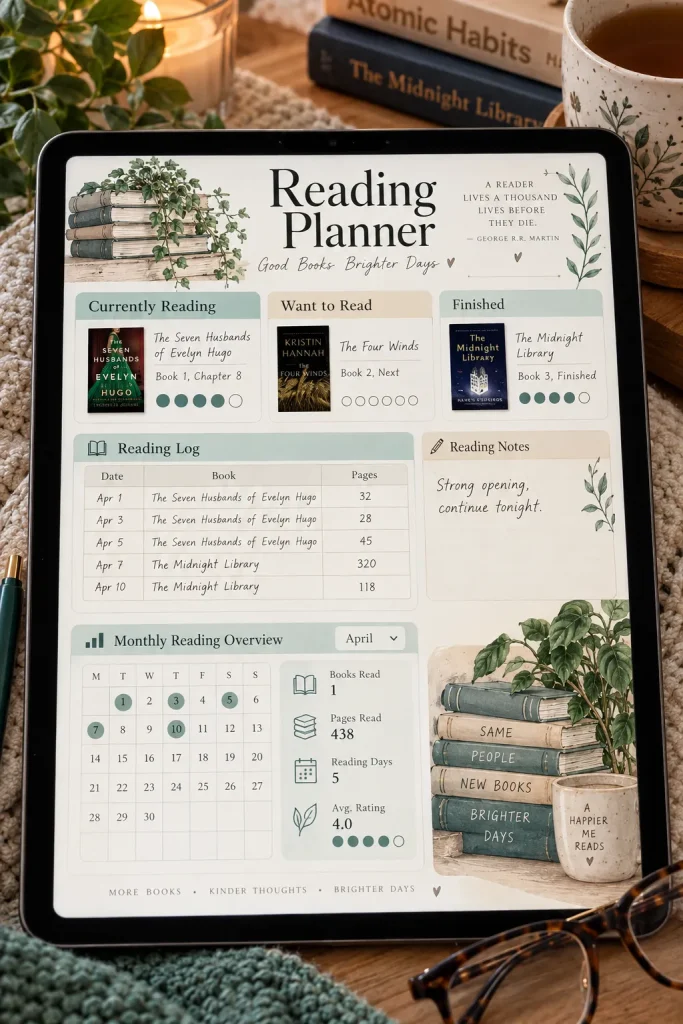
A half finished book on the nightstand is easy to forget once another title catches your eye.
A reading planner gives book lovers one place to keep track of what they want to read, what they have started, and what they finished. You can also include a simple page for notes, favorite ideas, or a personal rating.
Try mixing practical and fun pages:
- Reading list
- Currently reading
- Finished books
- Notes and favorite moments
Leave plenty of open writing space. Readers who like detailed reviews can use it, while casual readers can keep their notes to one or two lines.
📌 Good To Know
A blank notes section makes the same planner useful for novels, nonfiction, study reading, and book club picks without forcing one review format.
13. Goal Setting Planner With Milestone Pages
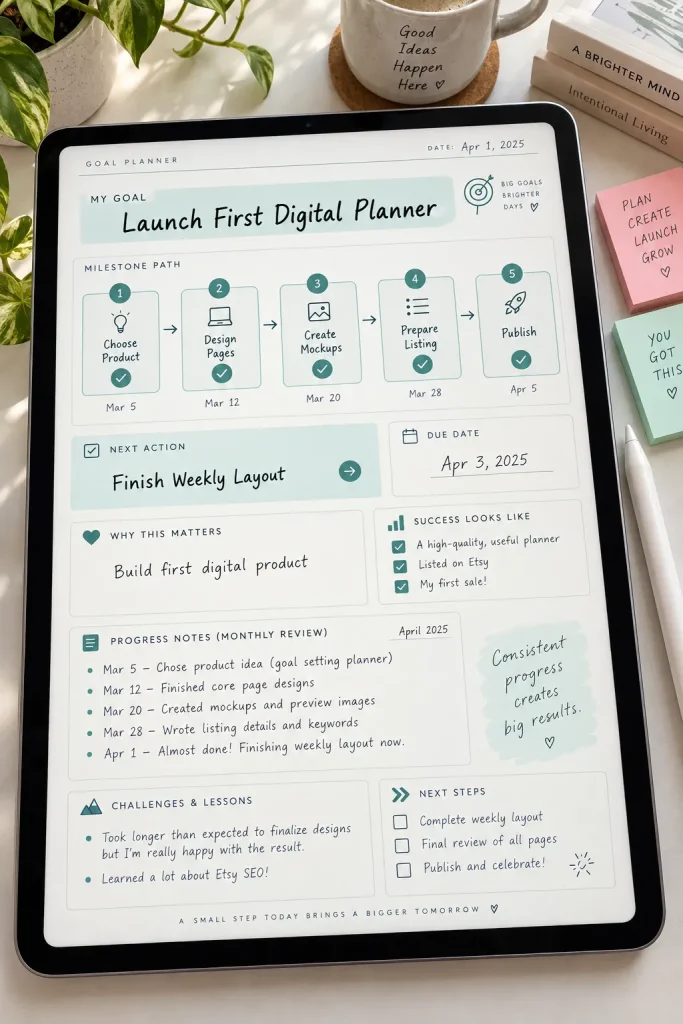
One goal per page is a useful rule when you want the planner to feel clear instead of overwhelming.
Start with the goal itself, then give buyers space to break it into smaller milestones. A simple page can include:
- The main goal
- Why it matters
- Milestones
- Next action
- Notes about progress
You can also add a monthly review page so buyers can adjust the plan without starting over.
The strongest layout keeps the next action easy to spot. A long list of distant goals can feel vague, but one visible next step gives the page a practical purpose.
Make the next action more visible than the final goal. Buyers need to know what they can do first, not just where they hope to end up.
14. Travel Planner for Trips and Itineraries
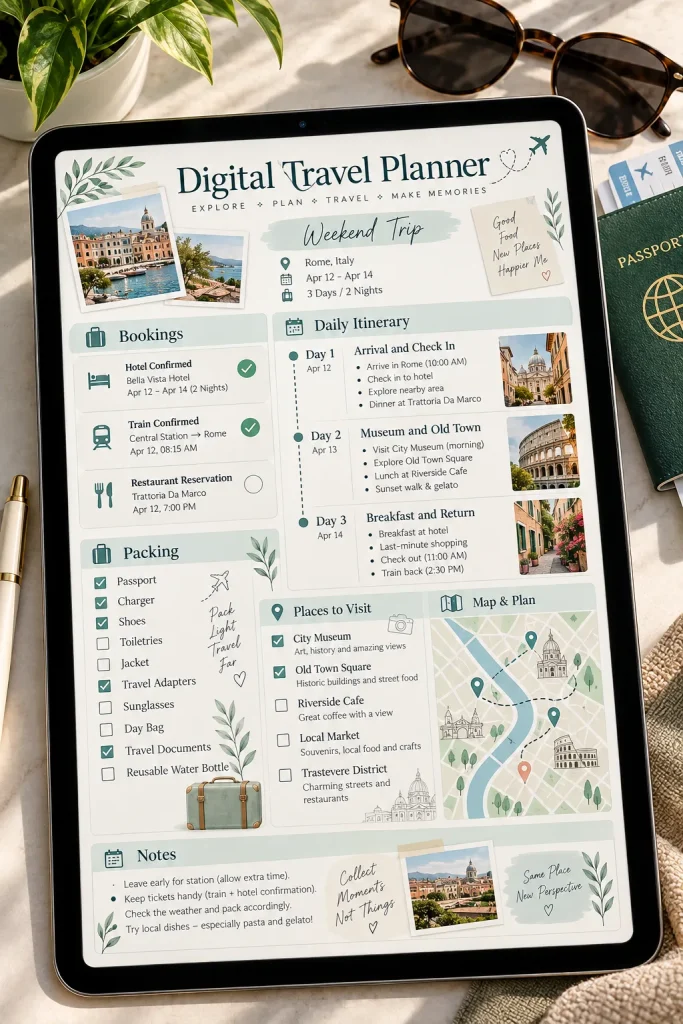
Build the trip from the big details down to the daily plan.
Start with destination, dates, and major bookings. Then give each travel day its own section for plans, addresses, notes, and reminders. A packing page and a general checklist can round out the product without making it huge.
Keep some fields blank because different trips need different information. A weekend city break will not use the same pages as a long family trip.
The planner should help buyers gather information they already have in one place. It should not replace official travel, visa, entry, or safety guidance.
Add the trip basics first, including destination, dates, and confirmed bookings.
Plan each day with room for activities, transport notes, addresses, and open time.
Finish with packing, last minute reminders, and a blank notes page for anything unexpected.
15. Digital Cleaning Planner for Home Routines
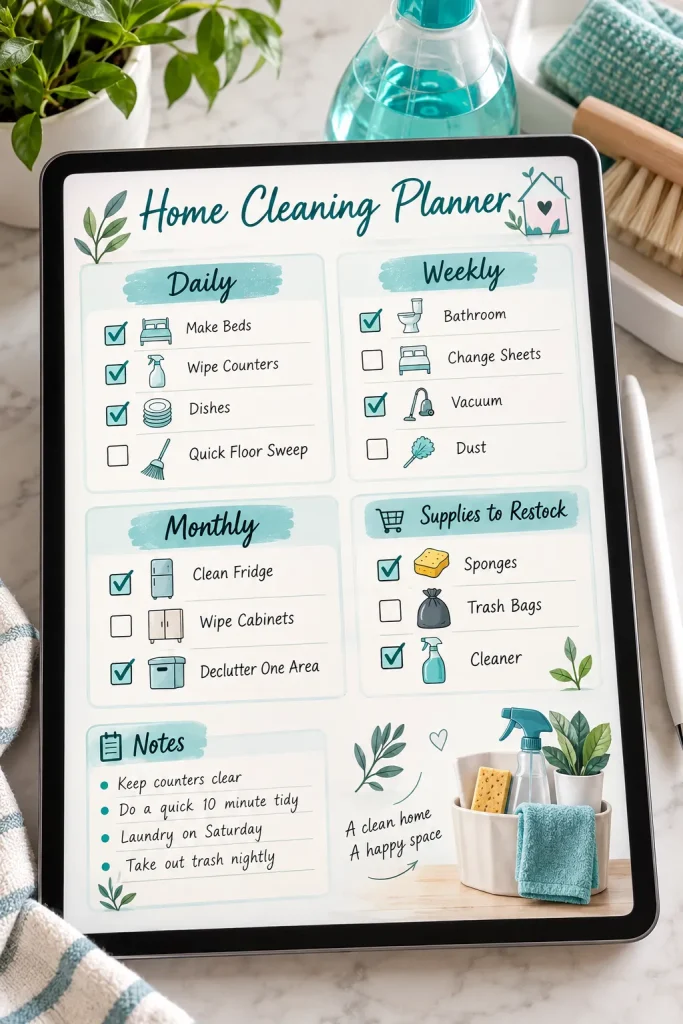
The quickest way to make a cleaning planner exhausting is to put every household task on one giant list.
Break chores into smaller routines instead. A daily page might cover quick resets, while weekly and monthly pages hold jobs that happen less often. You can also give buyers blank rows so they can add tasks that fit their own homes.
Useful sections could include:
- Daily reset
- Weekly room tasks
- Monthly jobs
- Supplies to restock
Avoid assuming every buyer has the same rooms or schedule. A flexible planner feels much easier to adapt than a rigid checklist with dozens of fixed chores.
One long household list mixes quick daily jobs with chores that only need attention once in a while.
Daily, weekly, and monthly sections separate tasks by timing and make the planner easier to scan.
16. Pregnancy Planner With Appointment and Prep Pages
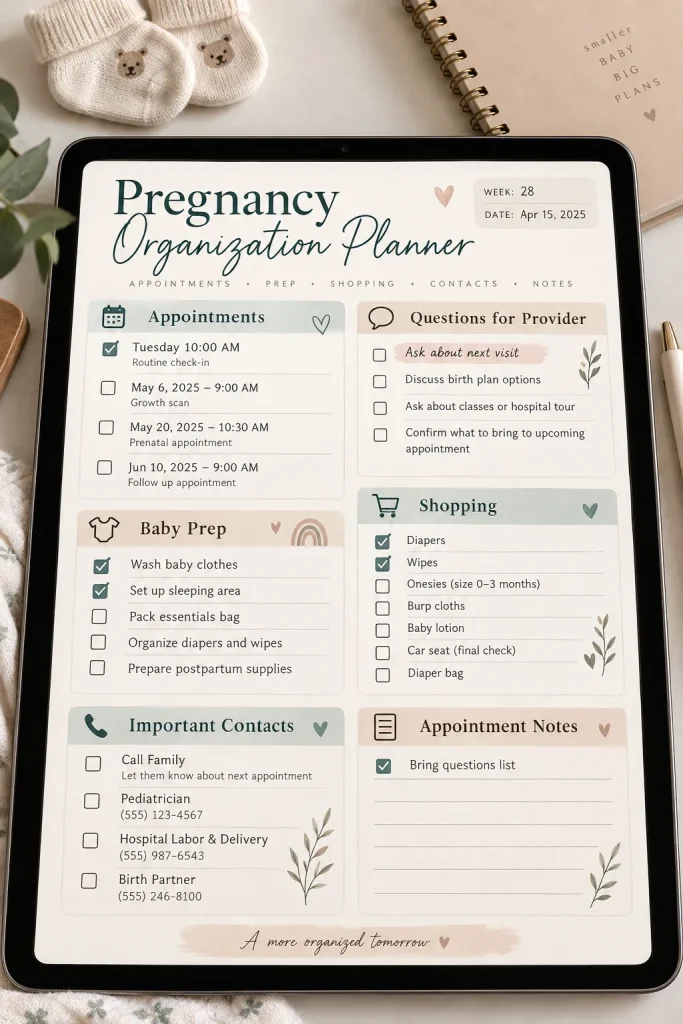
A pregnancy planner can hold a surprising number of small details without needing to become a medical guide.
Keep the product focused on organization. Buyers may want one place for appointments, questions to bring to a care provider, preparation tasks, shopping notes, and personal reminders.
You could also include a section for:
- Appointment dates
- Questions and notes
- Baby preparation tasks
- Items to pack later
- Important contacts
Use open fields rather than telling buyers what medical choices to make. Health needs vary from person to person, so the planner should support record keeping and preparation while leaving medical guidance to qualified professionals.
Helpful organizer pages
17. Digital Garden Planner for Planting and Care
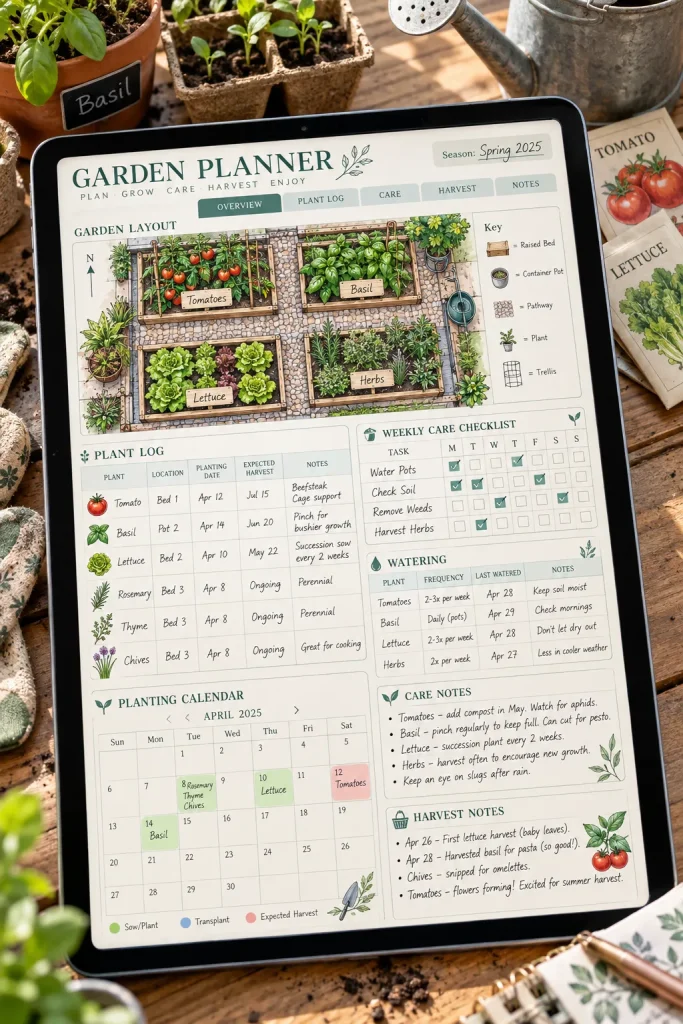
Seed packets, plant notes, and watering reminders can pile up quickly once a garden starts growing.
A digital garden planner gives buyers one spot to record what they planted and what needs attention next. Keep the pages flexible enough for a few balcony pots or several garden beds.
Useful sections could include:
- Plant name and location
- Planting date
- Watering notes
- Care reminders
- Harvest or progress notes
A simple garden layout page can also help buyers sketch where plants are placed. Blank spaces are useful here because growing seasons, climates, and garden sizes vary widely.
18. Pet Care Planner for Feeding and Appointments
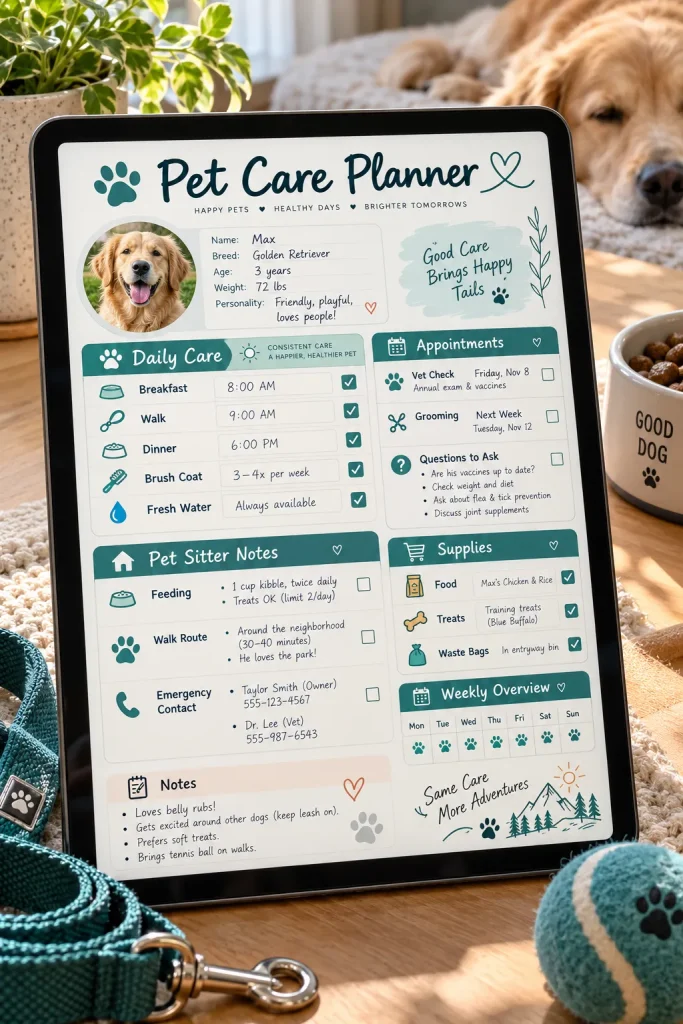
Pet care usually includes two kinds of information: things that happen every day and details that only matter occasionally.
Design the planner around that split. Daily pages can hold feeding, walks, grooming notes, or other routines the owner chooses to track. A separate section can store appointment dates, contacts, and questions for a veterinarian or other pet care professional.
You might also include:
- Supply reminders
- Pet sitter notes
- Medication record space for owner supplied information
- General care notes
Keep health sections factual and blank. The planner should organize information, not provide veterinary advice.
| Daily Care | Occasional Care |
|---|---|
| Feeding, walks, grooming, and routine notes. | Appointments, questions, contacts, and care reminders. |
| Works best as a quick check in page. | Works best as a reference page that stays easy to find. |
19. Social Media Planner With Posting Calendar
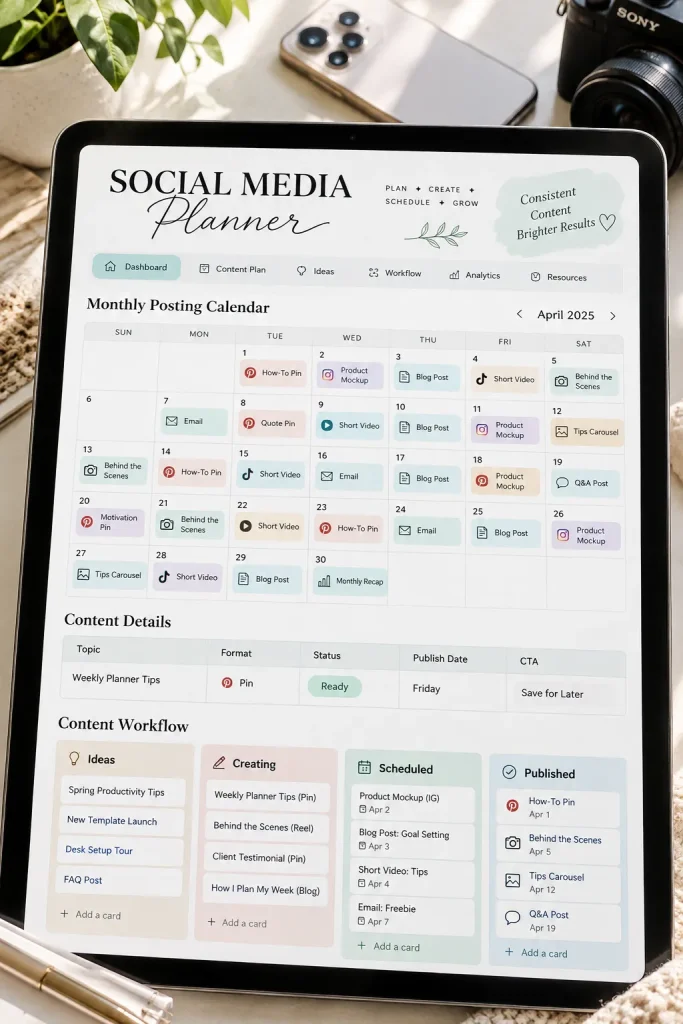
Seeing an empty posting calendar can make content planning feel harder than it needs to be.
Give buyers a simple place to map out what they want to publish before adding detailed planning pages. A monthly calendar can show the big picture, while individual content cards can hold topics, formats, captions, image notes, or status fields.
For a beginner product, keep platform fields broad rather than building the whole planner around one network.
That makes the layout easier to adapt if the buyer uses more than one platform. It also reduces the chance that changing platform features make the planner feel dated.
20. Digital Recipe Planner and Kitchen Organizer
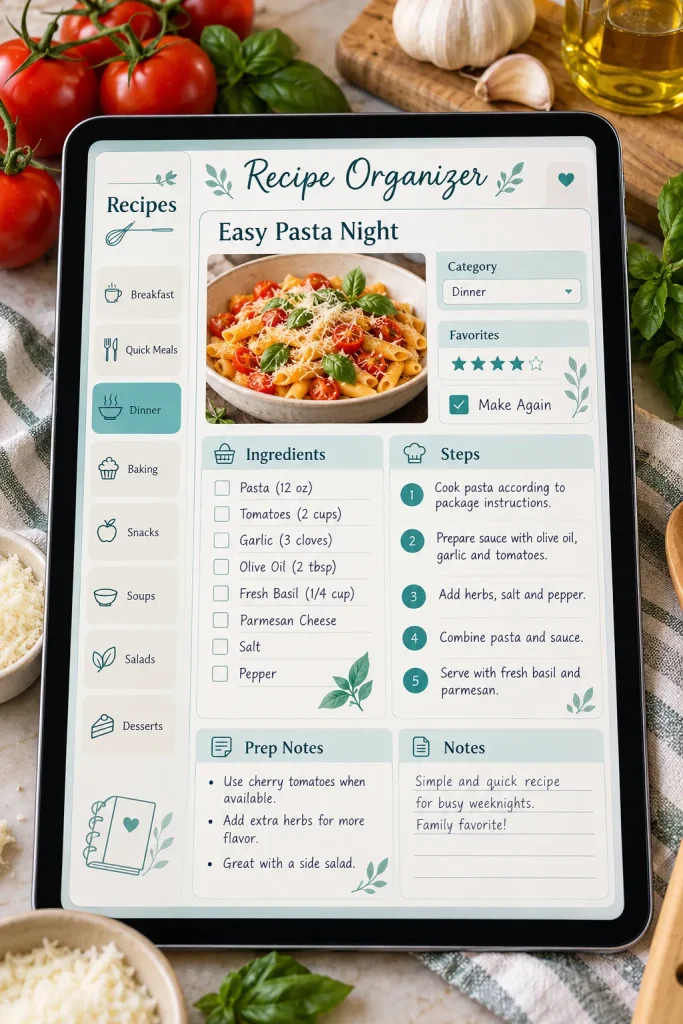
A recipe planner becomes messy fast if every page tries to hold ingredients, meal plans, pantry notes, and shopping lists at once.
Separate those jobs. Give each recipe its own clean page, then create different sections for meal planning and kitchen organization.
A basic recipe page could hold:
- Recipe name
- Ingredients
- Steps
- Personal notes
- A blank category field
Buyers can then group recipes in whatever way makes sense to them, such as breakfast, quick meals, baking, or family favorites. Keep the format open rather than forcing a complicated filing system from the start.
💡 Quick Tip
Use one repeatable recipe page and let buyers add their own category labels. A simple structure is easier to reuse than several highly specific recipe layouts.
21. Freelancer Project Planner for Client Work
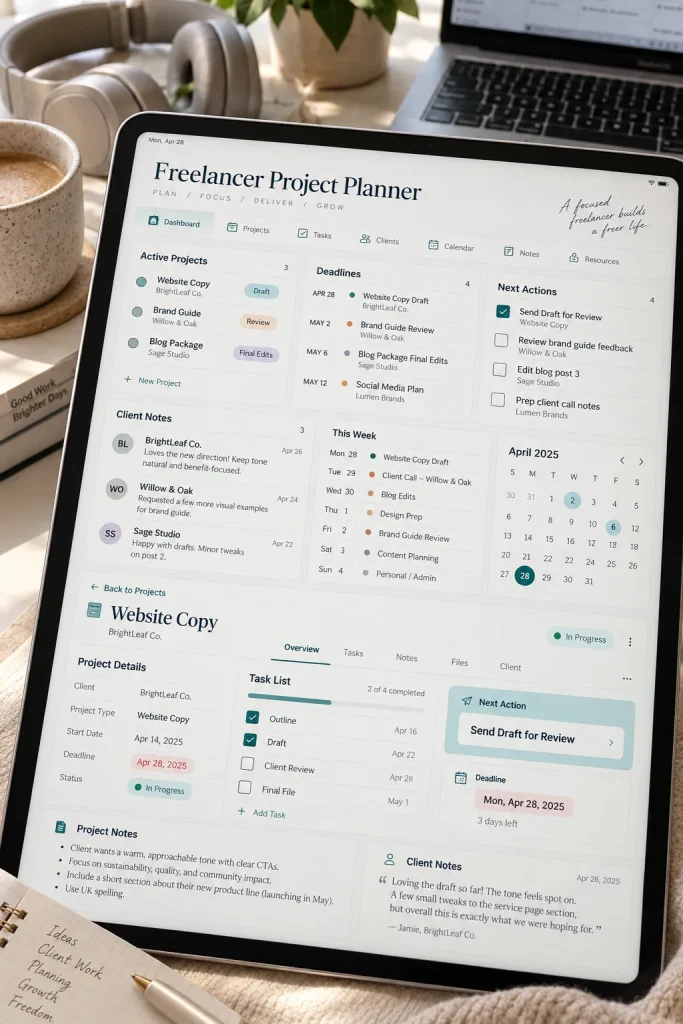
More pages do not automatically make a freelancer planner more useful. The important part is showing what needs attention for each project.
Create one repeatable project page with fields for the client name, project goal, tasks, deadlines, notes, and next step. Then add a simple overview page so several active projects can be scanned together.
Avoid building the planner around promises about productivity or income.
A freelancer may handle writing, design, consulting, photography, or another service, so broad project fields will usually travel better than pages made for one narrow workflow.
Give each project a clear next step and deadline area.
Use reusable fields that work for different freelance services.
Do not bury the next task under several pages of notes.
Avoid promises about faster work, higher income, or client results.
22. Digital Morning and Evening Routine Planner
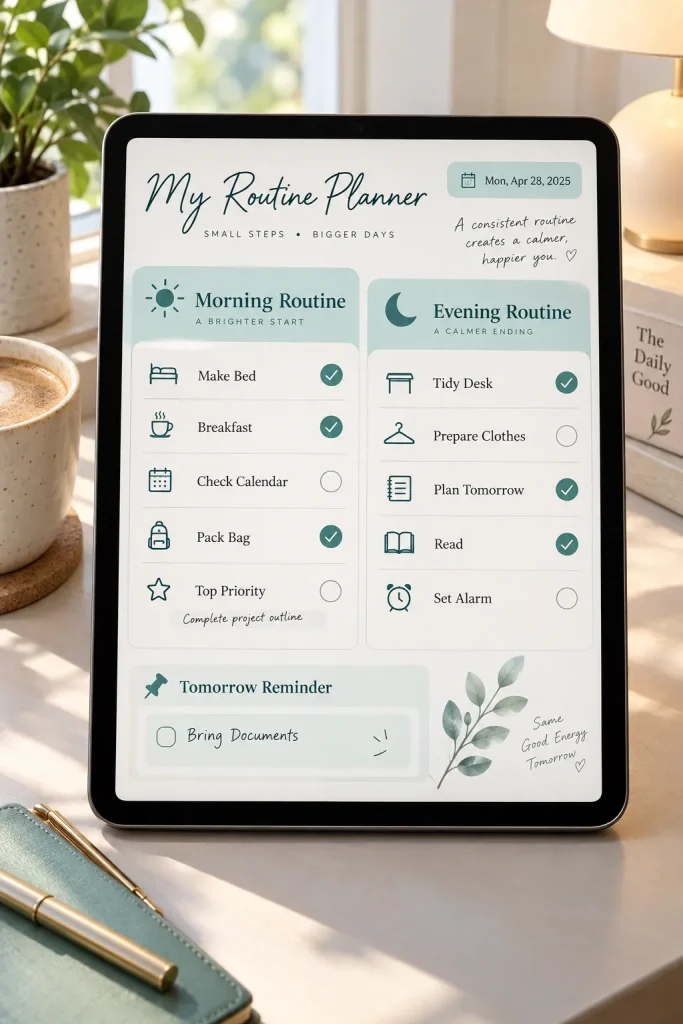
Morning and evening routines look neat on paper, but real schedules are rarely identical every day.
Make the planner flexible enough for buyers to build routines that fit their own lives. One page can cover the morning, another the evening, with blank spaces for tasks, reminders, and notes.
Useful sections might include:
- Start of day tasks
- Things to prepare
- Evening reset
- Tomorrow reminders
Keep the list short enough to scan quickly. Buyers who want more detail can add extra steps themselves. A routine planner should make recurring tasks easier to remember, not turn them into another long checklist to manage.
Keep the routine pages simple
23. Digital Moving Planner With Packing Checklists
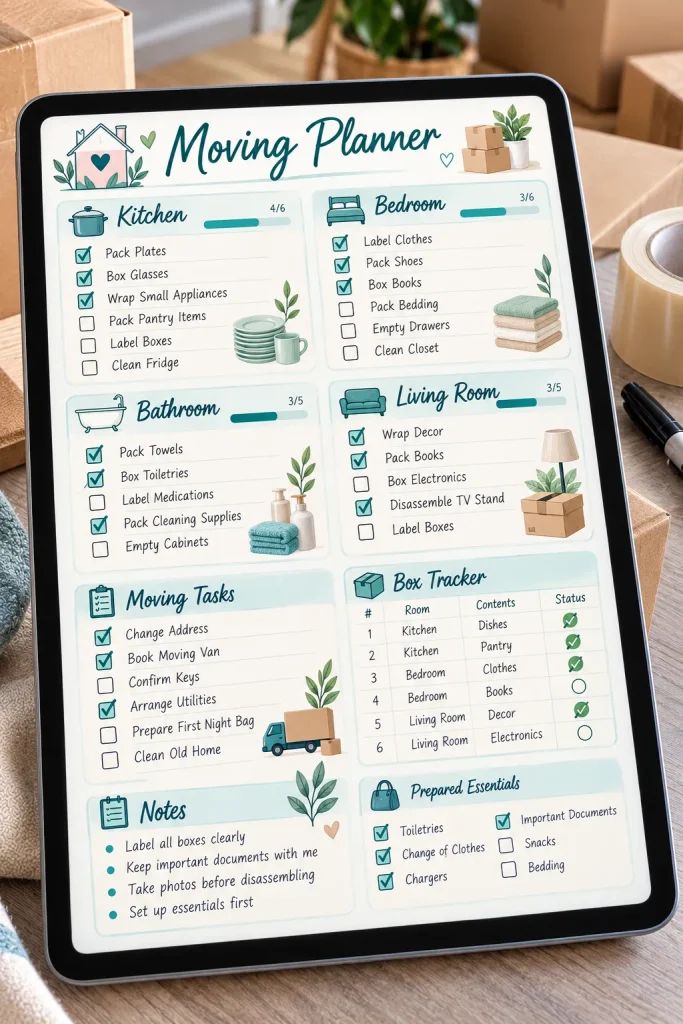
Moving becomes much easier to follow when the buyer can see what belongs to each room instead of working from one huge packing list.
Create room based packing pages with space for boxes, items, tasks, and notes. Then add a separate section for things that need attention before and after moving day.
For example:
- Kitchen packing
- Bedroom packing
- Important documents
- Address change reminders
- First day essentials
Leave room for buyers to rename or add rooms. A studio apartment, shared home, and larger house can all need very different packing lists.
Boxes, errands, documents, and room tasks are mixed into one long list with no clear order.
Room based packing pages and separate moving tasks make it easier to see what still needs attention.
24. Digital Event Planner for Parties and Gatherings
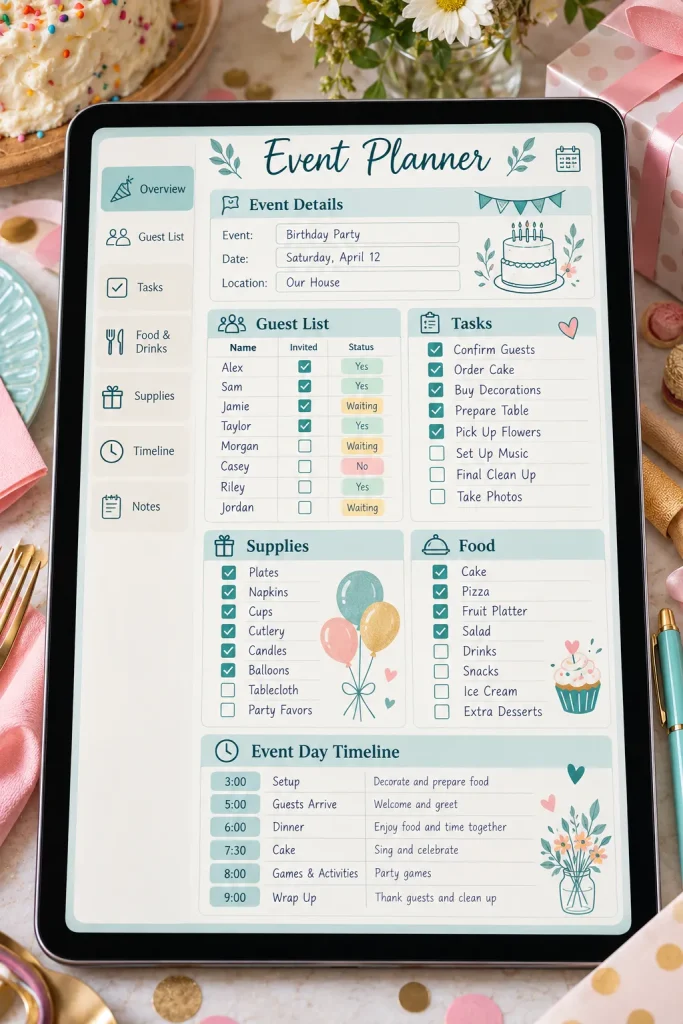
Start with the event date and work backward.
A digital event planner can help buyers keep guest details, tasks, supplies, and timing in one place without assuming what kind of gathering they are planning. It could work for birthdays, dinners, showers, family gatherings, or other personal events.
Build the core pages around three stages:
1. Decide the main details.
2. Organize people and supplies.
3. Plan the event day.
Add blank note pages for anything that does not fit those sections. Flexible fields let the buyer shape the planner around a small dinner or a larger gathering without needing a different product.
Set the date, basic plan, guest estimate, and main event details.
Track guests, supplies, food ideas, setup tasks, and other preparations.
Create a simple event day timeline with room for final reminders and notes.
25. Digital Vision Board Planner With Goal Pages
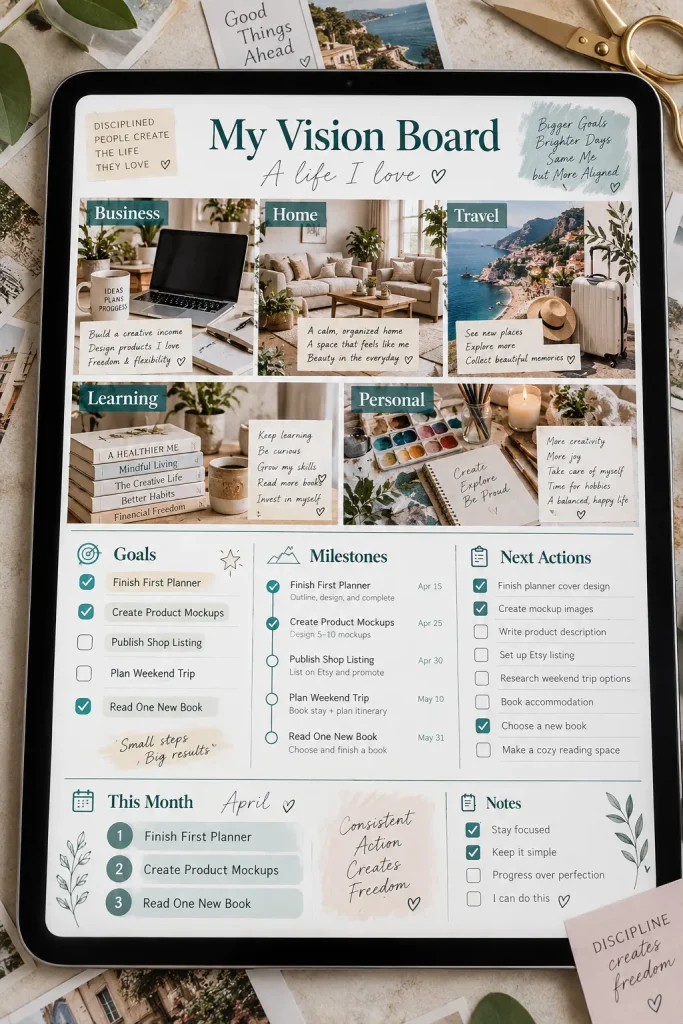
A page filled with images can feel inspiring, but it becomes more useful when the buyer can connect those ideas to something they plan to do.
Create a digital vision board page with open spaces for photos, colors, symbols, or short notes. Then pair it with simple goal pages that help turn those ideas into smaller actions.
Useful sections could include:
- Main vision board
- Goals by area
- Milestone pages
- Next action list
- Monthly reflection notes
Keep the board flexible rather than filling it with fixed categories. Buyers can then shape it around work, home, travel, hobbies, learning, or other personal goals.
Pair the visual board with a clear next action page. Inspiration is easier to use when the buyer has somewhere to turn ideas into practical steps.
Start With One Planner You Can Make Clear
You do not need to create all 25 products at once. Pick one of these digital planner ideas that matches a clear buyer need, then build the few pages that make that planner useful.
Keep the layout easy to write on, make the purpose obvious in your mockups, and leave enough flexibility for buyers to adapt the planner to their own routines. If you sell through Etsy or another platform, check its current rules before listing your product.
Once the first planner feels solid, you can use what you learned to plan the next one.
Save this list on Pinterest so you can come back when you need your next digital product idea.