
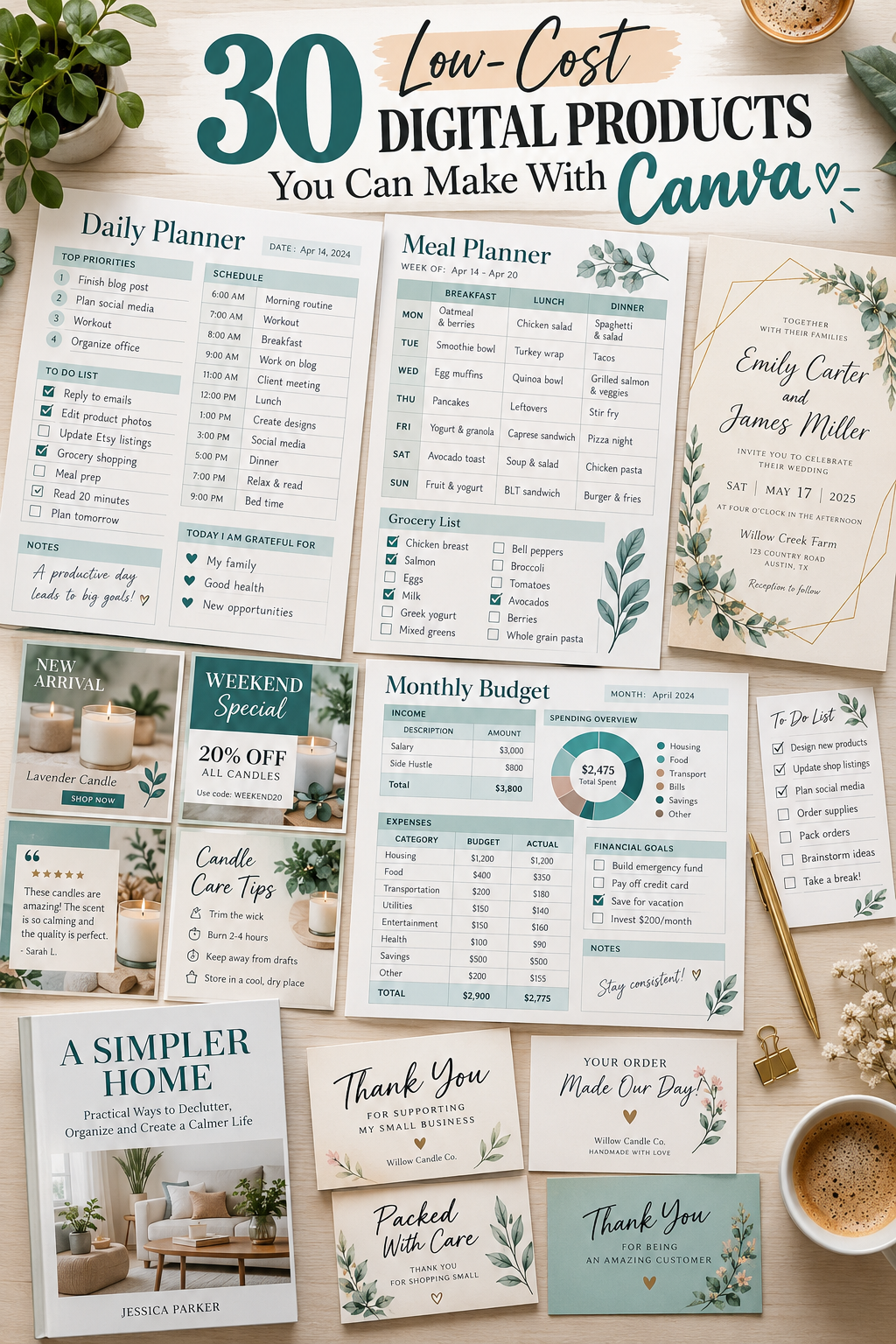
A simple Canva design can turn into something useful that people download, print, or edit for themselves. The tricky part is deciding what to make when you are staring at a blank design and have no idea where to start.
You might have opened Canva to create a planner, then noticed invitation templates, business cards, and social media designs along the way. There are plenty of possibilities, but you do not need to tackle everything at once.
The best place to begin is with a small product that solves one clear problem. A weekly meal planner helps someone organize dinner. A thank-you card helps a shop owner package orders. A resume template helps a job seeker present their experience neatly.
These low cost digital products are practical ideas you can create with Canva and offer as digital downloads or editable templates. Many can start with a few well-designed pages rather than a large collection.
Before selling, read Canva’s current license terms and check the rules of the platform where you plan to list your product.
Here are 30 ideas worth exploring, starting with products that are easy to understand and useful in everyday life.
1. Printable Daily Planner Pages
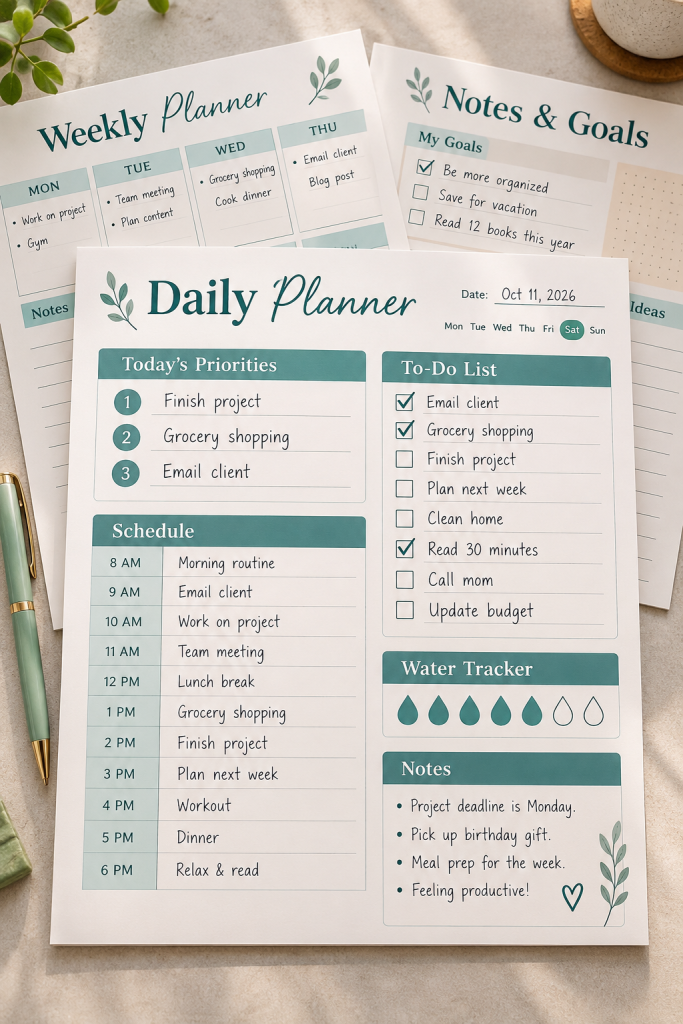
A daily planner does not need dozens of sections to be useful. Most people simply want one place to see what needs to happen before the day gets away from them.
Create a printable page with a few practical areas:
• Top three priorities: The tasks that matter most.
• Daily schedule: Time slots for appointments and work.
• To-do list: Smaller tasks that need attention.
• Notes: A little space for reminders.
Make a clean version for home printing and offer a second layout with extra writing room. This gives buyers a choice without making the product complicated.
Keep the page easy to print, with readable text and enough white space for handwriting.
2. Weekly Meal Planner and Grocery List
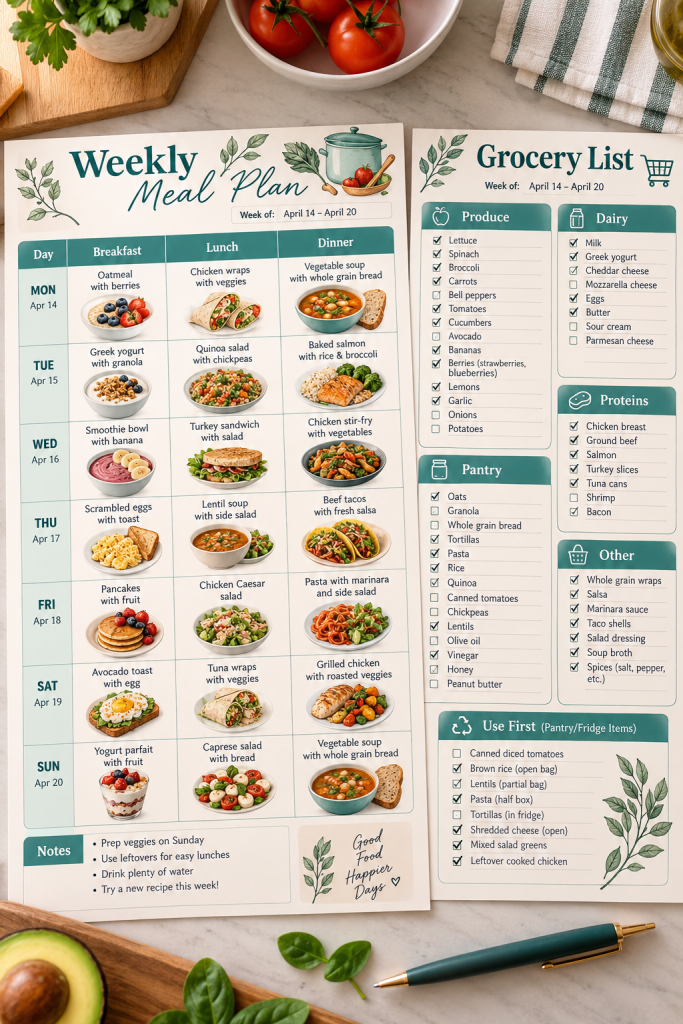
Deciding what to cook every evening can become another chore. A weekly meal planner helps households make those choices ahead of time and shop with a clearer list.
Design a seven-day meal chart with room for breakfast, lunch, and dinner. Then add a matching grocery sheet divided into produce, pantry, dairy, and other essentials.
A useful extra is a small Use First box where buyers can write down ingredients already sitting in the fridge.
Sell the matching pages together rather than making people download each one separately. Keep the grocery list simple enough to carry into a store.
✓ Meal Planner Bundle Checklist
3. Monthly Budget Tracker
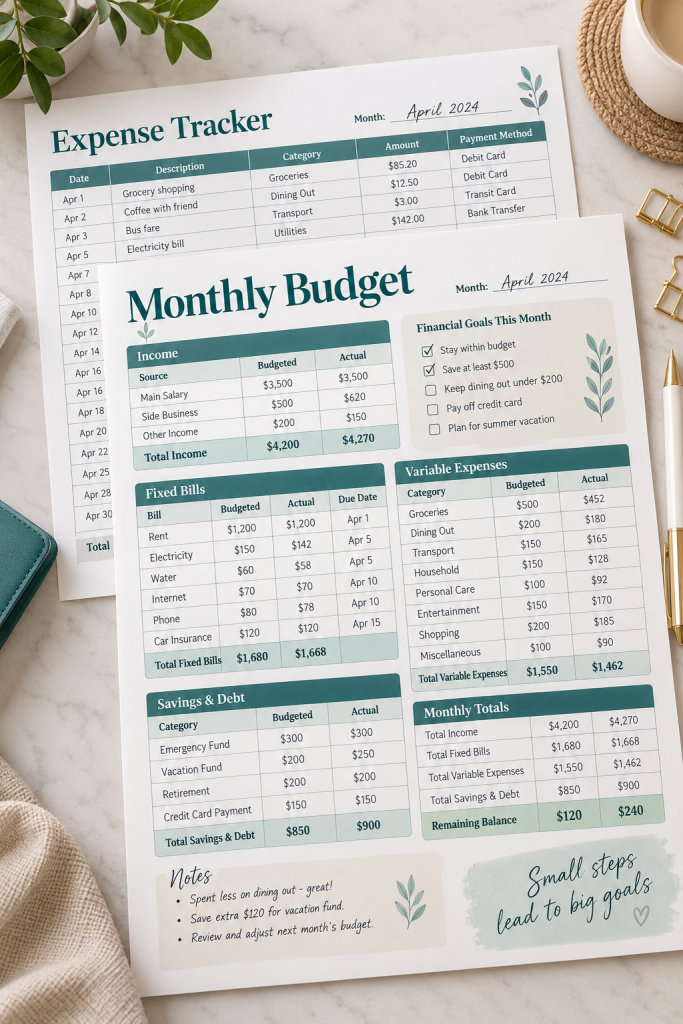
A monthly budget tracker gives people a clearer picture of where their money needs to go. It works especially well as a printable worksheet because the layout can stay simple.
Start with sections for monthly income, regular bills, everyday spending, and savings. Add a column for the amount planned and another for the amount actually spent.
To make the sheet useful, include:
• A space for bills and due dates.
• Separate rows for flexible expenses.
• A final section for monthly totals.
Offer an undated version so the same design can be printed whenever it is needed.
Avoid cramming too many boxes onto one page. People need room to write real amounts.
4. Habit Tracker Printable
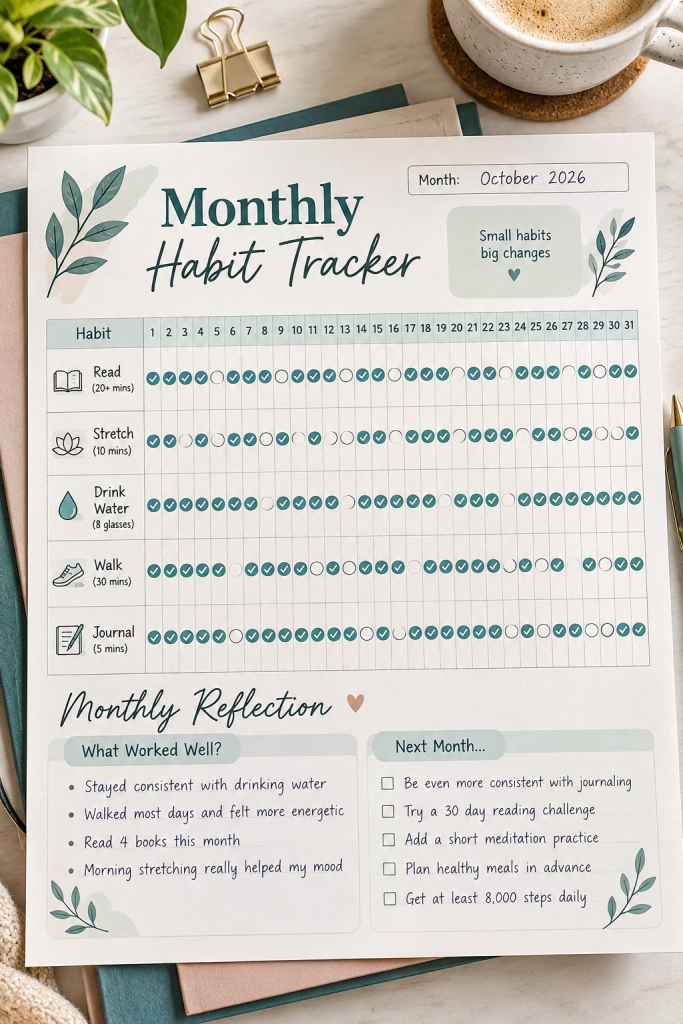
Small daily habits can be hard to remember when there is no simple way to mark progress. A printable habit tracker makes that routine visible.
Create a monthly grid with habit names on the left and numbered days across the top. Buyers can color a circle or tick a box each time they finish something.
You could show sample habits such as reading, stretching, drinking water, or tidying a room. Leave the product itself undated so people can fill in their own month.
Make the tracking marks large enough to use comfortably. Tiny circles might look neat on a laptop but become frustrating once printed.
Include a small reflection area at the bottom for what worked and what needs adjusting.
💡 Quick Design Tip
Design habit marks large enough for pens and pencils.
Add a monthly reflection: Keep doing, Change, Try next month.
5. Home Cleaning Checklist Bundle
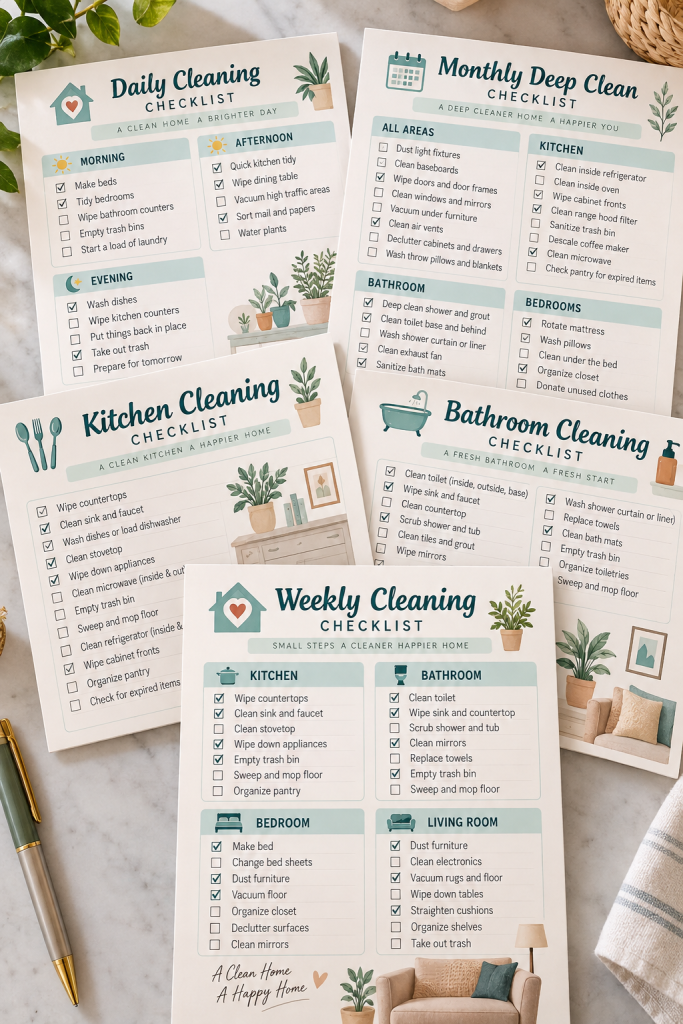
Cleaning feels less overwhelming when the jobs are already sorted into manageable lists. A home cleaning bundle can help buyers remember everyday tasks without rewriting them each week.
Instead of making one crowded checklist, design separate pages for different routines:
• Daily: Dishes, counters, and quick tidying.
• Weekly: Floors, bathrooms, and bedding.
• Monthly: Cabinets, vents, and deeper cleaning jobs.
You can also add room-by-room sheets for kitchens and bathrooms.
Use clear checkboxes and short task descriptions. Buyers should be able to glance at the page and know exactly what to do next.
A matching cover sheet can make the collection feel like one complete product.
6. Wedding Invitation Suite
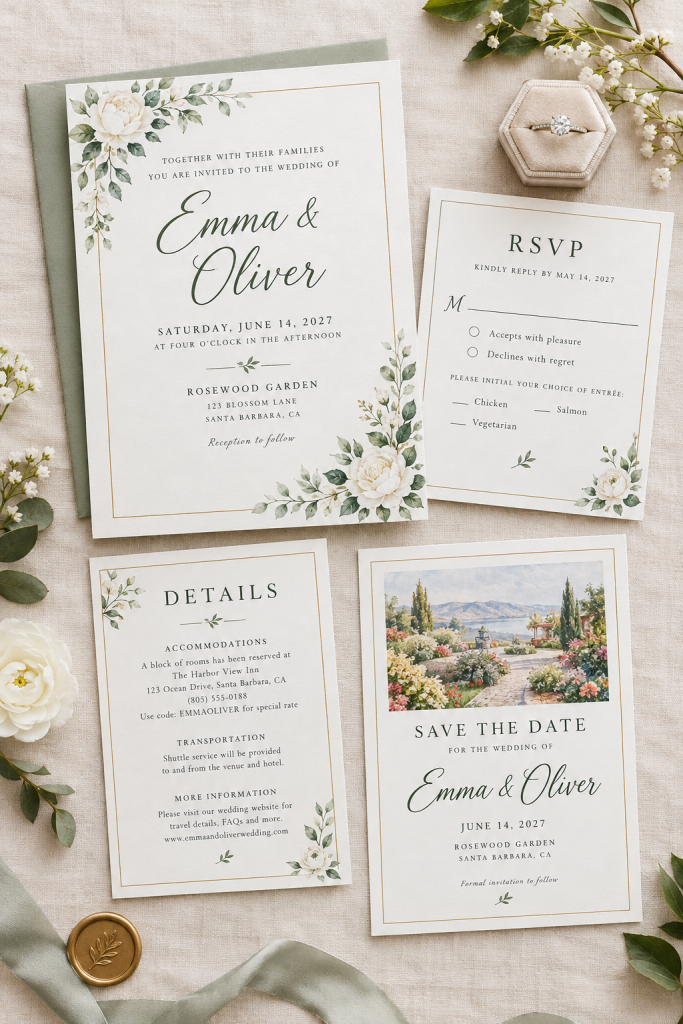
Wedding stationery is easier to coordinate when every piece uses the same colors, fonts, and decorative details. That makes a matching invitation suite a practical Canva product.
Start with a main invitation, then design an RSVP card and a details card using the same style. A save-the-date card can complete the collection.
Keep the information easy to edit. Couples may need to change names, dates, venue details, or response instructions.
Pay special attention to spacing. A beautiful invitation becomes difficult to use when long venue names or addresses no longer fit.
Show all the matching pieces together in your product preview, and clearly explain which files and editable elements buyers receive.
| Option A | Option B |
|---|---|
| Invitation | Guest response and deadline |
| Details card | Names, date and location |
7. Baby Shower Invitation Set
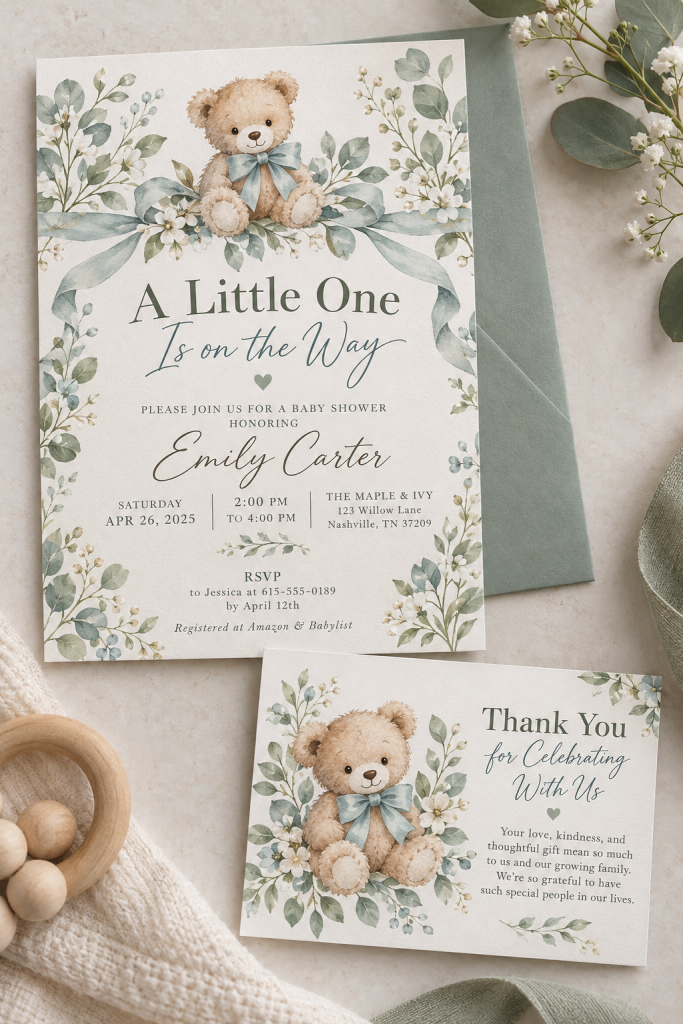
A baby shower invitation is a small product with plenty of room for thoughtful design. Buyers often want something that matches their celebration without spending time building an invitation from scratch.
Create a coordinated invitation and thank-you card with one clear theme. Soft botanical details, playful animals, or simple pastel shapes can all work.
The invitation needs room for the guest of honor’s name, date, time, location, and RSVP details. The thank-you card should leave enough space for a personal message.
Consider offering both a printable layout and a digital-sharing version.
Keep the decorations away from important wording so the invitation remains easy to read on a phone.
Unmatched fonts, colors and theme
Matching invitation and thank-you card with consistent artwork and lettering
8. Birthday Party Invitation Template
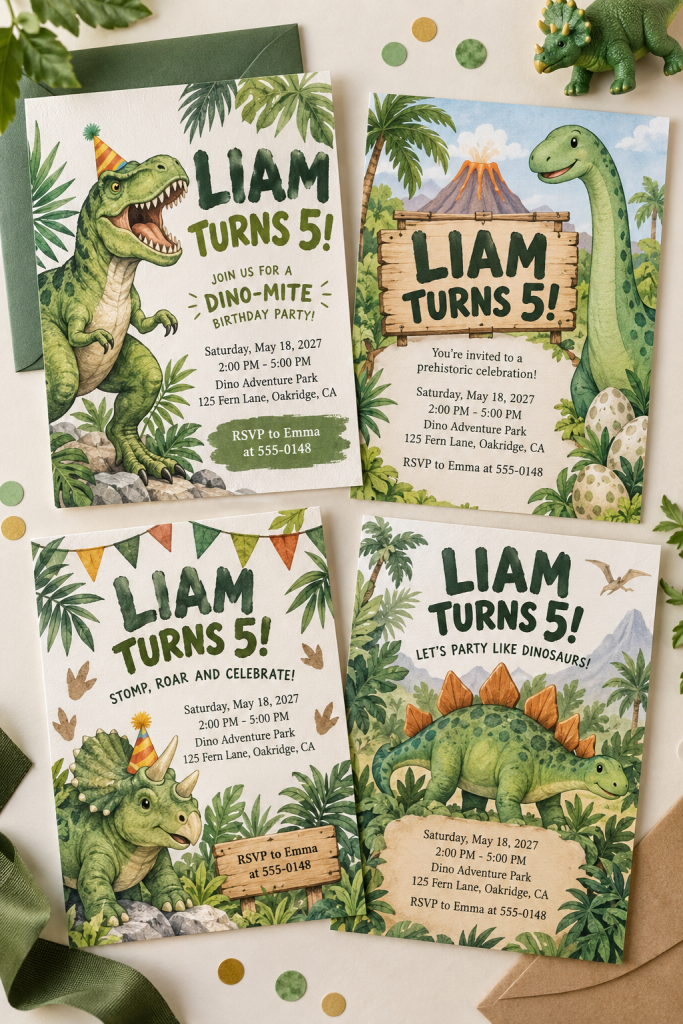
Birthday invitations can be a good starting project because the design has one clear job: tell guests when and where to celebrate.
Choose a specific theme, such as dinosaurs, rainbows, outer space, or a simple grown-up dinner party. Create one strong main invitation rather than filling the page with too many illustrations.
Make sure the design has obvious spaces for the name, age if needed, date, time, location, and RSVP contact.
For a small bundle, include a second color option and a matching digital version.
Check the design at phone size before listing it. If the party details are hard to read in a small preview, buyers may have the same problem when sharing it.
Choose one clear theme
Create a readable invitation with all party details
Prepare a second color and digital version
9. Instagram Post Template Pack
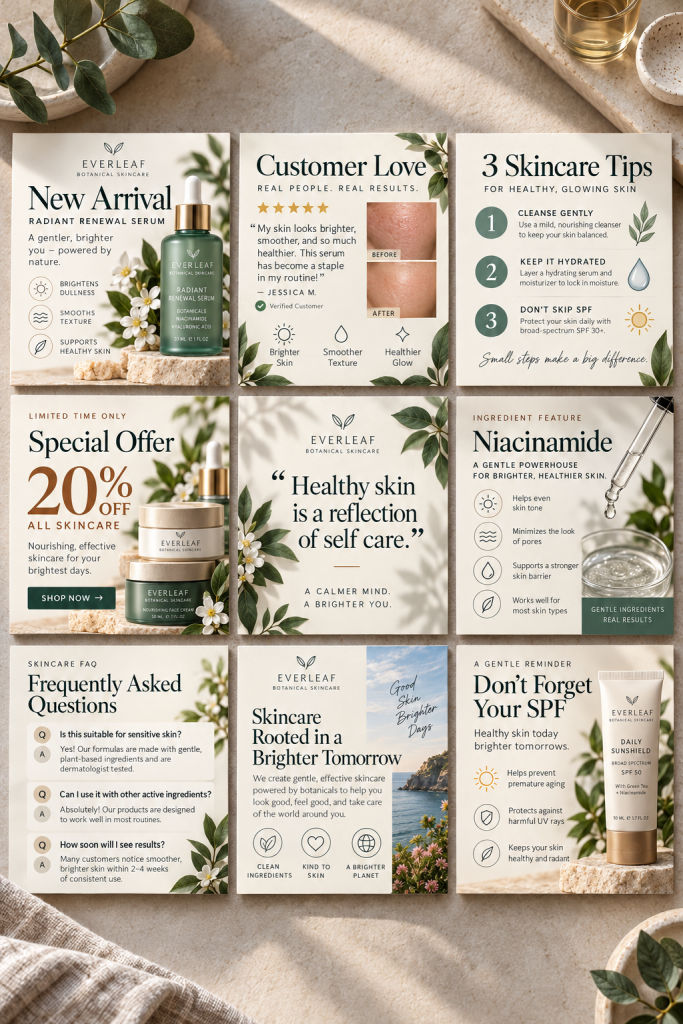
A matching Instagram post pack helps small business owners create content without starting a new design every time they want to share something.
Build a set of square templates around different posting needs. Include a product announcement, customer review, helpful tip, sale promotion, and simple quote design.
The trick is making every layout look related while giving each one a different purpose.
Use the same fonts and colors throughout the pack, but change the arrangement of images and text. Leave clear areas where buyers can insert their own photos, names, and messages.
Show the full collection in a grid so shoppers can quickly see what they are getting.
10. Instagram Story Template Pack
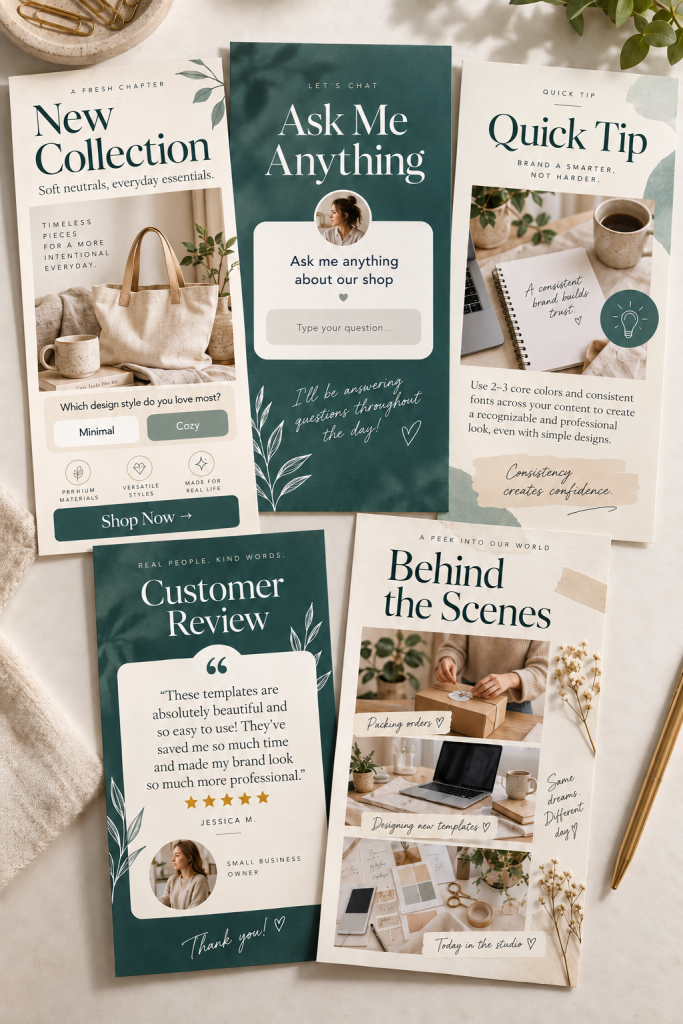
Instagram Stories need a different layout from regular feed posts. They are tall, quick to read, and often designed around one message.
That makes a dedicated Story template pack a useful product for creators, coaches, and small shops.
Instead of resizing square posts, design vertical pages for specific purposes:
• A new product or service announcement.
• A question for followers.
• A short educational tip.
• A customer review or testimonial.
• A behind-the-scenes update.
Keep important words away from the very top and bottom, where Instagram’s interface may cover them.
A good pack gives buyers enough variety to share different messages while keeping their account visually consistent.
✓ Story Template Pack Checklist
11. Pinterest Pin Template Bundle
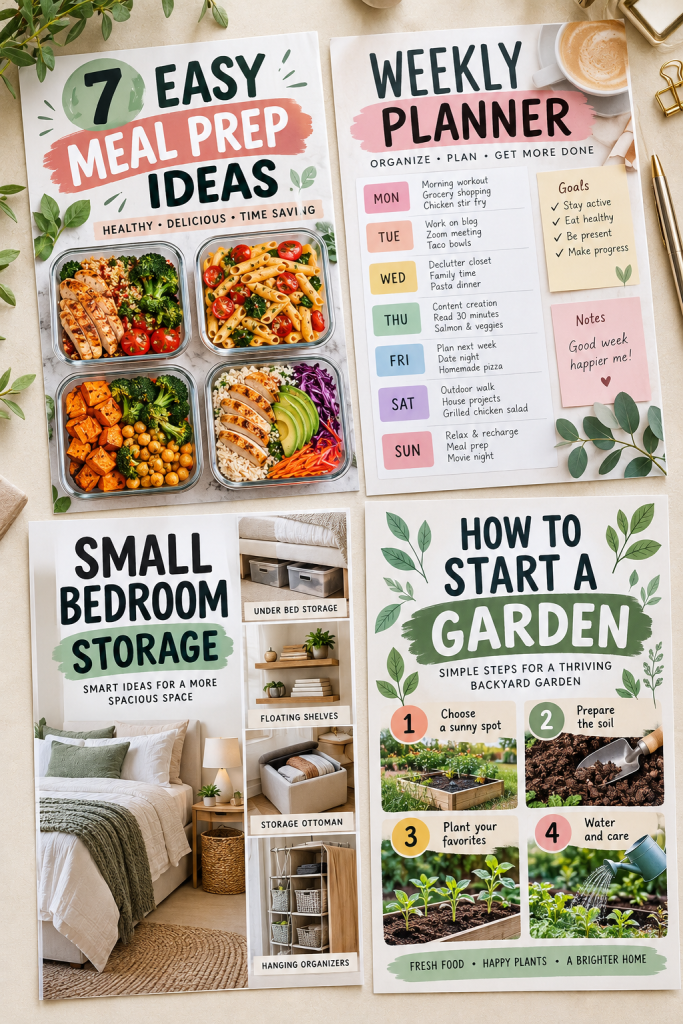
Tall Pinterest graphics give bloggers and small business owners a way to present an idea with a clear image and headline.
A template bundle can save them from designing every new pin from scratch.
Create several layouts with different arrangements. One might feature a large photo with a heading above it. Another could use a split layout with an image on one side and text on the other.
Include designs for blog posts, tutorials, product collections, and helpful lists.
Use readable headline space, even when the image has lots of detail. Avoid placing small words over busy photographs.
Present your finished designs together so buyers can compare the styles at a glance.
12. Media Kit Template
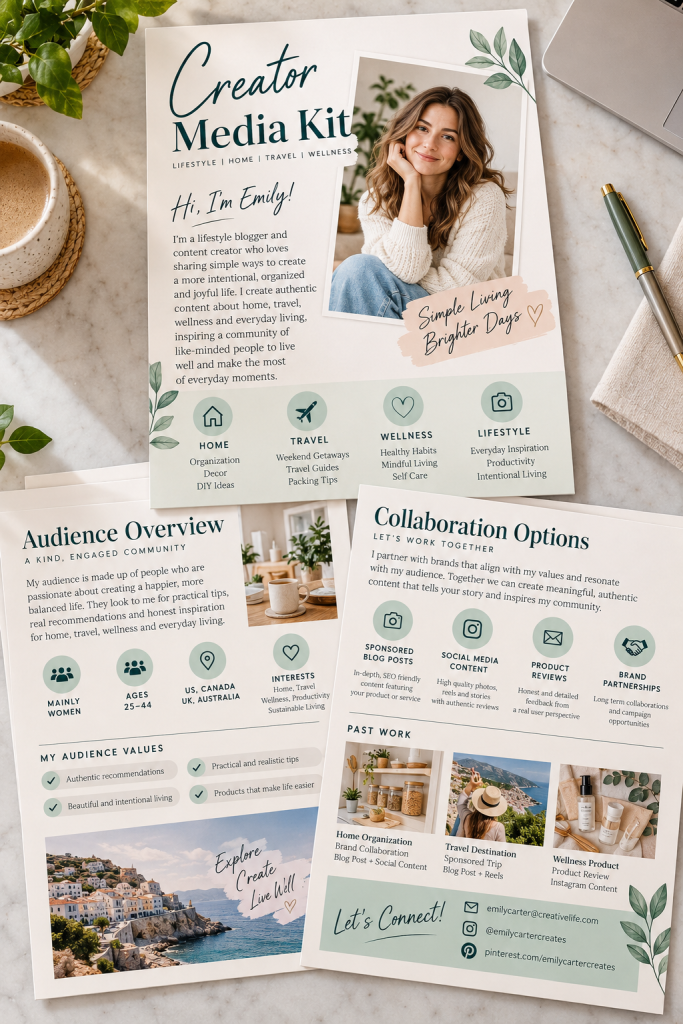
Brands sometimes ask creators for a media kit before discussing a possible partnership. It is a document that brings useful information about the creator into one place.
You can make an editable Canva media kit for bloggers, influencers, podcasters, or other content creators.
Start with a cover page and short introduction. Add sections for audience details, content topics, available collaboration services, and contact information.
Include space for real audience statistics, but leave the numbers editable rather than filling the template with made-up results.
A clean layout matters more than elaborate decoration here.
Design each page around one purpose so buyers can remove or rearrange sections without making the document feel unfinished.
💡 Quick Design Tip
Keep audience numbers, contact details and services easy to update.
Add an optional past collaborations page.
13. Resume Template
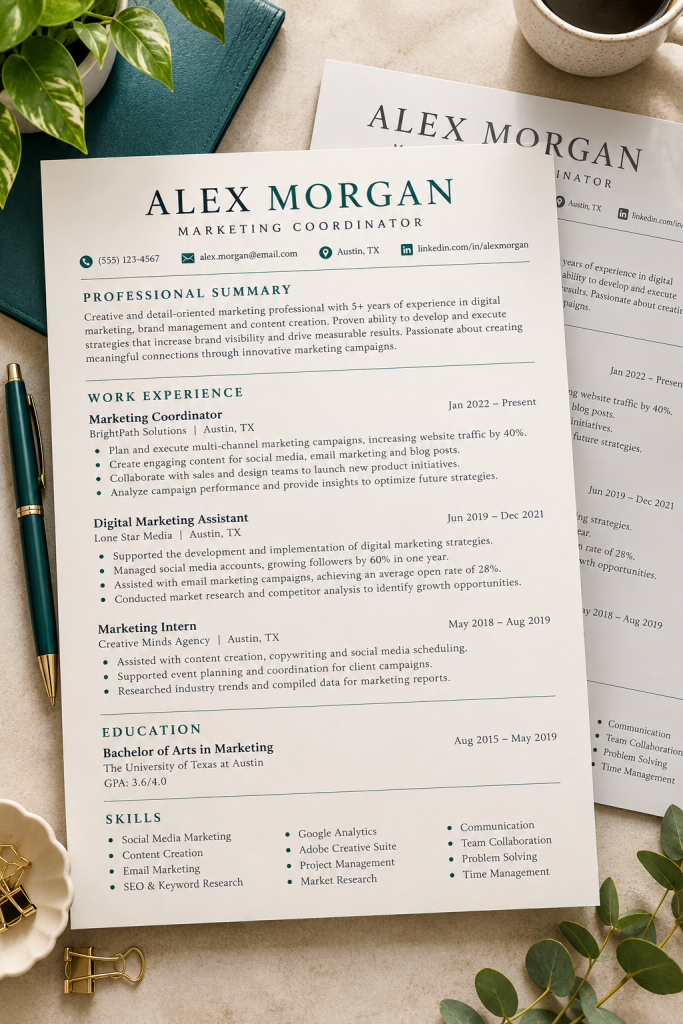
A resume should make someone’s work history easy to find, not make the reader hunt through decorative boxes.
That is why a simple, well-organized resume template can be useful for job seekers who want a document they can personalize.
Build a one-page design with clear sections for contact details, a short professional summary, work experience, education, and skills.
Use easy-to-read fonts and enough space for longer job descriptions. A layout that looks attractive with sample text may become cramped once someone adds their real experience.
Include a plain, single-column version for applications that use automated resume screening.
Keep the design flexible, since different jobs require different amounts of information.
Clear headings and readable body text
Avoid tiny type and decorative charts
14. Matching Cover Letter Template
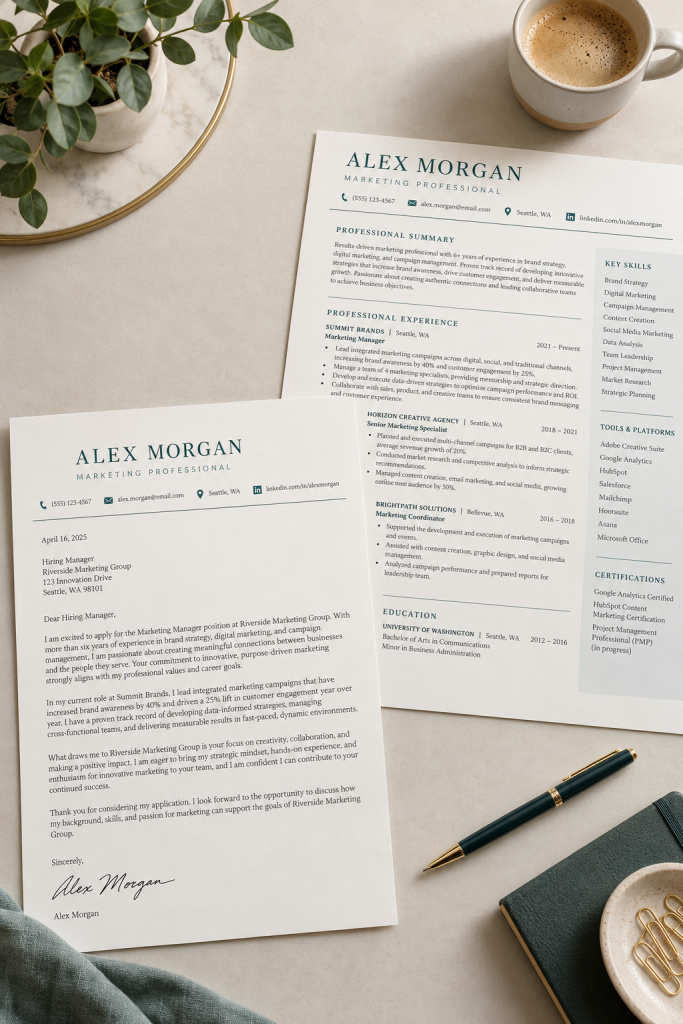
Job application documents look more consistent when the resume and cover letter share the same design details.
A matching cover letter template gives buyers a ready-made page where they can explain their interest in a role without worrying about margins or formatting.
Start with a clean header for the applicant’s name and contact details. Below it, leave room for the date, greeting, letter paragraphs, and closing signature.
Use the same fonts and heading style as the matching resume, but give the letter more open writing space.
You can sell it as a separate download for people who already have a resume or offer it alongside your resume template.
The main selling point is simple: both documents look like they belong together.
| Option A | Option B |
|---|---|
| Resume | Same name and contact header |
| Resume | Greeting and paragraphs |
15. Ebook Template
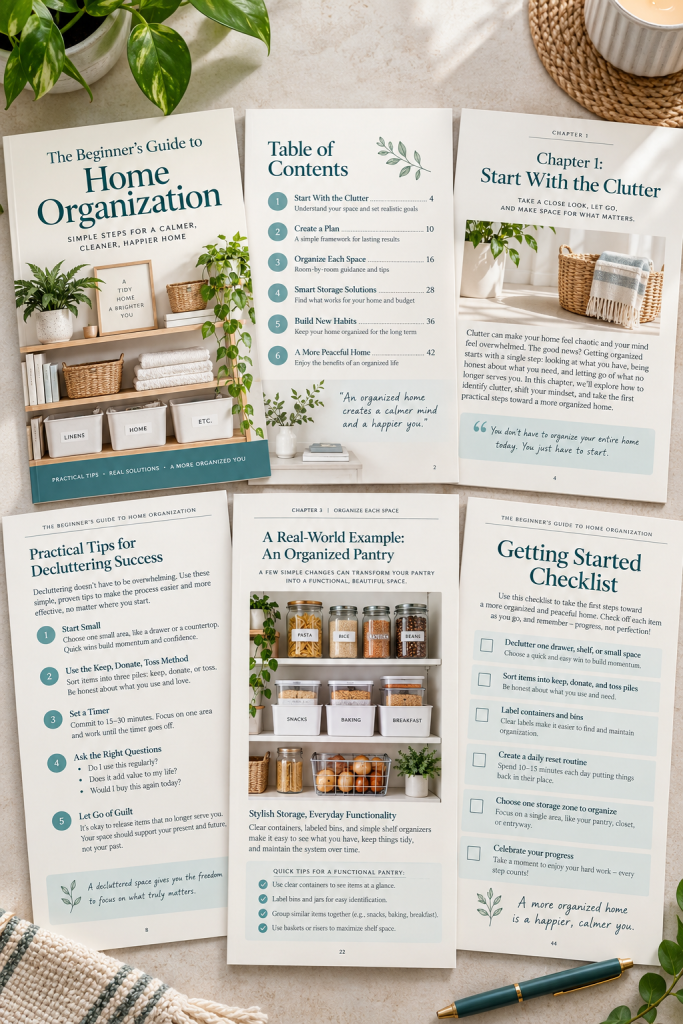
An ebook needs more than an attractive cover. The inside pages should help readers move through the information without getting lost.
Create a Canva ebook template for bloggers, coaches, or small business owners who want to package their knowledge into a downloadable guide.
Include a cover, table of contents, chapter opening, regular text page, image page, and final resource or checklist page.
A smart approach is to design a few reusable page styles rather than dozens of slightly different ones.
Pay attention to paragraph spacing and line length. Pages should remain comfortable to read when exported as a PDF.
Show buyers several interior pages, not just the cover, so they understand how the full ebook will look.
16. Workbook Template
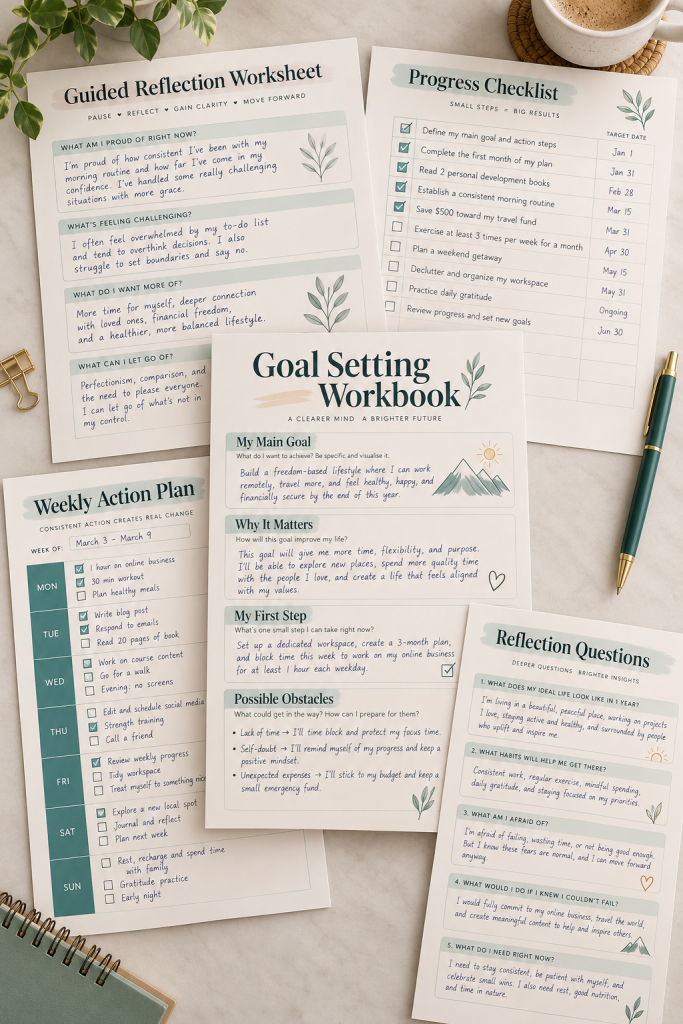
Reading information is one thing. Working through a question, filling out a worksheet, or creating a plan gives people something more practical to do.
That is where a workbook template comes in.
You can build a reusable Canva workbook for coaches, teachers, workshop leaders, and creators who offer guided exercises.
Include different page layouts for writing prompts, goal setting, checklists, reflection questions, and action steps.
For example, a goal-setting page might have spaces for the main goal, smaller tasks, possible obstacles, and the next action.
Give each answer area enough room for handwriting or typed responses. A workbook with beautiful pages but tiny writing boxes will quickly become frustrating.
✓ Workbook Page Bundle Checklist
17. Printable Wall Art Set
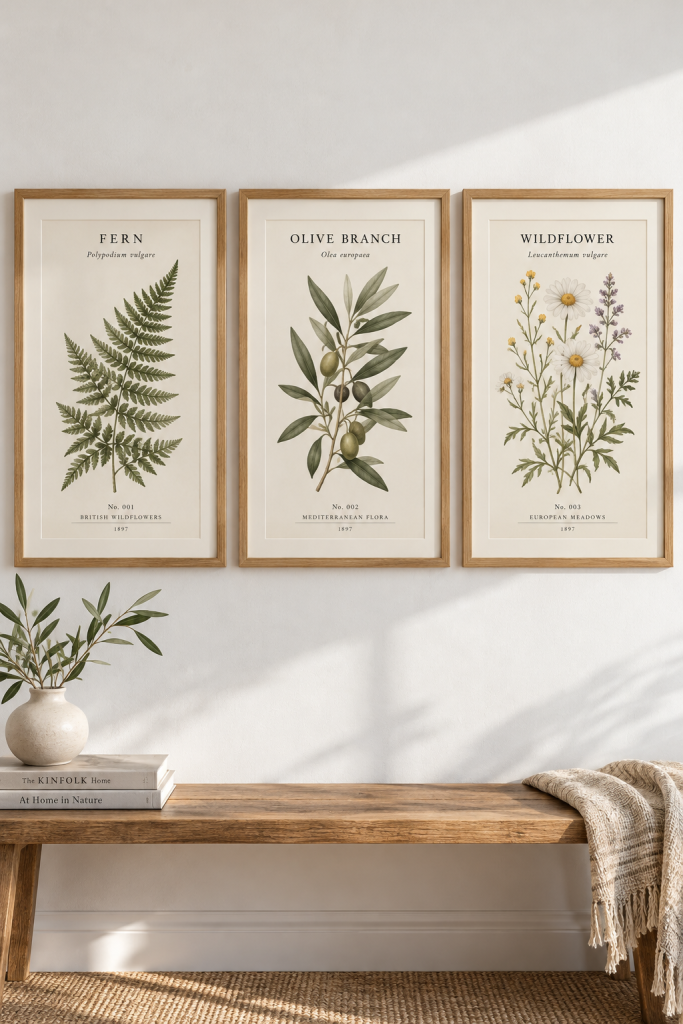
Three matching art prints can make a room feel more put together than three unrelated designs. That makes coordinated printable wall art a useful digital product for people decorating bedrooms, offices, or small living spaces.
Choose one clear theme, such as botanical illustrations, simple landscapes, or geometric patterns. Design three pieces with the same color palette, but give each print a slightly different arrangement.
A small collection feels more complete when the designs work both separately and together.
Include common print sizes and clearly label the files. Show the artwork outside the frames, too, so buyers can see exactly what they will receive instead of judging everything through a room mockup.
Three unrelated designs with clashing colors
Three coordinated prints with matching colors and illustration style
18. Kids Activity Sheet Pack
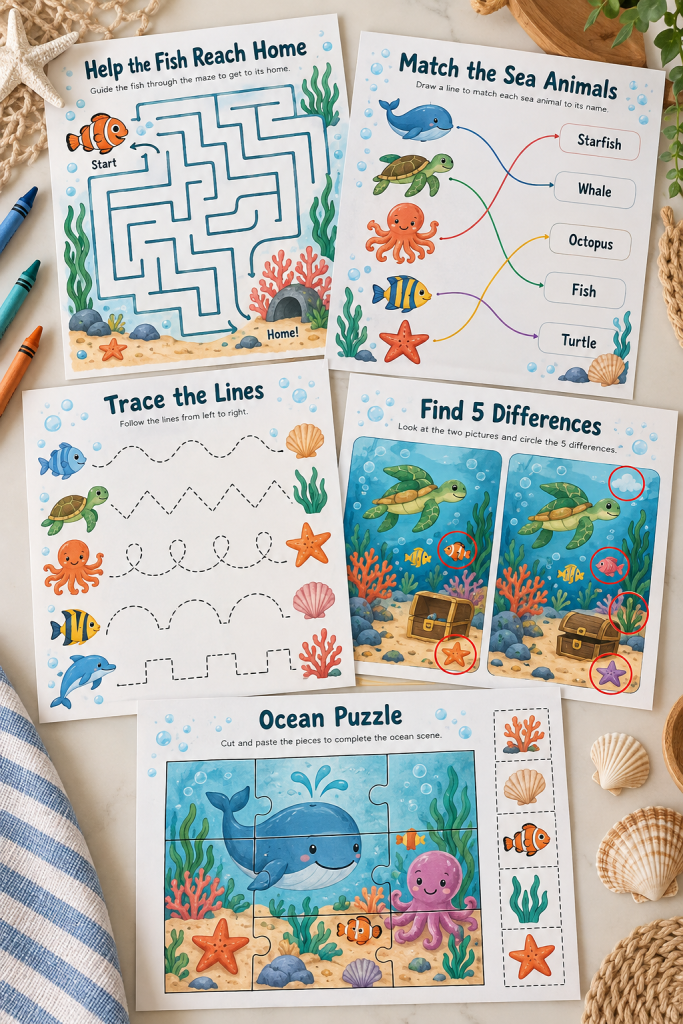
Parents often need something simple to keep children busy during a rainy afternoon, a trip, or a quiet moment at home. A printable activity pack gives them several activities in one download.
Pick a specific age group and theme before designing. An ocean pack, for example, could feature sea creatures across different exercises.
Build the collection around three kinds of activities:
1. Mazes: Help a fish find its way home.
2. Matching games: Connect sea animals with their shadows.
3. Spot-the-difference pages: Find changes between two underwater pictures.
You can include tracing or simple puzzles as extras.
Make the instructions clear and test whether the pictures remain easy to see when printed in black and white.
Choose suitable age group
Mix mazes, matching and visual puzzles
Include a separate answer guide
19. Printable Coloring Page Bundle
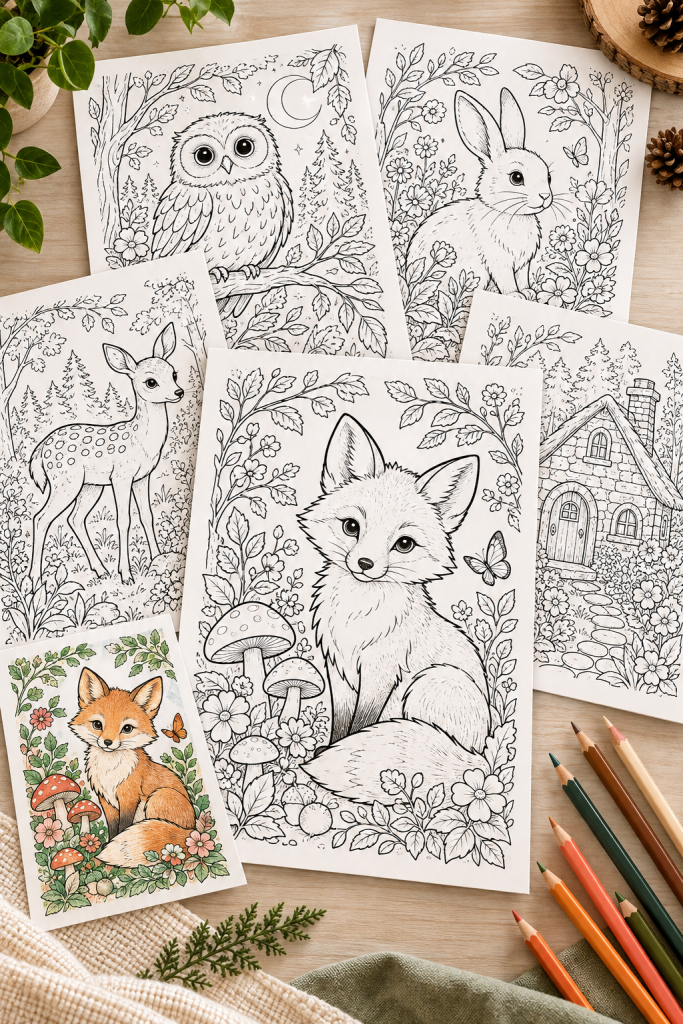
Bold outlines, interesting details, and a consistent theme are what make a coloring page collection feel like a proper product.
Rather than mixing random drawings, choose a theme buyers can recognize immediately. Think garden flowers, woodland animals, cozy cottages, or seasonal decorations.
Design several black-and-white pages with shapes that are clear enough to color.
For younger children, use larger areas and fewer tiny details. Adult coloring pages can have more detailed patterns, provided the lines remain clean when printed.
Include a simple cover page showing examples from the collection.
One partially colored preview can help shoppers understand the artwork, but the downloadable coloring sheets should stay black and white.
20. Educational Flashcard Set
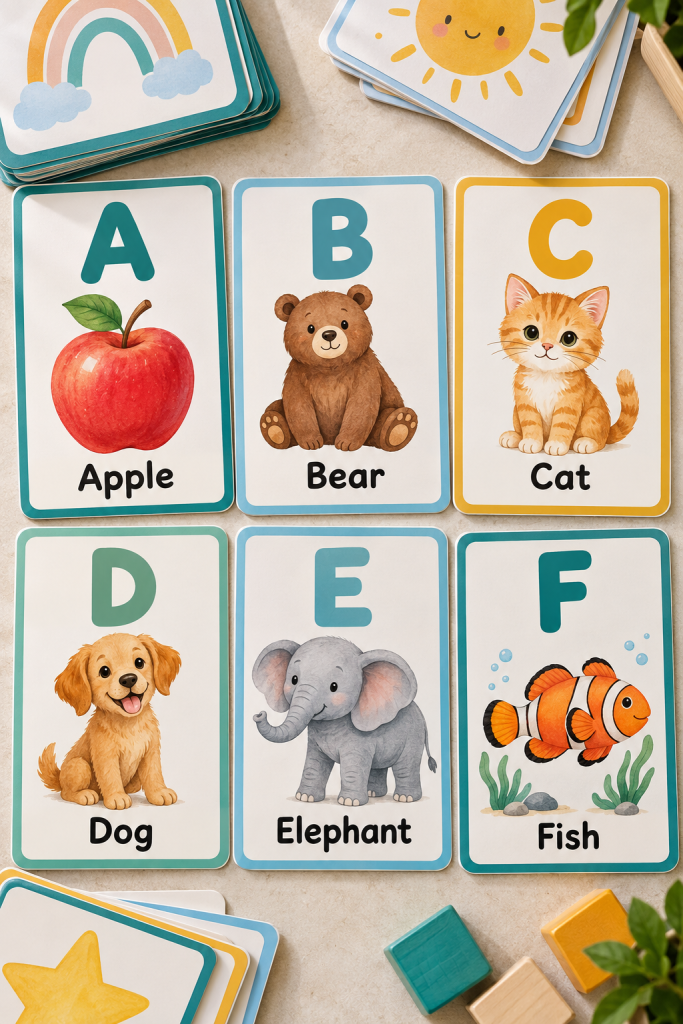
Flashcards work best when each card teaches one thing clearly. Too many pictures or words can make a simple learning activity confusing.
Create a printable set around one subject, such as alphabet letters, basic shapes, colors, or common animals.
For an alphabet pack, place a large letter at the top, a matching illustration underneath, and the word below it. Keep the layout identical across every card.
You could also make a matching version where children connect words with pictures.
Parents and early learning teachers may appreciate cards that are easy to cut out, sort, and store.
Leave a clear border around each card so trimming does not cut into the text or illustration.
✓ Learning Flashcard Set Checklist
21. Classroom Worksheet Pack
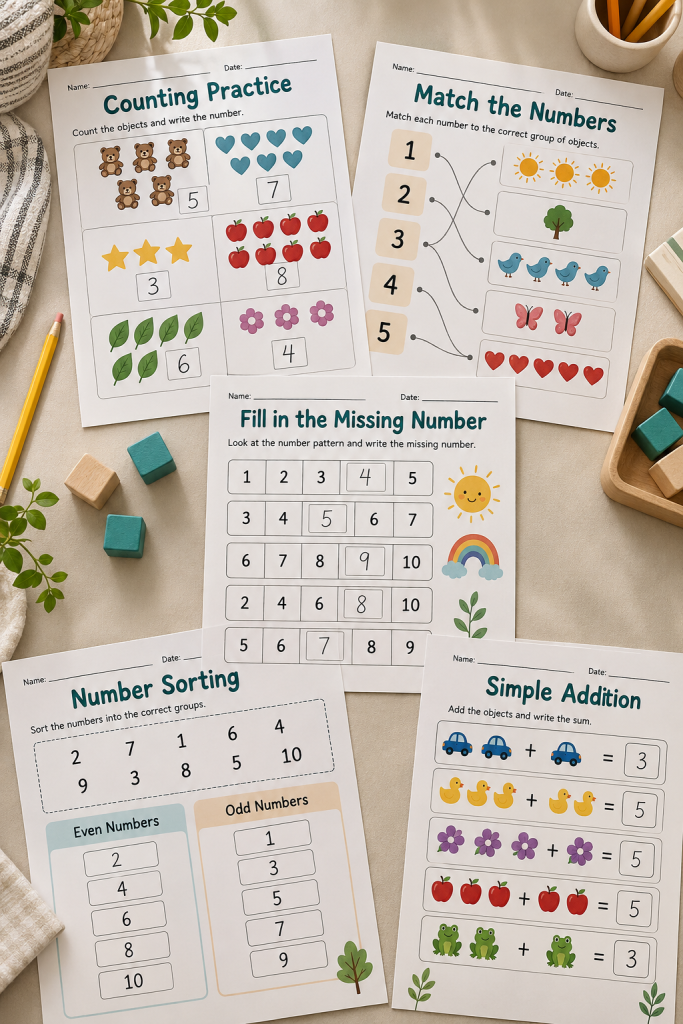
Teachers often need practice pages that support a specific lesson without taking much time to prepare. A classroom worksheet pack can provide several activities around one learning goal.
Choose a subject and grade level first. For example, an early math bundle might focus on counting, number matching, ordering numbers, and basic addition.
Include a mixture of worksheet styles:
• Matching pictures with numbers.
• Filling in missing answers.
• Sorting items into categories.
• Completing short practice questions.
Make instructions short and put them in the same place on every page.
An answer key is a helpful addition for teachers and parents. Avoid decorating the worksheets so heavily that children lose sight of the activity.
22. Printable Chore Chart
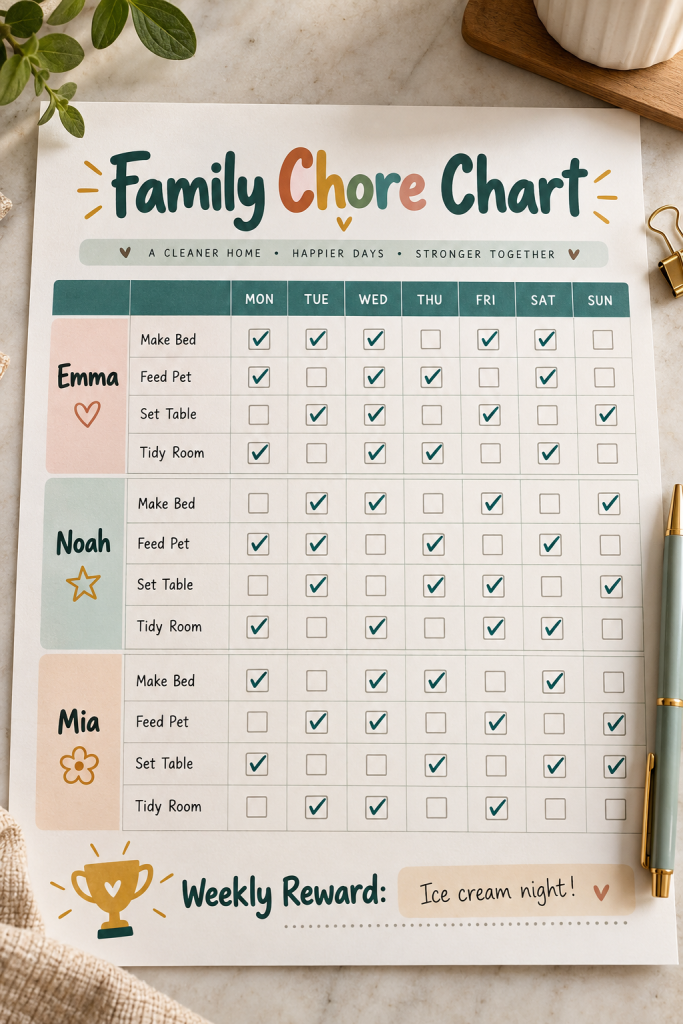
Getting everyone to remember household tasks can be tricky when the jobs change from day to day. A family chore chart puts the routine where everyone can see it.
Design a weekly chart with spaces for family members’ names, assigned chores, and checkboxes for each day.
Leave the task names editable or blank so parents can adjust them for different ages.
A small rewards or notes section can be useful, but it should not take over the page.
Make the chart easy to update each week. An undated layout means families can print a fresh sheet whenever they need one.
A simple version with large writing spaces may be more practical than a heavily illustrated chart.
💡 Quick Design Tip
Use an undated weekly grid with names, chores and boxes.
Include space for reminders or a reward goal.
23. Small Business Thank-You Card
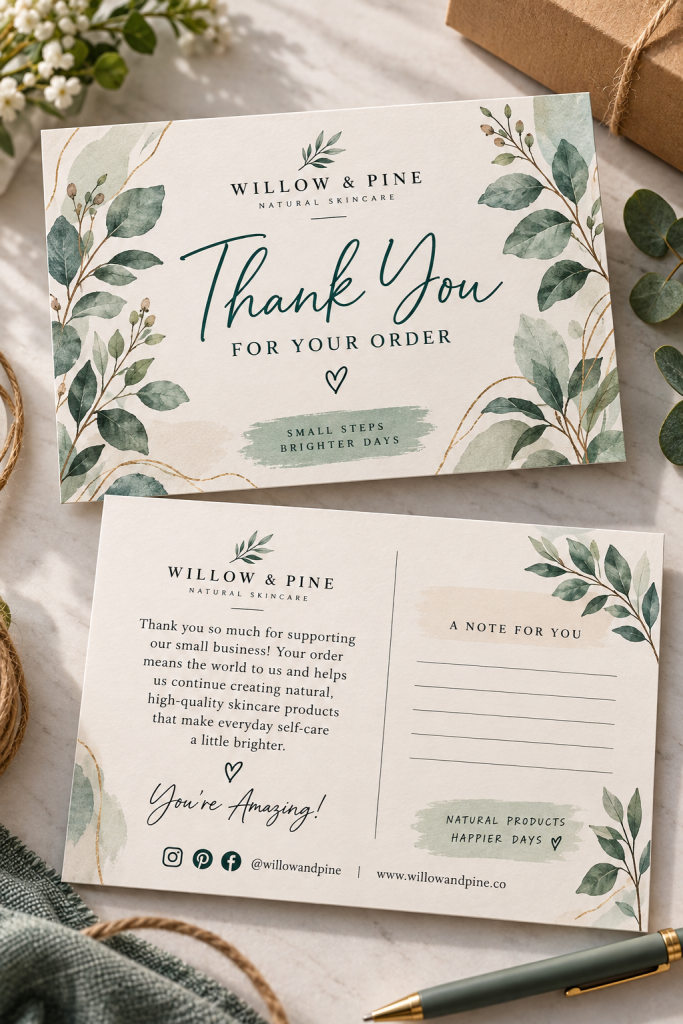
A little card inside a package gives small business owners a place to thank their customers without handwriting the same message for every order.
Create a thank-you card template for handmade sellers, online boutiques, or other product-based shops.
The front can feature a short thank-you message and brand name. Use the back for a personal note, shop contact details, or a gentle reminder about where to find the business online.
Keep the design clean enough to suit different brand colors and logos.
Avoid crowding the card with promotions. Its main purpose is to thank the customer.
Show both sides in your listing preview so shoppers understand the full design.
Show a clear thank-you message and short shop details
Avoid crowded promotions and tiny type
24. Product Care Instruction Card
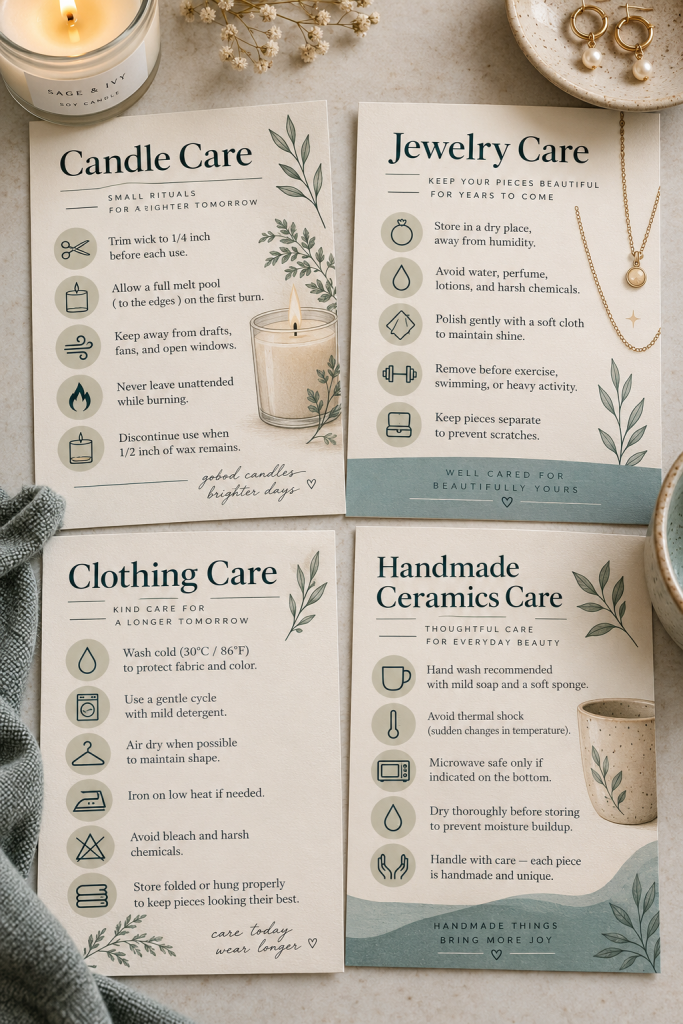
A handmade candle, delicate necklace, or special clothing item may need a few care instructions after purchase. Small product care cards help sellers share those details neatly.
Design separate templates for different product categories rather than trying to fit every kind of instruction onto one card.
A candle card might have space for safety and use instructions, while a jewelry card could explain storage and cleaning.
Keep the wording areas editable so sellers can add instructions that actually apply to their products.
Use short headings and simple icons to guide the reader.
Care information must be accurate. The seller should confirm product-specific instructions before printing, especially when safety is involved.
✓ Product Care Cards Checklist
25. Order Insert Card Bundle
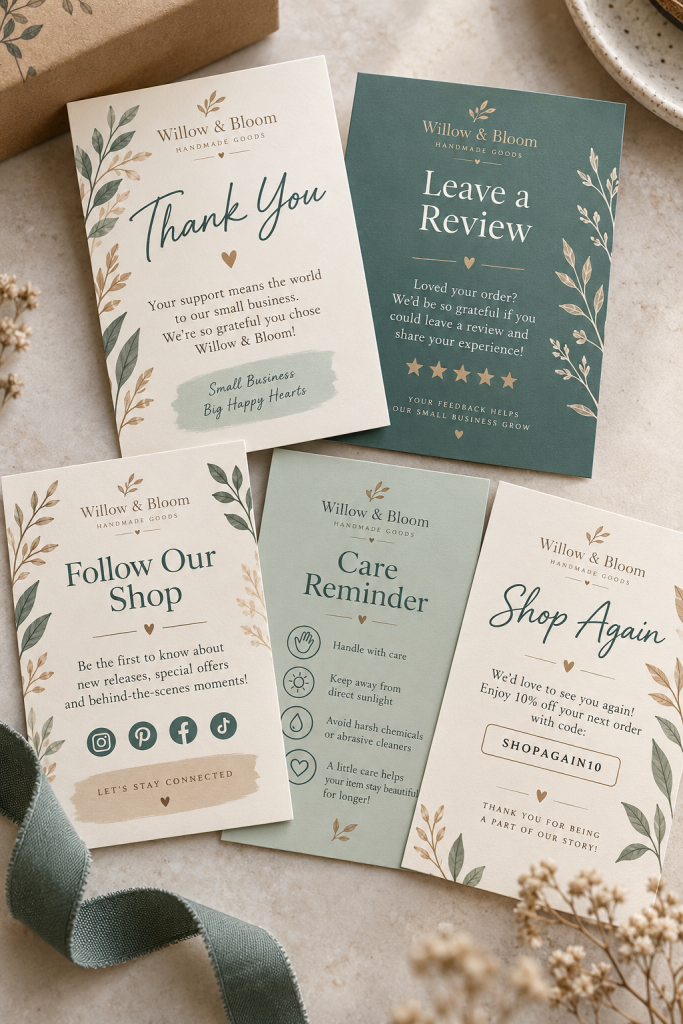
A package can hold more than the product itself. Small businesses often include cards with helpful details, a thank-you message, or information about shopping again.
Instead of designing one card, create a matching bundle that sellers can use for different purposes.
Include these five designs:
• Thank-you card: A short message of appreciation.
• Review request: A polite invitation to share feedback.
• Social card: Space for a shop’s social media details.
• Care reminder: A brief note pointing to product instructions.
• Reorder card: Details about finding the shop again.
Keep each card focused on one message, with editable colors and branding.
Show the entire collection together so buyers can see how the cards work as a matching packaging set.
26. Service Price List Template
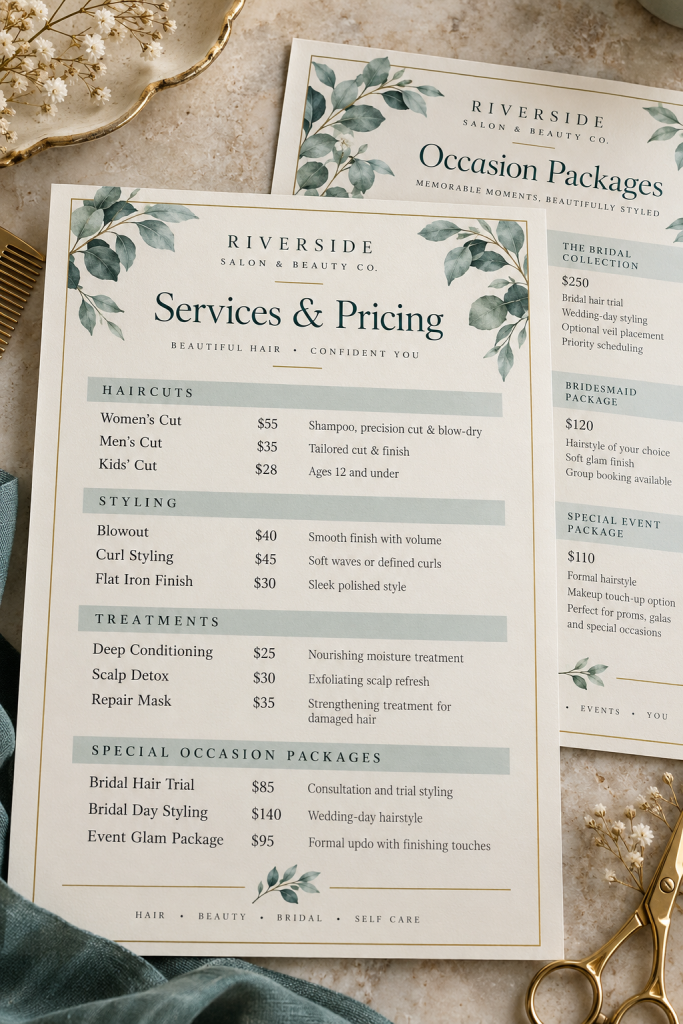
Customers should not have to search through several messages just to understand what a service includes. A clear price list brings the important details together.
Create an editable Canva template for businesses such as hair salons, makeup artists, photographers, or cleaning services.
Start with the service name, a short description, and a space for the price. If the business offers packages, give each package its own section.
A useful design might include:
• Individual services and their descriptions.
• Package options with included features.
• Booking or contact details.
Leave prices and service names editable so different businesses can customize them.
Avoid squeezing too many services onto one page. A second page is better than tiny, unreadable text.
| Option A | Option B |
|---|---|
| Single service | One package per section |
| Service | Price for bundle |
27. Digital Business Card
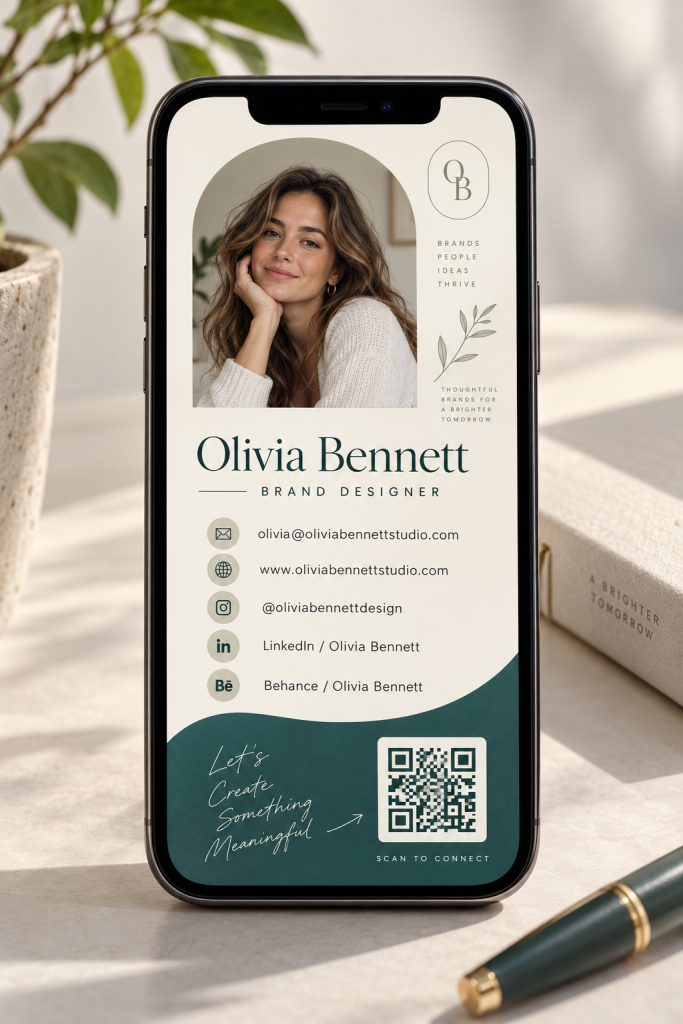
A business card does not always need to be printed. Freelancers, consultants, and small business owners can share a digital version through messages or email.
Design a clean Canva business card with the person’s name, job title, contact details, and a short description of what they do.
A vertical layout works nicely for viewing on a phone, especially when the name and contact information are large enough to read.
You could include:
• An editable logo or profile image area.
• Email and website information.
• Social media handles.
• Space for a QR code linked to the owner’s chosen destination.
Keep the card uncluttered. Its job is to help someone find the right contact details quickly.
28. Printable Recipe Card Bundle
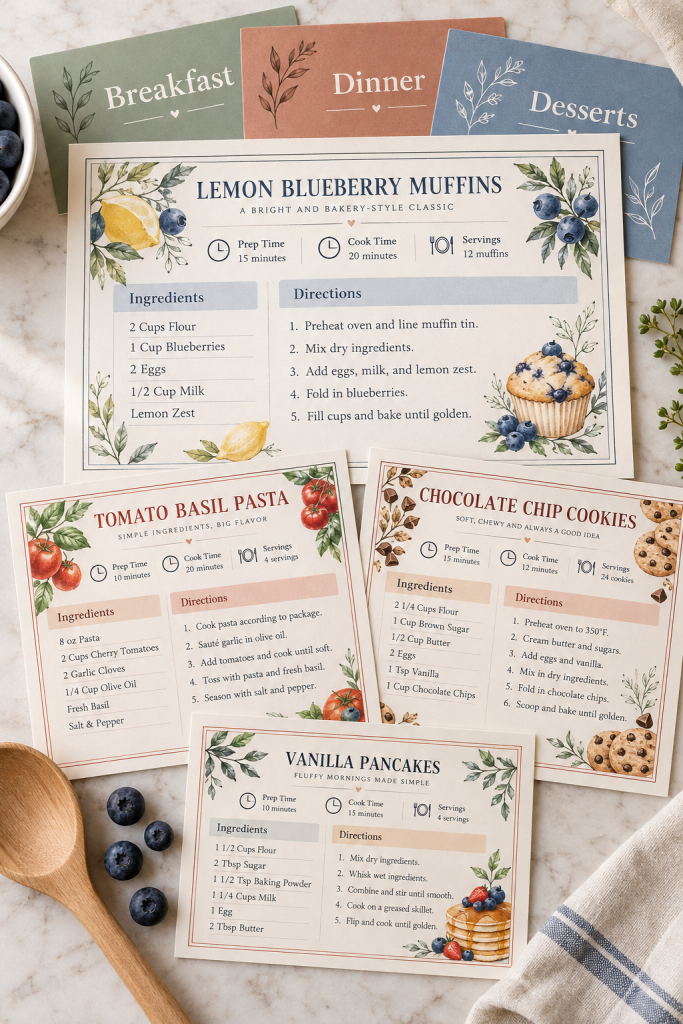
Handwritten recipes often end up on loose paper, inside old notebooks, or tucked between cookbook pages. A printable recipe card set gives home cooks one consistent place to keep their favorites.
Create matching cards with spaces for the recipe name, ingredients, instructions, serving details, and personal notes.
Make a few layout options for different kinds of recipes. A simple snack might need only a short ingredients list, while a family dinner could need extra room for directions.
Leave enough space for handwriting, especially beside ingredient quantities.
Use the same design across the bundle so the cards look organized when stored in a recipe box or binder.
A matching recipe collection cover can be a useful addition.
✓ Recipe Card Bundle Checklist
29. Travel Planner Bundle
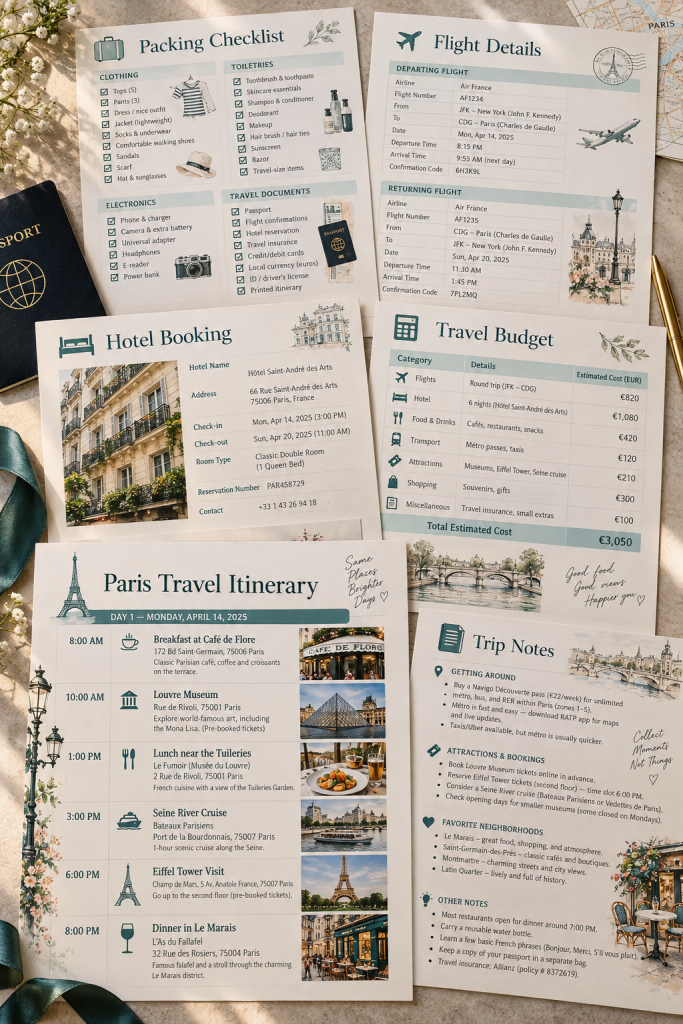
Flight details, hotel bookings, packing lists, and sightseeing plans can become difficult to manage when they are scattered across several places.
A travel planner brings those details into one organized collection that travelers can print before leaving home.
Design separate pages for the trip overview, daily itinerary, packing list, accommodation details, and travel spending.
For a useful starter bundle, include:
• A daily schedule with room for activities and addresses.
• A packing checklist divided into categories.
• A booking information page.
• A spending tracker for planned and actual expenses.
An undated layout makes the pages reusable for different trips.
Keep each page focused on one task so travelers can quickly find what they need.
30. Content Calendar Template
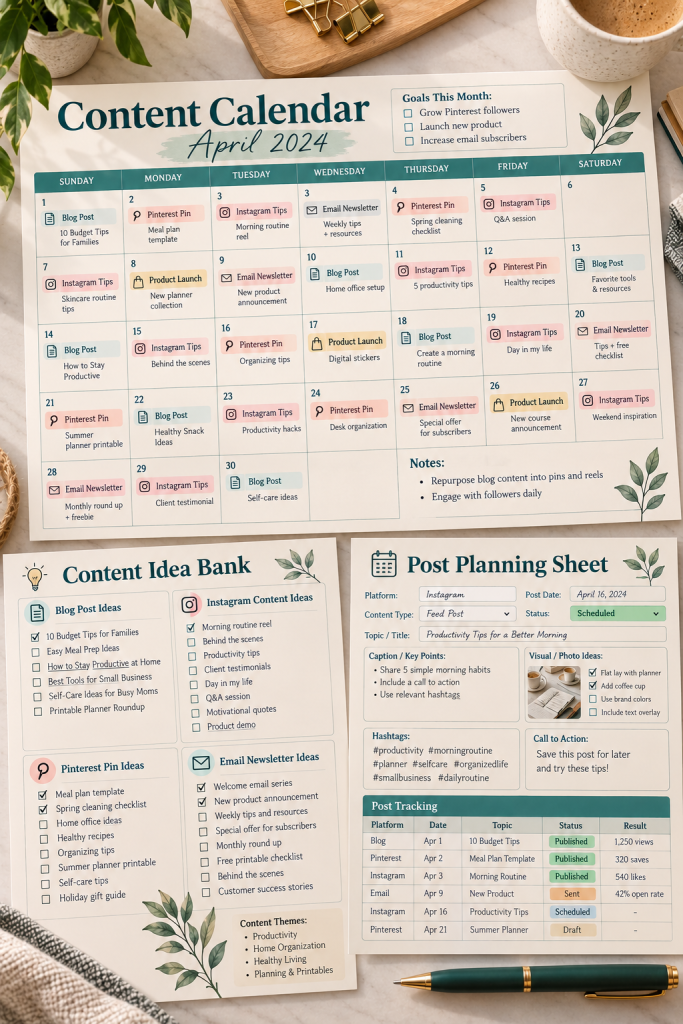
Posting content becomes harder when every new idea has to be remembered, planned, and organized at the last minute.
A content calendar template helps bloggers, creators, and business owners see what they plan to publish throughout the month.
Build a monthly calendar with enough room for short post titles or topics. Then add a separate planning page for captions, content categories, and draft ideas.
A simple workflow can make the template more useful:
1. Write ideas in an idea bank.
2. Choose publishing dates.
3. Track each post from draft to published.
Leave the month and dates editable so the same template works year-round.
Make the calendar easy to scan, with clear labels rather than too many colored decorations.
Collect ideas in one idea bank
Assign dates, platforms and formats
Track planned, drafted, ready and published
Conclusion
You do not need a large collection of designs to begin creating digital products with Canva. A useful planner, a clear business template, or a matching printable set can be a sensible first project.
Choose one idea that fits the people you want to help. Think about what they need to see, edit, print, or organize, then make that part of the design easy to use.
These low cost digital products give you different starting points without requiring you to create everything at once.
Start with one finished product, check that its files work as intended, and build from there.
Pinterest CTA: Found an idea you want to make? Save this list to your digital product ideas Pinterest board so you can come back when you are ready to create your next Canva product.