
The best digital product ideas are the ones you can actually finish, explain, and feel comfortable putting in front of a buyer. AI can help with the blank-page stage, but it cannot replace the choices that make a product useful. A rushed file full of odd details or unreadable text is still a rushed file.
If you want AI digital product ideas that feel doable in 2026, start with familiar problems. A local shop needs a month of caption ideas. A parent needs rainy-day activities. A job seeker needs help turning scattered notes into clear resume points. Each of those needs can become a focused download when the seller adds care, checks every detail, and makes the file easy to use.
You do not need to make twenty products or learn a stack of new apps. Pick a buyer, decide what the finished file will help them do, and build one small sample first.
The ideas below include editable templates, printable packs, art downloads, and creative assets, along with a simple way to get started.
1. Create Social Media Caption Calendars for Local Businesses

Small shops often have photos ready but no clear plan for what to say with them. A caption calendar gives owners post topics, draft captions, and room to add their own details.
Give Each Week a Purpose
Ask AI for topic ideas for one business type, such as a neighborhood café. Sort them into an editable calendar in Canva or a spreadsheet.
Include:
- A topic for each planned post.
- A short caption draft.
- A suggestion for the photo.
- Space for the owner to add details.
Leave a few blank slots for local events or last-minute offers.
Check every caption for accuracy. A calendar made for one type of business is more useful than a random collection of posts.
3 Content Themes for a Small Shop
2. Offer Personalized AI Pet Portrait Printables
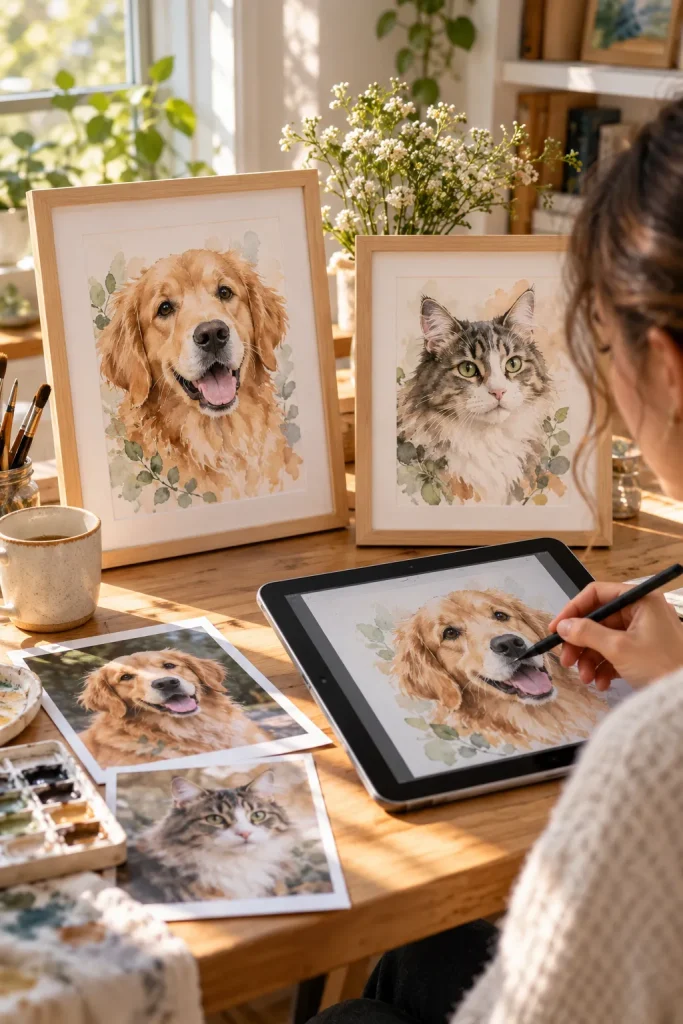
A pet portrait feels personal because it starts with an animal someone already loves. Buyers might want a framed keepsake, a birthday gift, or a small memorial print.
The important part is keeping the pet recognizable. AI-generated artwork can change ear shapes, markings, or eye colors, so every portrait needs a careful review.
Start With One Art Style
Choose a consistent look, such as soft watercolor or pencil illustration. Create a sample using a pet photo you have permission to use, then refine the result in an editing tool.
Offer a few background choices rather than endless custom options.
Show the finished portrait in a simple frame mockup, and explain what kind of photo works best.
🐾 Pet Portrait Order Checklist
3. Design Printable Indoor Scavenger Hunt Packs
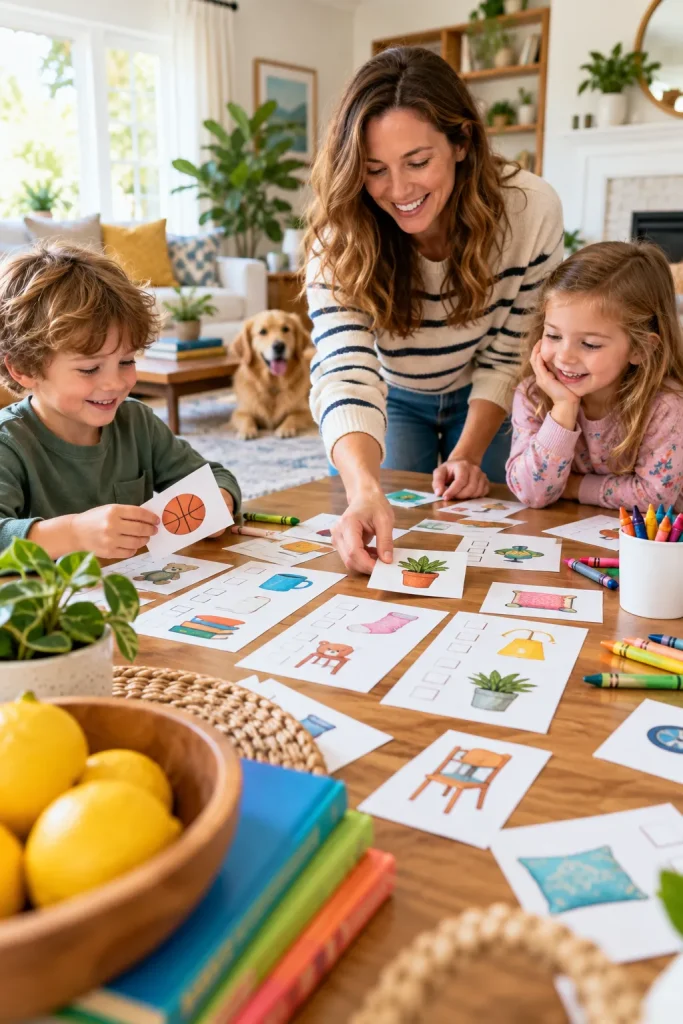
A rainy afternoon can leave parents searching for something more interesting than another screen activity. A printable scavenger hunt gives kids a simple mission using objects already around the house.
You could make a picture hunt for younger children or a clue-based version for older kids.
Build the Hunt Around Ordinary Rooms
Ask AI to suggest clues about familiar household objects, then check that each clue has a clear answer.
Create a printable page with checkboxes and a separate answer sheet for adults. Add an alternative clue when an item might not be found in every home.
Keep the activity easy to prepare. Parents should not need to buy extra supplies before starting.
The adult has to invent clues, hide objects, and explain complicated rules before anyone can play.
The child receives a ready-to-use clue sheet, checks off safe household objects, and finishes with a simple celebration.
4. Build Resume Achievement Writing Worksheets
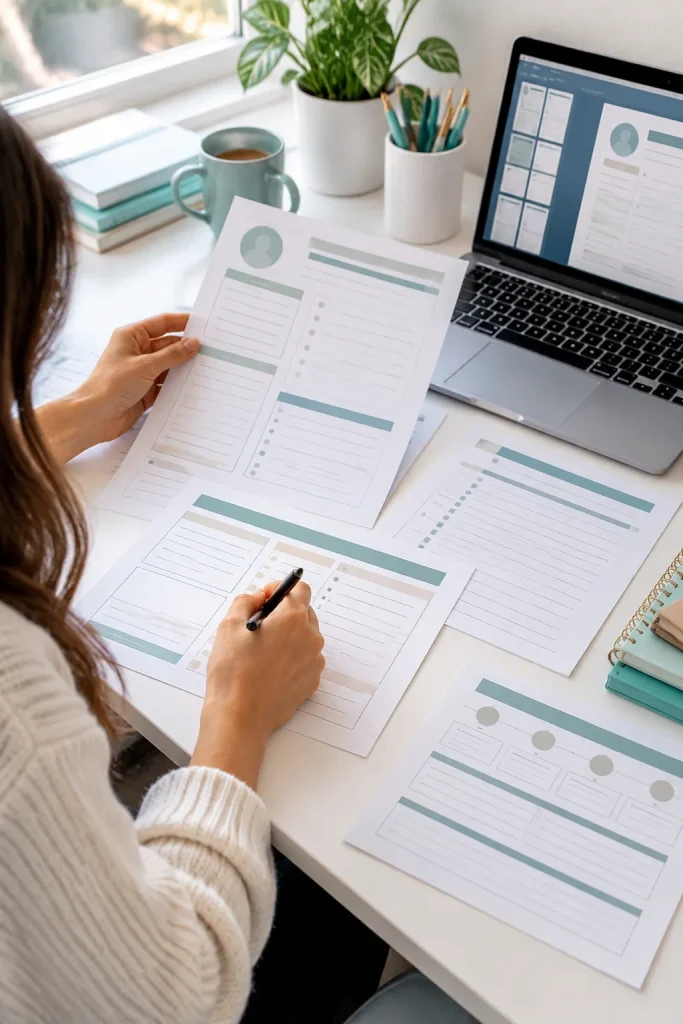
Writing a resume can feel harder than doing the job itself. Many people remember their daily tasks but struggle to explain what they accomplished.
A guided worksheet can help job seekers collect the right details before they begin writing.
Turn Tasks Into Clear Examples
Use AI to draft questions for common work situations, such as helping customers, organizing schedules, or improving a process.
Then arrange those questions into a fillable PDF or printable workbook.
Include spaces for the original task, the action taken, and the result. Add a few examples using fictional situations so buyers can see how the worksheet works.
Avoid encouraging made-up numbers or achievements. The final resume must reflect the buyer’s real experience.
A Simple Resume Writing Exercise
Name the task
Example: Answered customer questions during busy shifts.
Describe the action
Explain what you personally did to handle the work.
Add the real result
Describe a genuine outcome, even when no number is available.
5. Make Editable Family Recipe Card Templates
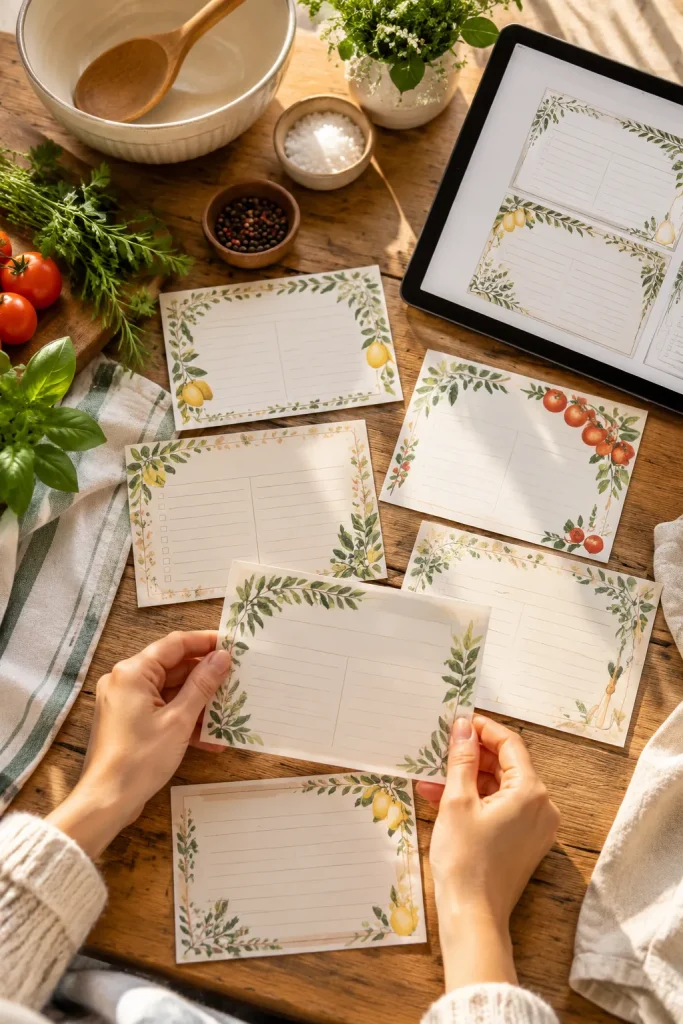
A stack of matching recipe cards can turn loose cooking notes into something worth keeping. Buyers may want to organize family favorites, collect recipes from relatives, or prepare a thoughtful gift.
AI can help suggest decorative themes, border styles, and layout ideas. The finished product still needs plenty of writing space.
Keep the Design Easy to Fill In
Create an editable template in Canva with clear spaces for ingredients, instructions, servings, and family notes.
Offer a simple version for quick recipes and a second layout for dishes with longer instructions.
Check that handwriting will fit when the cards are printed. Pretty borders should never crowd the recipe itself.
6. Sell AI-Generated Product Photo Background Bundles

Product sellers often need fresh photo backgrounds without setting up a new scene for every listing.
A bundle of digital backgrounds can help them create different looks for jewelry, stationery, handmade items, or small accessories.
Make Backgrounds That Leave Room for Products
Use an AI image tool to create clean surfaces such as pale marble, neutral studio backdrops, or softly lit botanical scenes.
Keep the center clear so a buyer can place an actual product photo on top.
Group backgrounds by lighting and color rather than mixing unrelated styles.
Before selling, check the current rules of your selling platform and the licensing terms for AI-generated work. Your listing should also make clear that the backgrounds are digital assets, not photos of real locations.
Choose a Background for the Product
| Background Style | Useful For |
|---|---|
| 🤍 Soft neutral studio | Simple accessories and clean product close-ups. |
| 🪨 Pale marble surface | Jewelry, small beauty containers, and stationery. |
| 🌿 Botanical corner | Natural-themed packaging and handmade gift products. |
| ☀️ Warm tabletop | Craft supplies and home accessories needing a relaxed setting. |
7. Create Guided Journals for Specific Life Goals
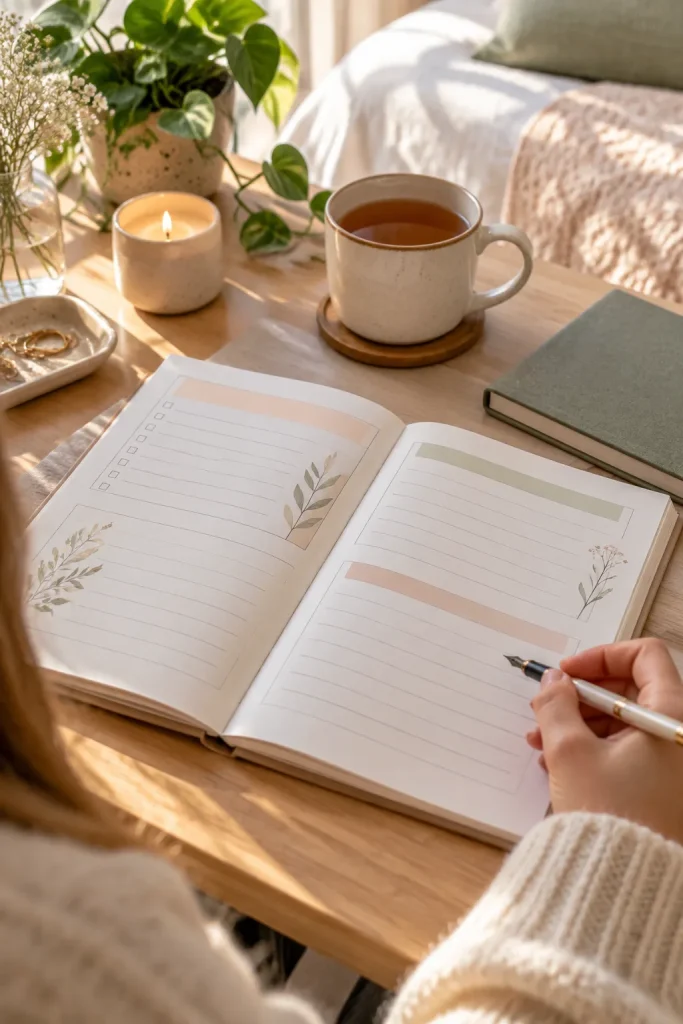
A journal becomes easier to use when the reader knows what to write about. Instead of selling another blank notebook, build a guided journal around one clear goal.
Examples include planning a creative project, building a reading habit, or reflecting on career interests.
Connect Every Page to the Goal
Ask AI to brainstorm reflection questions for your chosen topic. Select the useful ones, remove repeated ideas, and arrange them in a sensible order.
Add space for short answers, small action plans, and weekly check-ins.
Someone working on a creative project might need pages for ideas, obstacles, and next steps.
Keep questions gentle and practical. A journal should support personal reflection without promising results it cannot guarantee.
A useful guided journal moves the reader through three questions: What is happening? What matters most? What small action comes next?
8. Design Themed Coloring Page Collections
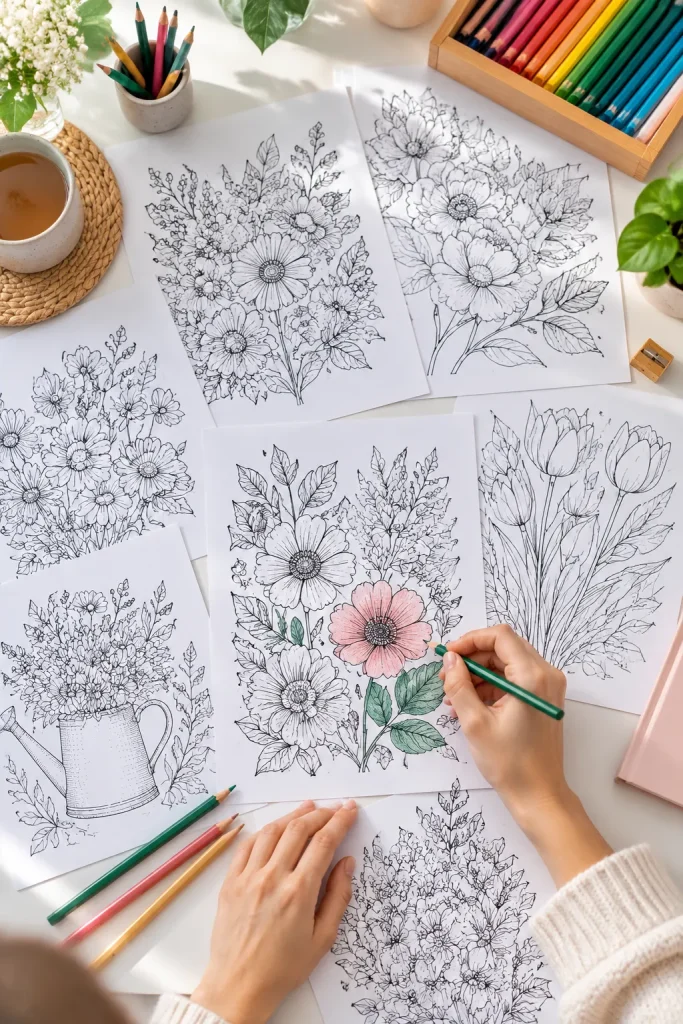
Tiny details can ruin a coloring page when they turn into dark blobs on a home printer. Clean outlines and enough open space matter more than complicated artwork.
Choose one theme, such as garden flowers, reading corners, or woodland animals, and develop a matching set of pages.
Check the Artwork Before Packaging It
Use an AI image tool to explore line-art ideas, then clean the images in an editor. Remove stray marks, uneven shapes, unwanted shading, and details that do not make sense.
Print sample pages at home if possible. Look closely at narrow spaces and the edges of the artwork.
Package the final pages as a clear PDF, with a cover sheet and simple printing instructions. A smaller collection with consistent artwork is a sensible place to begin.
💡 Quick Print Quality Tip
Leave a comfortable white margin around every design. Keep fine details away from the page edges, and export pages at a resolution suitable for printing.
Also include a note telling buyers to select the correct paper size and review the print preview before printing the entire collection.
9. Build Freelance Client Portals in Notion

A freelance project is easier to follow when the client knows where to find updates. A Notion client portal template can keep deliverables, dates, and decisions on one page.
Freelance designers, writers, and virtual assistants could adapt it for their work.
Set Up Only the Sections Clients Need
Start with a project overview, task status, file links, and a place for feedback.
Ask AI to suggest clear section labels and short instructions, then build the actual template yourself. Add sample entries using fictional details so buyers understand the layout.
Include steps for duplicating and customizing the template. Keep private client information out of example pages and AI requests.
A project summary with the agreed deliverables.
A simple status tracker showing what needs attention.
A feedback area with clear next steps.
Adding pages that serve no clear purpose.
Leaving confusing sample tasks in the template.
Including real client names, files, or private messages.
10. Make Wedding Toast Planning Workbooks
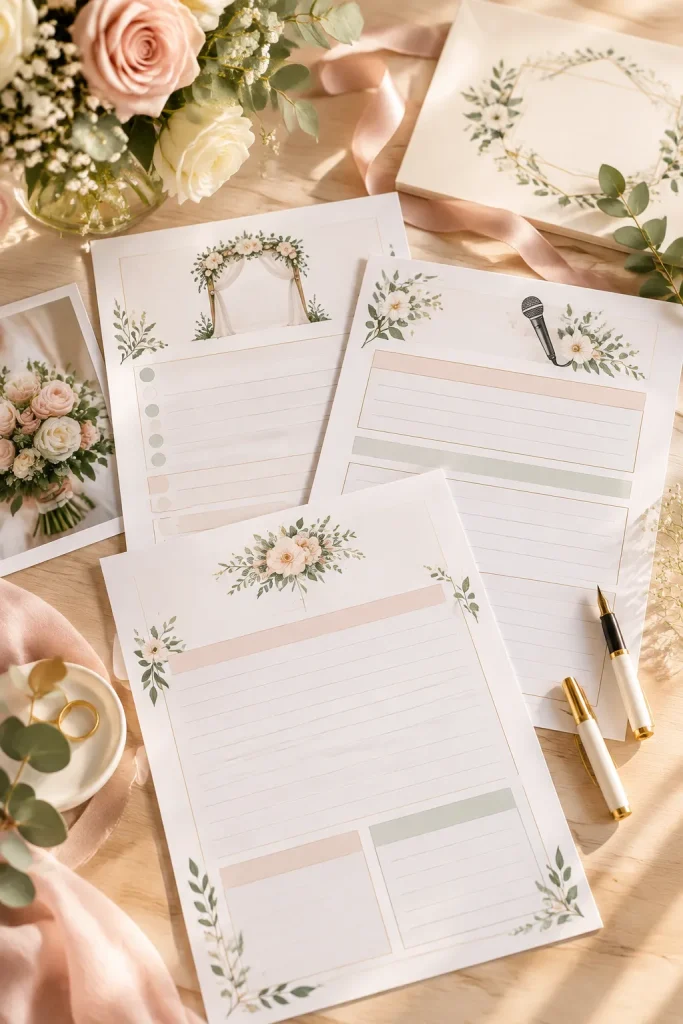
A wedding toast often starts as scattered memories on a phone. A planning workbook can help a best friend, sibling, or parent turn those notes into a speech that still sounds like them.
Give the Speaker a Clear Path
Use AI to brainstorm planning questions, then choose ones that help people collect a favorite memory, a warm compliment, and a short closing wish.
Arrange the pages in a gentle order instead of providing a speech to copy.
Add a space to cross out stories that might embarrass the couple. Finish with a read-aloud checklist and a blank page for the speaker’s final draft.
Personal details should always come from the person giving the toast.
💍 Wedding Toast Workbook Pages
11. Create Classroom Role-Play Scenario Cards
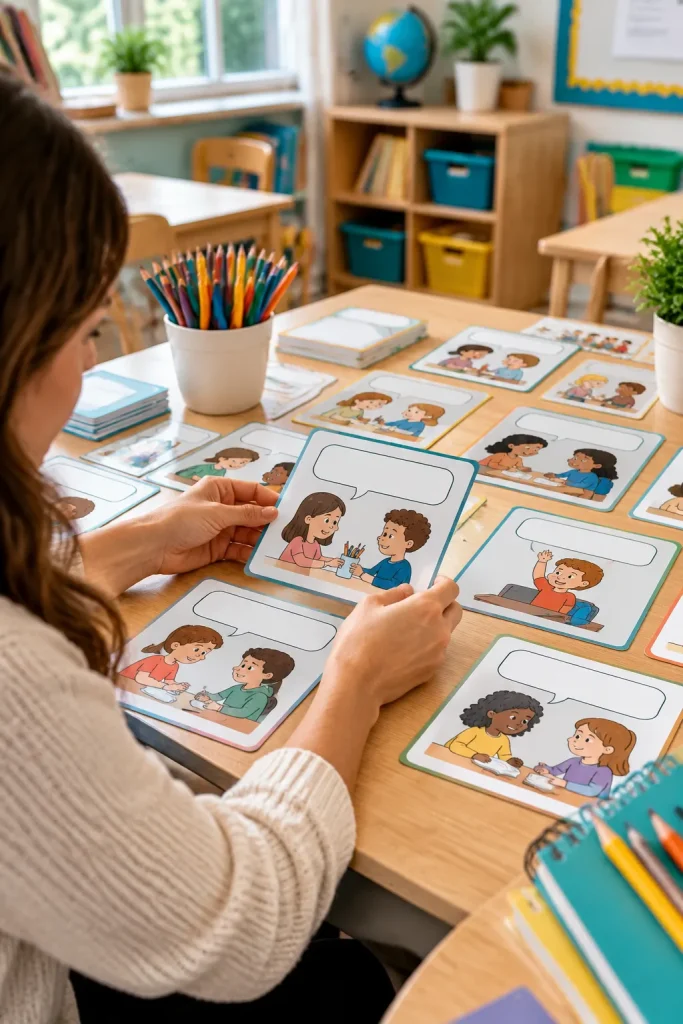
A pair of students can practice asking for help, taking turns, or handling a small disagreement with a short role-play card.
Teachers and homeschool parents may appreciate a deck that gives them ready-made situations without a long setup.
Keep Each Card Focused
Ask AI for everyday classroom situations, then rewrite them in age-appropriate language.
Put one setting, two roles, and an open-ended question on each card. Include a brief teacher note with a way to discuss the activity afterward.
Make separate sets for different age groups rather than cramming everything together.
Review each scenario for fairness and accessibility. Avoid asking children to share private experiences in front of a class.
🎭 Three Scenario Card Themes
12. Design Digital Sticker Sheets for Planners
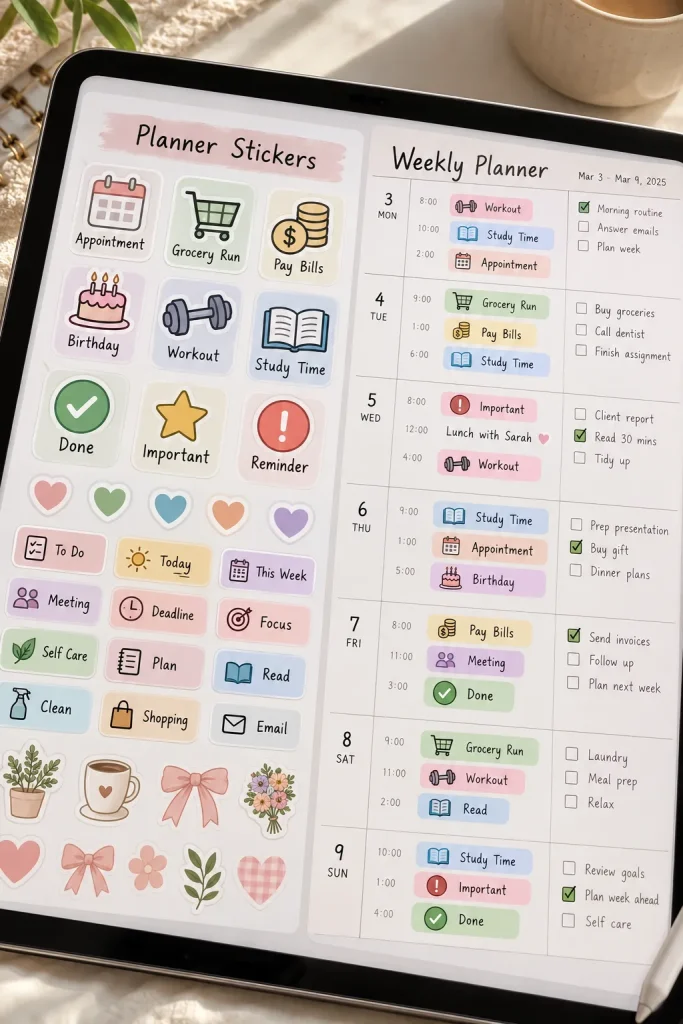
One rule makes a digital sticker sheet feel like a set: keep the line thickness and scale consistent.
A mix of mismatched icons can look messy once they are placed in a planner.
Turn Artwork Into Usable Stickers
Choose a theme, such as garden tasks or study days. Ask an AI image tool for simple icon concepts, then redraw or clean up awkward details.
Export each sticker as a PNG with a transparent background and organize the files into clearly named folders.
Build a preview sheet showing how the stickers look on a blank planner page.
Check the files in a compatible planning app so buyers do not discover cut-off edges or unwanted white boxes.
🎨 From AI Artwork to Sticker Files
Choose a Matching Theme
Start with a coordinated set, such as watering cans, leaves, and garden tools.
Clean the Edges
Remove leftover background pixels and leave a little space around each icon.
Package and Test
Export individual PNG files, label them clearly, and test how they appear on a planner page.
13. Package Customer Service Reply Templates

A customer asks when their order will arrive. Another cannot find a download link. Small shop owners often answer familiar questions, but every reply still needs to feel personal.
A collection of editable customer service templates can make those conversations easier to handle.
Write Replies That Leave Room for Details
Ask AI to draft polite responses for common situations. Then edit them into short, natural messages.
Include templates for:
- Download or delivery questions.
- Order changes and corrections.
- Refund requests.
- Custom product inquiries.
Add placeholders for the customer’s name, order details, and next steps.
Avoid promises about refunds, delivery dates, or policies that may not apply to every shop. Buyers should always review each message before sending it.
Generic reply:
"We received your message. Please check your order details."
Helpful editable reply:
"Hi [Name], thanks for reaching out. I can help you find your download. Could you confirm the email used for your order?"
14. Produce Short AI Video Background Loops

A moving background does not need a detailed scene to look useful. Slow gradients, drifting light, and soft abstract shapes can work well for creators who need space for their own content.
These short clips can become digital assets for video editors, social media creators, or people making presentations.
Keep the Motion Smooth
Use an AI video tool to create a few short clips around one visual theme.
Look for sudden changes, flickering details, or a noticeable jump when the clip repeats. Trim and edit where needed.
Export the finished videos in clearly labeled sizes and formats. Offer portrait and landscape options if you can check both.
Movement should support the content, not distract from it.
🎬 Match the Motion to the Project
| Video Background | Possible Use |
|---|---|
| 🌈 Slow color gradients | Soft backgrounds behind short messages and titles. |
| ✨ Gentle light movement | Subtle visual interest for calm presentation slides. |
| 〰️ Flowing abstract shapes | Creative video introductions and transitions. |
| 🌫️ Soft drifting textures | Quiet backgrounds for voiceover or informational videos. |
15. Build Printable Seed-Starting Planner Kits
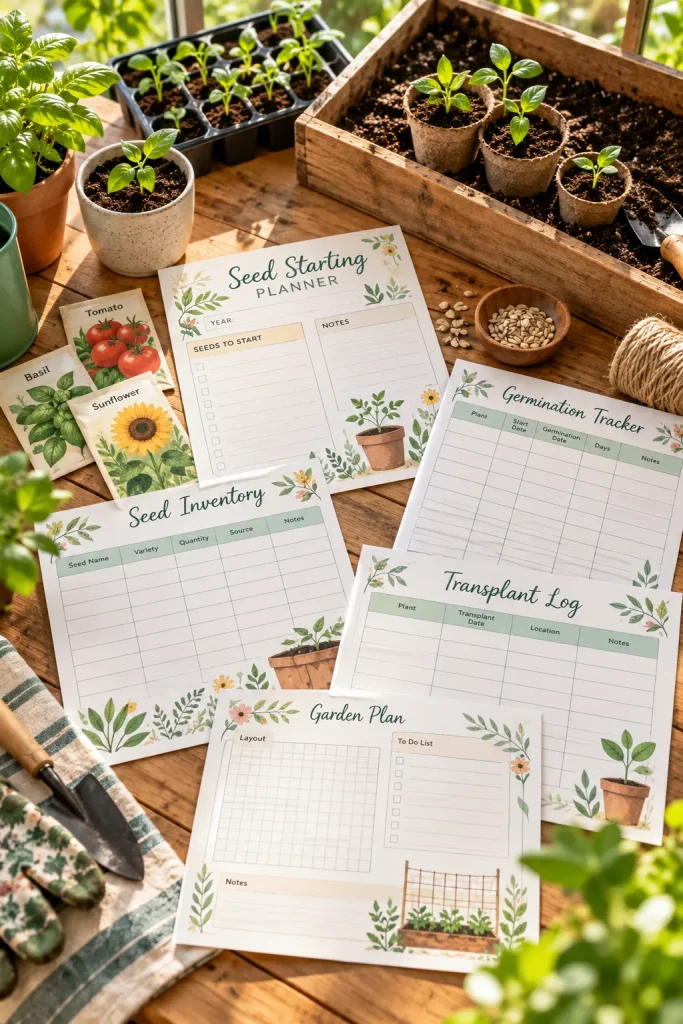
A seed packet beside an empty calendar makes the problem clear. Gardeners need somewhere to record what they planted and when.
A printable seed-starting kit can give beginners a simple way to keep those notes together.
Make the Pages Flexible for Different Gardens
Use AI to suggest tracking categories, then design printable pages for seed inventory, starting dates, observations, and plant labels.
Leave planting dates and growing instructions blank so buyers can follow advice suited to their location and seeds.
Add space for changes in light, watering, and container size.
Check that the pages have enough room for handwriting. The result is a useful recordkeeping tool, not a fixed growing schedule for every garden.
16. Create Brand Voice Workbook Templates

Write three words that describe a business: calm, playful, practical.
Those words can guide how the business speaks to customers, but they need examples before they become useful.
A brand voice workbook helps small business owners choose language that fits their products and audience.
Show What Each Brand Trait Sounds Like
Use AI to brainstorm sample phrases in different tones. Then build worksheets that help buyers compare them and write their own versions.
Include spaces for preferred words, phrases to avoid, customer questions, and short messaging examples.
Add a page where buyers can rewrite a plain product description in their chosen voice.
Keep examples simple enough to apply to an actual shop listing, email, or social post.
💡 Quick Brand Voice Exercise
Take one plain message and rewrite it in two different tones.
Warm and Friendly
"Your order is packed and ready for its trip to you!"
Simple and Direct
"Your order is packed and ready to ship."
Both communicate the same fact. The right version depends on how the business wants to speak to its customers.
17. Make Language Conversation Practice Card Decks
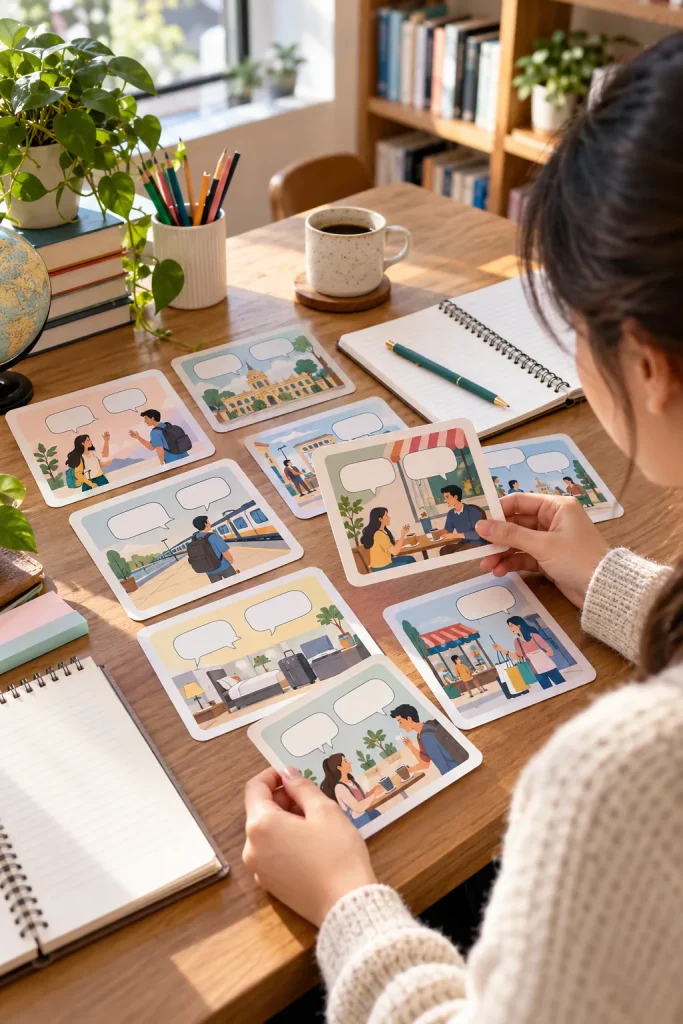
Language learners do not always need another long vocabulary list. Short conversation cards can help them practice what to say in familiar situations.
A themed deck might cover ordering food, asking directions, introducing yourself, or making plans with a friend.
Build Conversations Around Real Situations
Use AI to draft simple dialogue ideas, then have a fluent speaker check the wording, grammar, and natural phrasing.
Give each card a situation, two speaking roles, and a follow-up question.
Include a short instruction sheet showing how partners can take turns.
Keep beginner and intermediate decks separate. Someone learning basic greetings should not have to work through complicated conversations before feeling comfortable speaking.
Choose one everyday situation for each card.
Provide simple roles and useful speaking prompts.
Check every dialogue with a fluent speaker.
Mixing several unrelated situations on one card.
Using complicated phrases in a beginner deck.
Publishing AI-written translations without reviewing them.
18. Design Editable Event Seating Chart Kits
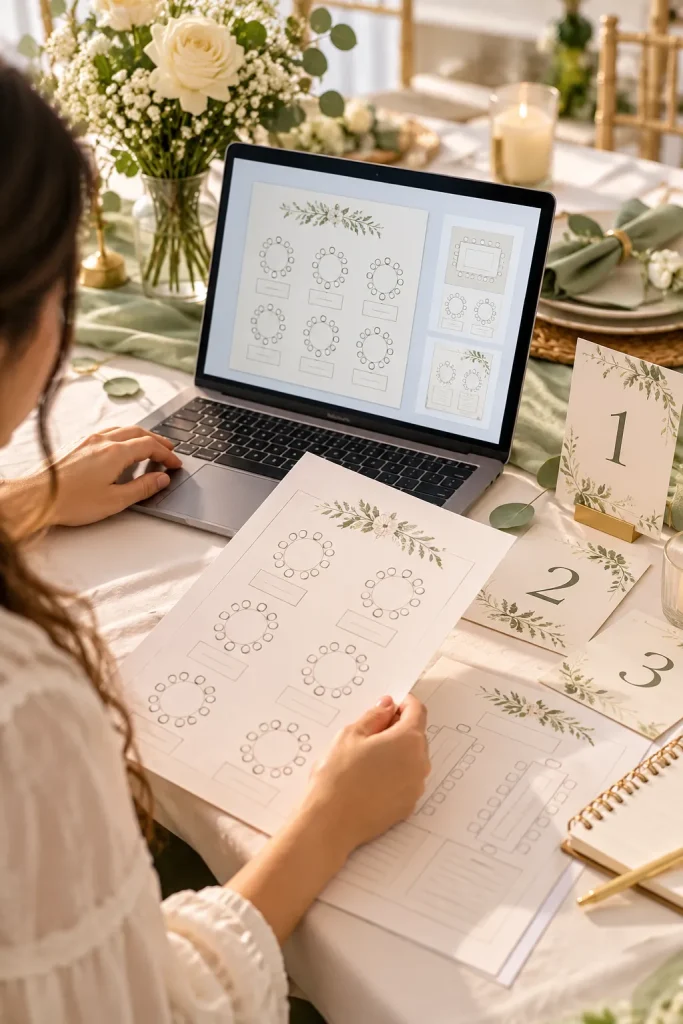
Guest lists change. Someone cancels, a family requests another table, or the venue adjusts the room layout.
An editable seating chart kit helps event planners and hosts make those changes without rebuilding the design.
Include More Than One Table Layout
Use AI to brainstorm seating chart formats, then create editable templates in Canva or another design tool.
Offer options for round tables, long banquet tables, and smaller gatherings.
Add matching table number cards and a blank guest assignment worksheet.
Make sure buyers can move names and tables without disturbing the rest of the design.
Show a filled sample using fictional guest names. The actual download should have clearly marked spaces ready for the buyer’s details.
🪑 What to Include in a Seating Chart Kit
19. Build Spreadsheet Habit Tracker Templates

A row of checked boxes can show progress more clearly than a crowded dashboard full of numbers.
A spreadsheet habit tracker gives buyers a place to record everyday routines such as reading, studying, or taking regular breaks.
Make the Tracker Simple to Update
Use AI to suggest layout ideas and basic formulas, then build the spreadsheet in Google Sheets or Excel.
Start with a monthly grid, habit names, and checkboxes. Add a small summary showing completed entries.
Test every formula with sample data before packaging the file.
Include a clean starting sheet and a filled example so buyers understand where to type. Avoid adding complicated charts that make the tracker harder to maintain.
📊 Three Parts of a Useful Habit Tracker
20. Create Mini Ebook Layout and Outline Kits
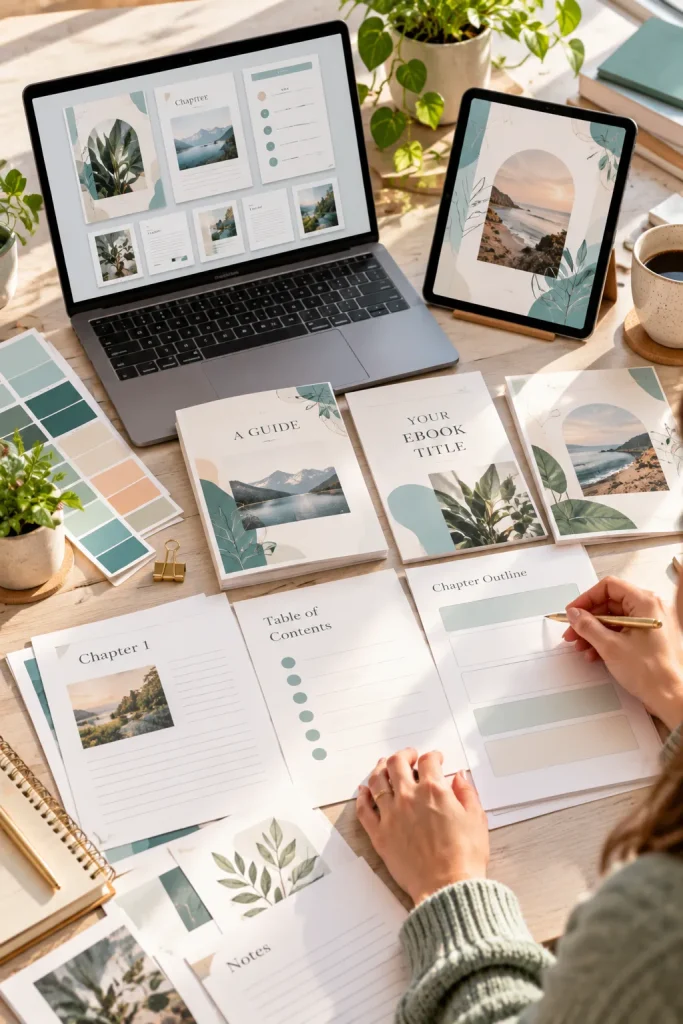
An ebook template with dozens of decorative pages can be harder to use than a simple, well-organized layout.
Beginners writing short guides often need help arranging their content, not extra design details.
An editable mini ebook kit can give bloggers, educators, and small business owners a starting structure.
Build a Kit Around Short Guides
Ask AI to suggest common sections for a practical guide. Select a useful structure, then create matching cover, introduction, chapter, worksheet, and closing page templates in Canva.
Leave the content areas blank and include a separate outline worksheet with guiding questions.
Use the same fonts, margins, and colors throughout.
The buyer should be able to replace the sample content without rebuilding every page.
📖 Build a Simple Mini Ebook Kit
Plan the Content
Include a blank outline worksheet for the topic, chapters, examples, and reader action steps.
Design the Pages
Create matching cover, introduction, chapter, worksheet, and closing page layouts.
Prepare the Download
Add editing instructions, organize the template files, and check a sample exported PDF.
Start With One Useful Product
The most practical AI digital product ideas begin with a clear problem, not a complicated tool. AI can help you sketch a layout, draft questions, or explore artwork, but the finished product still needs your judgment.
Choose one idea that fits the people you understand. Make a small version, review the details, and check that someone can use the download without extra help.
Pay attention to the little things, such as readable text, organized files, and simple instructions. Those choices make a product easier to use long after the AI-generated first draft is finished.Save this list to Pinterest so you can return to these ideas when you are ready to create your next digital product.