

A busy professional opens their laptop on Monday morning and already has a full inbox, three meetings, and a long list of tasks. Before the first coffee is finished, another deadline appears. Keeping track of everything can feel like a job on its own.
That daily pressure creates an opportunity for creators who make useful digital downloads. People with packed schedules often need simple tools to plan their week, organize projects, prepare for meetings, and keep important information in one place.
The good news is that many digital product ideas for professionals don’t require advanced design skills or complicated software. A clear spreadsheet, a printable planner, or an editable document can solve a specific problem when it’s designed around how people actually work.
If you’re interested in creating products to sell on Etsy or your own online store, start with a task your customer repeats often. The following ideas focus on practical downloads that beginners can build using familiar tools. Each one includes a product concept, a likely buyer, and a straightforward way to get started.
1. Create a Weekly Work Planner Printable

A weekly planner can help someone see their entire workload before Monday gets away from them. Instead of filling a notebook with scattered reminders, professionals can keep appointments, deadlines, and priorities on one sheet.
What to Include in Your Planner
Build a printable PDF in Canva with separate areas for:
- Daily tasks and appointments
- Three main weekly priorities
- Important deadlines
- Notes and unfinished work
Office employees, remote workers, and freelancers are potential buyers.
Keep the layout simple enough to print in black and white. Offer both a Monday-start and Sunday-start version, with generous writing space. A busy buyer should understand the page without reading instructions.
2. Design a Time Blocking Calendar Template

A calendar full of meetings doesn’t always show when actual work will get done.
A time blocking template gives each part of the workday a dedicated slot. Someone might reserve the morning for writing reports, early afternoon for meetings, and the final hour for email.
Make the Template Easy to Edit
Create a weekly calendar in Google Sheets with hourly rows and columns for weekdays. Use gentle background colors to separate focused work, meetings, breaks, and administrative tasks.
This product suits remote employees, consultants, and business owners juggling different responsibilities.
Include a blank version and a sample schedule so buyers understand how to use it. Leave some open space for unexpected requests rather than filling every hour.
Focus|Reserve uninterrupted work
Meetings|Group conversations
Admin|Handle routine messages
Buffer|Allow extra time
3. Build a Daily Priority Tracker Spreadsheet
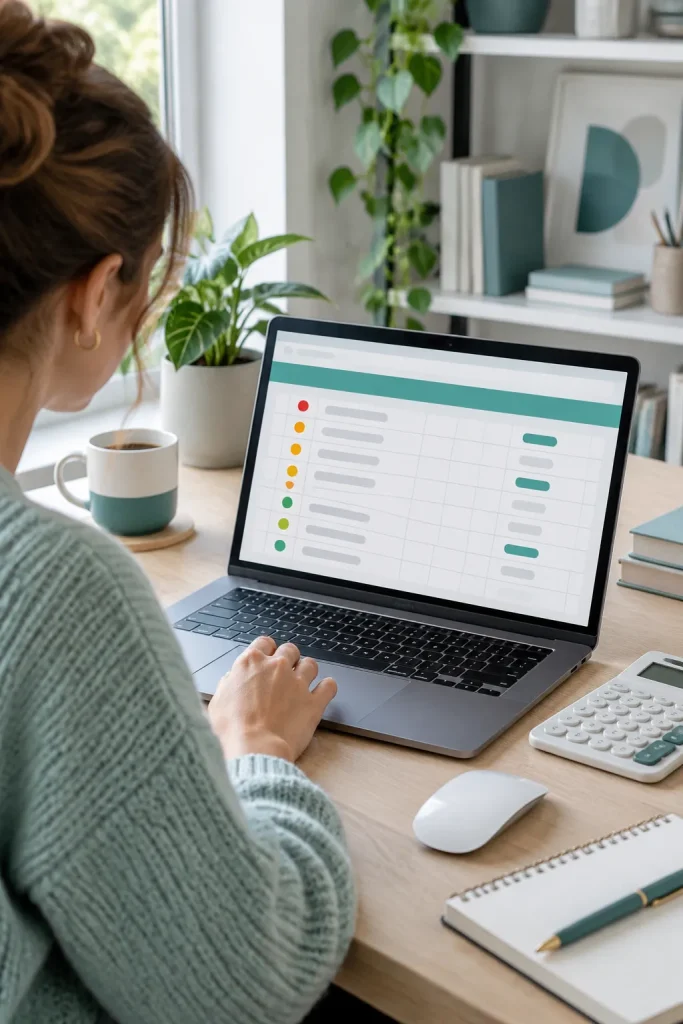
Ten tasks may be waiting on someone’s desk, but they rarely deserve equal attention.
A daily priority tracker helps professionals decide which tasks need action first. Unlike a general to-do list, this spreadsheet sorts work by urgency, importance, and due date.
A Simple Spreadsheet Setup
In Google Sheets, create columns for task name, priority level, deadline, and completion status.
Use a dropdown for High, Medium, and Low priorities. Add another column where users can mark tasks as complete.
This product can appeal to office managers, administrative assistants, and freelancers handling several client requests.
Include a short instruction tab explaining how to duplicate the sheet and enter tasks. Keep the main tracker free from unnecessary charts.
Scattered task list
Organized priority rows by urgency and due date
4. Sell a Meeting Agenda Template Bundle

Meetings often begin with a familiar question: “What are we covering today?”
A prepared agenda makes it easier to keep the discussion on topic. For someone who runs regular team calls, having a reusable document can remove a little preparation work.
Design an editable bundle in Google Docs or Canva with different layouts for team updates, client meetings, and individual check-ins.
Include the Details People Actually Need
Each template should have space for the meeting purpose, discussion topics, estimated time, and meeting owner.
Project coordinators, team leaders, and small business owners are possible customers.
Add a clean, printer-friendly version alongside the editable files. Avoid elaborate decorative elements that take up space needed for notes.
Checklist
5. Make a Project Deadline Dashboard

A project can seem manageable until several deadlines land in the same week.
A project deadline dashboard brings upcoming milestones into one clear view. It works especially well for professionals managing deliverables across different clients or teams.
Build Around Important Dates
Use Google Sheets to create a dashboard with project names, milestones, owners, due dates, and current status.
Add simple status labels such as Not Started, In Progress, Waiting, and Complete.
Freelance project managers, agency coordinators, and team supervisors may find this useful.
Provide a sample project with fictional details so buyers can understand the layout before entering their own information. Make sure the dashboard still works when rows are added, rather than depending on a fixed sample list.
6. Create a Business Travel Itinerary Planner

Flight details in one email, hotel information in another, and meeting addresses buried in a calendar invite. Business travel can involve a surprising amount of searching.
A travel itinerary planner puts the important details together in a single document.
Create an editable Google Docs template with sections for flights, accommodation, transportation, meeting schedules, and emergency contact information.
Think About the Traveler’s Day
Include a daily timetable with space for appointment locations, confirmation references, and travel notes.
Consultants, traveling sales representatives, and executive assistants may use this type of download.
Provide both a detailed multi-day version and a compact one-page summary. Use placeholder information in your sample and avoid requesting sensitive identification details that aren’t needed.
💡 Helpful Travel Planner Detail
Add local time zones beside flight and meeting times to avoid confusion.
7. Design a Recurring Task Checklist Pack

Some work tasks return every Monday, every month-end, or at the close of each quarter. Rewriting the same checklist each time wastes effort and makes it easier to miss a step.
A recurring task checklist pack gives professionals ready-to-use pages for regular responsibilities.
Organize Checklists by Frequency
Create separate printable PDFs for daily opening routines, weekly reviews, monthly administrative tasks, and quarterly maintenance.
Potential buyers include office administrators, small business managers, and virtual assistants.
Use Canva to design matching pages with checkboxes, a date field, and a space for exceptions or unfinished work.
Keep tasks generic enough to customize. Different workplaces have different procedures, so buyers should be able to adjust the checklists rather than follow an inflexible sequence.
Group tasks by frequency
Record completion dates
Offer editable copies
8. Build a Focus Session Tracker

An afternoon can disappear between messages, notifications, and unfinished tasks. A focus session tracker gives professionals a simple way to record dedicated work periods.
Unlike a time blocking calendar that plans the day ahead, this product records what happened during each session.
Create a Simple Focus Log
Build a Google Sheets tracker with fields for the task, start time, end time, interruptions, and a short progress note.
Remote workers, writers, students with part-time jobs, and independent consultants are potential buyers.
Include an optional weekly review that shows completed sessions and common distractions. Keep the sheet usable without complex formulas, and make the summary optional for people who only want a basic work log.
| Option A | Option B |
|---|---|
| Basic Focus Log|Task and duration | Detailed Focus Log|Interruptions and progress notes |
9. Create a Professional Email Template Pack

Writing the same kind of email every week can take more time than expected. A professional email template pack gives busy workers a useful starting point without making every message sound copied.
Create an editable collection in Google Docs with ready-to-customize messages for common workplace situations.
Choose Emails People Send Often
Include templates for:
- Following up after a meeting
- Requesting missing information
- Sending a polite deadline reminder
- Thanking a client for their time
Virtual assistants, consultants, office workers, and small business owners are potential buyers.
Use clear placeholders for names, dates, and project details. Keep the tone polite but natural, and include a few subject line suggestions with each template.
10. Design a Client Onboarding Welcome Kit

A new client agrees to work with a freelancer, but then comes a stream of questions. Where should they send files? How do revisions work? Who should they contact?
A client onboarding welcome kit answers those questions before the project begins.
What Goes Into the Kit?
Design a matching set of editable documents in Canva or Google Docs, including a welcome letter, project timeline, communication guidelines, and client information form.
Freelancers, creative studios, virtual assistants, and independent service providers may buy this bundle.
Use a consistent design across all pages, but leave space for buyers to add their own branding and policies. Provide a short editing instruction page so customers know which details to replace before sharing the documents.
Welcome page
Project stages
Communication guidelines
Client questionnaire
File-sharing instructions
11. Build a CRM Contact Follow Up Tracker

A client mentions they might need another project next month. By the time next month arrives, that conversation has disappeared beneath dozens of other messages.
A CRM contact follow up tracker helps professionals keep track of business relationships and future conversations.
Unlike a networking organizer, this product focuses on active leads, client opportunities, and follow up actions.
Set Up a Clear Contact Pipeline
In Google Sheets, add columns for contact name, company, conversation date, opportunity stage, next action, and follow up date.
Sales freelancers, consultants, and small service businesses are possible customers.
Add simple status labels such as New Inquiry, Contacted, Waiting, and Closed. Keep the sheet focused on necessary business details and remind buyers to handle personal contact information responsibly.
Scattered contact notes
Contact stages and follow up dates in one sheet
12. Sell an Editable Business Proposal Template

Start with the proposal outline, not the decorative cover.
A useful business proposal template helps service providers explain what they’re offering, what the project includes, and how the work will proceed.
Create an editable document in Google Docs with clearly labeled sections and sample placeholder content.
Build a Proposal Buyers Can Customize
Include a project overview, scope of work, deliverables, timeline, and approval section.
Freelance designers, marketing consultants, and independent agencies are potential buyers.
Give each section enough room for real project details. Include an optional pricing section buyers can complete themselves, without suggesting fixed rates or guaranteed results.
Keep the proposal separate from a formal contract. Buyers should review any legal terms they plan to use rather than treating a general template as legal advice.
Checklist
13. Make a Client Feedback Form Bundle

A project might be finished, but the business owner still needs to know what worked and what could improve.
A client feedback form bundle helps service providers gather useful comments without writing new questions after every project.
Create several editable forms in Google Docs for different stages of the client experience.
Offer Different Feedback Formats
Include a short project completion survey, a service satisfaction form, and a more detailed feedback questionnaire.
Freelancers, consultants, and small agencies may use these to review their services.
Choose questions that lead to specific answers, such as which part of the process felt confusing. Include optional rating scales and space for written comments. Avoid making every question mandatory, particularly when asking clients to share personal experiences.
14. Create a Presentation Slide Template Pack

Slides packed with tiny text and mismatched colors make a presentation harder to follow. Professionals preparing reports or project updates often need something cleaner.
A presentation slide template pack provides reusable layouts they can fill with their own information.
Design Slides for Real Workplace Needs
Use Google Slides to create layouts for title pages, project updates, timelines, comparison charts, and final recommendations.
Potential buyers include managers, consultants, trainers, and remote team leaders.
Choose readable fonts, consistent spacing, and a small color palette. Add sample placeholder content that explains what belongs on each slide.
Include both light and dark background options if the layouts remain readable. Make sure charts and text boxes can be edited, rather than providing only flattened images of slides.
💡 Presentation Design Tip
Check readability at normal presentation size and keep charts and text editable.
15. Design a Meeting Minutes Template

A meeting ends, everyone returns to work, and two days later nobody remembers who agreed to send the updated report.
Meeting minutes solve a different problem from meeting agendas. The agenda sets up the conversation, while the minutes record what happened and who needs to act.
Create an editable Google Docs template with sections for attendees, key discussion points, decisions, and assigned actions.
Put Decisions Where Readers Can Find Them
Team coordinators, executive assistants, and project managers are possible buyers.
Give action items their own clearly labeled section, with an owner and due date beside each task.
Keep the notes factual and easy to scan. Buyers should be able to identify the main decisions without rereading every discussion point.
Record decisions and assigned actions
Include owners and deadlines
Avoid vague notes and unconfirmed decisions
16. Build a Networking Contact Organizer

A quick conversation at a conference can introduce someone to a useful professional contact. Remembering the person’s name three months later is another matter.
A networking contact organizer helps professionals keep track of people they meet through events, industry groups, and introductions.
Unlike a sales CRM, it focuses on professional relationships rather than active deals.
Keep the Details Worth Remembering
Build a Google Sheets template with columns for name, organization, role, where you met, shared interests, and a short conversation note.
Job seekers, consultants, and professionals attending industry events may find it useful.
Include optional fields for professional contact details and the last conversation date. Buyers can record information people have willingly shared without collecting unnecessary personal details.
| Option A | Option B |
|---|---|
| Contact Organizer|Maintains relationships | Sales CRM|Tracks commercial opportunities |
17. Create an Invoice and Payment Tracker

An invoice might be sent on Friday, but payment may not arrive until weeks later. For freelancers handling several clients, remembering which invoices are still outstanding can become a daily headache.
An invoice and payment tracker keeps these records organized in one spreadsheet.
Build a Clear Payment Overview
Use Google Sheets to create columns for invoice number, client name, issue date, due date, amount, and payment status.
Freelancers, consultants, and independent service providers are potential buyers.
Include status options such as Sent, Partially Paid, Paid, and Overdue. Add a simple summary showing outstanding balances, with formulas that buyers can check and understand.
Use fictional invoice details in the sample sheet. The tracker should organize records, not replace accounting software or professional financial advice.
18. Design an Employee Onboarding Checklist

A new employee arrives for their first day, but their account isn’t ready and nobody knows who is handling the orientation.
An employee onboarding checklist gives managers a clear sequence of preparation tasks before and after someone joins the team.
Separate the First Week Into Stages
Create an editable Google Docs or Canva checklist with sections for pre-arrival preparation, first-day introductions, basic training, and first-week check-ins.
Small business owners, team supervisors, and HR coordinators may buy this download.
Include a responsible-person field beside each task so duties can be assigned clearly.
Keep the document customizable because hiring requirements vary between employers and locations. Any employment or compliance procedures should be checked against current local rules rather than copied from a generic template.
Equipment and access
Team introductions
Training plan
First-week check-in
19. Build a Monthly Business Expense Log

Small business expenses don’t always feel significant individually. A software subscription here and a supply purchase there can leave someone wondering where the money went.
A monthly business expense log gives owners a practical place to record everyday spending.
Unlike an invoice tracker, this spreadsheet focuses on money going out rather than client payments coming in.
Keep Expense Categories Simple
Build a Google Sheets template with columns for date, vendor, expense category, description, and amount.
Freelancers, independent consultants, and small business owners are possible customers.
Include basic categories such as software, travel, supplies, and marketing, with room to add more.
Create a monthly summary using simple spreadsheet formulas. Make it clear that category labels are for personal organization and do not determine whether an expense qualifies for a tax deduction.
Scattered receipts
Expenses categorized with monthly totals
20. Sell a Resume and Cover Letter Bundle

Start with two documents that actually belong together. A resume and cover letter bundle should have matching fonts, margins, and headings so a job application looks consistent.
Create editable templates in Google Docs with a clean layout and clear placeholders.
Build a Matching Application Set
Include a resume with sections for work experience, skills, education, and contact information. Pair it with a cover letter that has room for a specific job opening and relevant experience.
Job seekers, career changers, and professionals applying for new positions may buy this bundle.
Offer a simple single-column version that remains readable when exported to PDF. Avoid charts, icons, or text boxes that could create problems with some applicant tracking systems.
Encourage buyers to customize their achievements rather than leave generic sample statements unchanged.
Checklist
21. Make a Job Interview Preparation Workbook

Interview preparation gets easier when candidates have a place to collect their thoughts before the conversation begins.
A job interview workbook helps professionals research an employer, prepare examples from their experience, and organize questions they want to ask.
Include Pages for Different Preparation Tasks
Design a printable workbook in Canva with sections for company research, job requirements, common interview questions, and personal achievement examples.
Recent graduates, career changers, and experienced job seekers are possible buyers.
Add a page for recording examples of situations where the candidate solved a problem or worked with a team.
Leave enough writing space for longer answers. The workbook should help buyers prepare their own responses, not memorize identical answers for every interview.
22. Create a Professional Development Planner

Learning a new skill sounds manageable until courses, work deadlines, and everyday responsibilities compete for the same hours.
A professional development planner gives working adults a place to organize what they want to learn and how they plan to make progress.
Focus on Skills, Not Just Goals
Create an editable planner in Canva or Google Docs with sections for target skills, learning resources, practice activities, and progress reviews.
Employees preparing for new responsibilities, freelancers expanding their services, and professionals changing careers may find this useful.
Include a monthly learning log where buyers can record what they practiced and what still needs attention.
Keep the format flexible for self-directed learning, employer training, or online courses. A small weekly practice plan is more usable than a page crowded with ambitious deadlines.
💡 Make Progress Visible
Record practical evidence of learning, such as a completed practice project.
23. Design a Performance Review Self Assessment Kit

People often remember their latest work challenge more clearly than the projects they completed several months ago.
A performance review self assessment kit helps employees organize their achievements, responsibilities, and development needs before a formal review.
Unlike a career learning planner, this product focuses on reviewing completed work rather than planning future study.
Build a Balanced Review Worksheet
Create editable Google Docs pages for accomplishments, completed projects, workplace contributions, challenges, and goals for the next review period.
Employees, managers, and small HR teams are potential buyers.
Add prompts that encourage specific examples instead of vague statements about being hardworking.
Include space to record feedback received during the review. Keep all rating scales optional because employers may already use their own performance assessment systems.
Describe achievements with examples
Record teamwork and learning needs
Avoid unsupported claims and blame
24. Build a Standard Operating Procedure Template

A good work process should be understandable even when the person who normally handles it is away.
A standard operating procedure template, often called an SOP, gives businesses a consistent way to document how recurring work should be completed.
Make Every Step Easy to Follow
Create a reusable Google Docs template with fields for the process name, purpose, responsible person, required tools, numbered instructions, and review date.
Virtual assistants, operations managers, and small business owners are potential buyers.
Include a completed fictional example, such as organizing incoming project files, so buyers can see how much detail to provide.
Use short steps and leave room for screenshots or notes. Remind buyers to review procedures against their own workplace policies, particularly when tasks involve sensitive information or safety requirements.
| Option A | Option B |
|---|---|
| Basic SOP|Short steps and tools | Detailed SOP|Versions, exceptions and screenshots |
25. Create a Social Media Content Calendar

A social media calendar helps businesses plan their posts before the week gets crowded with other work. Instead of deciding what to publish each morning, professionals can prepare content topics and track upcoming posts in one place.
Build a Calendar That Shows the Whole Plan
Create a Google Sheets template with columns for publishing date, platform, content topic, format, caption status, and approval status.
Social media managers, small business owners, and freelance content creators are potential buyers.
Include separate tabs for monthly planning and content ideas. Use simple color labels to distinguish draft, approved, and published posts.
Keep the template flexible for different platforms. Buyers should be able to remove columns they don’t need without breaking the layout.
26. Design a LinkedIn Post Template Bundle

Professional posts don’t all need complicated graphics. A clear layout with one useful idea can be easier to read than a design packed with decorative elements.
A LinkedIn post template bundle gives professionals editable graphics for sharing workplace insights, company updates, and career announcements.
Create Templates for Common Post Types
Use Canva to design matching layouts for:
- Professional tips and short insights
- Company announcements
- Career milestones
- Event reminders
- Educational carousel slides
Consultants, recruiters, business owners, and independent professionals may buy these templates.
Offer square and portrait layouts with editable colors, headings, and image areas. Include a few blank designs without sample text so buyers can add their own messages.
Check current LinkedIn format requirements and Canva licensing terms before preparing the product for sale.
Checklist
27. Build a Marketing Campaign Brief Template

A campaign can involve writers, designers, managers, and clients who all need to understand the same goal. Without a clear brief, different people may work from different assumptions.
A marketing campaign brief template collects the main decisions before production begins.
Unlike a content calendar, which tracks publishing dates, this document explains the purpose and direction of a campaign.
Keep the Brief Focused
Create an editable Google Docs template with sections for campaign objectives, target audience, key message, deliverables, channels, and approval responsibilities.
Marketing coordinators, small agencies, and freelance strategists are potential buyers.
Include a fictional example to demonstrate how much detail each section needs. Leave space for revisions and final approval so the document can follow a campaign through planning.
Different assumptions across the team
Shared objective, audience, deliverables and approval steps
28. Sell a Digital File Organization Kit

Finding the latest version of a document shouldn’t require opening six folders named “Final.”
A digital file organization kit gives professionals a ready-made system for sorting computer files and keeping project materials easier to locate.
Create a Reusable Folder Structure
Build a downloadable ZIP folder kit with clearly named folders for active projects, reference materials, completed work, and archives.
Include a PDF guide explaining the folder structure and a simple file-naming convention.
Virtual assistants, freelancers, remote employees, and small business owners may find this useful.
Use generic folder names that buyers can customize for their work. Provide instructions for copying the structure without accidentally moving or deleting existing files.
The product should help people organize what they already have, without requiring special software or a complicated setup.
Create main categories
Add project folders
Use consistent names
Archive completed work
29. Make a Work Handover Document Pack

An employee takes a week off, and a coworker suddenly needs to manage their unfinished projects. The problem isn’t always knowing how to do the work. It’s finding out what needs attention right now.
A work handover document pack helps professionals transfer current responsibilities when someone is away or changing roles.
Focus on Unfinished Responsibilities
Create editable Google Docs templates for active assignments, urgent deadlines, key contacts, pending approvals, and return-to-work notes.
Team leaders, administrative assistants, project coordinators, and office employees are potential buyers.
Unlike an SOP, which explains a routine process, a handover document records the current state of work.
Keep sensitive account credentials out of the template. Access should be arranged through approved workplace systems.
30. Create a Quarterly Goal Review Workbook

Three months can pass quickly when most days are spent handling immediate tasks. A quarterly review gives professionals a chance to examine what they completed and decide what needs attention next.
A quarterly goal review workbook turns that reflection into a repeatable process.
Give Every Review a Clear Purpose
Design a printable Canva workbook with sections for completed goals, unfinished commitments, obstacles, lessons learned, and priorities for the next quarter.
Managers, freelancers, business owners, and career-focused employees may buy this product.
Include a simple progress tracker, but allow space for written reflections that explain why plans changed.
Keep the workbook separate from daily planning tools. Its job is to help buyers review the bigger picture and make thoughtful decisions for the months ahead.
💡 Quarterly Review Prompt
Choose one goal to continue, one commitment to reconsider, and one change for the next quarter.
Start With One Useful Digital Product
The best place to begin is with a problem you understand clearly. Choose one of these digital product ideas for professionals and think about the person who would use it during a normal workday.
A well-organized spreadsheet or editable document can be more practical than a large bundle filled with features nobody needs.
Create a simple first version, check that every field and formula works, and prepare clear instructions for buyers. Before listing your product, review the current selling platform’s rules and any relevant template licensing terms.
You can always expand your collection later.
Save this list on Pinterest so you can return when you’re ready to choose your next digital product to create.