
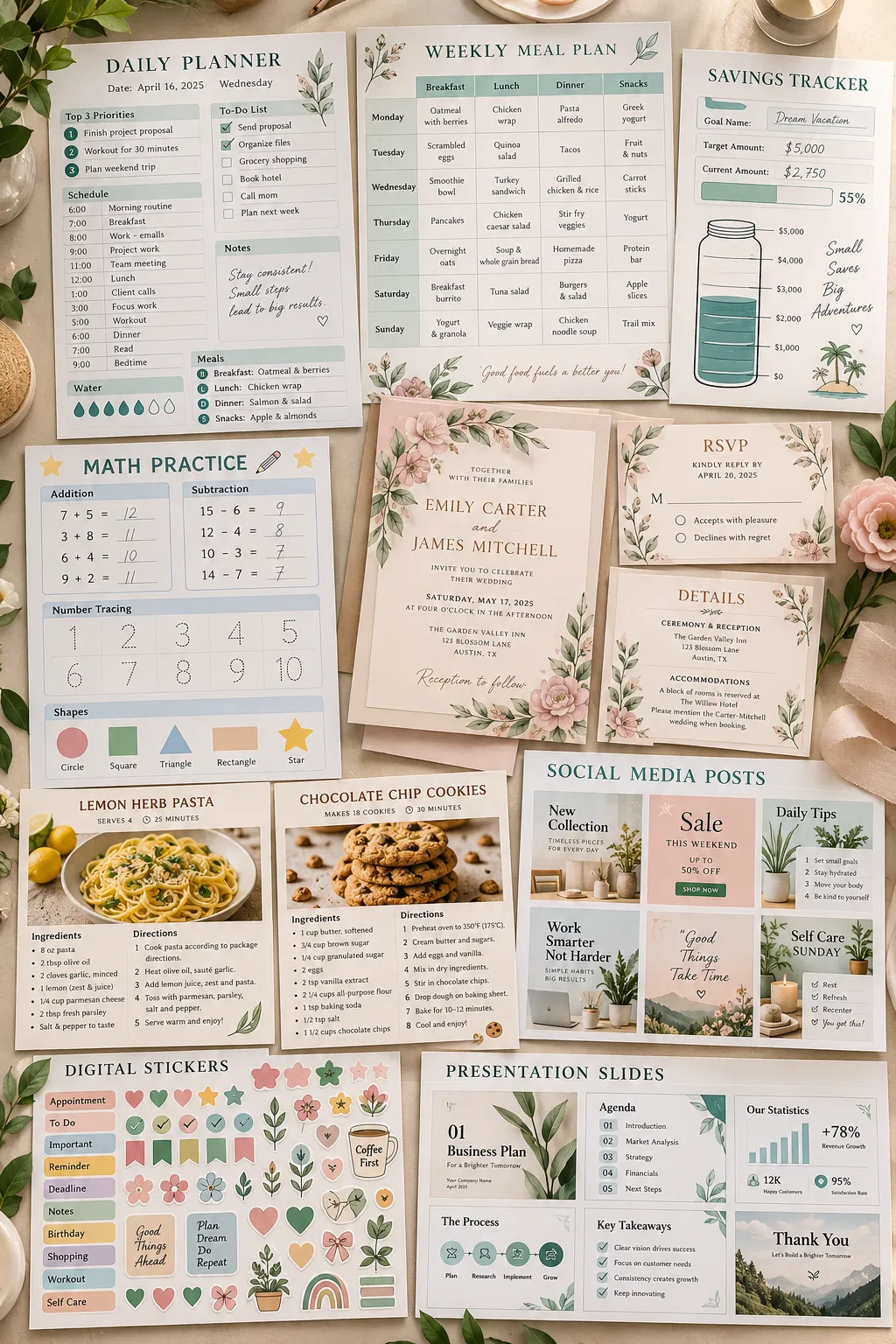
You don’t need a huge audience, fancy design skills, or a long list of tools to start creating digital products. Sometimes, the hardest part is simply deciding what to make first.
There are so many digital product ideas out there that it’s easy to spend hours browsing without choosing one. You might save a few Pinterest pins, open Canva, and then wonder if your idea is useful enough for someone to buy.
The good news is that many digital products solve small, everyday problems. Think about the person who needs an easier way to plan meals, manage spending, organize schoolwork, or keep track of daily tasks. A simple, well-designed download can help them do exactly that.
This list covers 35 products you can create and sell online, including printables, spreadsheets, planners, and editable templates. Each idea includes what to make, who might use it, and a practical place to start.
Pick one that makes sense to you, build a useful first version, and improve it as you learn.
1. Create an Undated Daily Planner

An undated daily planner is a practical first product because buyers can start using it whenever they want. There’s no need to wait for January or waste pages from missed days.
Design one clean page in Canva with space for a daily schedule, top priorities, to-do list, and notes. Keep the writing areas large enough for someone to use comfortably.
A few useful additions:
- A small section for tomorrow’s reminders
- Checkboxes beside daily tasks
- A simple water or habit tracker
Offer the planner as a printable PDF in US Letter and A4 sizes. Busy parents, students, and people working from home may all find this layout useful.
Undated Daily Planner: Quick Reference
2. Make a Weekly Meal Planner and Grocery List
Planning meals is easier when the menu and shopping list are in one place. That’s why a matching meal planner and grocery list can make a useful digital download for busy households.
Create a seven-day meal grid with separate spaces for breakfast, lunch, and dinner. Then design a second printable page that sorts groceries into sections such as produce, dairy, pantry items, and frozen foods.
Keep the two pages visually consistent so they feel like a complete set.
You can also include a small area for meals that use leftovers. It’s a helpful detail for anyone trying to avoid buying ingredients they already have.
Weekly Meal Planner: Quick Reference
3. Design a Home Cleaning Schedule
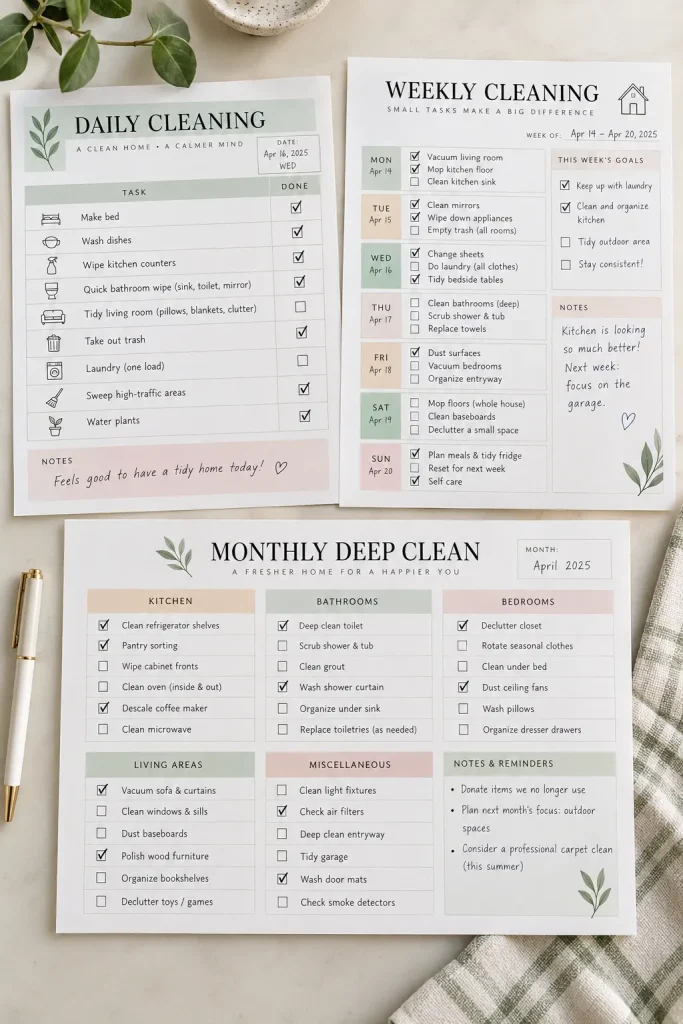
A house cleaning schedule turns a long list of chores into smaller jobs that feel easier to manage.
Instead of putting every task on one crowded page, organize the printable into daily, weekly, and monthly sections. Daily tasks might include wiping kitchen counters and washing dishes, while monthly tasks could include cleaning light fixtures or checking pantry shelves.
For a useful starter bundle, make:
- A weekly cleaning checklist
- A monthly deep cleaning tracker
- A room-by-room task list
Use clear checkboxes and leave a little space for personal tasks. Families, renters, and first-time homeowners can adapt the same basic schedule to their routines.
Home Cleaning Schedule: Quick Reference
Dishes, oven, shelves, floors and cupboards mixed together
Daily dishes and counters; weekly floors and shelves; monthly oven and cupboards
4. Build a Monthly Budget Spreadsheet
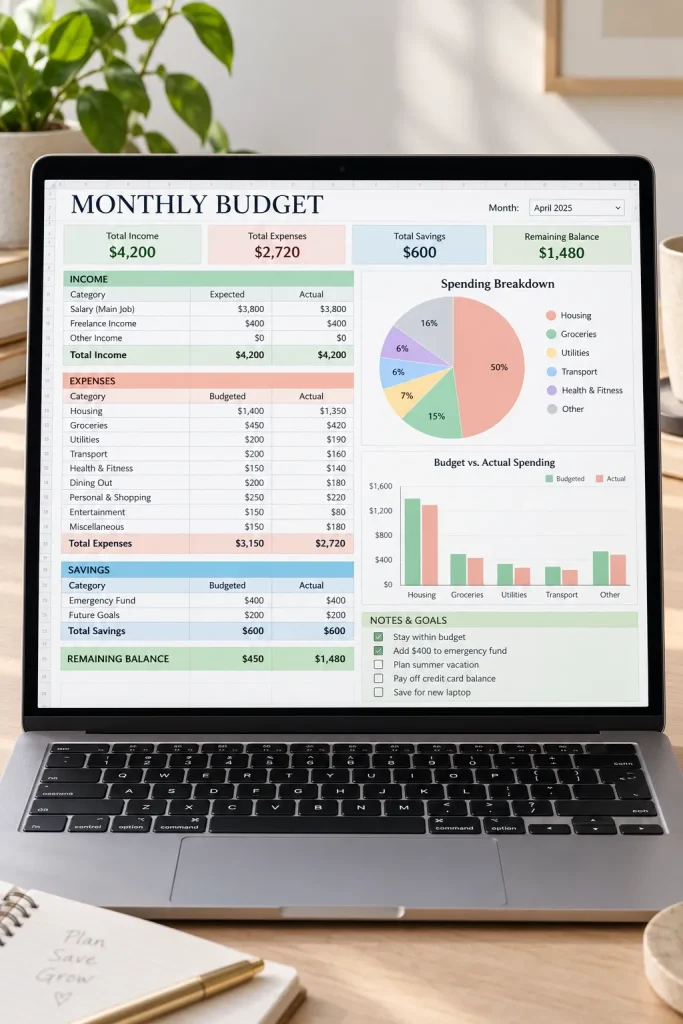
Spreadsheets can be digital products too, and a monthly budget tracker is a useful place to start.
Build a simple sheet in Google Sheets or Excel with sections for income, fixed bills, everyday spending, and savings. Add formulas that calculate category totals and the amount left after recorded expenses.
Keep the instructions simple. Someone opening the spreadsheet for the first time should know exactly where to enter their numbers.
A helpful extra is a separate sheet with sample entries, so buyers can see how the tracker works before replacing the examples with their own details.
Avoid filling the design with complicated charts. Clear labels and working formulas matter more.
Monthly Budget Spreadsheet: Quick Reference
| Simple Tracker | Detailed Tracker |
|---|---|
| One monthly overview; basic income and expenses; automatic totals; first-time budgeters | Separate months; detailed spending; category charts; more detail |
5. Create a Savings Challenge Tracker
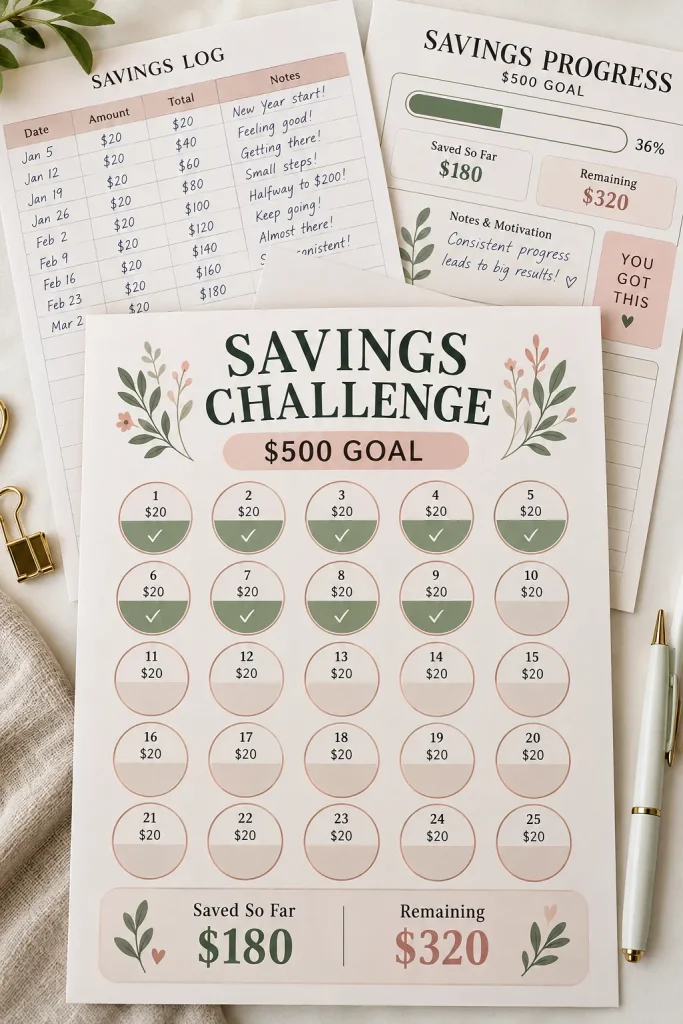
Saving toward a goal can feel more manageable when progress is easy to see.
A savings challenge tracker gives buyers a visual way to record money they’ve set aside. You could design a page with small circles to color in, a progress bar to fill, or a checklist with spaces for different saving amounts.
Start with a flexible version where buyers choose their own goal and update their progress.
Make the tracker useful by including:
- A space to name the savings goal
- A starting amount and target amount
- Individual spaces for recording contributions
Keep the design encouraging without promising financial results. The product should help people stay organized, not suggest that everyone can save the same amount.
Savings Challenge Tracker: Quick Reference
6. Design a Simple Habit Tracker
Habit trackers don’t need complicated layouts. A row of checkboxes can be enough to help someone notice patterns in their daily routine.
Create a monthly tracker with habits listed down the left side and numbered days across the top. Leave the habit names editable or blank so buyers can decide what matters to them.
Someone might track reading, stretching, drinking water, or taking a short walk.
For your first version, use a landscape page if the monthly grid feels crowded in portrait format. Make sure the boxes stay large enough to mark after printing.
Add a small reflection area for what worked and what needs adjusting next month.
Simple Habit Tracker: Quick Reference
Flexible monthly grid: Use 31 columns and leave unused dates blank
Weekly version: Include a smaller undated tracking option
7. Make a Workout Log
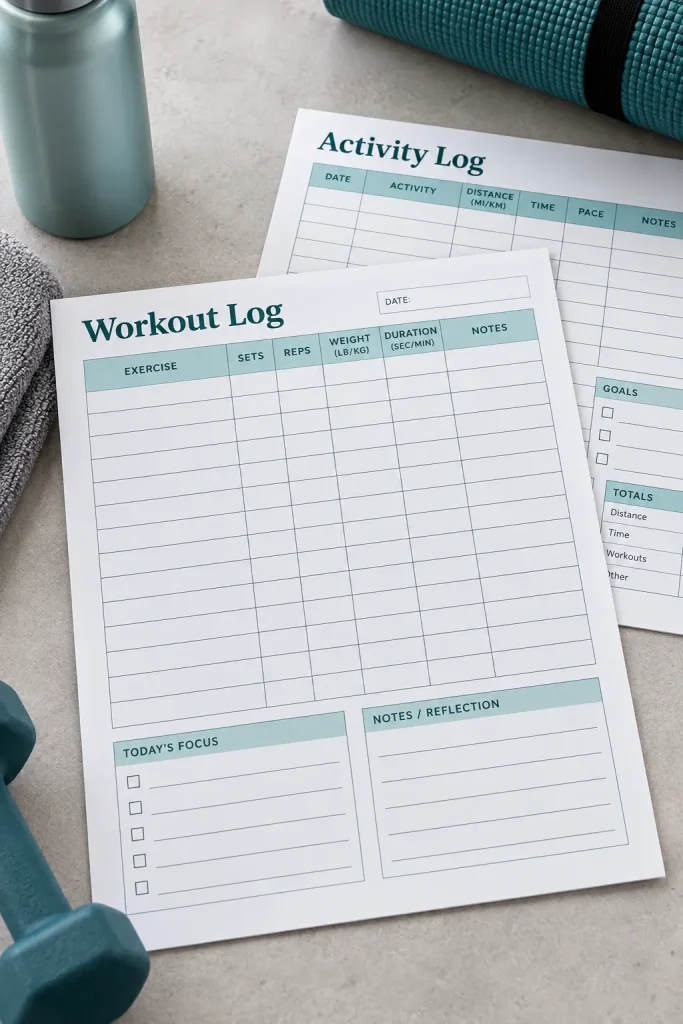
A workout log helps people remember what they did during each exercise session without relying on memory.
Design a printable page where users can write the exercise name, sets, repetitions, weight if relevant, and a short note about how the session felt.
Keep strength training and general activity tracking in mind. Some buyers may want to record a gym routine, while others prefer walking, cycling, or home workouts.
A simple product bundle could contain:
- A workout session log
- A weekly activity overview
- A personal progress notes page
Use plain headings and plenty of writing space. Small boxes might look tidy in a product preview but can be frustrating to use with a pen.
Printable Workout Log: Quick Reference
8. Create a Student Study Planner
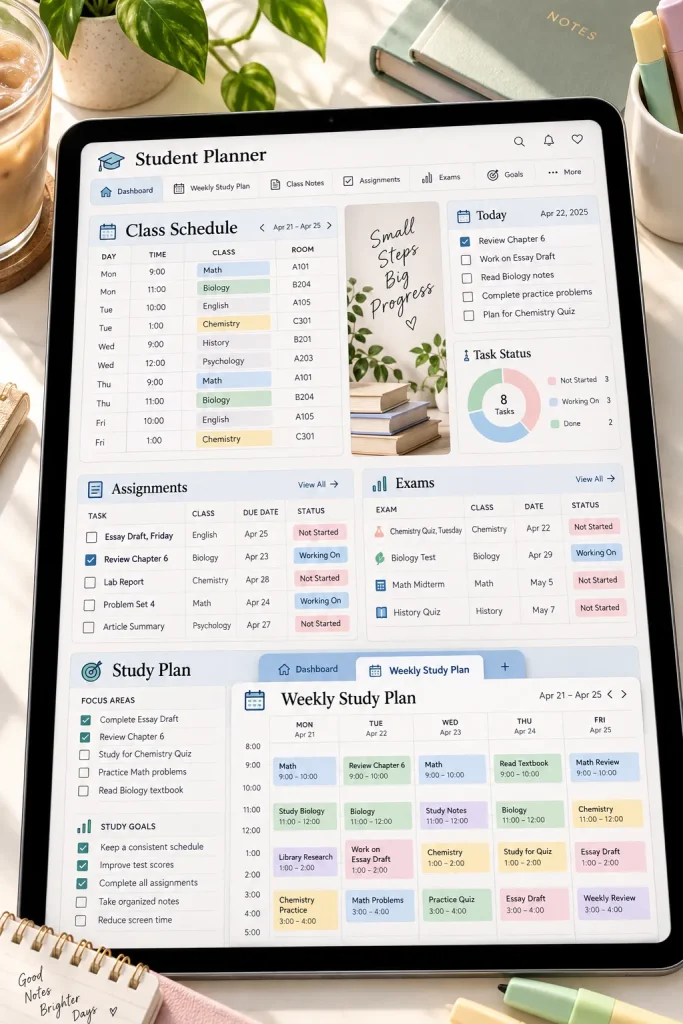
Between homework, exams, projects, and regular classes, students have plenty of dates to keep track of.
A study planner brings those deadlines into one organized place. Make a weekly page with sections for subjects, assignments, due dates, and planned study sessions.
You could also include an exam preparation sheet where students break larger topics into smaller revision tasks.
Keep the colors calm and the layout easy to scan. The planner needs to be useful during a busy school week, not just attractive in a listing photo.
Start with an undated version that students can reuse throughout the school year. Printable PDFs work well for this kind of product.
Student Study Planner: Quick Reference
List subjects. A clear space for each class
Record deadlines. Assignments, projects and tests
Plan study sessions. Break revision into smaller blocks
Review progress. Completed work and unfinished tasks
9. Build a Wedding Planning Binder
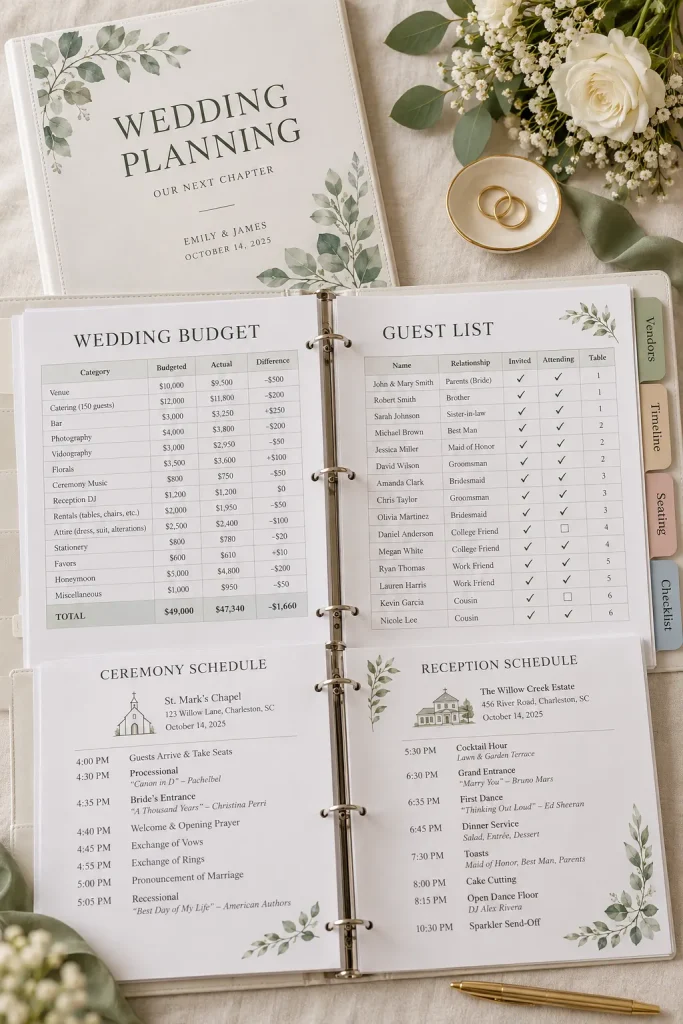
A wedding involves plenty of small decisions, and keeping everything organized can become a job of its own. A printable wedding planning binder gives couples one place to manage those details.
Start with a coordinated set of pages for the budget, guest list, vendor contacts, seating arrangements, and wedding day timeline.
Make the binder easier to use with:
- A wedding planning checklist
- A vendor comparison worksheet
- A payment and booking tracker
Design each page in Canva using the same fonts, colors, and section headings. Leave generous writing space, especially on guest lists and vendor forms.
Offer the finished bundle as a printable PDF with a simple contents page so buyers can find what they need.
Wedding Planning Binder: Quick Reference
Planning, Budget, Guests, Vendors, Ceremony, Reception and Wedding Day. Add matching dividers so buyers can find details quickly.
10. Design a Travel Itinerary Planner
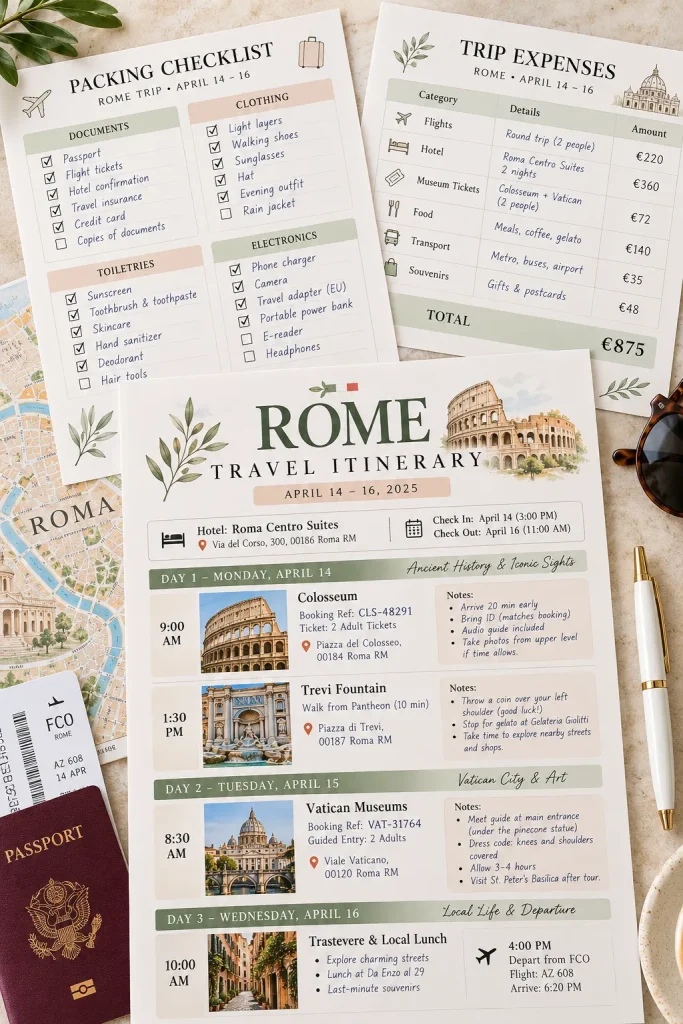
Travel plans often end up scattered across emails, screenshots, and notes. A travel itinerary planner brings the important information into one easy-to-read document.
Create a printable travel pack with a daily schedule, accommodation details, transportation information, and packing checklist.
For the itinerary page, include spaces for the date, destination, planned activities, reservation details, and extra notes.
A few details can make it more useful:
- Separate departure and return checklists
- A place for important booking references
- Space for addresses and contact numbers
Travelers planning family vacations, weekend trips, or longer holidays can use the same basic layout. Keep the pages undated so the product works for different destinations and travel dates.
Travel Itinerary Planner: Quick Reference
11. Make a Kids Chore Chart
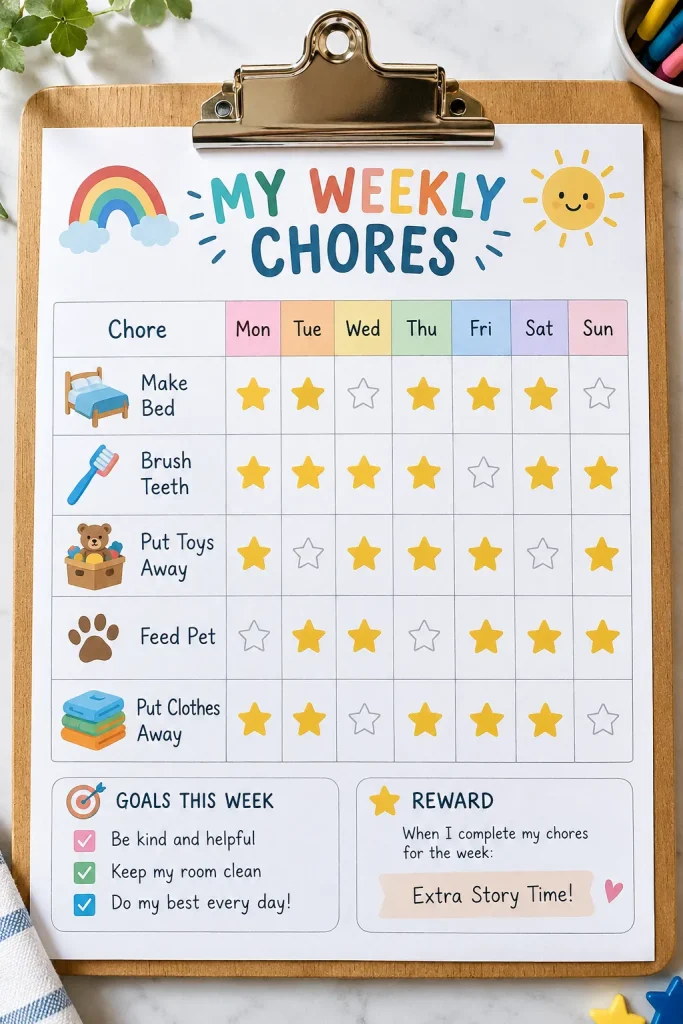
Getting children to remember everyday responsibilities is easier when they can see exactly what needs doing.
A kids chore chart turns those reminders into a simple visual routine. Instead of asking a child to remember several instructions, parents can point to one organized chart.
Design a weekly layout with days across the top and age-appropriate chores down the side.
You might include:
- Make the bed
- Put toys away
- Place dirty clothes in the laundry basket
- Help set the table
Add colorful icons beside the tasks and large checkboxes or star spaces for completion. Offer an editable version so parents can choose chores that suit their child’s age and abilities.
Kids Chore Chart: Quick Reference
Put toys away, make bed, pick up clothes, set table
Tasks listed in rows with days and star spaces for completion
12. Create a Printable Kids Activity Pack
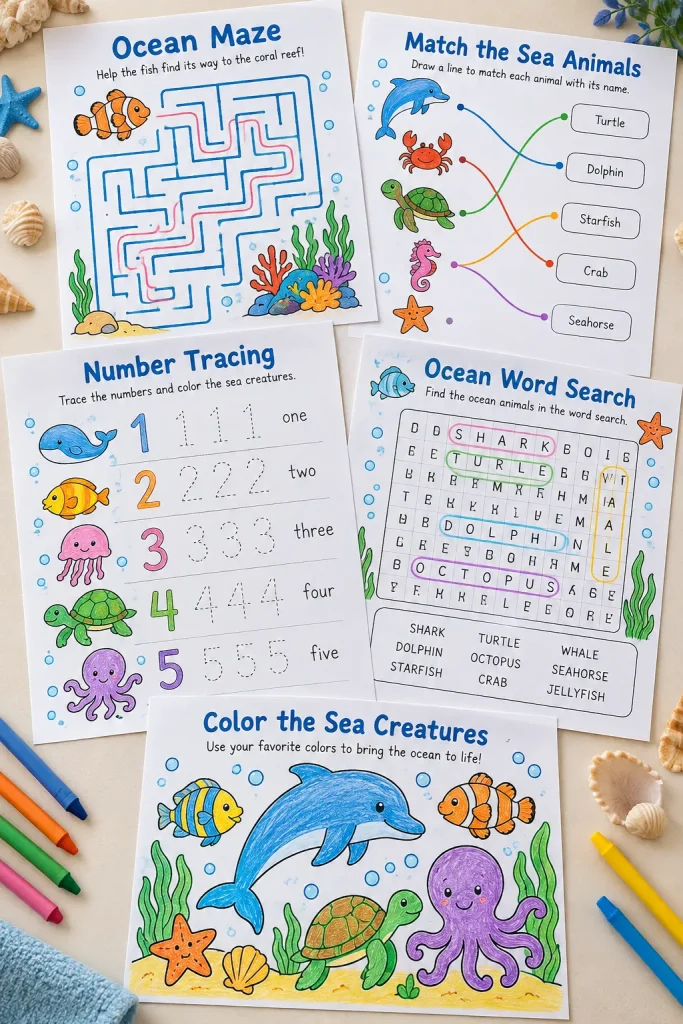
A children’s activity pack should offer more than a collection of random coloring pages. The pages need to feel like they belong together and give children different things to do.
Choose a theme such as farm animals, ocean creatures, or outer space. Then create several activities around that theme in Canva.
For an ocean-themed pack, you could make:
- A sea animal matching worksheet
- A maze leading a fish to its home
- An ocean word search
- A number tracing activity
- A sea creature coloring page
Parents and teachers may use these for quiet activities, classroom practice, or travel. Keep instructions short, use large shapes, and check that every activity has a clear answer or completion goal.
Kids Activity Pack: Quick Reference
Print every activity at intended size: Maze paths, tracing lines and matching pictures need to remain easy to use
Add answer keys: Keep correct answers separate from the activity pages
13. Design a Homeschool Worksheet Pack
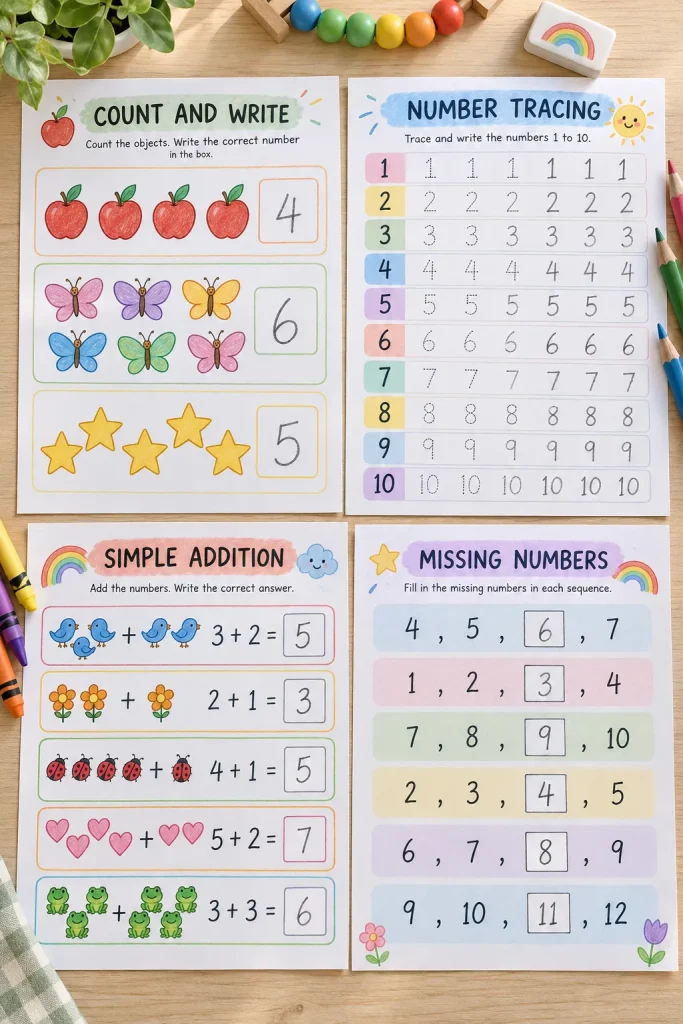
Homeschool families often need learning materials that are easy to print and use without a complicated setup.
A focused worksheet pack can help with one subject or skill. For example, you might create an early math bundle that covers number recognition, counting, basic addition, and number order.
Avoid mixing activities for very different learning levels into the same pack.
A useful beginner bundle could include:
- Number tracing sheets
- Picture counting exercises
- Simple addition practice
- Missing number worksheets
Add clear instructions for the parent or teacher and provide answer sheets where needed. Start with a narrow age or skill range. It makes the product easier to design and helps buyers understand what they’re getting.
Homeschool Worksheets: Quick Reference
14. Make a Teacher Lesson Planner
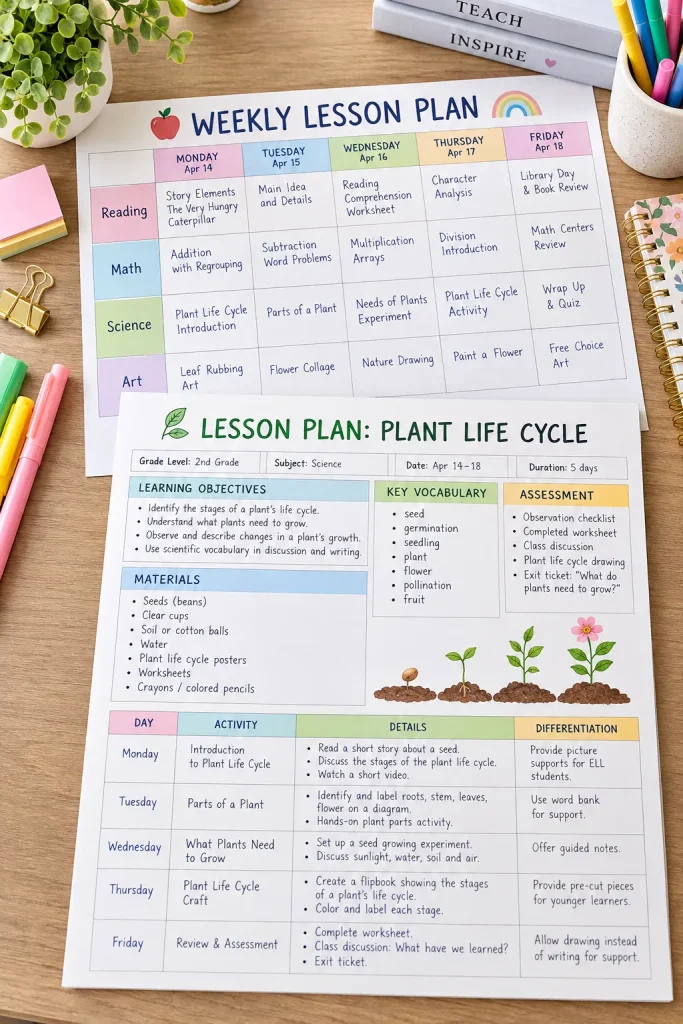
Some teachers prefer planning an entire week on one page. Others need more room to outline individual lessons. A printable lesson planner can support both styles.
Create a weekly overview with spaces for subjects, learning goals, and important reminders. Then add a daily lesson page with sections for materials, activities, and follow-up notes.
Keep the format flexible enough for different subjects and grade levels.
One useful detail: Add a small space for recording what needs to be carried into the next lesson. Teachers often have activities that take longer than expected.
Offer the pages as a matching printable set. A simple, practical design is easier to adapt than one filled with fixed classroom details.
Teacher Lesson Planner: Quick Reference
| Weekly Overview | Daily Lesson Plan |
|---|---|
| Multiple days; subjects and weekly goals; reminders | Specific objectives; materials; activities; follow-up |
15. Create a Baby Routine Tracker
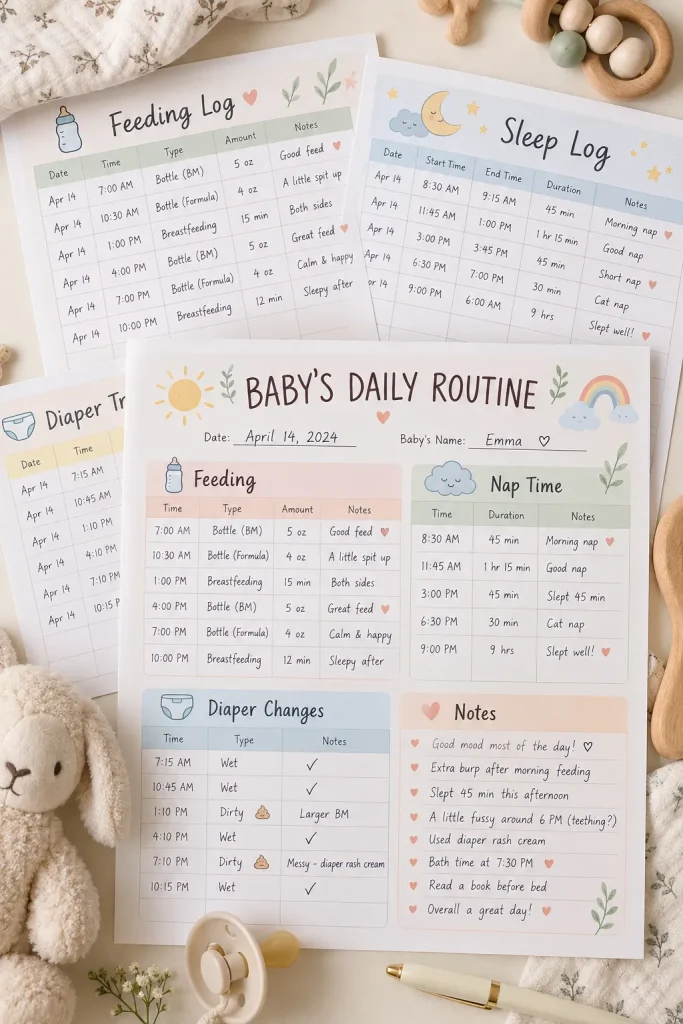
Newborn routines can involve frequent feeds, naps, and diaper changes, making it difficult for tired parents to remember every detail.
A baby routine tracker provides a simple place to record these everyday activities.
Design a daily sheet with clearly separated sections for feeding, sleep, diaper changes, and notes. Include spaces for times and any details parents want to remember.
For feeding records, allow room for different feeding methods rather than assuming every family follows the same routine.
Keep the layout practical:
- Large writing spaces
- Clear time columns
- An uncluttered notes section
This can also be useful when caregivers share responsibilities. Avoid adding medical guidance or implying that the tracker replaces professional advice.
Baby Routine Tracker: Quick Reference
16. Design an Editable Recipe Card Set
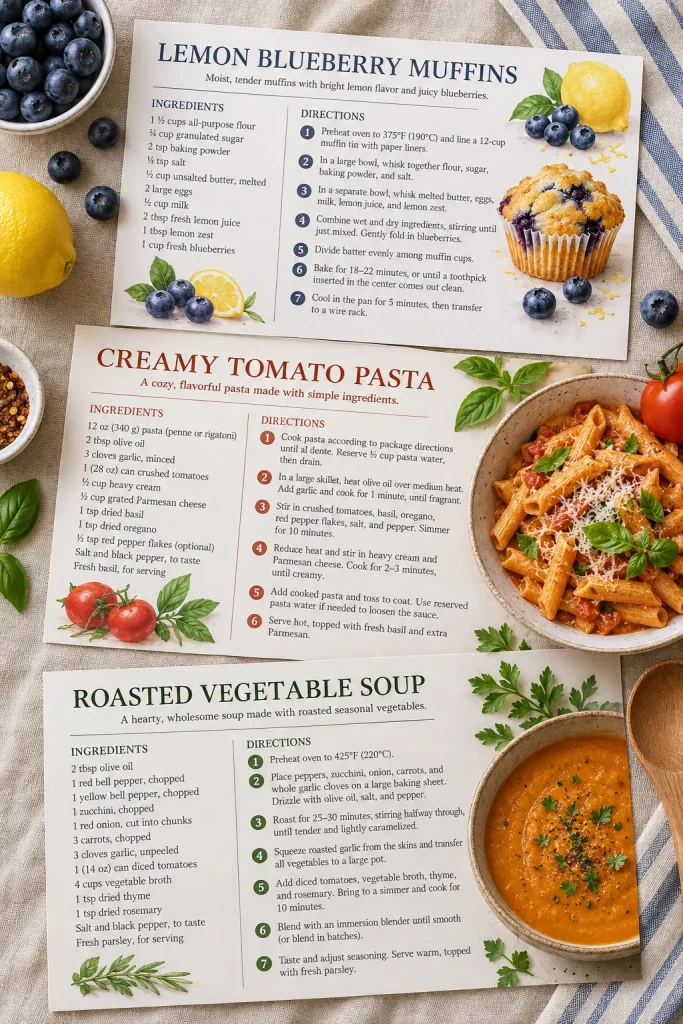
Handwritten recipe notes are easy to lose, especially when favorite meals are stored in different notebooks and kitchen drawers.
An editable recipe card set helps home cooks organize their recipes in a consistent format.
Create matching cards in Canva with spaces for the recipe name, ingredients, instructions, preparation time, and personal notes.
Use readable fonts and leave enough room for longer ingredient lists.
A nice product variation is to offer both a simple black-and-white version and a colorful version with the same layout.
Buyers can use these cards to organize family recipes, build personal recipe collections, or share favorite dishes with friends. Include clear editing and printing instructions.
Editable Recipe Cards: Quick Reference
17. Make a Printable Party Game Bundle

Party games don’t need complicated rules or expensive supplies. A few well-designed printable sheets can give guests something fun to do at birthdays, baby showers, bridal showers, and family gatherings.
Choose one type of celebration and build a matching game bundle around it.
For a baby shower, you could include:
- Baby word scramble
- Baby bingo
- Guess the baby item
- Baby trivia
- Who knows the parents best?
Design the games in Canva using matching colors and easy-to-read fonts. Include clear instructions and answer keys for games with fixed answers. Make sure each game offers a different activity rather than repeating the same questions in several layouts.
Printable Party Games: Quick Reference
Mix game styles; include instructions; keep the theme consistent
Repeated questions; tiny answer spaces; missing answer keys
18. Create a Wedding Invitation Suite
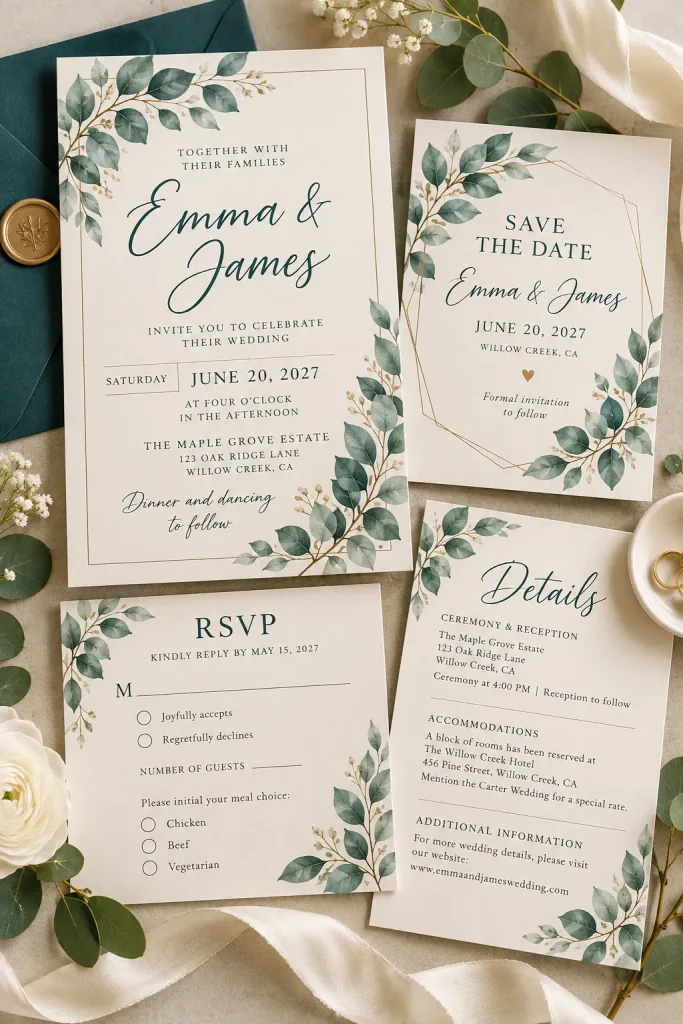
Start with the main wedding invitation, then build the matching stationery around it. This creates a coordinated product that couples can use throughout their wedding planning.
A basic invitation suite includes the invitation, RSVP card, details card, and save-the-date design.
Choose a specific style, such as minimalist botanical, traditional floral, or modern typography. Keep the fonts and decorative elements consistent across all pieces.
Pay attention to editable details:
- Couple’s names
- Wedding date and time
- Venue and address
- RSVP instructions
Create the layouts in Canva and provide clear editing instructions. Use sample names and event details in your previews so buyers understand how the finished stationery should look.
Wedding Invitation Suite: Quick Reference
Main invitation. Names, date, time and location
RSVP card. Response options and deadline
Details card. Directions and accommodation
Save-the-date. Matching fonts and graphics
19. Design Birthday Invitation Templates
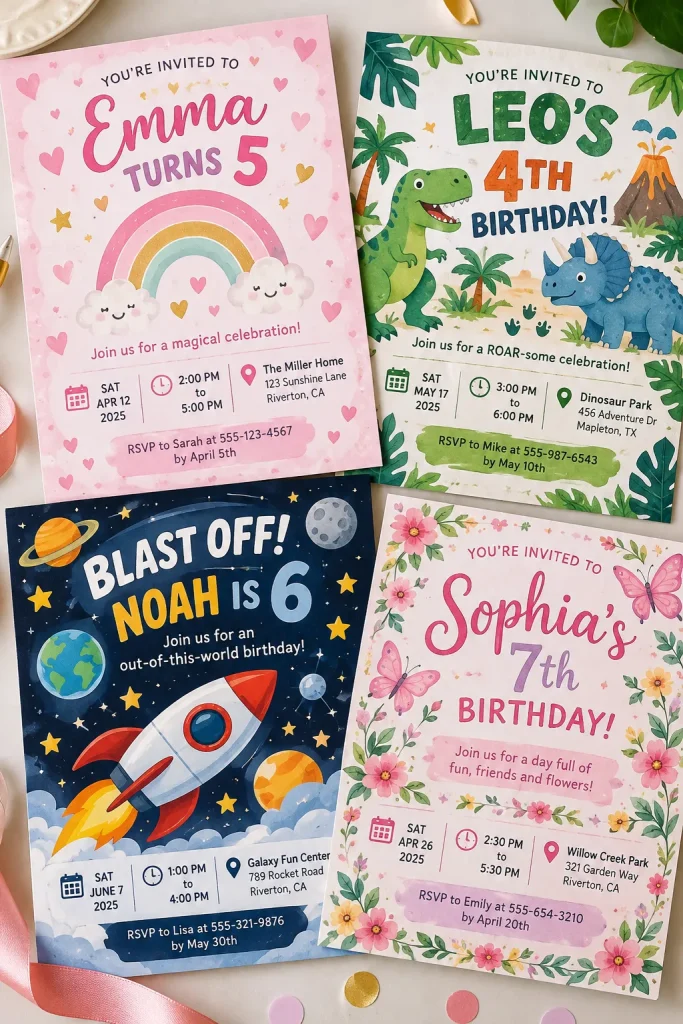
A colorful dinosaur invitation with a large birthday number tells buyers exactly what kind of party it belongs to. That’s much more useful than a generic invitation with a decorative border.
Choose one birthday theme and create several editable invitation layouts around it.
For example, a dinosaur birthday collection might include a jungle design, a playful cartoon layout, and a simple invitation with one large dinosaur illustration.
Make the important details easy to change, including the child’s name, age, date, time, location, and RSVP information.
Parents planning children’s parties are a natural audience for these templates. Create both printable and digital sharing layouts, and clearly identify which files buyers will receive.
Birthday Invitation Templates: Quick Reference
20. Make a Coordinated Printable Wall Art Set
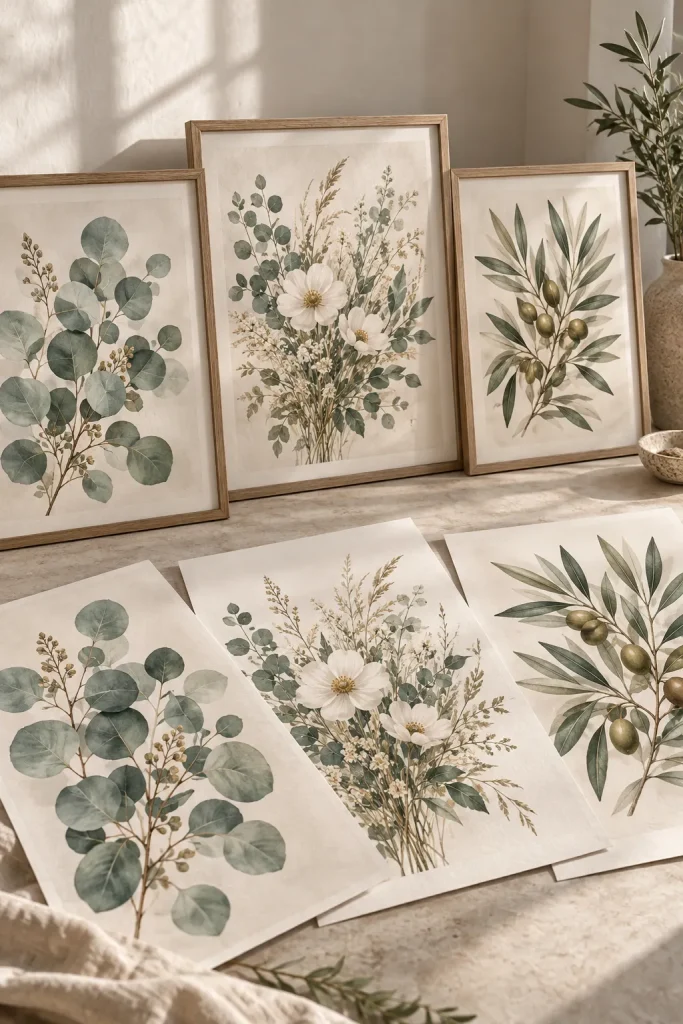
Three matching art prints can feel more complete than three unrelated designs. The trick is to give each piece its own subject while keeping the whole set visually connected.
Pick a clear theme, such as botanical line drawings, neutral kitchen artwork, or colorful nursery animals.
For a botanical set, you might design separate prints featuring a fern, an olive branch, and a wildflower.
Use the same background color, illustration style, and border treatment across all three.
Before selling, check the basics:
- Clear artwork at the intended print size
- Matching proportions
- Consistent margins
Provide high-resolution printable files and explain the included sizes. Avoid using artwork or graphics you don’t have permission to sell.
Printable Wall Art Set: Quick Reference
Keep consistent: Background shade, line thickness, art scale, margins
Vary intentionally: The main subject of each art print
21. Create Baby Milestone Cards

Monthly baby photos often become keepsakes, and milestone cards give parents a simple way to mark each special moment.
Design a matching set of cards for the baby’s monthly ages, along with a few memorable firsts.
Your collection might include cards for one month through twelve months, plus milestones such as the first smile, first tooth, and first steps.
Choose a style that photographs clearly, such as soft watercolor animals, simple rainbows, or clean neutral typography.
Remember the practical details:
- Keep lettering large and readable
- Use the same card size throughout
- Leave enough space around the main wording
Offer the cards as printable PDF pages with clear cutting guides. Parents can print the set and use individual cards whenever a milestone happens.
Baby Milestone Cards: Quick Reference
Use bold wording, consistent card sizes and simple decorative illustrations.
22. Design Resume and Cover Letter Templates
A resume template needs to help someone present their experience clearly. Fancy decorations should never make important information harder to find.
Start with a clean resume layout containing sections for contact details, work experience, education, and skills. Then design a matching cover letter using the same fonts and heading style.
Create the documents in an editable format, such as Microsoft Word, so buyers can replace the example details.
For the resume, use straightforward headings and avoid placing key information inside decorative graphics.
You can offer a traditional single-column layout and a more visual alternative. Include instructions for editing, saving, and checking formatting before applying for jobs. Never promise that a template will guarantee interviews.
Resume Template Set: Quick Reference
| Traditional Resume | Creative Resume |
|---|---|
| Single column, simple sections and minimal decoration | More visual styling but clear headings and hierarchy |
23. Create a Media Kit Template
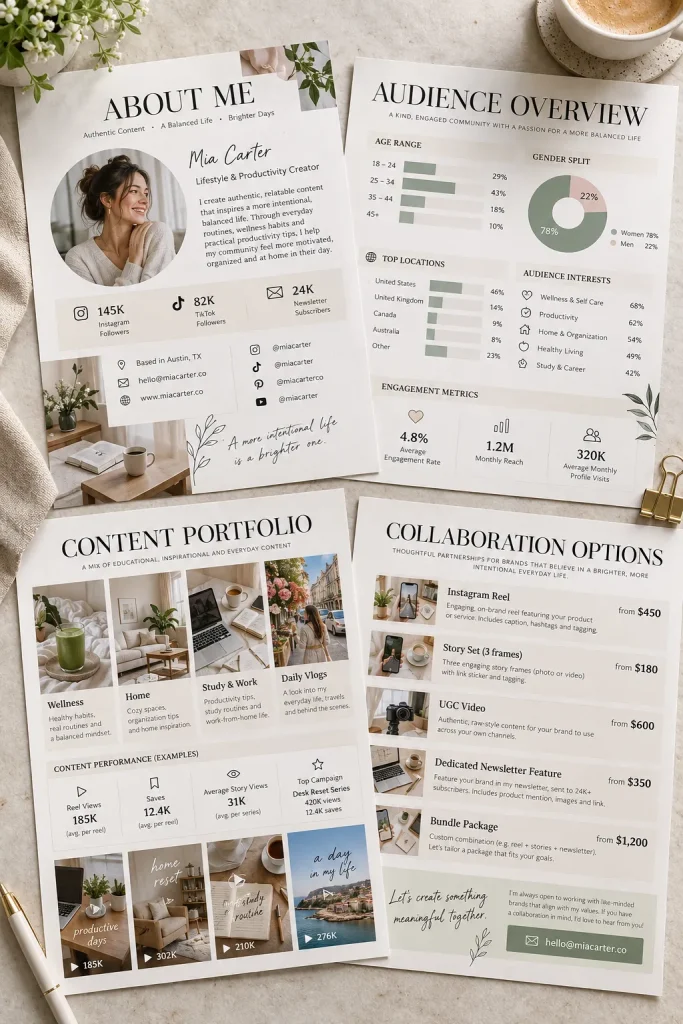
Bloggers and content creators sometimes need a simple way to introduce their work to potential partners.
A media kit organizes that information into a polished, easy-to-share document.
Design a multi-page Canva template with space for an introduction, audience details, content examples, available services, and contact information.
Use sample text to show buyers where each detail belongs, but make every section editable.
Useful pages to include:
- About the creator
- Audience overview
- Previous work examples
- Collaboration options
Leave room for screenshots or images of actual content. Avoid inserting made-up follower counts or performance claims into the example kit. Clearly mark any sample figures as placeholders.
Media Kit Template: Quick Reference
24. Make Invoice and Estimate Templates
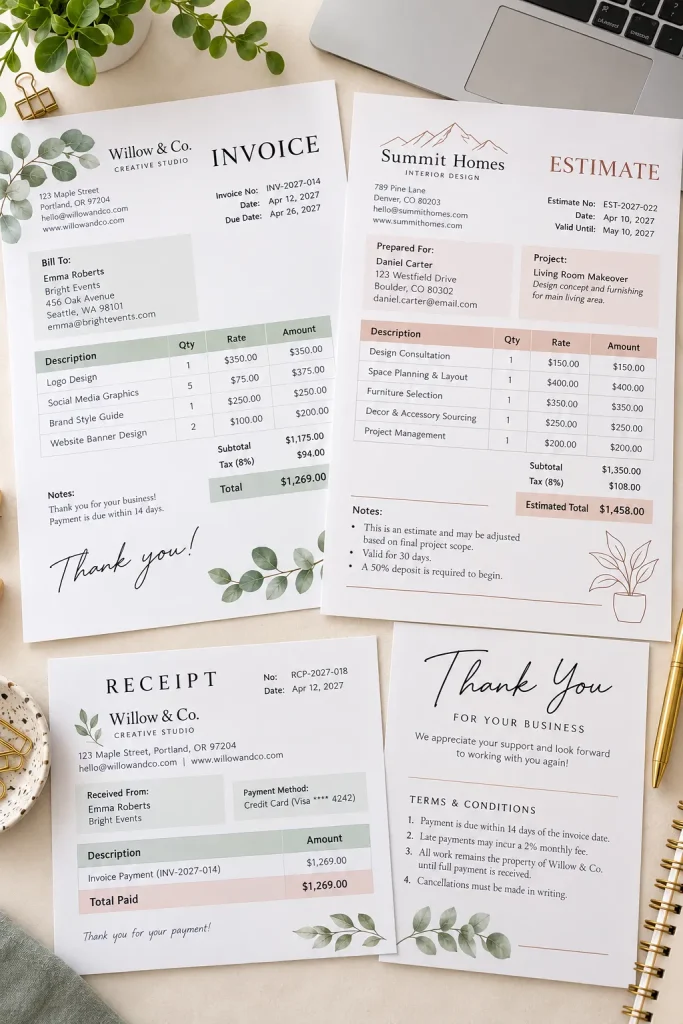
Small business owners need paperwork that looks organized and is easy to fill out. Matching invoice and estimate templates can help them prepare customer documents without designing each one from scratch.
Create two coordinated layouts with space for business details, customer information, item descriptions, quantities, and totals.
The estimate should clearly identify proposed work, while the invoice should show what is being billed.
Include practical fields such as:
- Document number and date
- Customer and business details
- Itemized products or services
- Payment terms or estimate notes
Use readable tables and clear section labels. Provide editing instructions and remind buyers to check the invoicing and tax requirements that apply to their location and business.
Invoice Template Pack: Quick Reference
25. Build a Small Business Planner

Running a small business involves more than making products or finding customers. There are orders to manage, ideas to organize, and everyday tasks that are easy to forget.
A small business planner brings those responsibilities into one useful workbook.
Create a printable bundle with sections for business goals, product ideas, weekly priorities, marketing activities, and monthly reviews.
Start with these pages:
- Business goals and action steps
- Product idea tracker
- Weekly task planner
- Marketing activity checklist
Keep the worksheets flexible enough for handmade sellers, online shop owners, and service providers. Add a monthly reflection page where buyers can note what worked, what needs attention, and what they want to focus on next.
Small Business Planner: Quick Reference
26. Design a Social Media Post Template Pack
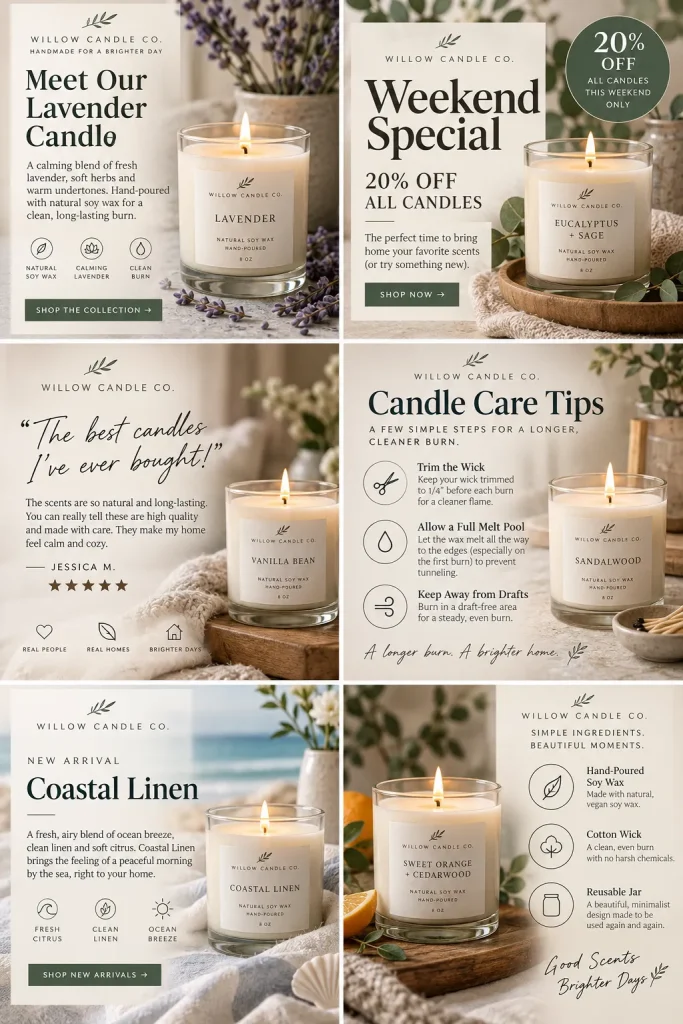
A business owner needs more than one attractive social media post. They need designs they can reuse for different types of content without starting over each time.
Build a Canva template pack around one clear business style, such as a skincare shop, bakery, or freelance service.
Create matching layouts for educational tips, product announcements, customer reviews, promotions, and simple text posts.
Make the templates easy to customize:
- Use editable headings and body text
- Leave clear spaces for product photographs
- Keep colors and fonts consistent
Show the pack as a coordinated grid so buyers can see how the designs work together. Use original elements or assets you have permission to include in templates sold to others.
Social Media Templates: Quick Reference
Choose a business theme. Target one recognizable type of brand
Create different posts. Tips, promotions, announcements and reviews
Make content editable. Replace photos, text and brand details
Prepare an overview. Show what the pack includes
27. Create Pinterest Pin Templates

Pinterest pins need to communicate an idea quickly, especially when someone is scrolling on a phone.
A useful pin template pack gives bloggers and online sellers several vertical layouts they can customize for different posts and products.
Create templates with large headline areas, clear image placement, and enough contrast to keep the text readable.
Include different pin styles:
- List-style pins with a bold number
- Product-focused pins with a large image
- Tutorial pins with a short headline
- Collage pins showing several related ideas
Use Canva to create matching designs without making every layout identical. Keep the main subject easy to recognize. Too many decorative shapes can distract from the message.
Pinterest Pin Templates: Quick Reference
Clear headlines, large product imagery, varied layouts
Tiny writing, crowded backgrounds, nearly identical pins
28. Make YouTube Thumbnail Templates
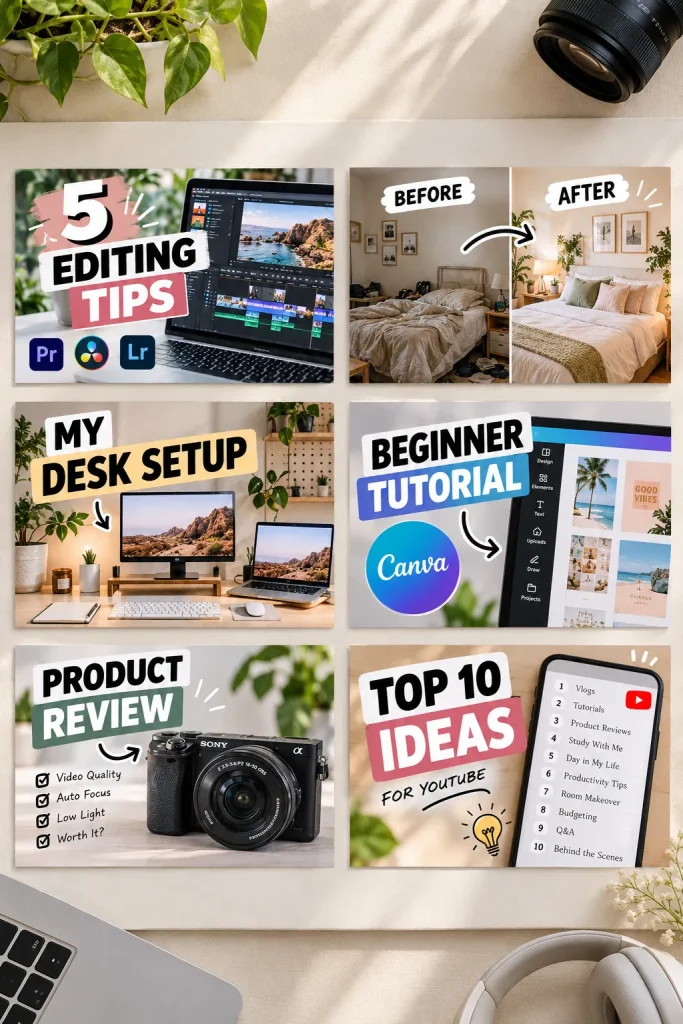
Tiny details disappear when a YouTube thumbnail is viewed on a phone. That’s why a strong thumbnail template usually needs one clear focal point and very little text.
Design a pack of landscape templates in Canva with different arrangements for images and headlines.
One layout might place a large subject on the left with bold text on the right. Another could use a before-and-after comparison or a central product photograph.
Leave editable spaces for images, titles, and brand colors.
Creators making tutorials, reviews, and educational videos may find these layouts useful. Preview every design at a small size before selling it. A thumbnail that only looks good when enlarged needs more work.
YouTube Thumbnail Templates: Quick Reference
Small preview test: Reduce each thumbnail to phone browsing size
Check headline and focal subject: Both must remain easy to recognize
29. Design a Brand Board Template
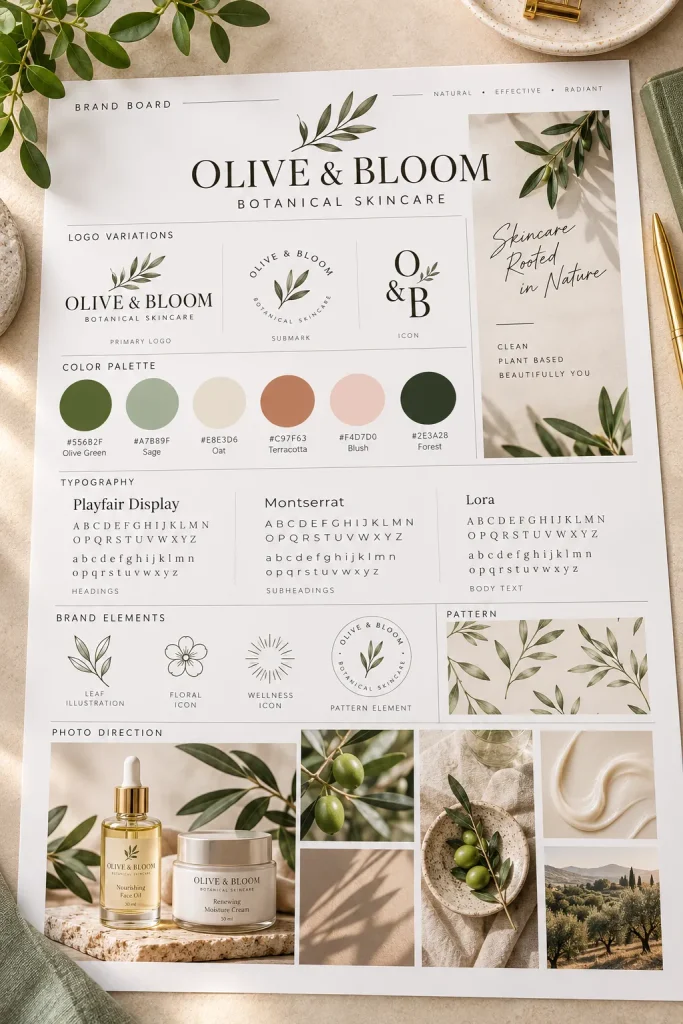
A collection of favorite colors and fonts doesn’t automatically make a brand look consistent. Those choices need to work together.
A brand board template helps small business owners organize their visual identity on one page.
Create a Canva layout with dedicated sections for logo variations, brand colors, font choices, and example photographs or illustrations.
Include spaces for primary and secondary colors with their hex codes. Add sample heading and body text so buyers can see how the selected fonts look together.
A useful extra: Provide a short instruction sheet explaining how to replace the sample elements. This template is especially helpful for people creating their first brand identity without hiring a designer.
Brand Board Template: Quick Reference
Random color screenshots, fonts, photos and logo ideas
Logo variations, hex colors, fonts and image references
30. Create an Ebook and Workbook Template
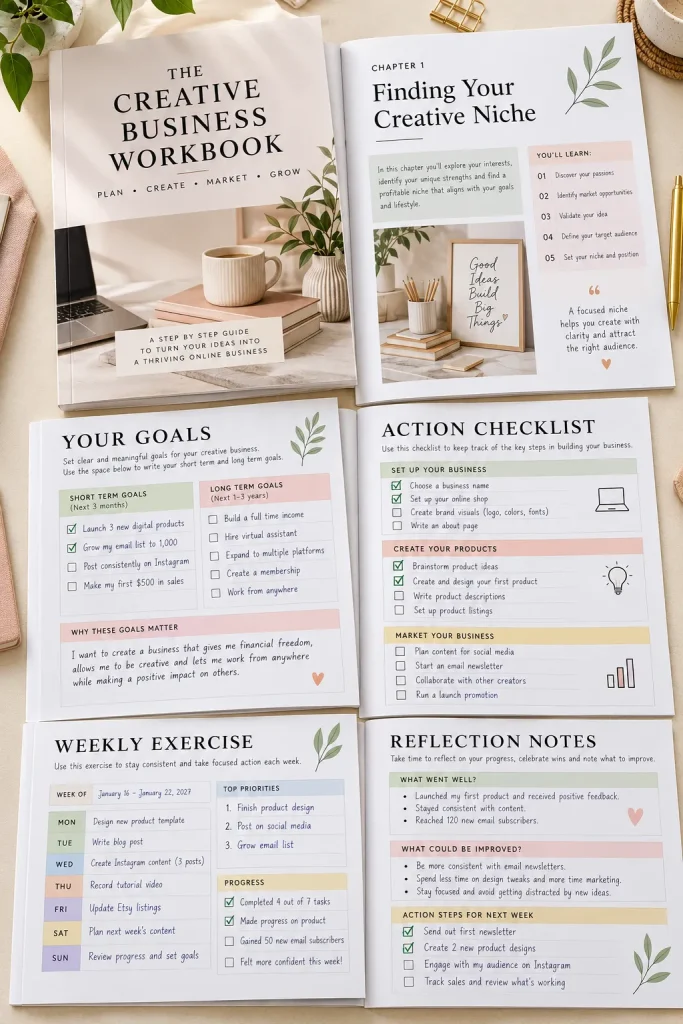
Writing an ebook is only part of the job. The pages also need to be organized so readers can follow the information comfortably.
An editable ebook and workbook template gives creators a prepared layout they can fill with their own content.
Design matching pages for the cover, introduction, chapter openings, regular text, checklists, and worksheets.
Keep the body font readable and allow enough room for longer paragraphs.
For the workbook pages, include:
- Questions with writing space
- Action checklists
- Simple planning worksheets
A business coach, blogger, or course creator might use these templates to prepare educational downloads. Include a sample document that shows how different pages fit together, plus instructions for editing and exporting.
Ebook Workbook Template: Quick Reference
31. Make a Lead Magnet Checklist Template
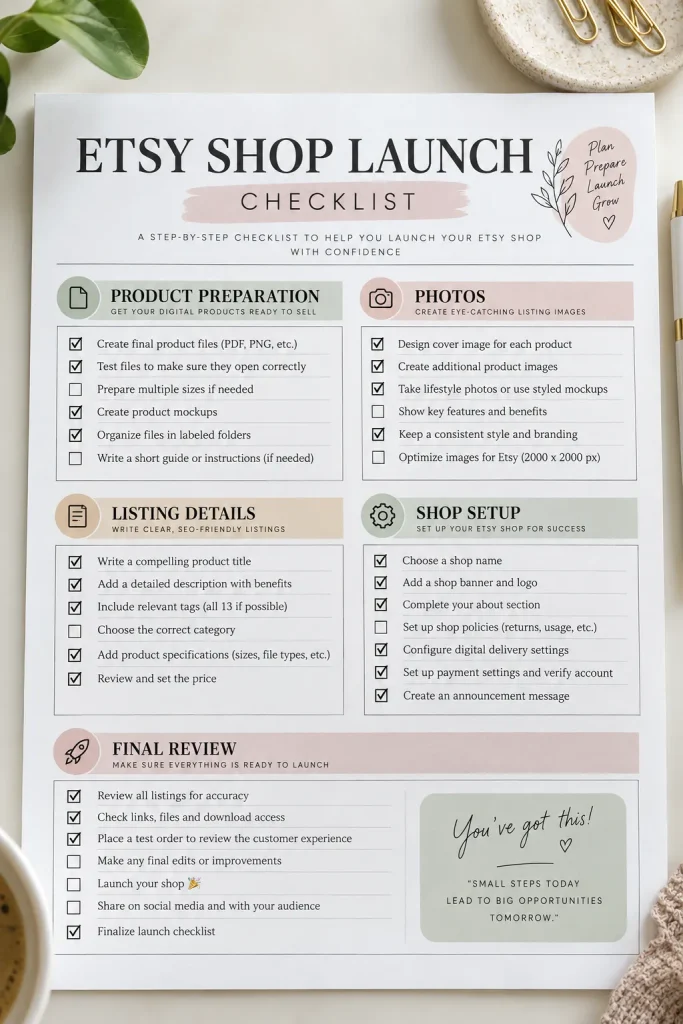
A free download doesn’t need dozens of pages to be helpful. Sometimes, one well-organized checklist gives readers exactly what they need.
Create an editable checklist template that bloggers and small business owners can customize for their own audience.
For example, a home organization blogger could use it for a kitchen decluttering checklist. A business blogger might turn it into a new shop launch checklist.
Design clear sections with action-based items and checkboxes.
Keep the layout focused:
- One specific problem
- Short, practical tasks
- Enough space for easy reading
Include an editable title area and a small space for the creator’s branding. The finished template should help buyers create a useful download without rebuilding the layout.
Lead Magnet Checklist: Quick Reference
An Etsy shop launch checklist can cover photos, descriptions, tags and final listing checks rather than every task in running a business.
32. Build a Content Calendar Spreadsheet
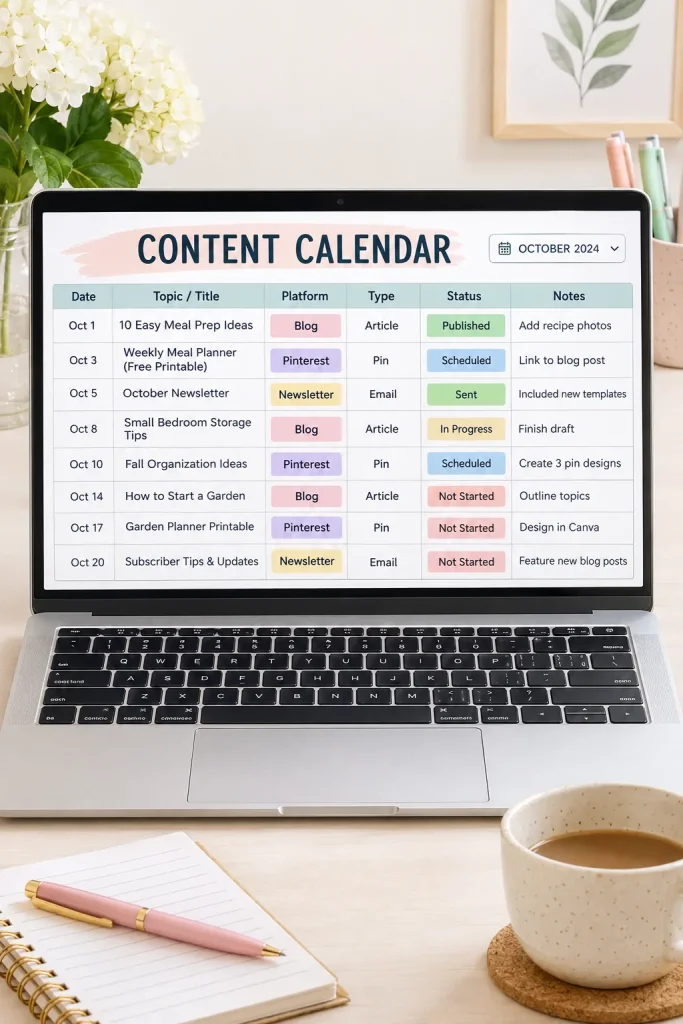
When blog posts, emails, and social media updates are planned in different places, it’s easy to lose track of what needs to be published.
A content calendar spreadsheet helps creators organize their ideas, deadlines, and publishing progress.
Build a Google Sheets template with columns for content title, platform, content type, planned date, status, and notes.
Add simple status options such as Idea, Drafting, Ready, and Published.
You could create separate tabs for different months or use one main sheet that buyers can filter.
Make it easier for beginners: Include a sample row showing how to complete each column. Keep the spreadsheet focused on content planning rather than adding unrelated business management features.
Content Calendar: Quick Reference
| Basic calendar | Detailed calendar |
|---|---|
| Title, date, platform and status | Topic, review dates, content format, owner and status |
33. Create a Notion Content Planner Template
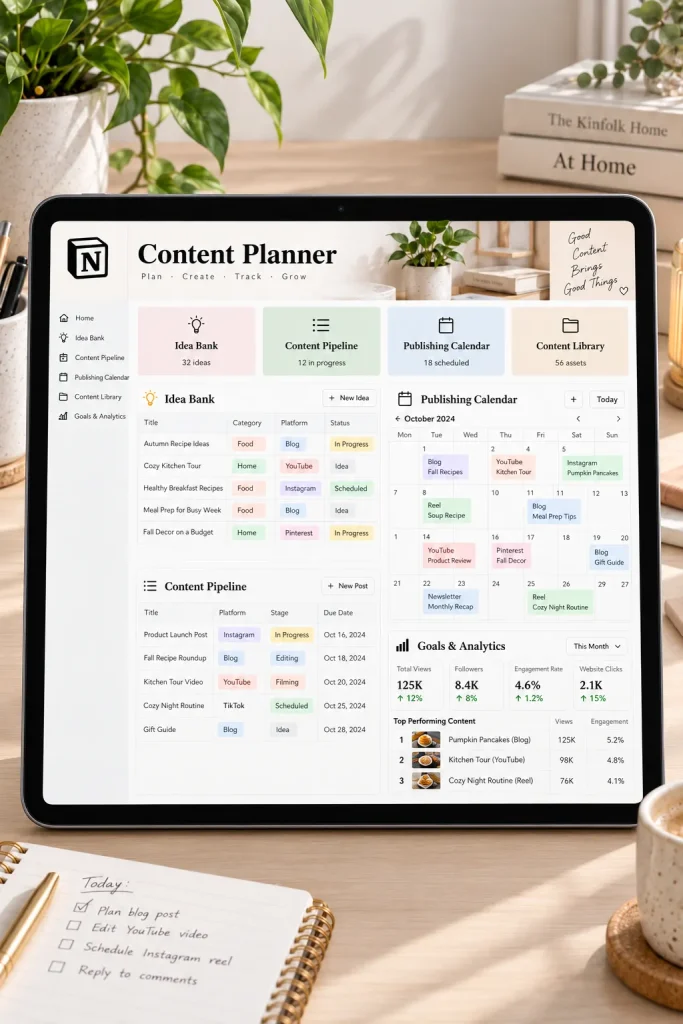
A content planner becomes much more useful when ideas, deadlines, and publishing progress are connected in one place.
With Notion, you can create a reusable content planning dashboard that bloggers, creators, and small business owners can customize for their work.
Start with a content database containing fields for titles, platforms, content types, publishing dates, and production status.
Add a few helpful views:
- An idea bank for future topics
- A calendar for planned publishing dates
- A board grouped by production status
- A content library for completed work
Include a welcome page explaining how to duplicate the template and use each section. Keep the setup simple enough for someone opening Notion for the first time. A clear dashboard is more helpful than one filled with unnecessary databases.
Notion Content Planner: Quick Reference
34. Design a Digital Sticker Pack
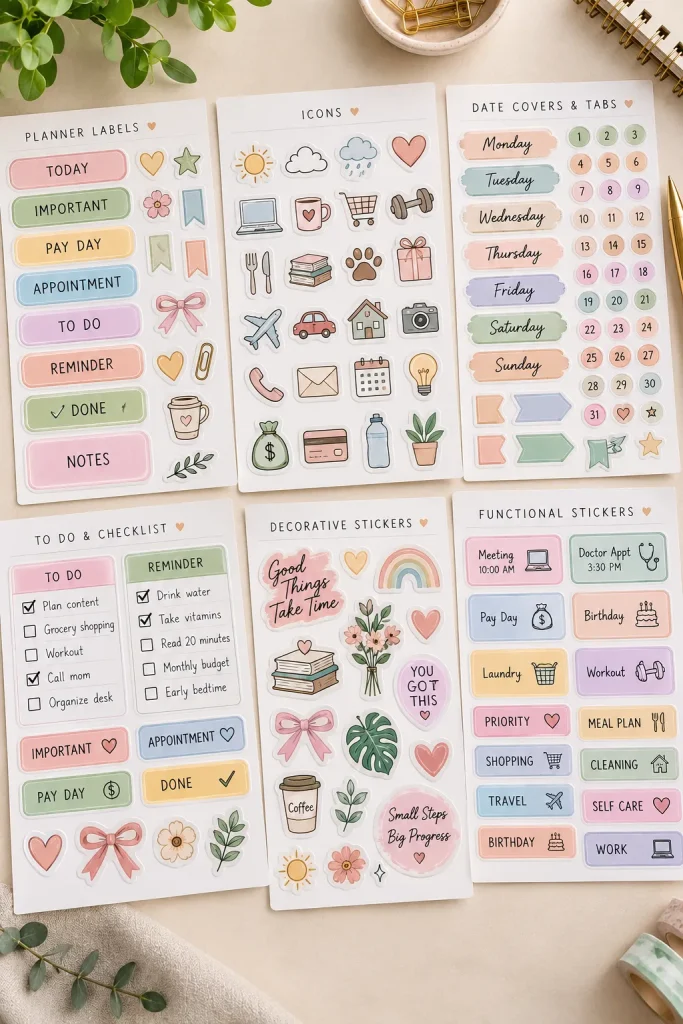
Tiny calendar icons, colorful labels, and decorative tabs can make a digital planner easier to organize. These elements can become a standalone product when arranged into a coordinated digital sticker pack.
Choose a specific purpose before drawing your stickers. For example, a productivity pack might include appointment labels, task flags, reminder icons, and priority markers.
Create the designs in Canva or another suitable design tool.
Make the collection useful with:
- Functional labels for common tasks
- Matching decorative shapes
- Numbered or named tabs
- Small icons for everyday activities
Export individual stickers as transparent PNG files where appropriate. Keep the sizing consistent and include clear instructions for importing the stickers into compatible digital planning apps.
Digital Sticker Pack: Quick Reference
Check sticker edges: Export with transparent backgrounds and crisp outlines
Include a preview sheet: Show every sticker in an easy-to-browse layout
35. Make a Presentation Slide Template Pack

A useful presentation template needs more than an attractive title slide. Buyers also need layouts that help them explain ideas, organize information, and present comparisons.
Create a matching collection of slides in Canva or PowerPoint with consistent fonts, colors, and spacing.
Include practical slide types such as:
- Title and introduction slides
- Agenda and section dividers
- Text and image layouts
- Comparison and chart slides
- Summary and closing slides
Small business owners, students, and educators may use these templates for different presentations. Avoid filling the slides with unnecessary decorative elements. Leave enough room for real content, and make charts and text areas straightforward to edit. A short guide explaining how to duplicate and customize the slides makes the pack easier for beginners to use.
Presentation Templates: Quick Reference
Final Thoughts
You don’t have to create a huge product collection to get started. One useful download with clear instructions and a thoughtful design is a better starting point than several unfinished ideas.
Look through these digital product ideas and choose something you understand well enough to make helpful. Think about who would use it, what problem it solves, and which details would make it easier to use.
Start with a small version, check that every file works properly, and review the current selling rules for your chosen platform before listing it.
Good digital products begin with useful ideas, not complicated designs.
Save this list to your Pinterest board so you can come back when you’re ready to create your next digital product.