
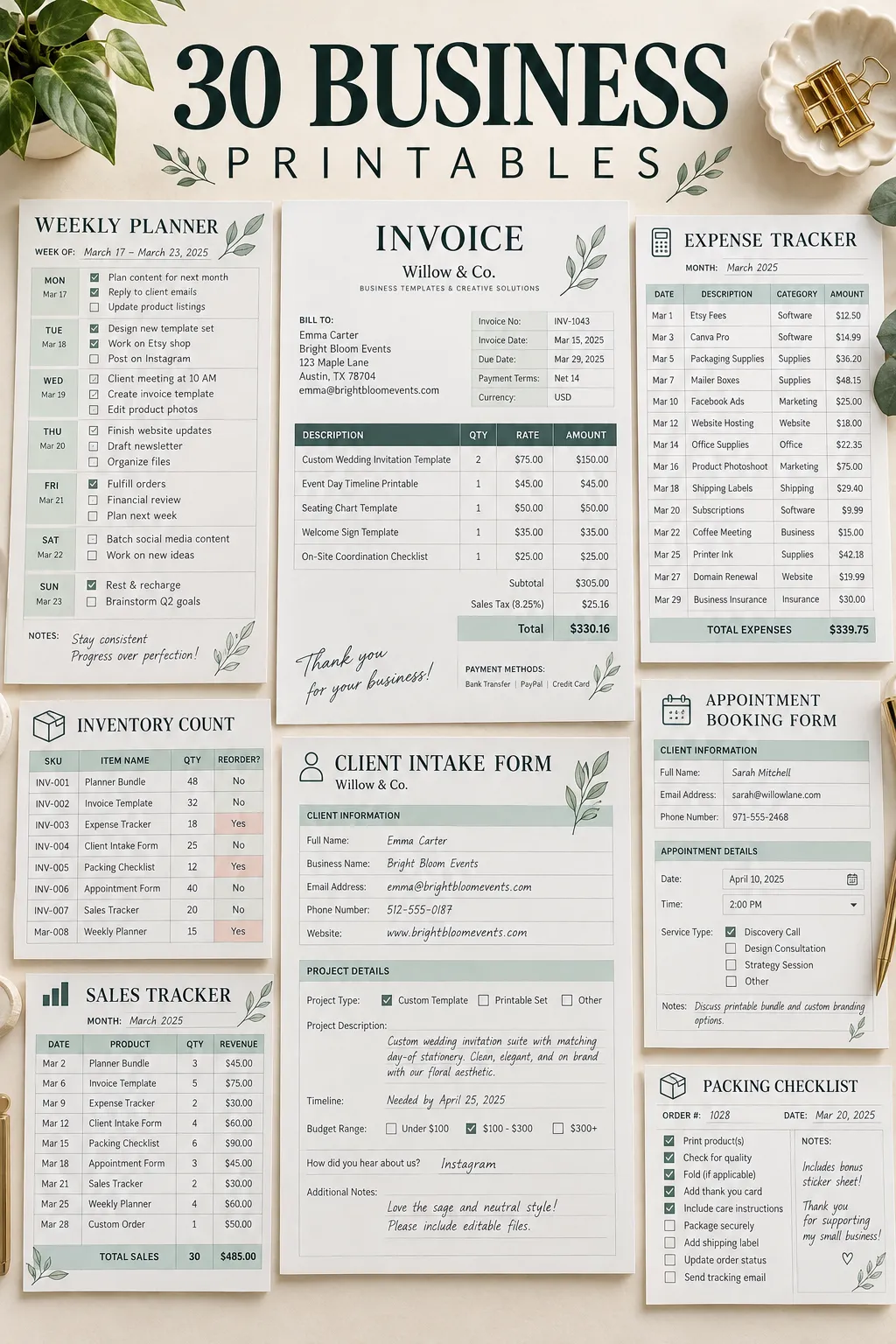
Running a small business gets easier when the everyday paperwork is already sorted. Orders are easier to track, client details stay in one place, and important numbers don’t end up scattered across notebooks, emails, and sticky notes.
That is why useful business printables can be such a practical digital product to create and sell. A small bakery might need a custom order form, while a freelance designer needs a client intake sheet. A handmade shop owner may want an inventory tracker that works without learning complicated software.
The best products solve one clear problem. They have enough structure to be helpful but are simple enough for someone to print, fill out, and use right away.
If you’re planning to sell digital downloads on Etsy or your own website, start by thinking about the paperwork a business owner handles every week. A well-designed form can save them from making one from scratch.
These 30 ideas focus on useful forms, trackers, checklists, and planners that serve real business needs. Each one gives you a specific product to create and a clear customer to design it for.
1. Client Intake Form for New Customers
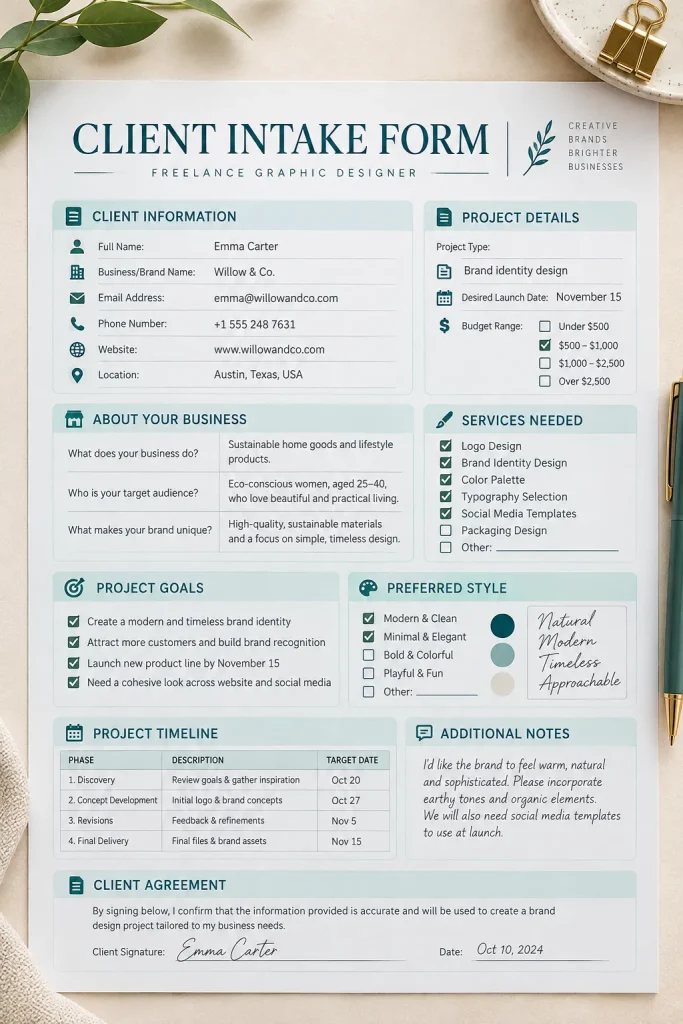
A client intake form helps service providers collect important details before starting work. It is especially useful for photographers, coaches, virtual assistants, designers, and other freelancers who need to understand what a new customer wants./
Instead of asking the same questions across several messages, the business owner can send one organized form.
Include these sections:
- Contact information and preferred communication method.
- Service needed and a short project description.
- Main goals, preferences, and expected timeline.
- Extra notes or special requirements.
Design a two-page version in Canva with clear headings and generous writing space. A printable PDF and a fillable version can make the product useful for different working styles.
2. Professional Invoice Template for Small Businesses
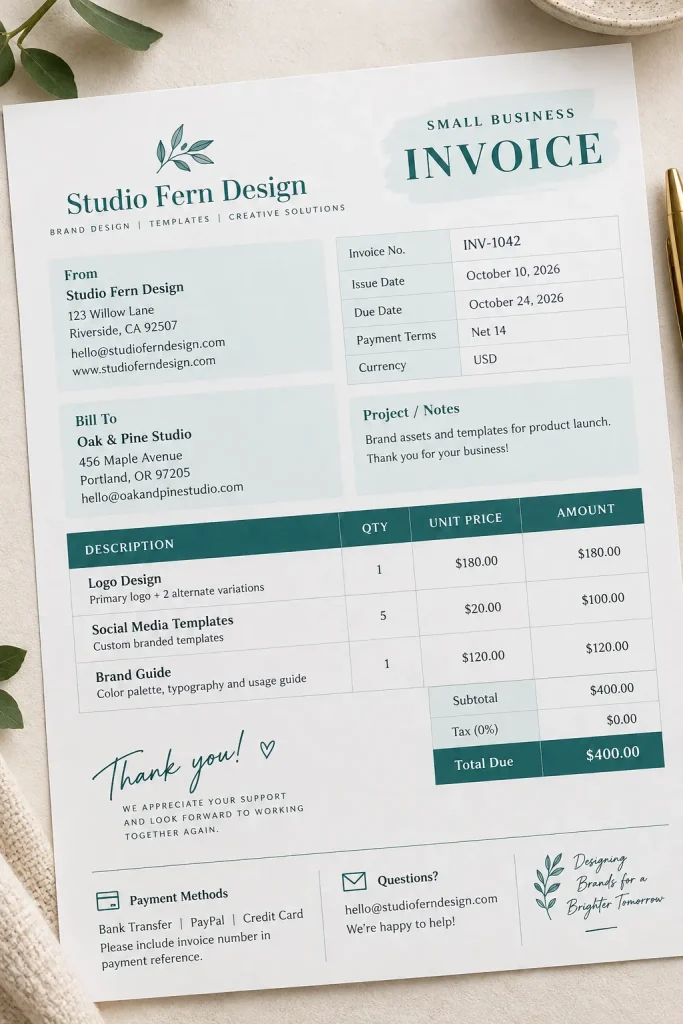
An invoice should make three things obvious: what the customer is paying for, how much they owe, and when payment is due.
Freelancers, consultants, cleaners, and small creative businesses often need a straightforward invoice they can customize without complicated accounting software.
A one-page printable invoice can include the business name at the top, followed by customer details, an itemized table, and a clearly marked total.
Make the layout easy to edit:
- Leave space for a logo and business contact details.
- Include invoice number, issue date, and due date.
- Add rows for descriptions, quantities, and rates.
- Finish with payment instructions and a short notes area.
Offer a clean black-and-white option alongside a colored version. Buyers may also appreciate an editable template for preparing invoices digitally.
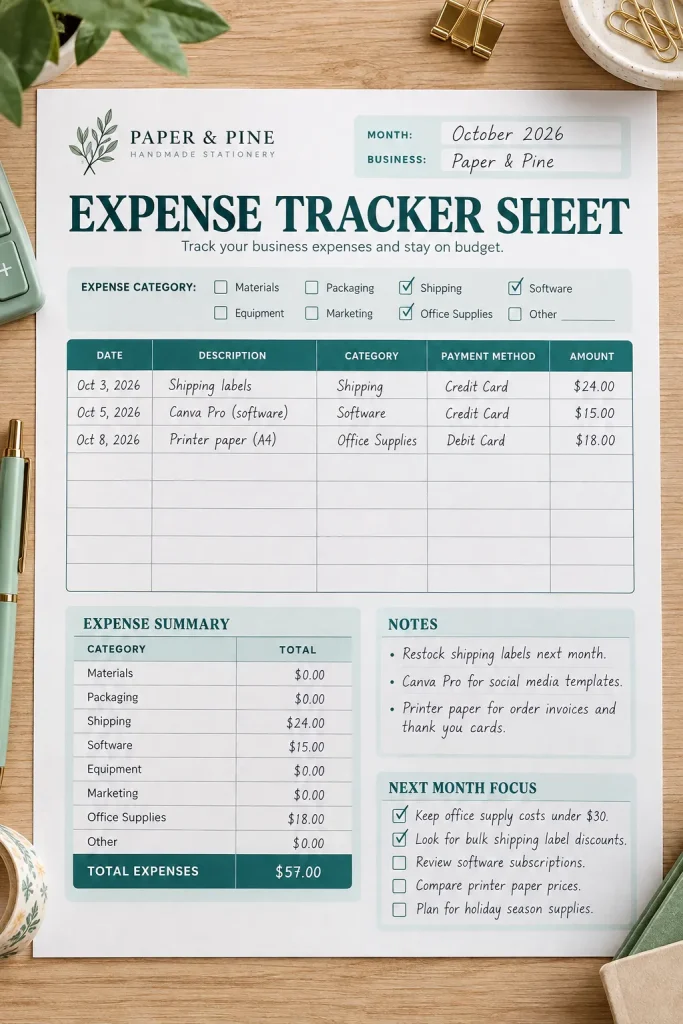
3. Business Expense Tracker for Everyday Spending
Small purchases are easy to forget. Packaging tape, postage, printing supplies, subscriptions, and office materials can all end up on different receipts.
A business expense tracker gives owners one place to record these costs before reviewing their monthly spending.
A useful tracker includes:
- Date and description of each purchase.
- Expense category and amount.
- Payment method and receipt reference.
- Monthly totals by category.
Use a landscape layout if the worksheet has several columns. Narrow boxes look neat on screen but become frustrating when someone needs to write longer descriptions by hand.
This printable works particularly well for small shop owners, freelancers, and solo businesses that want a simple expense record. Keep it clearly labeled as an organizational tool, not a replacement for accounting records.
4. Custom Order Form for Personalized Products
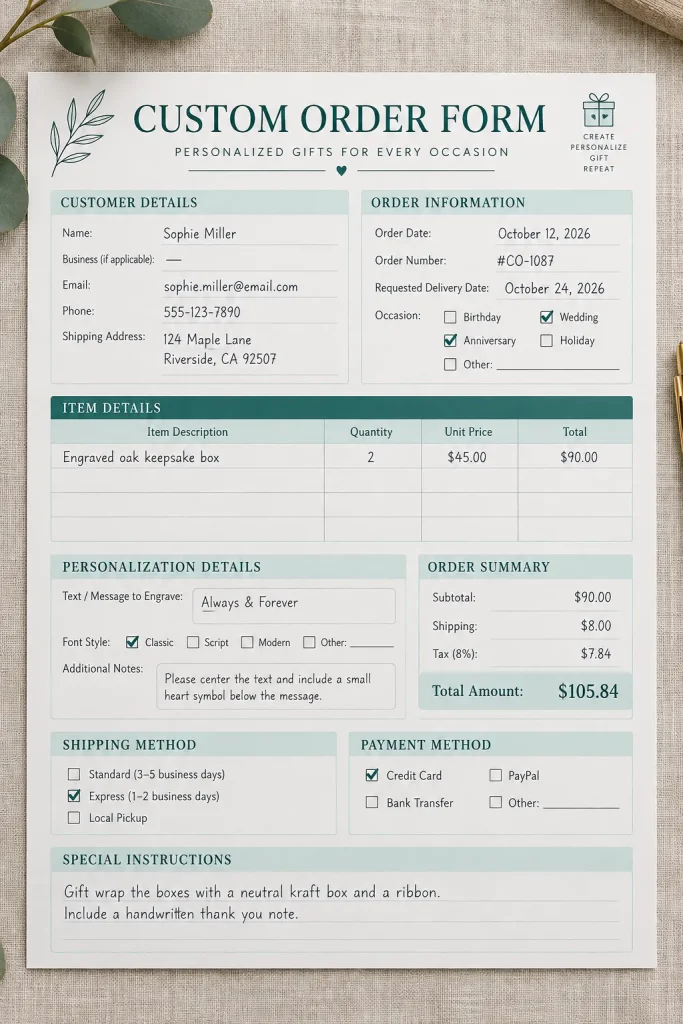
Personalized orders can go wrong when an important detail gets buried in a message. A customer requests one color, sends a different spelling later, or forgets to mention the size.
Custom order forms help makers collect those details in a consistent way.
They are useful for businesses selling engraved gifts, custom cakes, personalized clothing, party favors, and handmade decorations.
Include fields for:
- Product and quantity.
- Size, color, and material choices.
- Personalization wording and spelling.
- Required date and delivery method.
- Customer approval and special instructions.
For the design, group related choices into separate boxes and give personalization details extra room. Add checkboxes where possible so customers can select options quickly.
A sample filled-in form can also help buyers understand how to use the printable.
5. Product Inventory Count Sheet
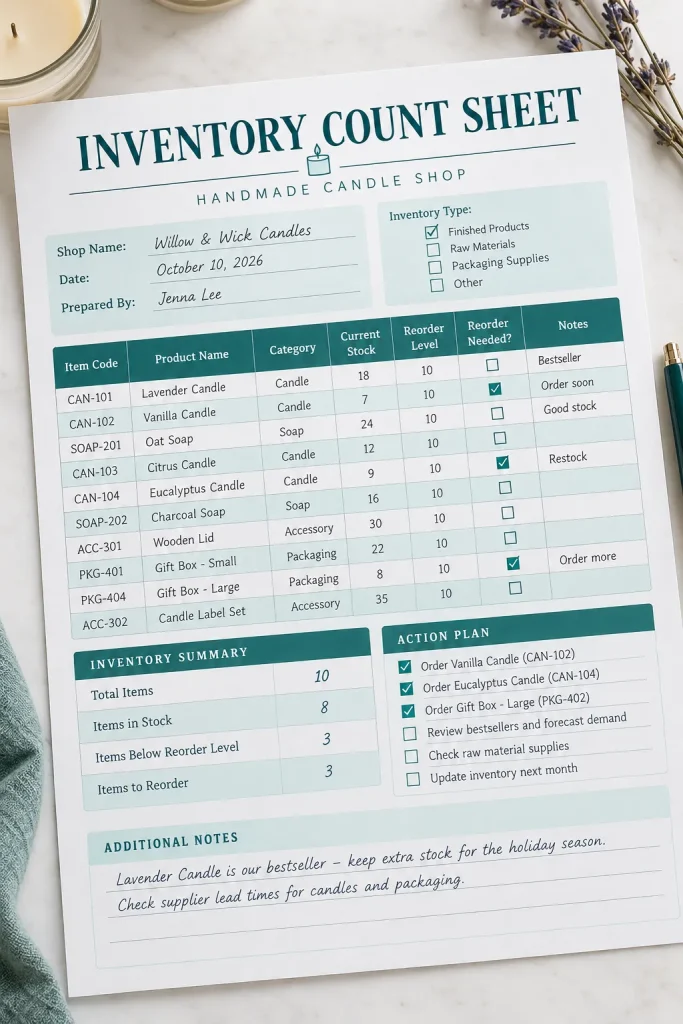
A product inventory sheet helps shop owners see what they have on hand and what needs restocking.
For someone selling candles, handmade soaps, stationery, or boutique accessories, counting everything from memory becomes difficult once the product range grows.
A practical inventory printable should have a row for each product and enough space to record its identifying details.
The most helpful columns are:
- Product name and SKU or item code.
- Quantity currently available.
- Minimum stock level.
- Quantity to reorder.
- Last count date and notes.
Make a full-page version with wide rows for handwritten updates. A second page for low-stock items can make the download more useful.
Unlike a sales tracker, this sheet focuses on physical stock, not money coming in. That distinction helps buyers choose the right tool.
6. Appointment Booking Sheet for Service Businesses
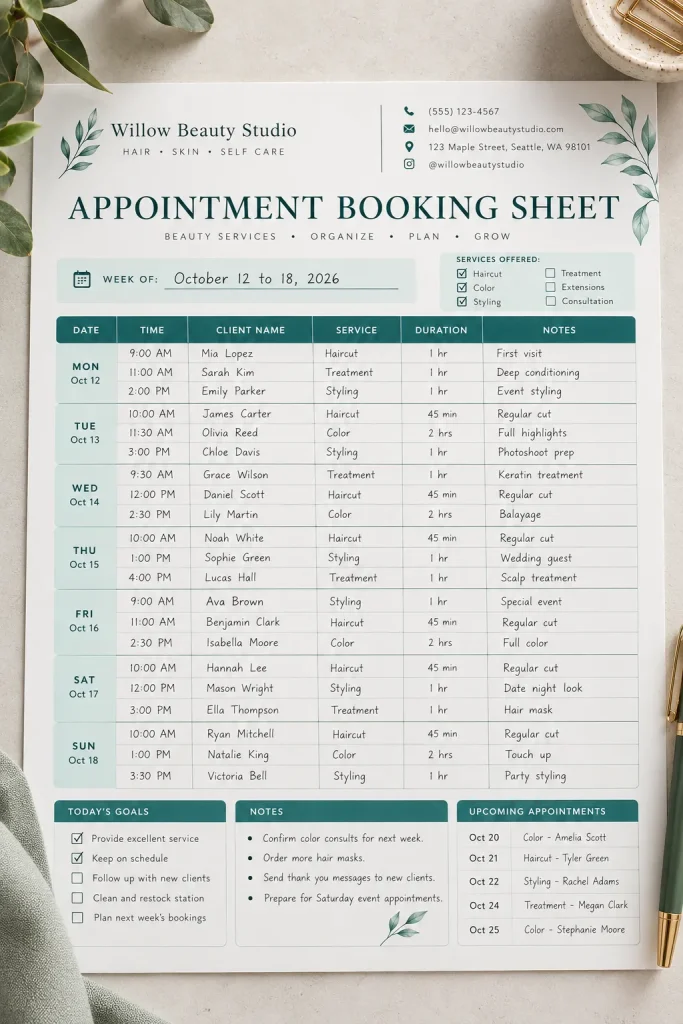
When appointments are written on loose paper, it is easy to miss a name, forget a service, or book two customers into the same time slot.
A weekly appointment sheet gives service businesses a clear view of their schedule.
Hair stylists, tutors, beauty professionals, cleaners, and independent consultants can use it to organize upcoming bookings.
Keep the layout simple:
- Divide the sheet into days and time slots.
- Add fields for client name and booked service.
- Include the expected appointment duration.
- Leave a small area for confirmations or rescheduling notes.
A landscape weekly planner works well for a business with several appointments each day. You could also offer a daily version with more writing space.
Make the time format clear and leave room for businesses that open early or work evenings.
7. Daily Sales Tracker for Shops and Sellers
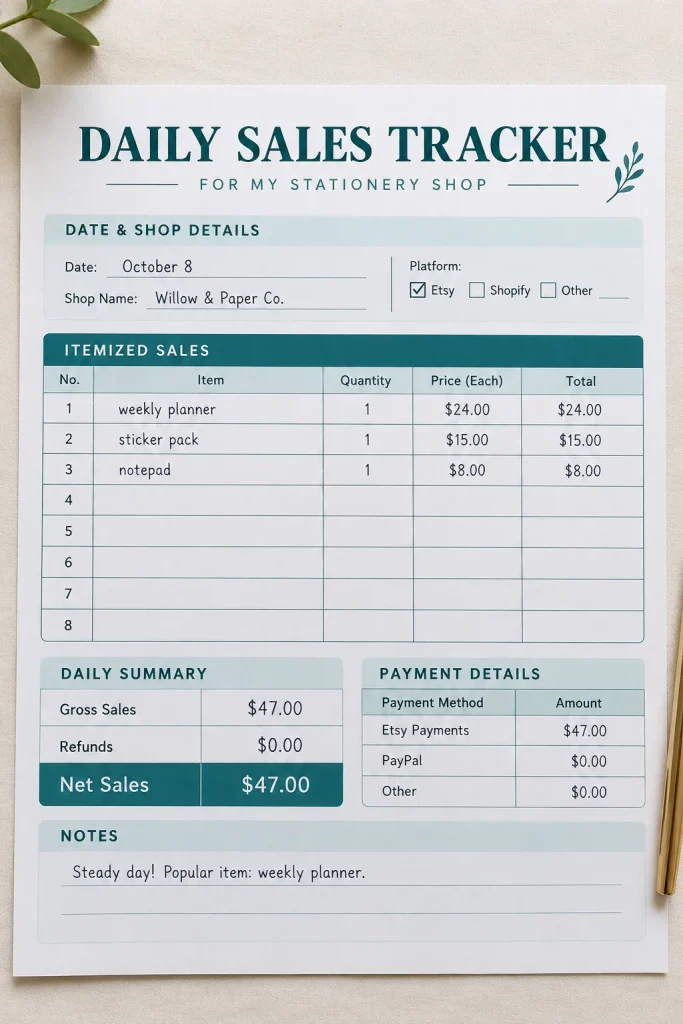
Knowing how much money came in today is useful, but understanding where those sales came from is even better.
A daily sales tracker helps business owners record their transactions and review each day’s activity without sorting through a pile of receipts.
This printable suits craft market vendors, pop-up sellers, small retailers, and home-based product businesses.
Give buyers space to record:
- Product or order reference.
- Number of units sold.
- Sales amount and payment method.
- Discounts, refunds, and adjustments.
- End-of-day sales total.
Make a compact version for businesses with only a few daily orders and a larger sheet with more transaction rows.
Clearly separate gross sales from refunds and other deductions. A neat format makes reviewing the day much easier.
8. Estimate and Quote Template for Client Work
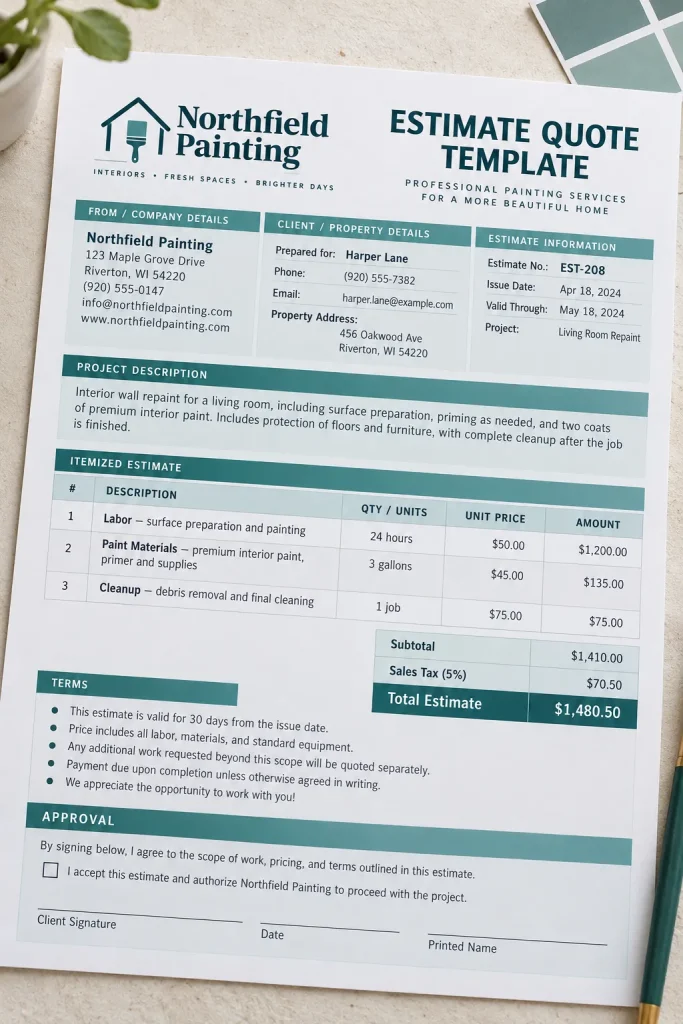
Before accepting a job, many customers want to understand what the work involves and what it may cost.
An estimate or quote template helps service providers present those details in one organized document.
It can be useful for painters, cleaners, photographers, handymen, designers, and other businesses providing custom services.
Build the template around four main parts:
- Customer details and project description.
- Itemized labor, materials, or service charges.
- Estimated total and any stated conditions.
- Validity period and approval area.
Keep the pricing table spacious enough for longer service descriptions. Add a separate notes section for work that is not included in the estimate.
You can sell a matching pair of templates, one labeled Estimate and the other Quote, while allowing buyers to adjust the wording to fit their own terms and local requirements.
| Estimate | Quote |
|---|---|
| Approximate costs; useful when requirements may change; include assumptions | Defined price for a specified scope; include terms and validity |
9. Purchase Order Form for Business Supplies
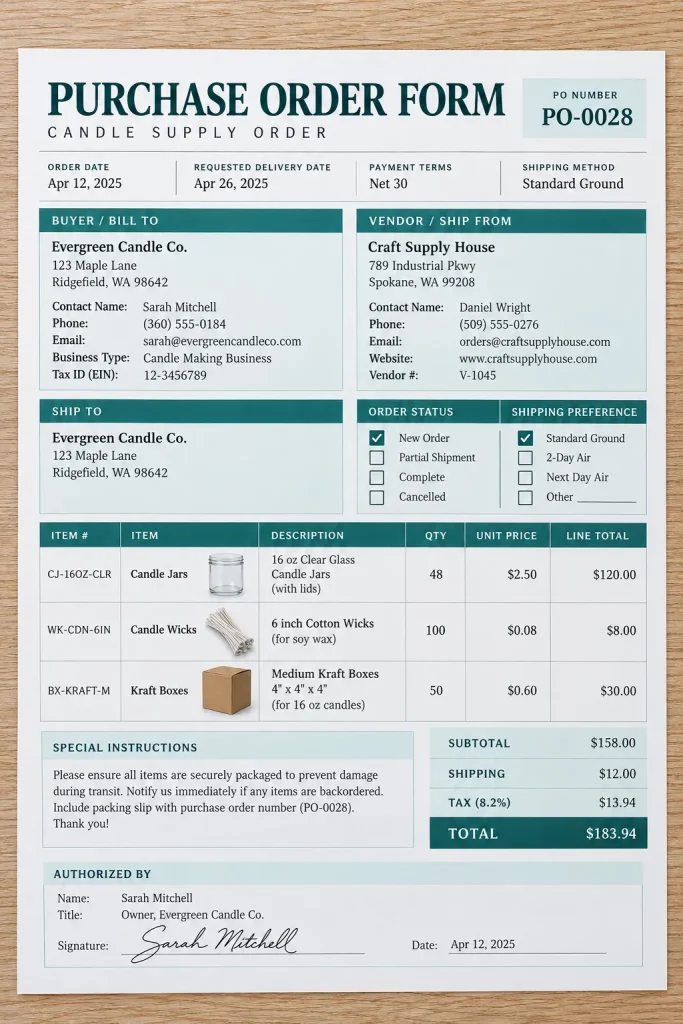
A purchase order keeps supplier requests clear before products or materials are delivered. It tells the vendor exactly what a business wants to buy, how many units are needed, and where everything should be sent.
This printable is useful for boutique owners, handmade product sellers, small retailers, and businesses ordering supplies regularly.
Include these details:
- Purchase order number and order date.
- Supplier name and contact information.
- Product descriptions, quantities, and unit costs.
- Shipping address and requested delivery date.
- Total amount and approval section.
Use an itemized table with enough rows for larger orders. A matching receiving checklist could make a useful companion product.
The important part is keeping the order details together before anything arrives.
10. Client Project Brief for Freelancers and Creatives
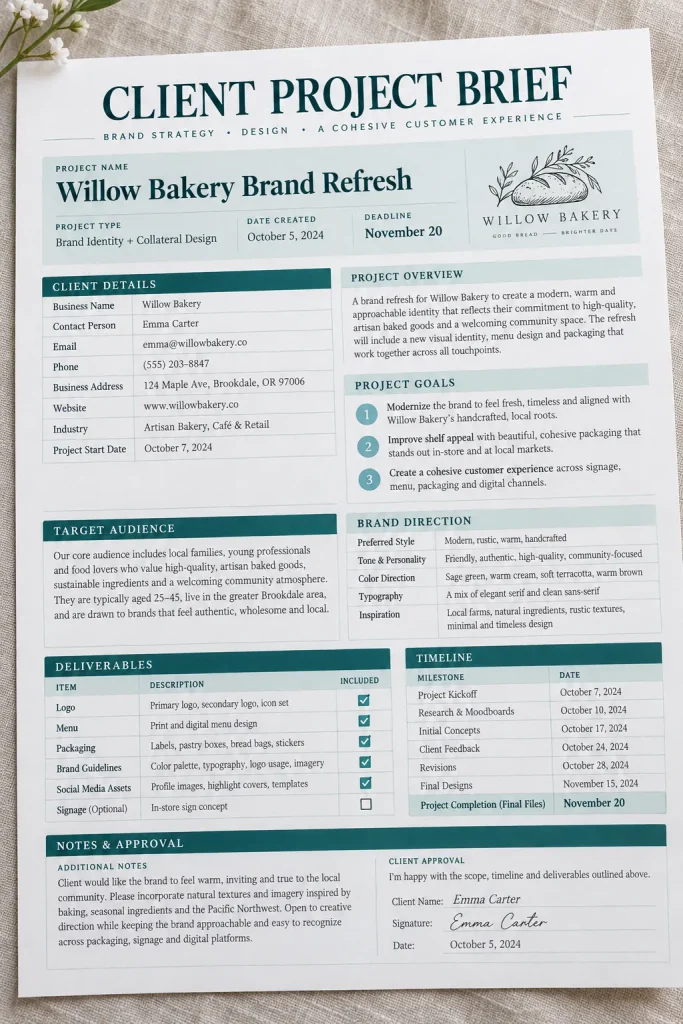
Starting a creative project without a written brief often leads to extra questions later. The client may have a specific style, deadline, or deliverable in mind that was never clearly discussed.
A project brief printable helps both sides organize those expectations before work begins.
Graphic designers, copywriters, social media managers, and website creators are natural customers for this product.
Build the worksheet around these questions:
- What is the project trying to achieve?
- Who is the intended audience?
- What needs to be delivered?
- Are there examples, brand guidelines, or preferred styles?
- What is the deadline?
Give each question its own writing area instead of squeezing everything into one crowded page.
A two-page brief with a final approval section can help buyers keep project decisions in one place.
11. Printable Service Menu and Price List
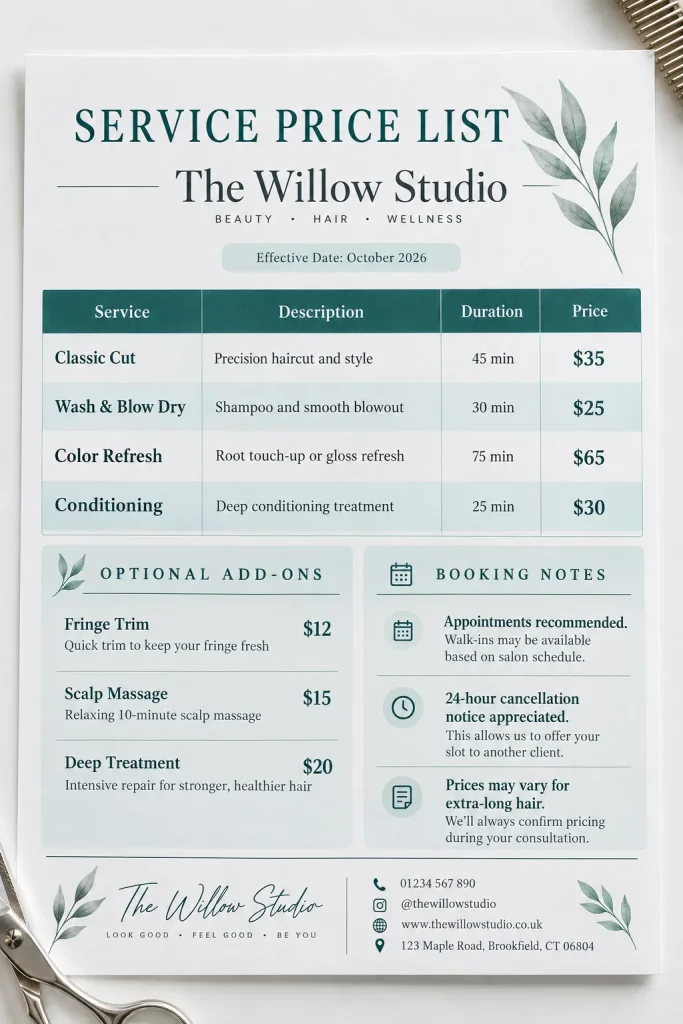
A neatly designed service menu makes it easier for customers to understand what a business offers without asking for every detail.
Think of a nail technician listing treatments, a cleaning business showing service packages, or a photographer explaining different session options.
The printable should make each service name, description, and price easy to scan.
Organize the menu into three parts:
- Main services with short explanations.
- Optional upgrades or add-ons.
- Booking details and important conditions.
Use consistent spacing between service names and their prices. Avoid squeezing long descriptions into tiny lettering just to fit everything onto one page.
You could create matching portrait and landscape versions or offer styles suited to different service businesses.
For a small menu, clear categories matter more than decorative graphics.
12. Employee Timesheet for Weekly Hours
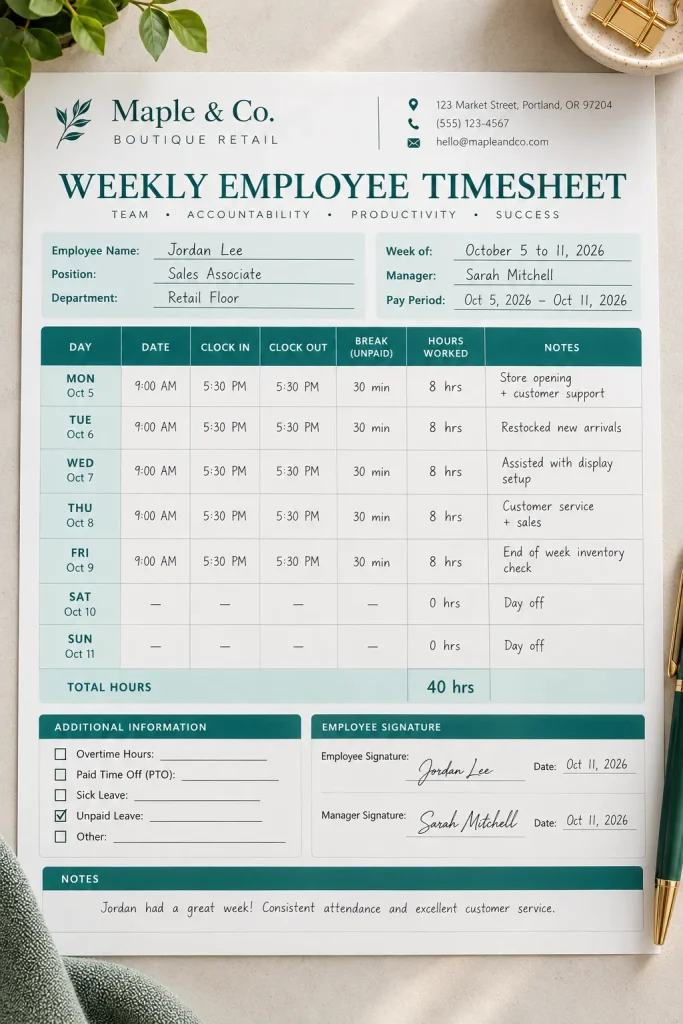
Tracking work hours on random pieces of paper can make the end of the week unnecessarily confusing.
A weekly employee timesheet gives small businesses a consistent way to record shifts, breaks, and total working hours.
It is useful for shops, cleaning teams, small offices, and service businesses that use paper-based time records.
Set up the printable in this order:
- Add employee name and week-starting date.
- Create rows for each workday.
- Include clock-in, clock-out, and unpaid break fields.
- Add daily hours and weekly total areas.
Leave room for corrections and employee or supervisor review where needed.
An example sheet with sample entries helps buyers see how the form works. The layout should support the employer’s required timekeeping records, not replace any legally required system.
13. Business Mileage Log for Work Trips
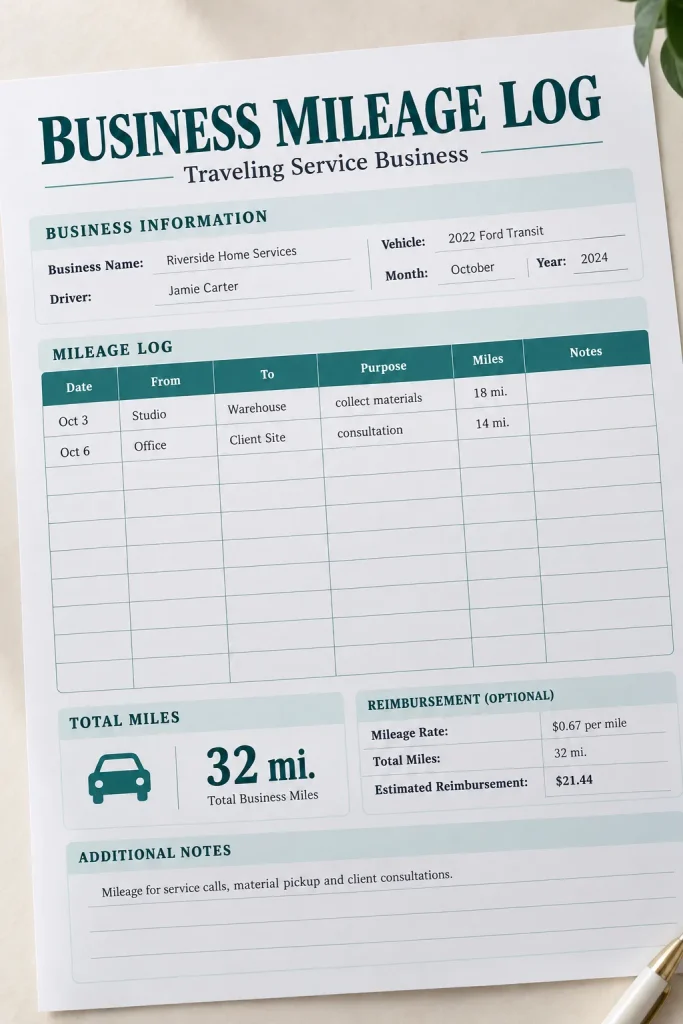
A trip to collect supplies may seem too small to record, but frequent work-related driving can be difficult to reconstruct weeks later.
A business mileage log helps owners keep a dated record of journeys made for business purposes.
Mobile service providers, real estate professionals, delivery businesses, and independent contractors may find this type of printable useful.
Include columns for:
- Date and business purpose of the journey.
- Starting location and destination.
- Starting and ending odometer readings.
- Total distance traveled.
- Additional trip notes.
Create versions labeled in miles and kilometers so customers can choose the measurement they use.
Keep the design plain and the rows spacious. Buyers should check their local tax and recordkeeping rules before relying on the log for deductions or official reporting.
14. Petty Cash Log for Small Purchases
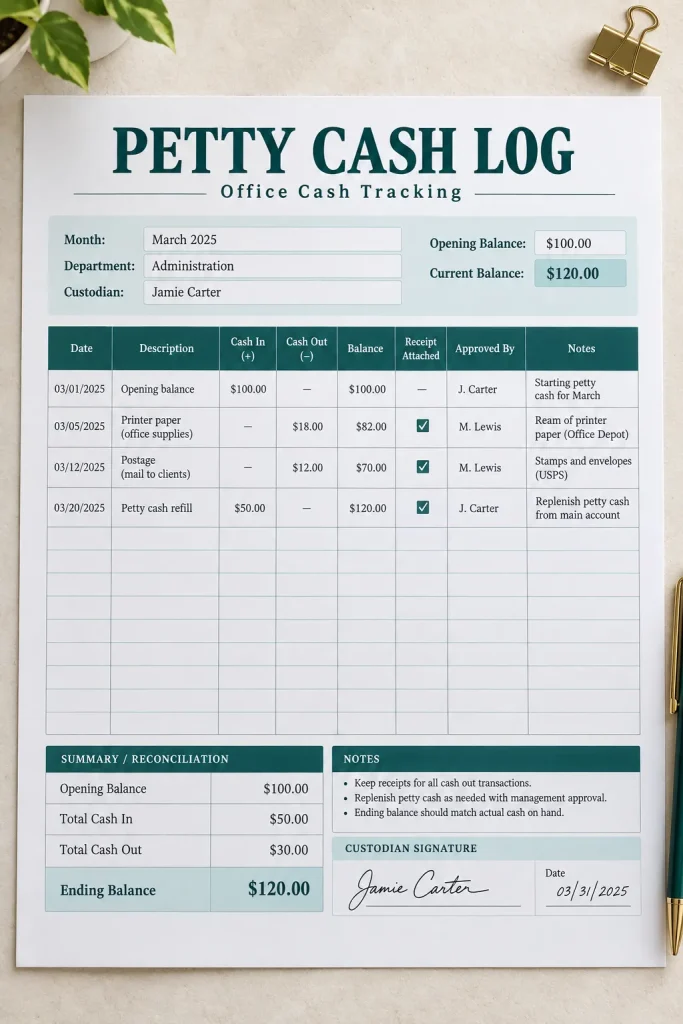
Not every business purchase goes through a card or bank transfer. Some workplaces keep a small amount of cash for minor expenses, such as postage, cleaning supplies, or emergency stationery.
Without a proper record, it becomes difficult to explain why the cash balance has changed.
A petty cash log gives office managers, shop owners, and small business teams a simple way to record money entering and leaving the cash box.
The printable needs:
- Transaction date and description.
- Cash received and cash paid out.
- Receipt or voucher reference.
- Running cash balance.
- Person responsible for the transaction.
Include an opening balance at the top and a closing balance at the bottom.
A narrow portrait worksheet is usually enough. Keep the amount columns clearly separated to prevent mistakes.
15. Customer Feedback Form for Products or Services
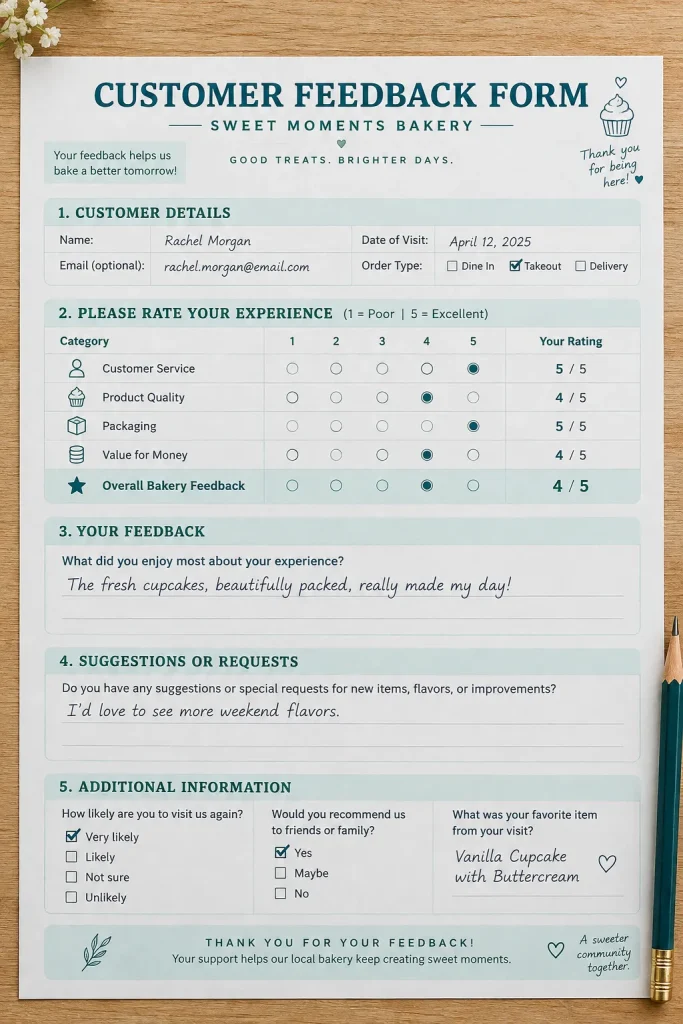
A simple feedback form can reveal details that a general question like “How was everything?” might miss.
For a bakery, that could mean learning whether an order arrived as expected. For a cleaning service, it might show which part of the appointment needs attention.
This printable gives small businesses a consistent way to gather customer opinions after a purchase or completed service.
Use a mix of question types:
- Simple rating scales for the overall experience.
- Specific questions about quality and communication.
- Space for positive comments and suggestions.
- An optional field for follow-up contact.
Keep it to one page and avoid asking for unnecessary personal information.
Offer versions for product sellers and service businesses, each with questions that fit the experience being reviewed.
16. Return and Refund Request Form
[ADD IMAGE 16 HERE: Refund Request Form]
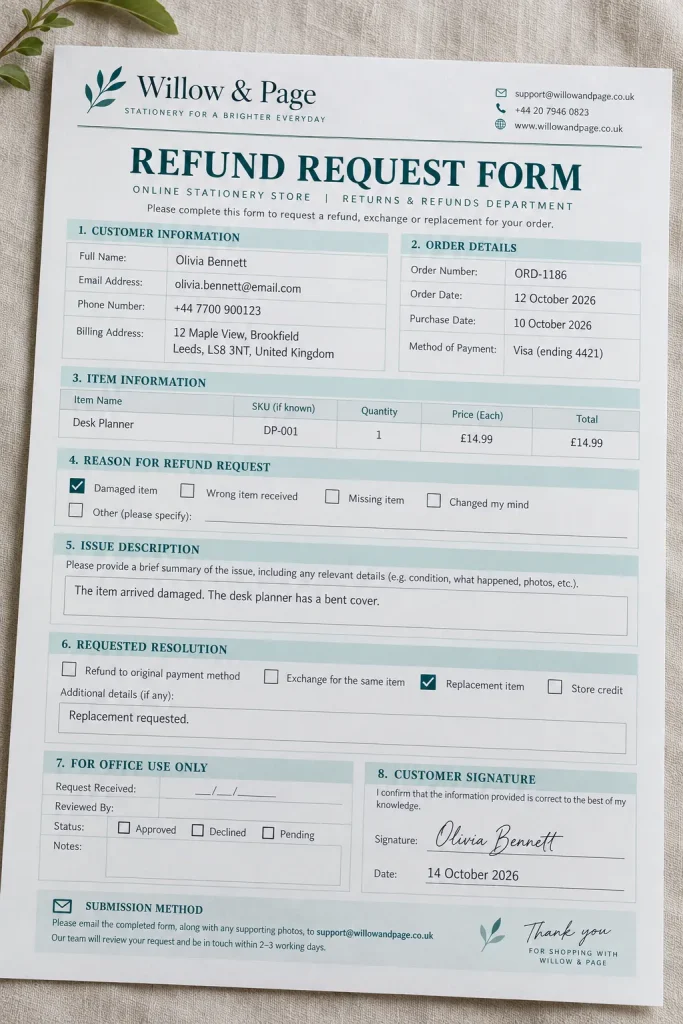
Returns are easier to organize when customers provide the same basic information each time.
A return and refund request form collects order details, the reason for the request, and the customer’s preferred solution. It can help small shops, handmade sellers, and online retailers process requests more consistently.
The form should include:
- Customer name and order reference.
- Product name, quantity, and purchase date.
- Reason for the return or refund.
- Product condition and supporting information.
- Requested resolution and staff review notes.
Use checkboxes for common reasons, such as an incorrect item, damage, or a change of mind. Leave a separate writing area for unusual situations.
Make it clear that completing the form does not automatically guarantee a refund. Sellers still need to follow their published policies and applicable consumer laws.
| Customer Completes | Business Completes |
|---|---|
| Order number, return reason, product condition, preferred solution | Received date, condition check, decision and follow-up |
17. Vendor and Supplier Contact Sheet
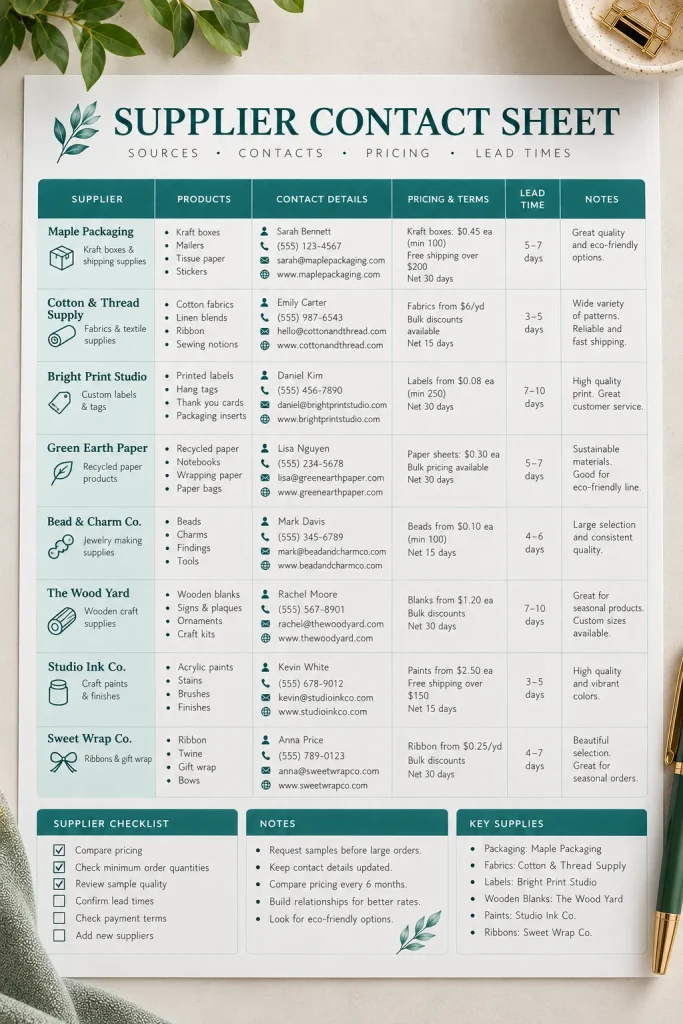
Supplier information belongs in one organized place, not scattered across old invoices, emails, and phone contacts.
A vendor and supplier contact sheet helps small business owners find ordering details quickly. It is especially useful for boutiques, handmade shops, bakeries, and businesses that regularly purchase materials from several suppliers.
Give each supplier a dedicated record with:
- Business name and primary contact person.
- Email address, phone number, and website.
- Products or materials supplied.
- Ordering instructions and typical lead times.
- Payment terms and useful notes.
Design a printable directory with several supplier entries per page. A separate detailed supplier profile can work well for businesses managing more complicated orders.
Keep this different from a purchase order. It stores supplier information rather than individual transactions.
18. Printable Meeting Notes Page for Small Teams
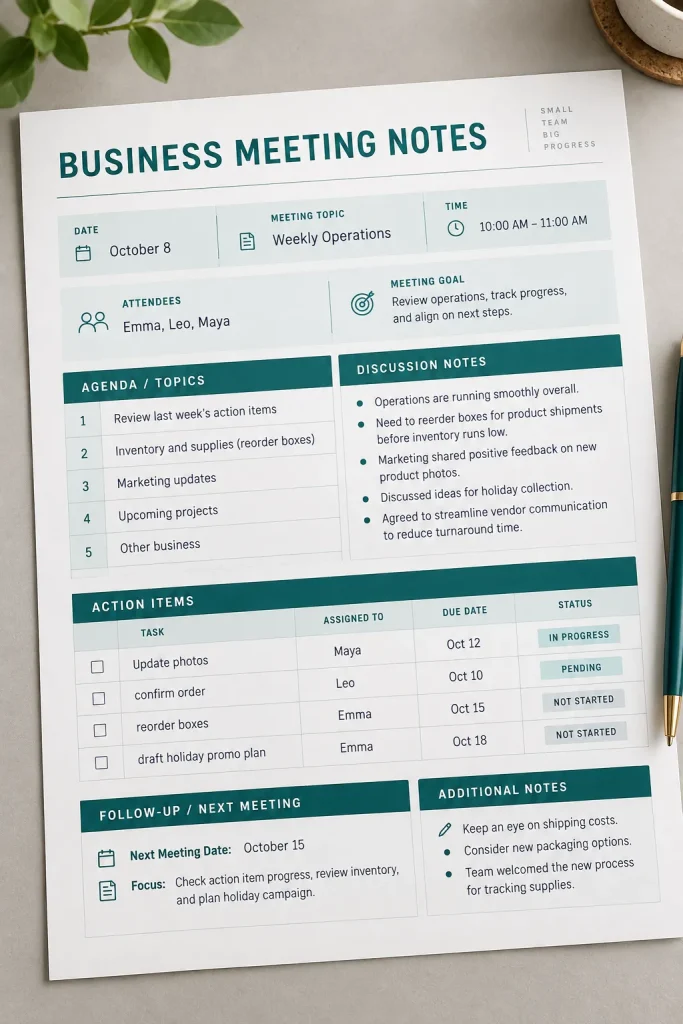
A meeting can cover plenty of useful ground, but those decisions are easy to lose when nobody writes down what happens next.
A printable meeting notes page keeps discussions, decisions, and assigned tasks together. Small offices, family businesses, volunteer teams, and local service companies can use it for regular check-ins.
Include these sections:
- Meeting date, purpose, and attendees.
- Agenda topics and discussion notes.
- Decisions made during the meeting.
- Action items with assigned owners.
- Due dates and follow-up questions.
Give action items their own clearly labeled table. They should not disappear inside a large notes section.
A matching weekly meeting agenda makes a useful companion printable, especially for teams that meet on the same day each week.
19. Weekly Business Planner for Owners
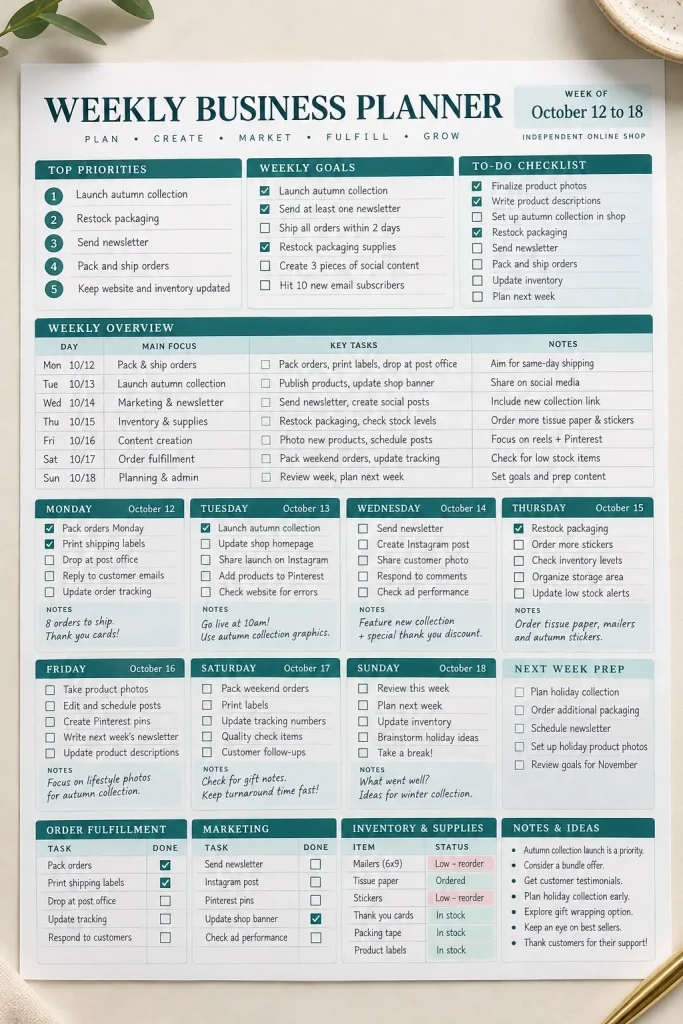
One crowded to-do list rarely shows which tasks matter most or when they need to happen.
A weekly business planner brings appointments, deadlines, and important work into one view. It is useful for solo business owners who handle customer service, marketing, paperwork, and everyday operations themselves.
A practical weekly spread should include:
- The week’s three main priorities.
- Daily appointments and important deadlines.
- Business tasks grouped by day.
- Customer follow-ups and unfinished work.
- A small end-of-week review area.
Design a two-page layout with the weekly schedule on one side and priorities on the other.
Leave enough room for handwriting. Owners should be able to use the planner without filling every available box before Monday morning.
20. Social Media Content Planner
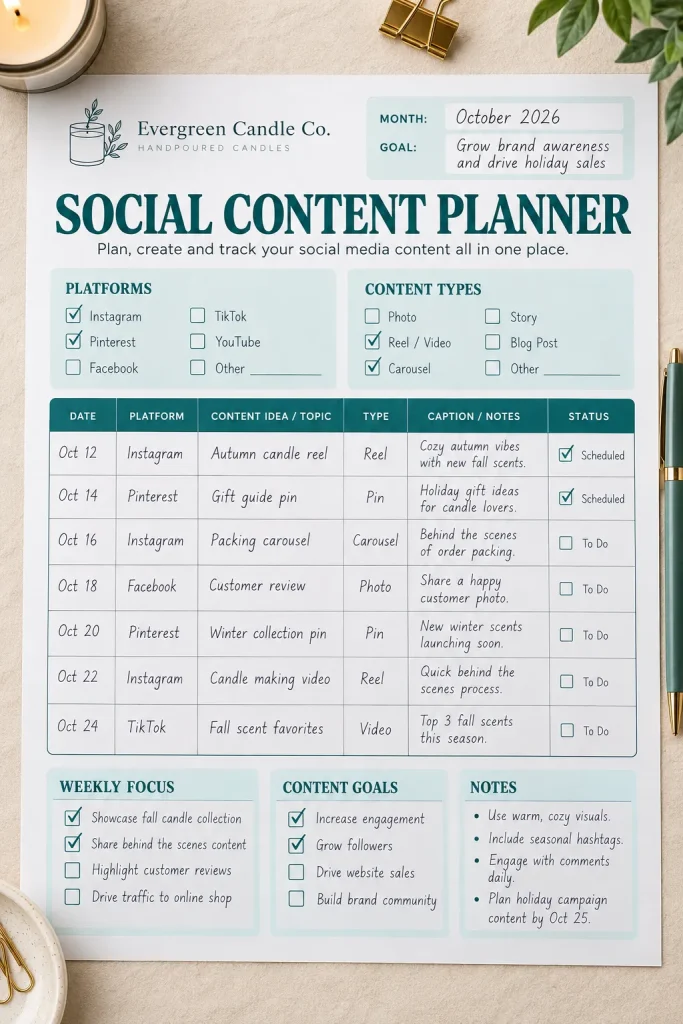
Planning social posts becomes much simpler when the ideas are organized before it is time to publish.
A social media content planner helps small businesses decide what to share, where to share it, and what still needs to be prepared.
This printable suits handmade sellers, local shops, freelance marketers, and service providers who create their own content.
Build the planner in three parts:
- Choose the platform and planned publishing date.
- Record the post topic, content format, and main message.
- Add caption notes, a call to action, and production status.
Include status options such as Idea, Draft, Ready, and Published.
A weekly landscape version works well for detailed planning, while a monthly overview helps buyers spot gaps in their schedule. Keep the writing areas useful rather than filling the page with decorations.
21. Email Marketing Campaign Planner
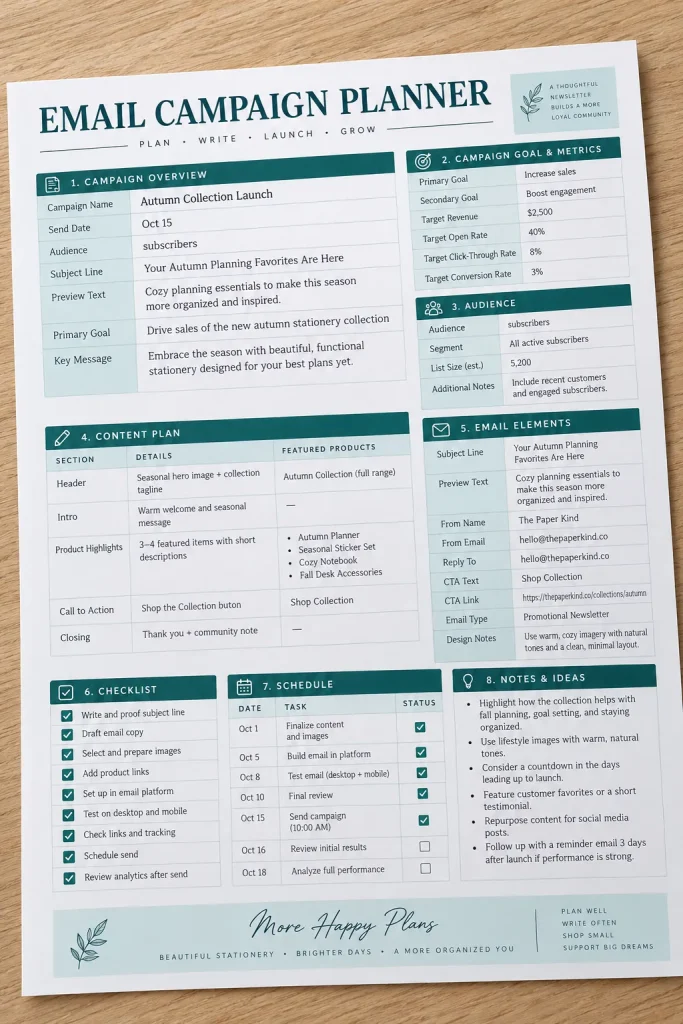
A good marketing email needs more than a catchy subject line. The sender should know who the message is for, what it needs to communicate, and what readers should do next.
An email campaign planner helps small business owners prepare these details before writing.
Newsletter creators, online shop owners, coaches, and service providers can use it to organize individual campaigns.
Include fields for:
- Campaign goal and target audience.
- Subject line and preview text ideas.
- Main message, offer, or announcement.
- Call to action and destination.
- Planned send date and follow-up notes.
Create a one-page campaign worksheet with a generous section for outlining the email.
This printable focuses on planning the message, not tracking an entire marketing campaign across different channels.
22. Marketing Campaign Tracker for Promotions
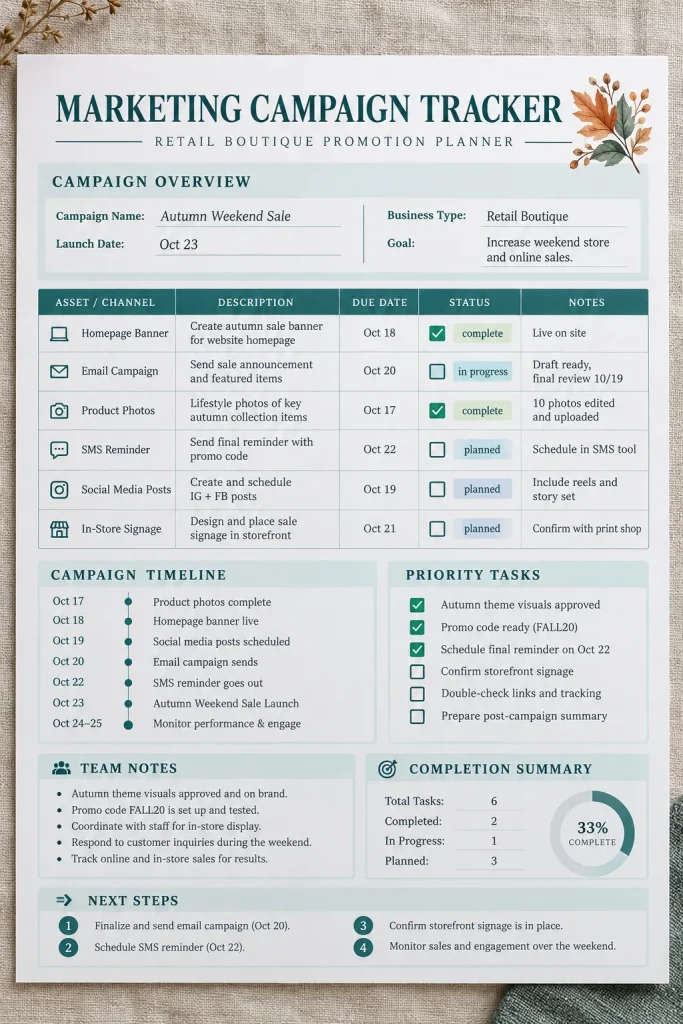
A seasonal sale might involve an email, several social posts, website changes, and printed signs. Without a shared plan, it becomes easy to forget which pieces are ready.
A marketing campaign tracker keeps all those promotional tasks together.
Small shops, online sellers, and local businesses can use it when launching a new product, running a special offer, or promoting an event.
Create columns for:
- Campaign name and main goal.
- Marketing channel and promotional task.
- Assigned person and due date.
- Launch date and completion status.
- Notes or results to review afterward.
Use a landscape sheet with one row per promotional activity.
Unlike a social media planner, this tracker covers several marketing channels within the same campaign. That makes it useful for coordinating the whole promotion.
23. Sales Lead Tracker for Potential Customers
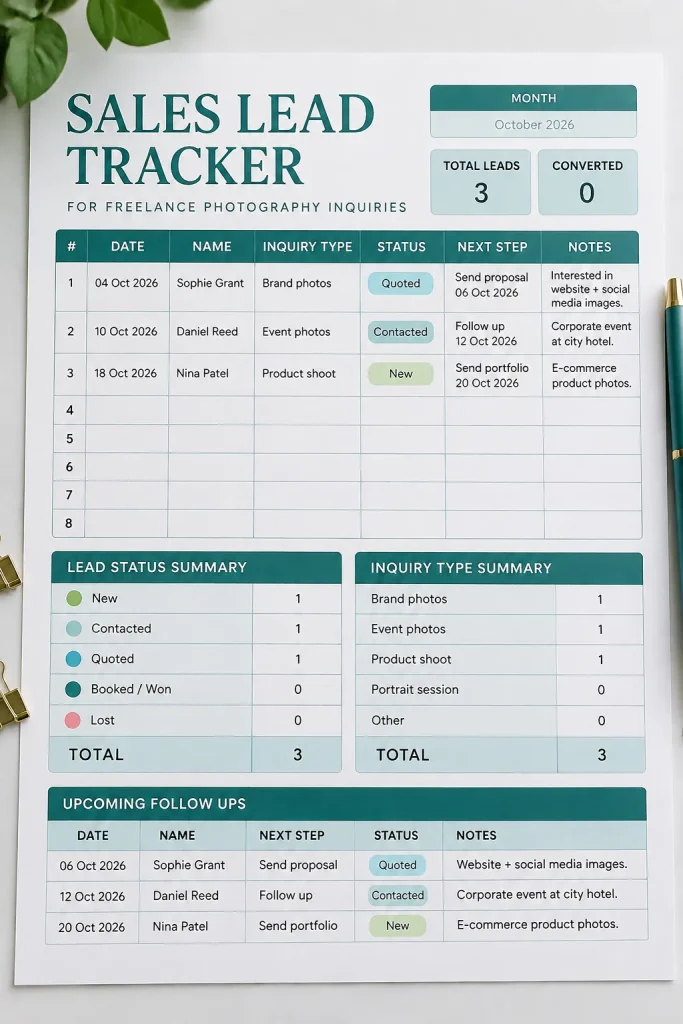
A person asks about a service, requests more information, and then disappears into a busy inbox. Two weeks later, the business owner cannot remember whether they replied.
A sales lead tracker gives potential customer inquiries their own organized record.
It is useful for photographers, consultants, home service providers, freelancers, and businesses that receive inquiries before making a sale.
The printable should capture:
- Prospect name and business contact information.
- Where the inquiry came from.
- Product or service of interest.
- Current sales stage.
- Date of the latest contact.
- Next action and planned date.
Use a simple status system, such as New, Contacted, Quoted, and Closed.
Keep this sheet focused on prospective customers rather than existing client follow-up work.
24. Client Follow-Up Tracker
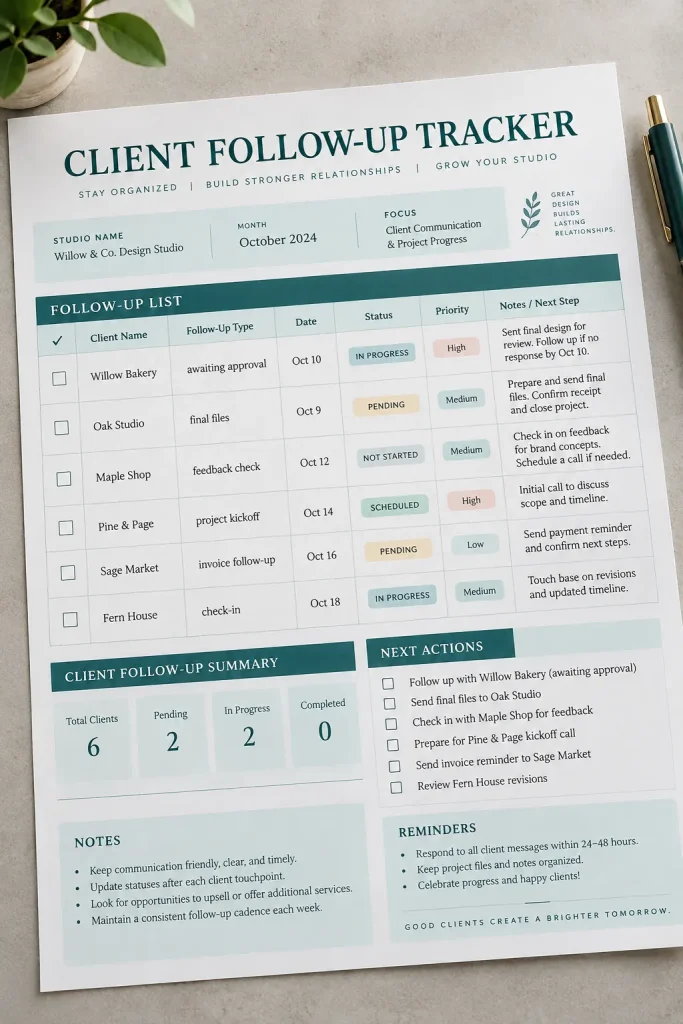
Staying in touch with existing clients takes a different kind of organization from finding new customers.
A client follow-up tracker helps businesses remember promised updates, outstanding questions, and important next steps after the first conversation or completed project.
It can be useful for virtual assistants, consultants, photographers, and service providers managing several active customers.
Include these tracking fields:
- Client name and project or service reference.
- Date of the previous conversation.
- Reason for the follow-up.
- Next action and due date.
- Contact method and final outcome.
Make the due-date column easy to notice, and provide enough space for short notes.
A printable with one row per follow-up works better than a form that only records contact details. The goal is to make the next action clear.
| Sales Lead Tracker | Client Follow-Up Tracker |
|---|---|
| Potential customers; interest, inquiry source and sales stage | Existing customers; commitments, due dates and outcomes |
25. Shipping and Packing Checklist for Orders
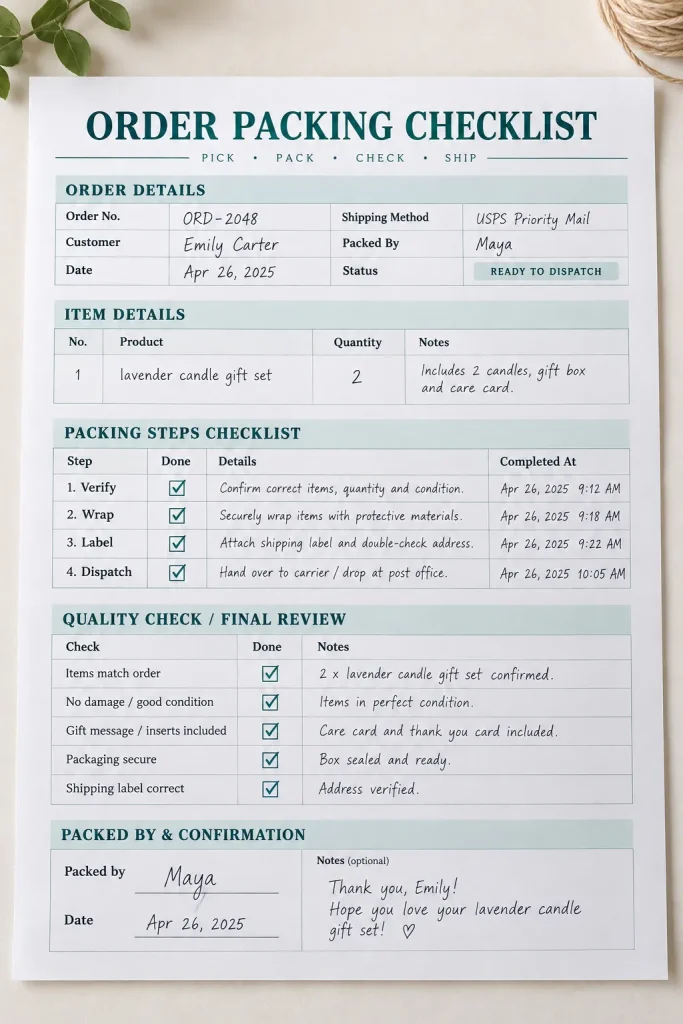
A packing checklist helps online sellers catch small mistakes before an order leaves the workspace. The wrong color, a missing accessory, or an incorrect shipping label can create an avoidable customer service problem.
This printable is useful for handmade businesses, boutique shops, subscription box sellers, and anyone packing physical orders.
Build the checklist around the packing process:
- Confirm the order number and customer details.
- Check the product, quantity, size, and color.
- Inspect the item for damage.
- Add required packaging and order inserts.
- Check the shipping label and seal the package.
- Record the dispatch date.
Design a one-page sheet with large checkboxes and an area for order notes.
A final Packed By field adds a useful check for businesses with several people preparing orders.
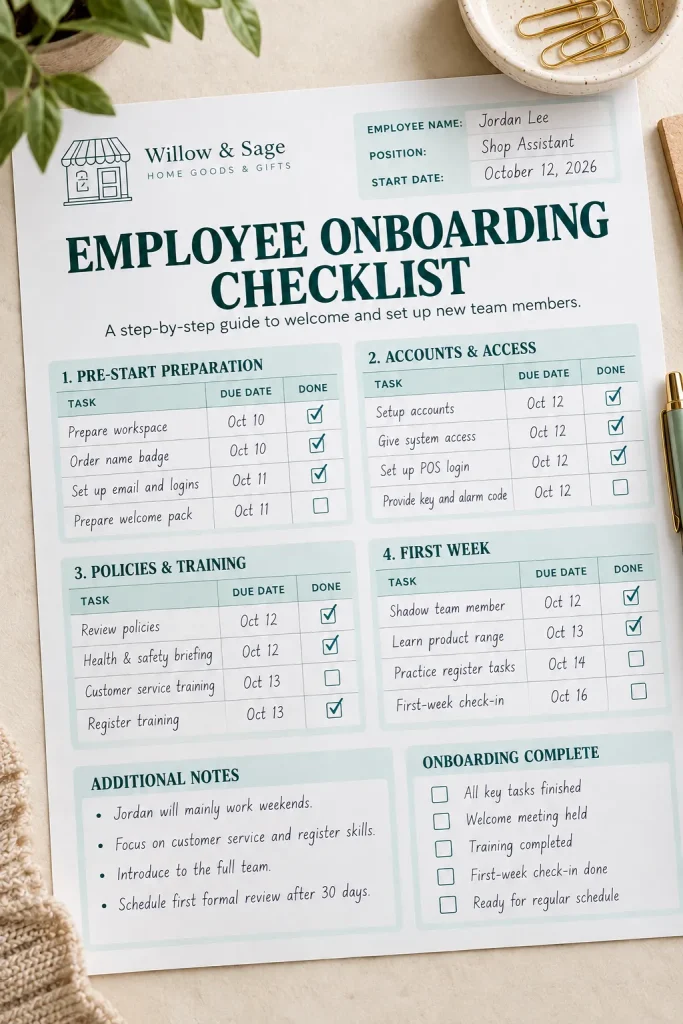
26. New Employee Onboarding Checklist
Starting a new job involves more than introducing someone to the team. There may be paperwork to complete, accounts to set up, equipment to prepare, and everyday procedures to explain.
An employee onboarding checklist helps small businesses organize these tasks without relying on memory.
Office managers, shop owners, salon managers, and small service businesses are possible buyers.
Divide the printable into these sections:
- Before the employee’s first day.
- Required paperwork and workplace information.
- Equipment, accounts, and access setup.
- Training and workplace introductions.
- First-week tasks and supervisor check-ins.
Add columns for the responsible person, completion date, and status.
Make the checklist adaptable rather than filling it with location-specific legal requirements. Employers should check current employment rules and their own workplace policies.
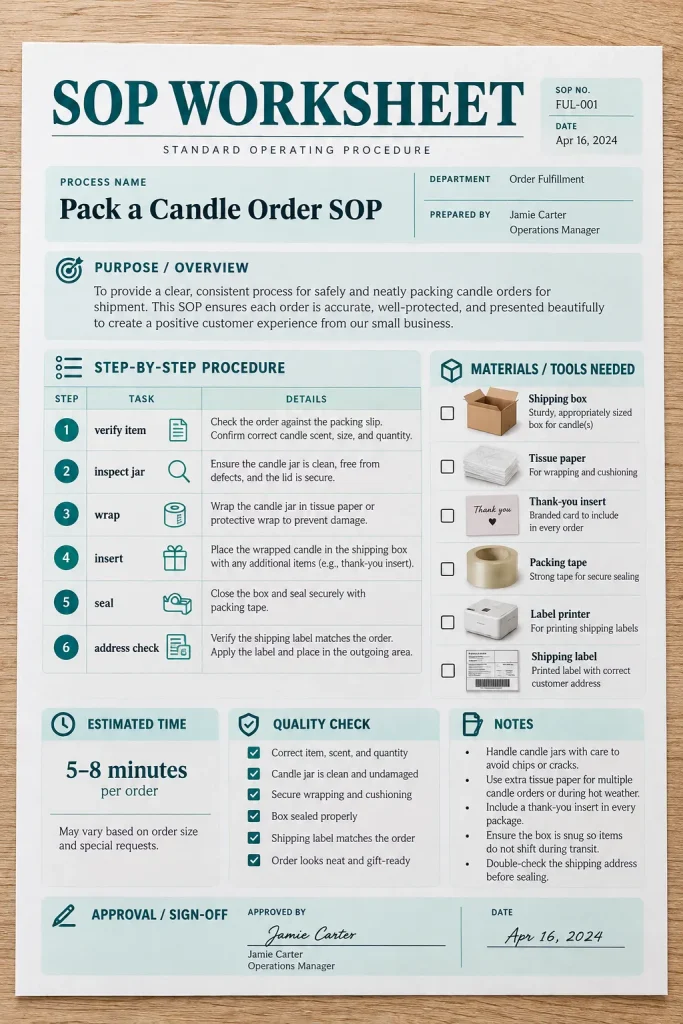
27. Standard Operating Procedure Worksheet
Some business tasks need to be completed the same way every time. Packing a fragile product, opening a shop, processing an order, or preparing a workstation may involve steps that should not be skipped.
A standard operating procedure worksheet, often called an SOP worksheet, helps business owners document those steps clearly.
This printable suits growing small businesses, team managers, and creators preparing to delegate routine tasks.
A useful SOP page includes:
- Procedure name and purpose.
- Person or role responsible.
- Required materials or tools.
- Numbered instructions in the correct order.
- Quality checks and common mistakes.
- Last reviewed date.
Keep each step short enough to follow while doing the task.
For longer procedures, provide continuation pages rather than shrinking the text.
28. Equipment Maintenance and Service Log
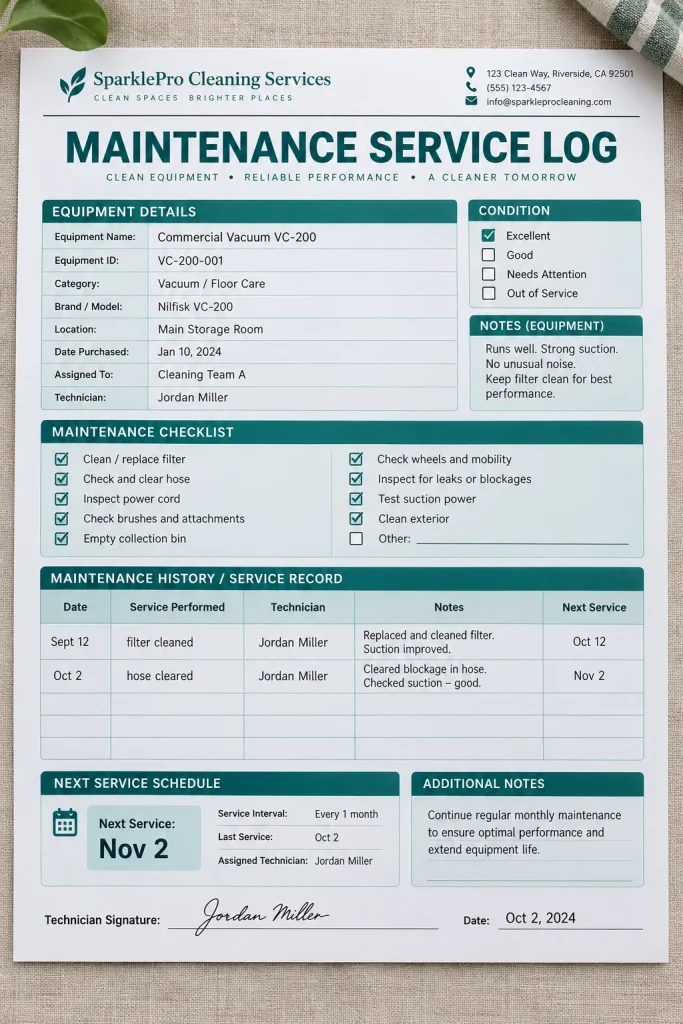
When a machine starts making an unusual noise, knowing when it was last serviced can help a business decide what to check next.
An equipment maintenance log keeps service history, repairs, and upcoming maintenance dates in one organized record.
It is useful for cleaning businesses, workshops, salons, small offices, and shops that rely on equipment during daily work.
Set up the worksheet in this order:
- Record the equipment name and identification number.
- Enter the service or inspection date.
- Describe the maintenance or repair completed.
- Add the technician or responsible person.
- Record the next scheduled service date.
Include a separate notes section for reported problems or replacement parts.
Offer a single-equipment history sheet and a multi-equipment maintenance tracker. These serve slightly different needs without complicating either layout.
29. Monthly Income and Expense Summary
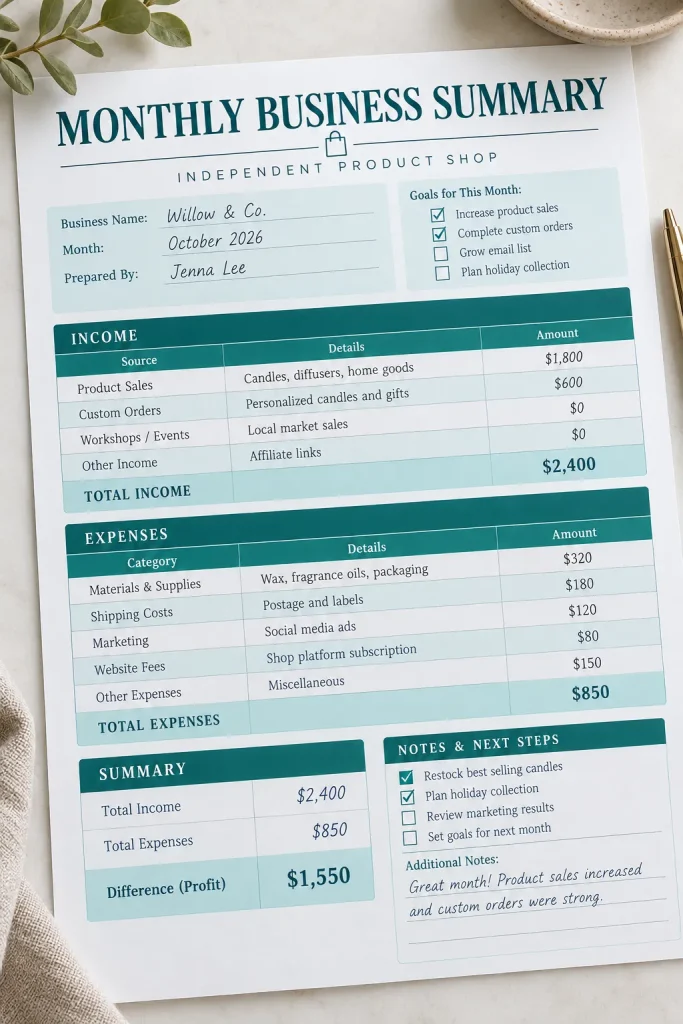
Daily transactions tell part of the story, but business owners also need to see how the entire month adds up.
A monthly income and expense summary brings the main figures onto one page. It helps freelancers, independent sellers, and small service businesses review money received and business costs without searching through several separate worksheets.
Divide the printable into:
- Income from products, services, and other business sources.
- Expense categories such as supplies, shipping, and software.
- Total income and total expenses.
- The difference between those two totals.
- Notes about unusual costs or changes.
Add clear spaces for the month and year.
Unlike a daily sales or expense tracker, this printable provides an overview. Label the difference as a simple net summary rather than an official measure of accounting profit.
30. Business Document and Receipt Organizer Log
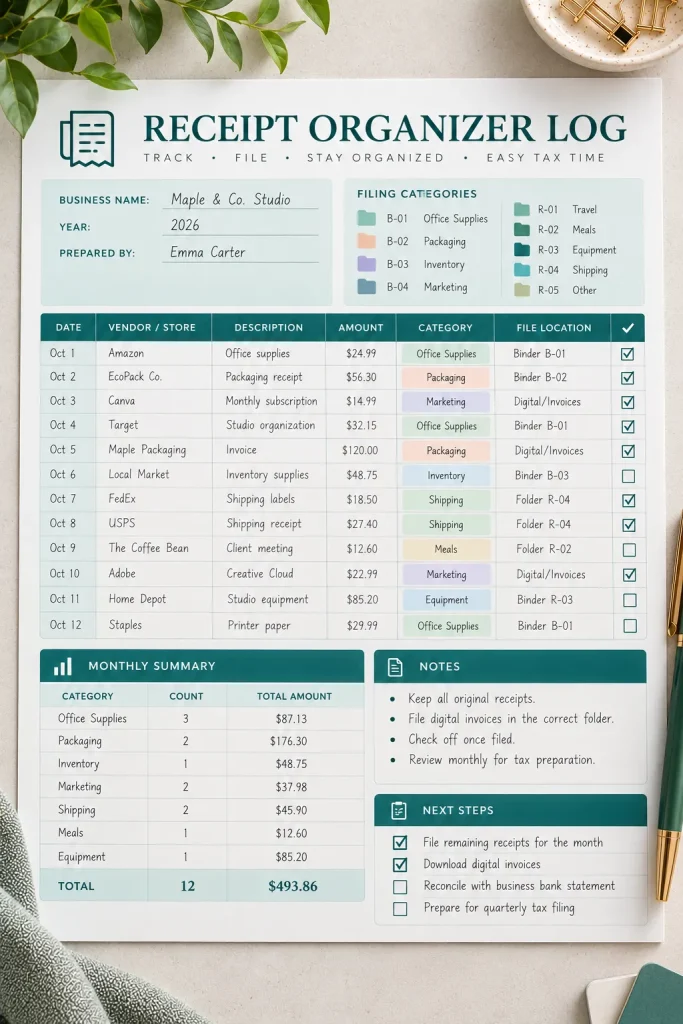
Receipts and business documents are much easier to find when there is a record of where each one was saved.
A document and receipt organizer log acts as an index for important paperwork. It does not store the documents themselves. Instead, it helps owners locate physical folders, scanned files, and saved receipts.
This printable suits freelancers, independent sellers, and small business owners who manage their own records.
Include columns for:
- Document date and type.
- Vendor, customer, or reference name.
- Expense or document category.
- Physical or digital storage location.
- Receipt attached or saved status.
- Follow-up notes.
A landscape layout provides room for folder names and file references.
Add a small category key so buyers can keep their entries consistent. It is a simple product with a clear purpose: finding paperwork without searching everywhere.
Conclusion
Useful printables do not need complicated designs. They need clear labels, enough writing space, and a layout that solves a real problem for the person using them.
If you’re choosing which business printables to create first, pick one type of customer and think about the paperwork they handle most often. A handmade seller needs different forms from a photographer or cleaning business.
Start with one well-organized product, make the instructions easy to follow, and offer practical file formats. Before listing on Etsy or another marketplace, check its current digital product rules and requirements.
Save this list on Pinterest so you can return to these 30 ideas whenever you’re ready to create your next printable product.