
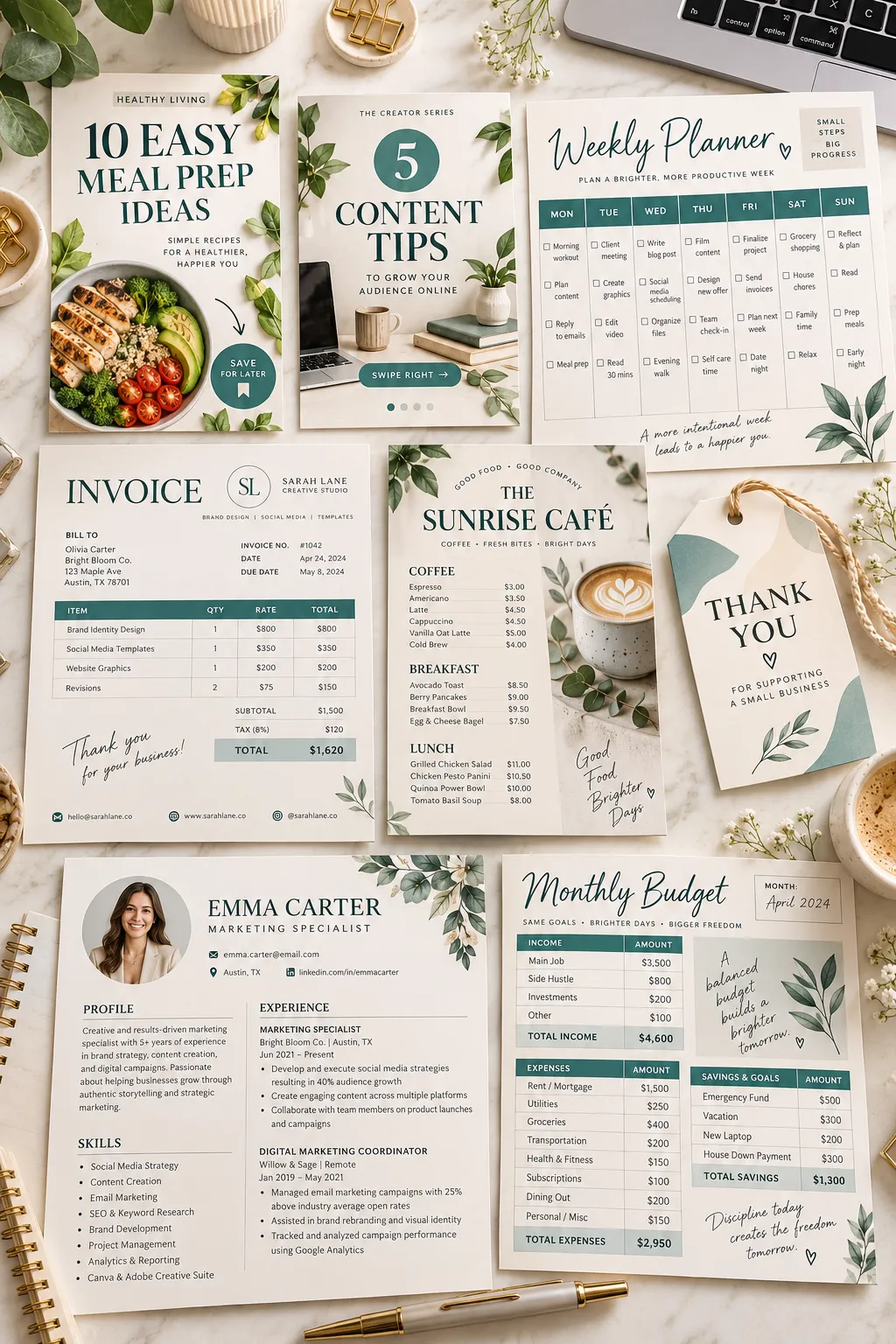
Your laptop has six Canva tabs open, but none of them looks like a product you could actually list for sale. You have picked colors, tried a few fonts, and saved designs you might use someday. The hard part is choosing something another person needs and can edit without help.
That is where a focused product idea makes a difference. Instead of making a pile of pretty pages, start with a clear buyer and a task they do often. A blogger needs fresh pin layouts every week. A cafe owner may need an easy way to update a menu. A small shop might want matching graphics for a weekend sale.
These Canva template ideas are built around jobs like those. Each one includes who might buy it and a simple detail to build into the design. Start with one product, make the instructions clear, and check how your files look on both a phone and a computer before listing them.
Read Canva’s current license terms before selling anything made with Canva content. Also check the current rules of the platform where you plan to sell.
1. Pinterest Pin Layout Packs for Bloggers
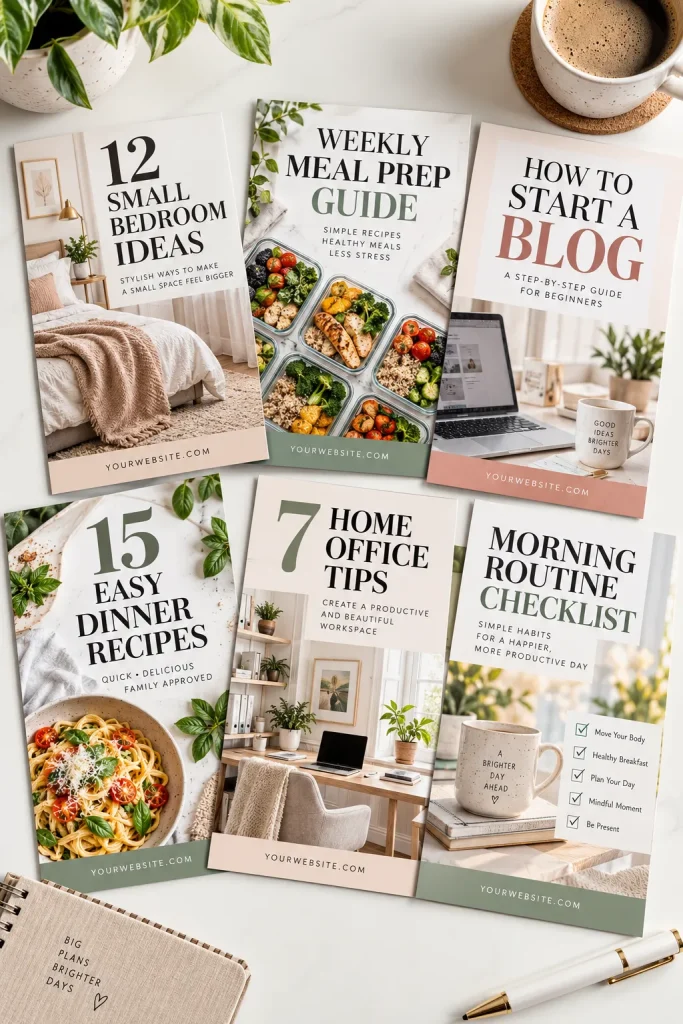
Bloggers need more than one Pinterest graphic for each post. A set of matching pin layouts helps them create fresh designs without starting with an empty page every time.
Make a pack of vertical templates with room for a headline, a photo, and a small website name. Include layouts for different types of blog posts:
- List posts: A large number and a short headline.
- Tutorials: A clear title with space for a project photo.
- Recipes: A food photo with a simple title area.
Keep text easy to read on a phone. A useful pack gives buyers several layouts they can reuse, not just the same design with different colors.
2. Instagram Carousel Tip Post Sets
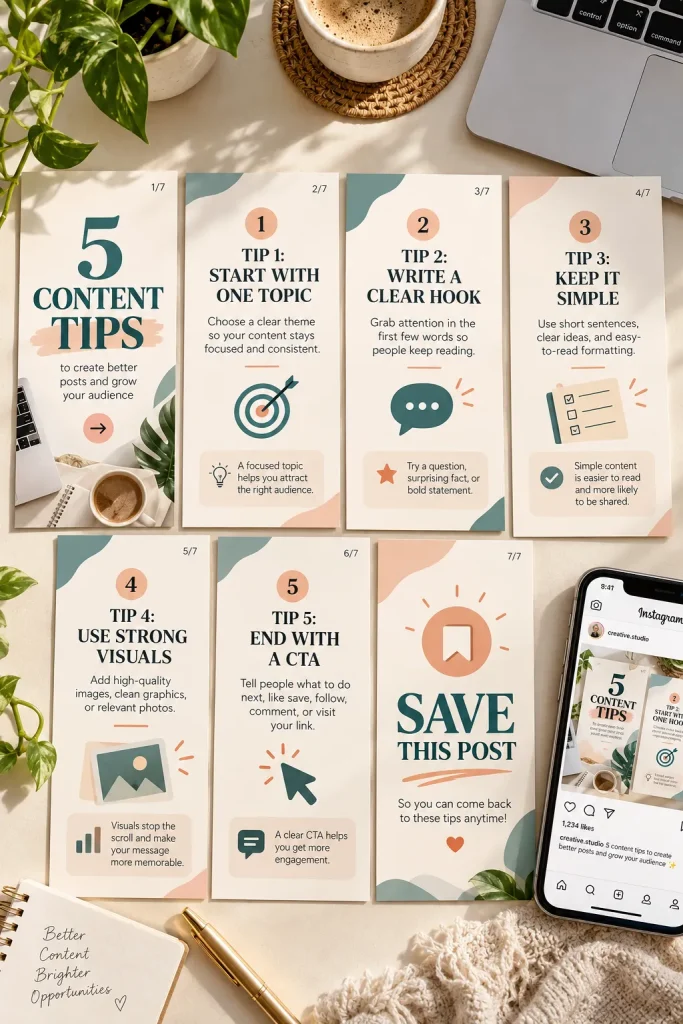
Build a set of square or portrait carousel slides that small business owners, coaches, and content creators can edit for educational posts.
Start with a cover slide that introduces the topic. Then make matching slides for short tips, examples, and a closing message. Keep the font sizes and margins consistent so the whole set feels connected.
A beginner-friendly pack could include:
- A bold title slide.
- Several layouts for tips or short instructions.
- A final slide with room for a simple call to action.
Use separate text boxes so buyers can replace words without moving the entire design. Leave enough blank space for longer sentences.
3. Instagram Story Sale Announcement Graphics
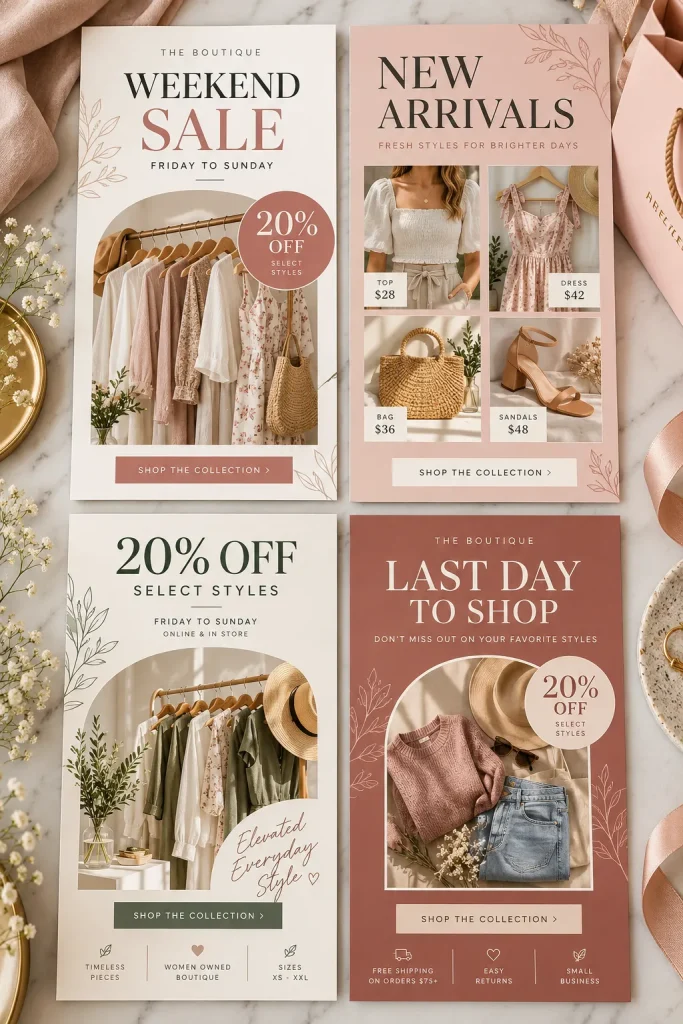
A small boutique is getting ready for a weekend sale. The owner needs something quick to post on Instagram Stories, but the announcement still needs to match the shop’s usual look.
Create a set of vertical story templates with clear spaces for sale details, dates, and product photos.
Include a few different designs, such as a sale announcement, a featured product, a last-day reminder, and a new collection preview.
Choose readable fonts and leave the main message near the center of the layout. Small shops and online sellers can swap in their own details while keeping their promotions looking consistent.
Every promotion starts with a blank canvas. Colors change, text gets crowded, and announcements take extra effort.
The seller opens a matching template, replaces the offer details and photo, then checks the finished story before posting.
4. YouTube Video Thumbnail Templates
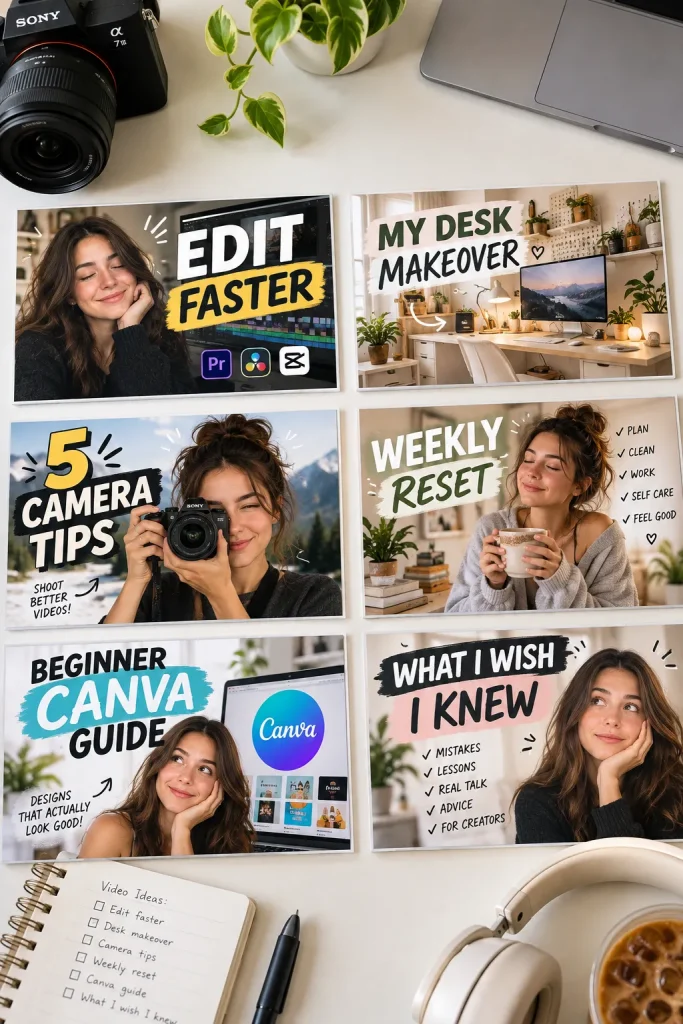
Crowding a YouTube thumbnail with small words and too many photos makes it harder to understand at a glance.
A cleaner approach is to design thumbnail templates around one clear subject. YouTube creators who post tutorials, reviews, or personal videos may want a pack they can update each week.
Make layouts with space for a large face or object, a short headline, and a simple background. Offer a few photo placements so every upload does not look identical.
Use strong contrast between the text and background. Show buyers how to replace the main image while keeping the original layout in place.
5. Podcast Cover Art Templates
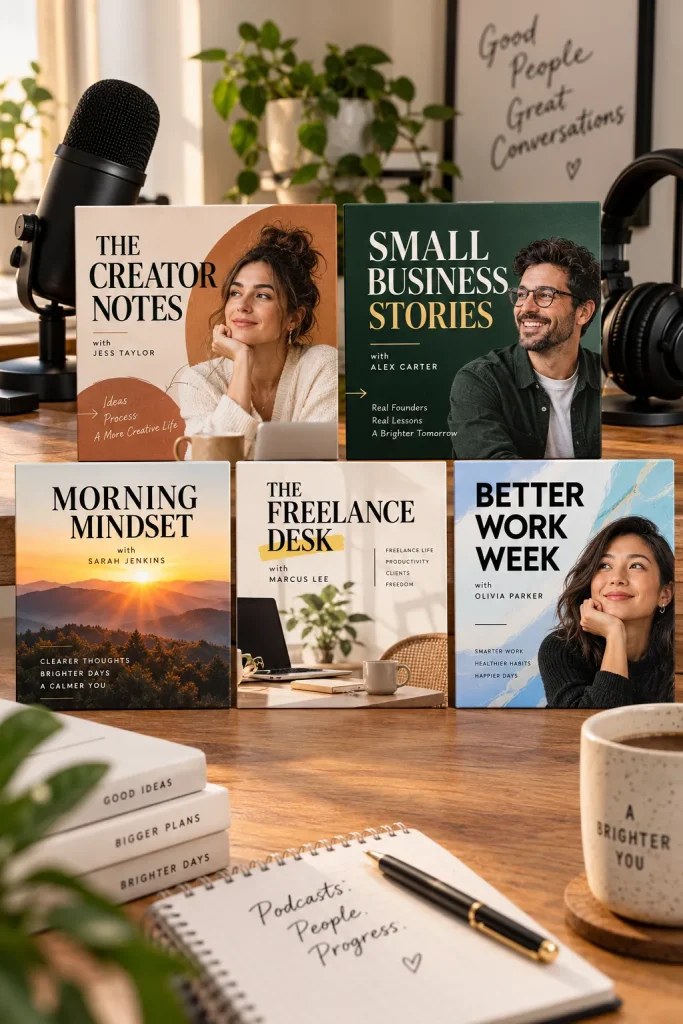
A bold square design with a clear podcast title can look polished without lots of decorations.
Podcast hosts often need cover artwork when launching a show or updating its look. A beginner Canva seller can create editable square layouts for different podcast topics, including business interviews, personal stories, and educational shows.
Focus on a simple structure:
- A large area for the show title.
- Space for the host’s name.
- A photo or graphic that suits the topic.
Make a few versions with different font pairings and photo placements. Keep important text readable when the artwork appears as a small square on a phone.
6. Etsy Product Listing Photo Slides
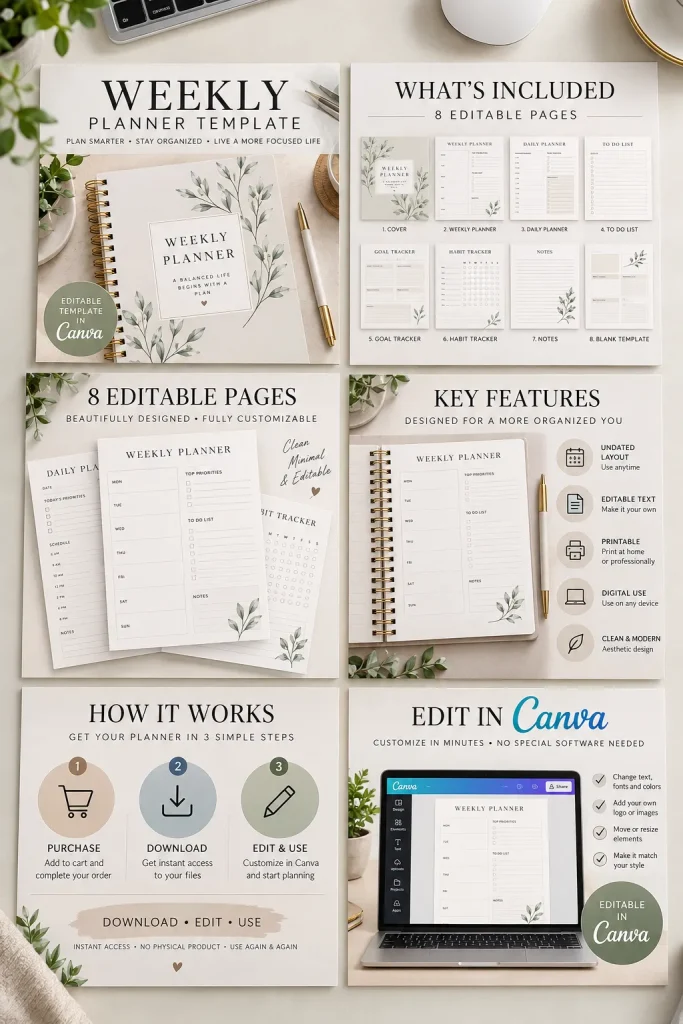
A single product photo cannot always explain what comes inside a digital download. Buyers may need to see the page layouts, file details, and examples of how the product can be used.
That is why Etsy listing image templates are a separate product idea worth considering.
Create a set of listing graphics that digital sellers can edit for their own shops. Include layouts for a main product image, a closer look at the pages, a product features slide, and a simple instruction graphic.
Use blank product mockup areas so sellers can add their real designs. Keep the information clear rather than filling every corner with decorative elements.
| Product Preview | Information Slide |
|---|---|
| Shows the actual product appearance. | Explains what the buyer receives. |
| Uses close-up views and mockups. | Uses short labels and clear sections. |
| Helps shoppers judge the design. | Helps shoppers understand the purchase. |
7. Real Estate Open House Flyers
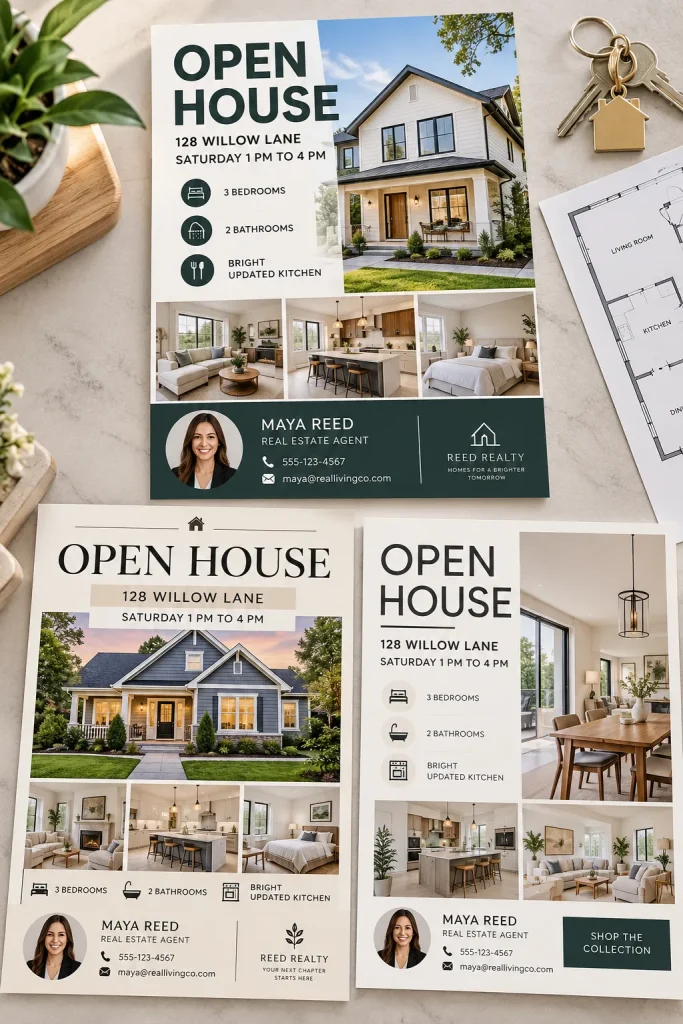
Open house flyers can become messy when property photos, addresses, and contact details compete for attention.
A real estate agent needs something people can scan quickly while visiting a house or looking at a local event notice.
Design a flyer with one large property photo at the top. Underneath, leave clear spaces for the address, open house date, time, and agent information.
You could make matching layouts in different styles, including modern, traditional, and minimal.
Keep the property details editable and avoid adding made-up claims about homes. Agents should be able to replace the sample information with accurate listing details before sharing the flyer.
Give the property photo enough room to stand out.
Use a clear layout for dates and contact information.
Leave space for any required brokerage details.
Tiny descriptions that are hard to read.
Crowded photo collages with no clear focus.
Prewritten property promises that may be inaccurate.
8. Cafe and Restaurant Menu Templates
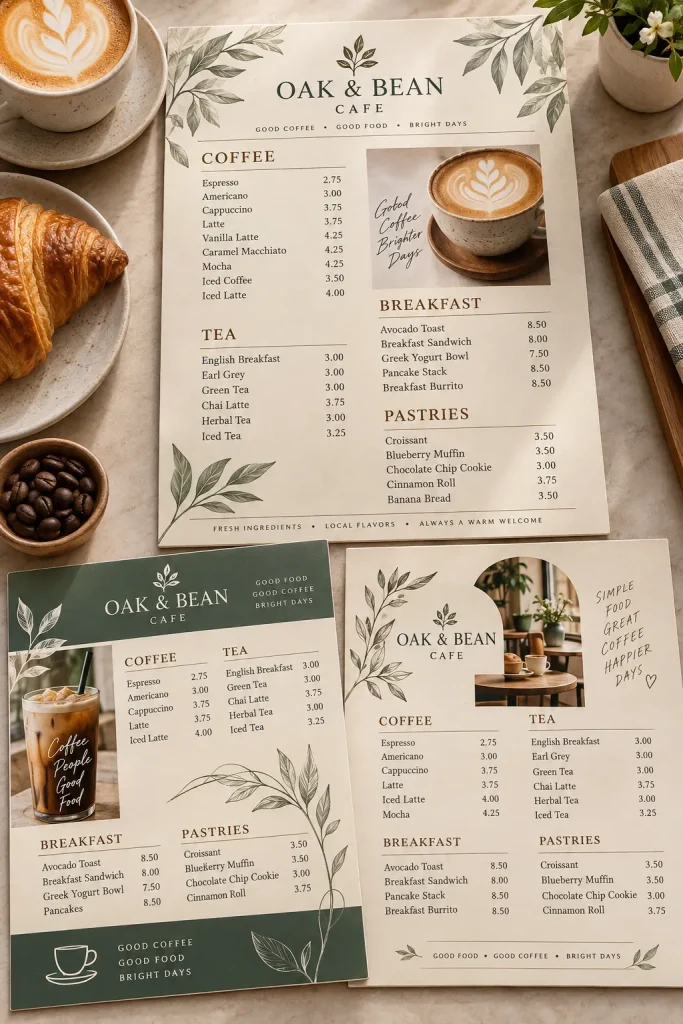
A cafe menu has to do more than look nice. Customers should be able to find drinks, food, and other choices without searching through a crowded page.
Local cafes, bakeries, and small restaurants may want editable menu designs they can update when their offerings change.
Make a set with clear category headings, item names, short descriptions, and space for the business logo.
Consider creating a single-page counter menu and a longer folded menu as separate options.
Choose a simple font that stays readable when printed. Leave room for longer food names, and show a blank sample rather than filling the design with unrealistic menu items.
A design that looks readable on a large computer screen may feel cramped when printed.
Print a sample at its intended size. Check the smallest text, spacing between items, and room for changing prices before offering the template.
9. Appointment Reminder Cards for Service Businesses
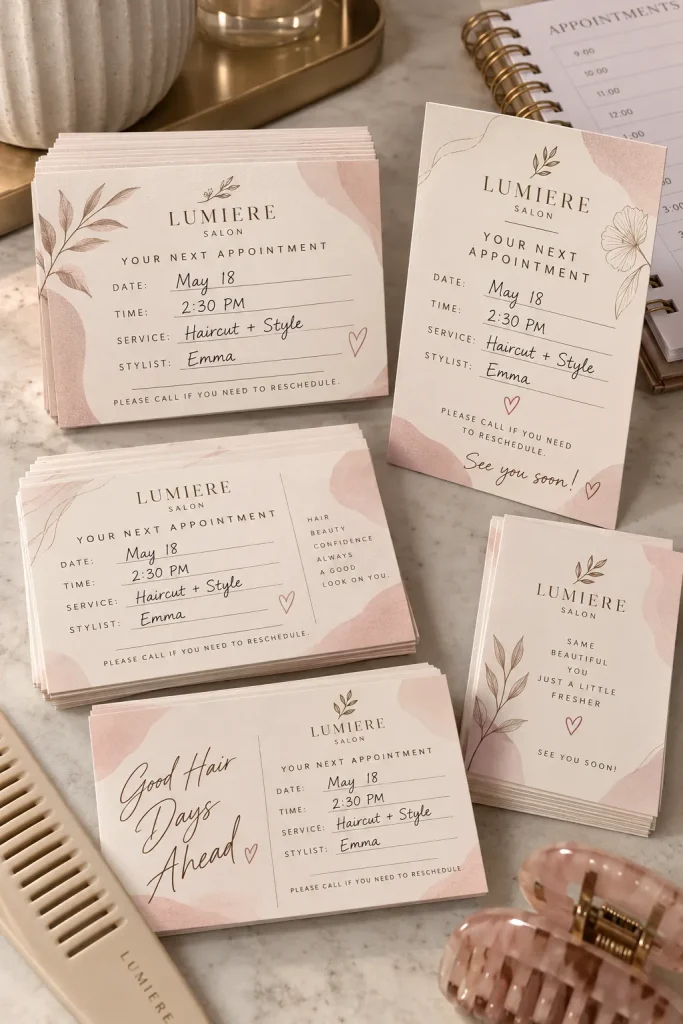
A forgotten appointment can leave an empty spot in a busy salon schedule. Small reminder cards give customers a simple place to keep their next booking details.
Design editable cards for hair salons, nail technicians, barbers, and other appointment-based businesses.
Include space for:
- Appointment details: Date, time, and service.
- Business information: Name, phone number, and address.
- Extra notes: A small area for the staff member’s name or booking instructions.
Create both horizontal and vertical designs with matching colors. Keep the writing spaces large enough for someone to fill them in by hand.
A card should be useful even when the customer does not have their phone nearby.
Leave a clear, blank space for the appointment date and time. Decorative graphics should never crowd the information customers need to find quickly.
10. Wedding Seating Chart Templates
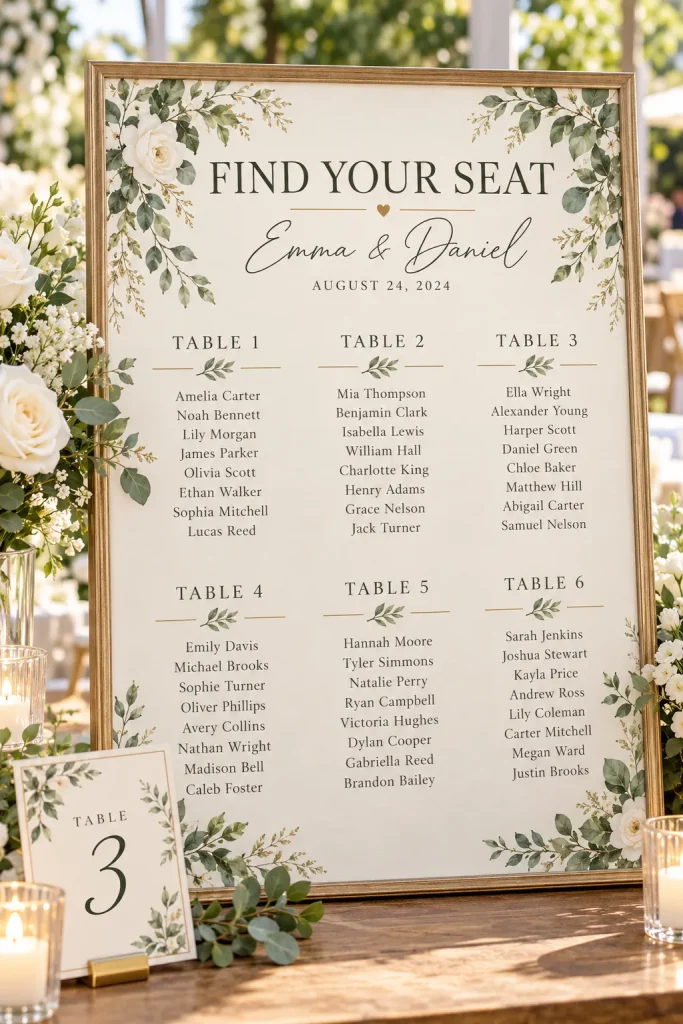
Start with the guest list before designing a wedding seating chart. The layout needs enough room for names, table numbers, and any last-minute changes.
Couples and wedding planners may want editable charts that match their invitations and reception decorations.
Offer a few different styles:
- Classic: Simple lettering with a soft border.
- Modern: Clean lines and bold table headings.
- Floral: Small flower details around the edges.
Make layouts for both alphabetical guest lists and table-by-table arrangements. Buyers can choose the version that suits their reception.
Leave generous spacing between names. A beautiful seating chart is not much help if guests have to squint to find their table.
11. Baby Shower Bingo Cards
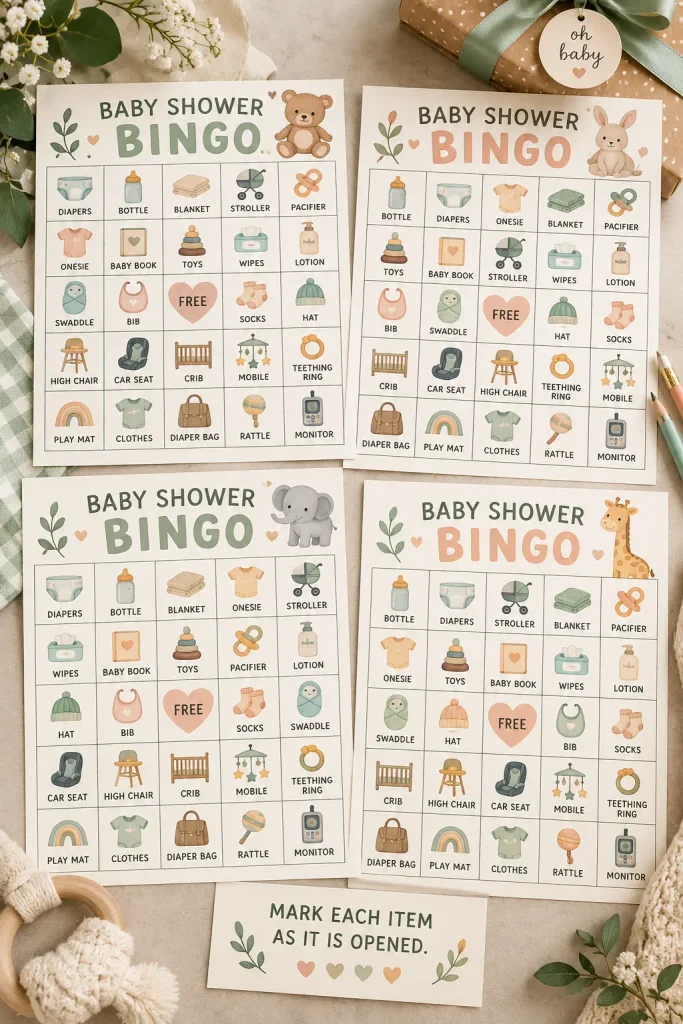
Pastel bingo cards arranged beside tiny pencils can make a baby shower game table feel ready before guests even sit down.
Baby shower hosts often look for simple activities that do not need much explaining. Editable bingo templates give them a game they can print and prepare at home.
Make cards with clear grids, a free space in the center, and room for guests to write their own guesses.
You could create different themes, including woodland animals, soft rainbows, and neutral baby colors.
Include a matching instruction card that explains how to play. Keep the game area plain enough for handwritten marks, even if the border has decorations.
12. Small Business Thank You Tag Templates

Small product tags give handmade sellers a neat way to thank customers without writing a new note for every order.
Create editable thank you tag templates for candle makers, soap sellers, jewelry shops, and other businesses that package physical products.
A useful set could include:
- Small tags for gift bags or product boxes.
- Folded tags with room for a short personal message.
- Simple designs with space for a shop name or logo.
Keep the text short and leave enough white space around the edges for trimming or hole punching.
Use a few coordinated styles so the seller can choose a tag that fits their packaging. A tiny tag still needs readable lettering.
13. Gift Certificate Templates for Local Services
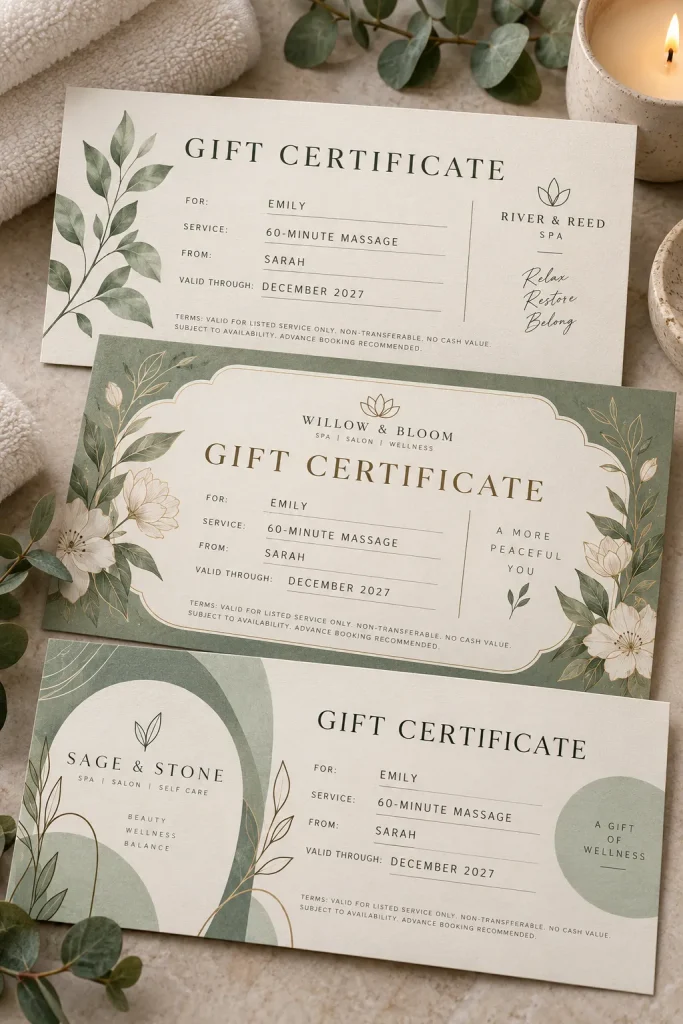
Gift certificates do not need fancy borders or complicated artwork to look professional. A clean layout can work better for a spa, massage studio, hair salon, or local photography business.
Create editable gift certificate templates with room for the business name, recipient, service, expiration details if applicable, and any required terms.
Offer a few styles, such as:
- Minimal: Simple lettering with plenty of blank space.
- Elegant: Soft colors and delicate borders.
- Modern: Bold headings and clean shapes.
Make both printable and digital-friendly layouts. Keep important details easy to spot, and avoid sample wording that promises services or terms the business may not offer.
A plain certificate has crowded details, uneven spacing, and no clear place for the recipient’s information.
The certificate has a clear heading, tidy information fields, and an editable area for business details and conditions.
14. Freelance Invoice Layout Templates
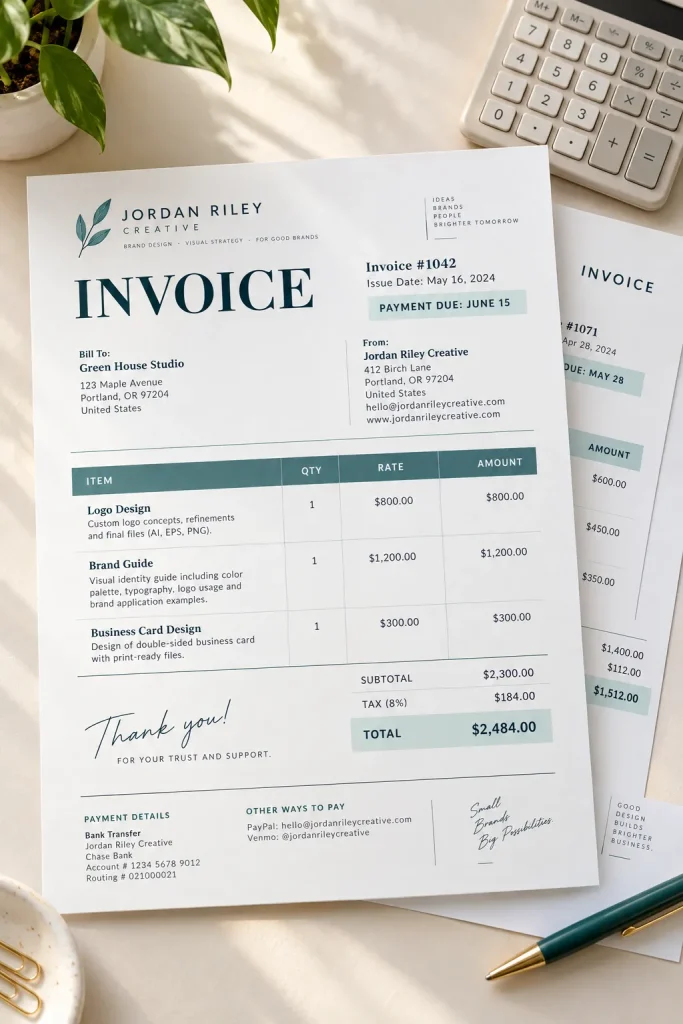
An invoice should help a client understand what work was completed and how the payment details are organized. Decorative elements should stay in the background.
Freelance writers, designers, virtual assistants, and other service providers may want an editable invoice layout that matches their branding.
Make space for the business name, client details, invoice number, service descriptions, payment terms, and totals.
Consider two layouts:
- Simple invoice: A clean table with only the main fields.
- Detailed invoice: Extra rows for projects with several tasks.
Keep the information aligned and easy to scan. Make sure buyers understand that a Canva design is an editable document, not an automatic invoicing or payment system.
| Simple Layout | Detailed Layout |
|---|---|
| Best for a short list of services. | Best for projects with several tasks. |
| Keeps the page open and uncluttered. | Provides more room for descriptions. |
| Useful for straightforward client work. | Useful when work needs clearer breakdowns. |
15. Client Welcome Packet Templates
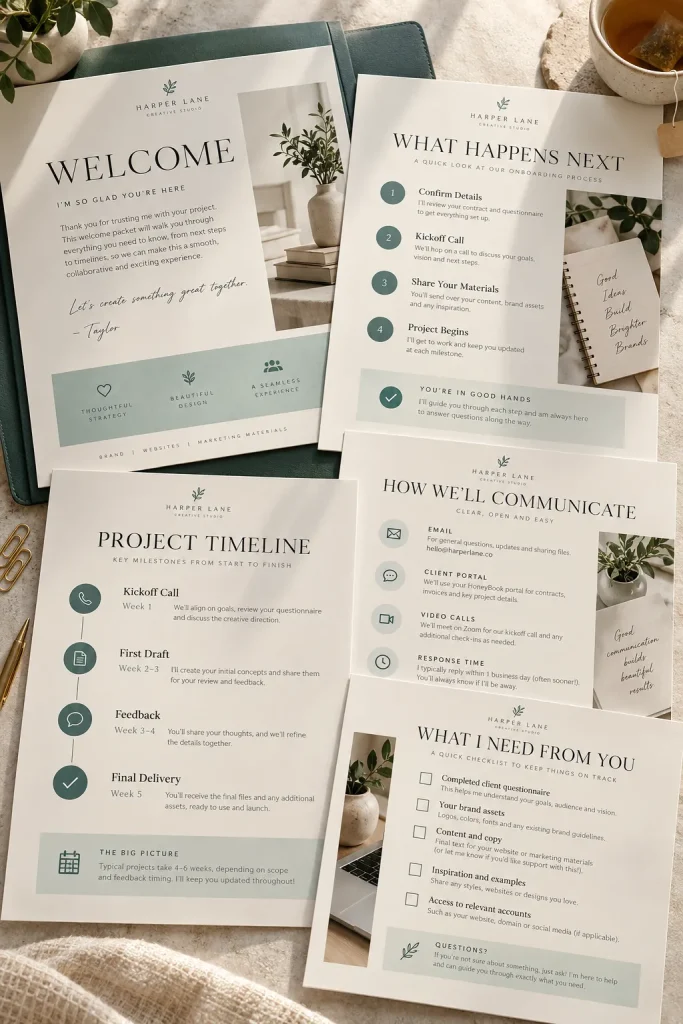
A new client has booked a service and wants to know what happens next. Instead of sending several scattered messages, a business owner can share one organized welcome packet.
Create a matching set of Canva pages for freelancers, virtual assistants, consultants, and other service providers.
The packet might contain:
- A short welcome message and business introduction.
- An overview of the service process.
- Communication details and expected response times.
- Instructions for sending required files or information.
Use clear headings and keep each page focused on one topic.
Add editable sections for business-specific policies. Clients should know where to find the information they need without searching through long paragraphs.
16. Photographer Session Prep Guides
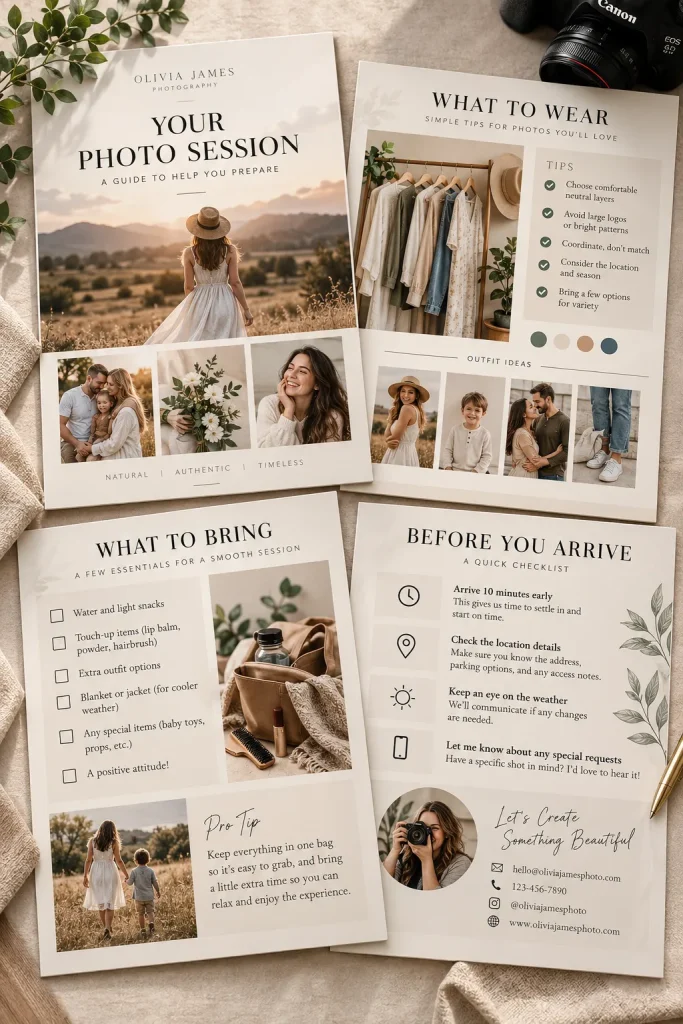
Photographers often answer the same questions before a family, portrait, or branding photo session. What should clients wear? Where should they meet? What should they bring?
An editable session preparation guide puts those answers in one place.
Design a short Canva booklet with sections for clothing suggestions, arrival instructions, location details, and a simple packing checklist.
Create separate versions for different session types rather than squeezing every possible photo shoot into one guide.
Use calm colors, readable text, and spaces for the photographer’s own photos. Keep the advice general enough to edit, since every photographer has a different process.
That makes the guide easier to personalize for each booking.
17. Small Business Brand Style Guides
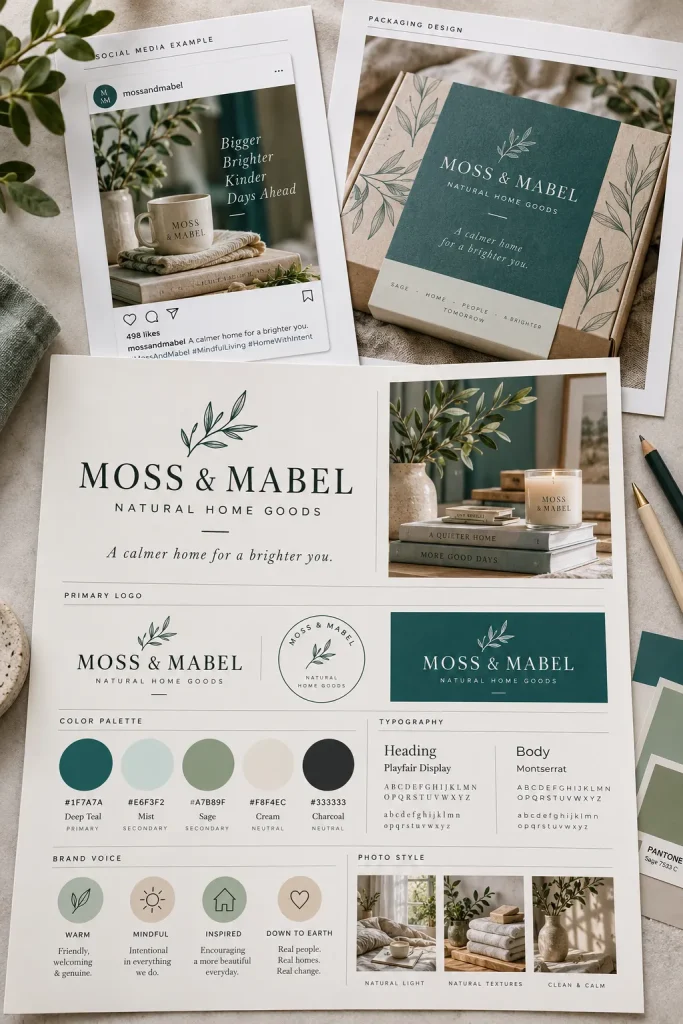
Keep a brand style guide simple enough for a busy shop owner to use without design training.
Small businesses can use these editable pages to organize their colors, fonts, logos, and photo styles in one place.
Build a mini brand guide with:
- Color palette: Main colors and their color codes.
- Fonts: Choices for headings and regular text.
- Logo layouts: Space for different versions of the business logo.
Add a sample page showing how the design pieces work together, such as a social post or packaging label.
Keep every example replaceable. A useful brand guide helps a business stay consistent without forcing it into a style that does not fit.
Show color swatches with their exact color codes.
Give clear examples of heading and body fonts.
Include an editable sample showing the brand in use.
Too many font choices on one page.
Colors shown without their codes.
Decorative pages that never explain how to use the brand elements.
18. Business Cards for Local Trades
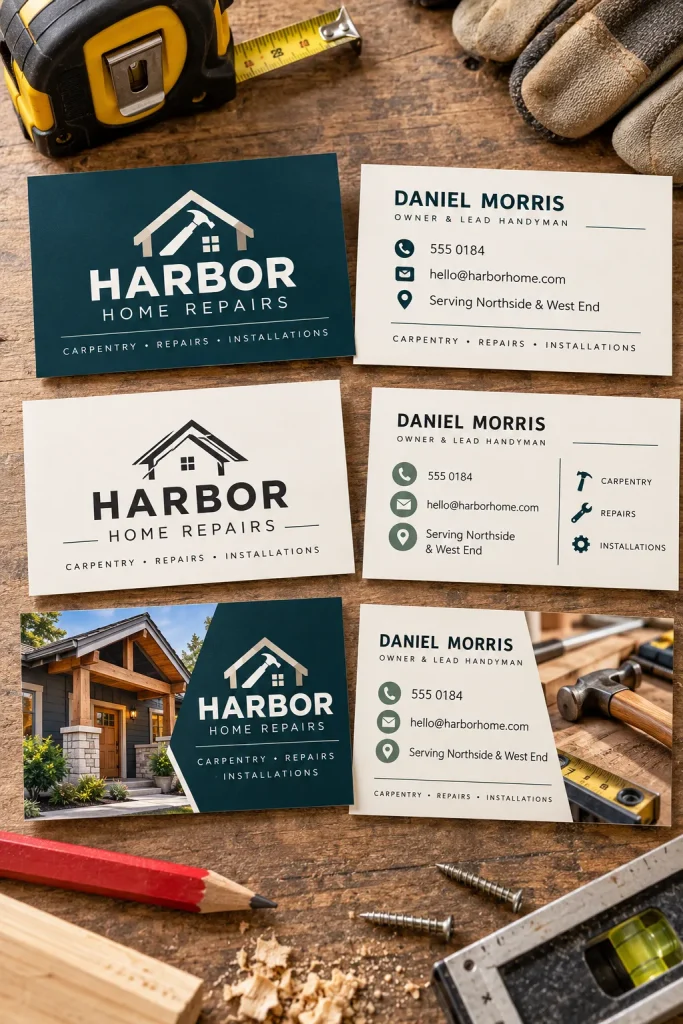
A contractor reaches into a work van for a business card after speaking with a new customer. The card needs to be easy to read, even with a quick glance.
Plumbers, electricians, painters, gardeners, and other local tradespeople may want business card templates they can personalize.
Design cards with clear spaces for the business name, phone number, service area, and main services.
You could offer:
- A simple card with a bold business name.
- A photo-based card showing the type of work.
- A minimal design with a small service icon.
Keep contact details larger than decorative text. A practical business card should tell customers how to get in touch without making them search.
Zooming in on a computer can make tiny contact details look readable when they are actually too small for a printed card.
Print a sample at the intended size. Check the phone number, spacing, and cutting margins before making the template available.
19. Creator Media Kit Templates
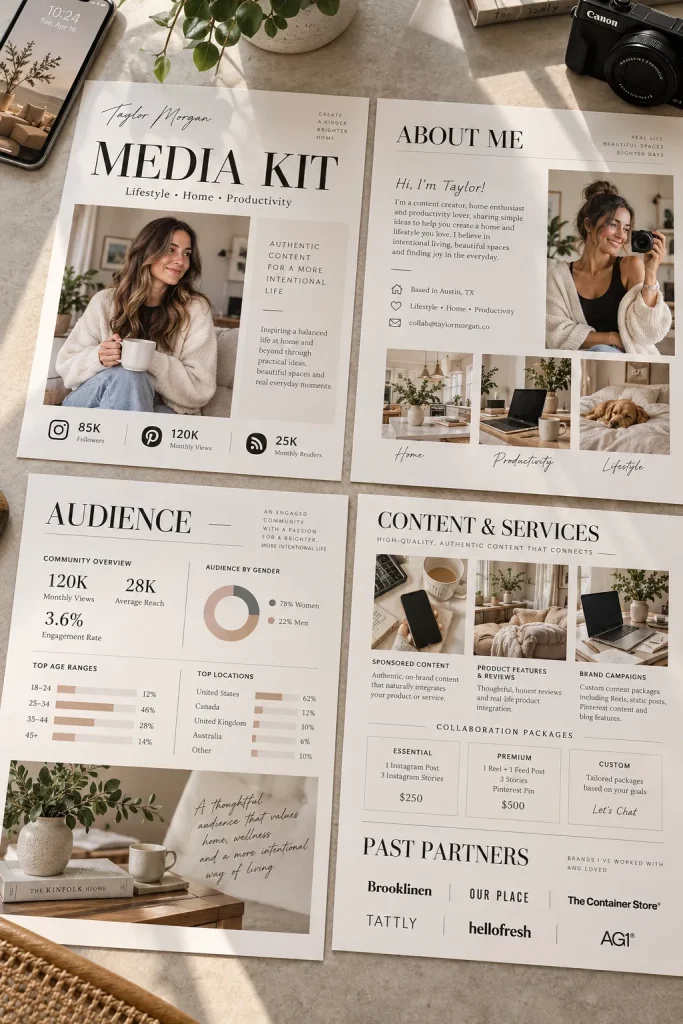
A clear media kit gives content creators one organized place to introduce themselves to possible brand partners.
Bloggers, YouTubers, and social media creators may want editable Canva media kit templates that look professional without requiring advanced design skills.
Create a matching set of pages with sections for:
- About the creator: Niche, content topics, and audience.
- Work samples: Photos or examples of published content.
- Audience details: Space for the creator’s own verified information.
- Contact: Business email and collaboration details.
Use large headings and keep the layout easy to scan. Include blank data fields rather than made-up engagement numbers or audience claims.
The finished kit should explain what the creator offers without overwhelming a potential partner.
A media kit should help a brand understand the creator’s content, audience, and collaboration options. Leave room for real examples and verified details rather than filling the design with sample claims.
20. Modern Resume Templates for Job Seekers
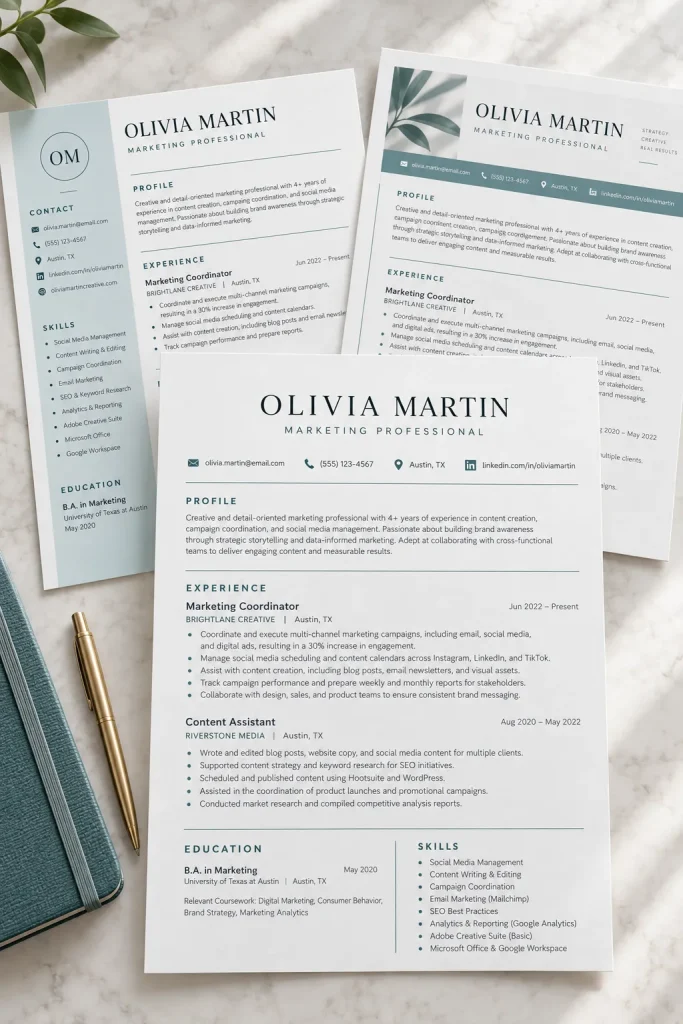
A resume packed with colorful shapes, tiny text, and decorative icons can make important details harder to find.
Job seekers need clear layouts that highlight their experience, education, and skills.
Create modern resume templates with simple headings and enough room for useful details. Offer different formats for people with different work backgrounds.
Consider two main versions:
- Experience-focused: Gives more space to work history and past responsibilities.
- Skills-focused: Makes relevant skills and projects easier to find.
Keep an optional section for a short professional summary.
Avoid complex columns and decorative graphics that may cause problems with automated resume screening. A clean, single-column version is a sensible addition to the pack.
| Experience-Focused | Skills-Focused |
|---|---|
| Places work history near the top. | Highlights relevant skills and projects. |
| Useful for showing career progression. | Useful when presenting transferable skills. |
| Needs clear dates and job details. | Needs examples that support listed skills. |
21. Student Weekly Study Schedule Templates
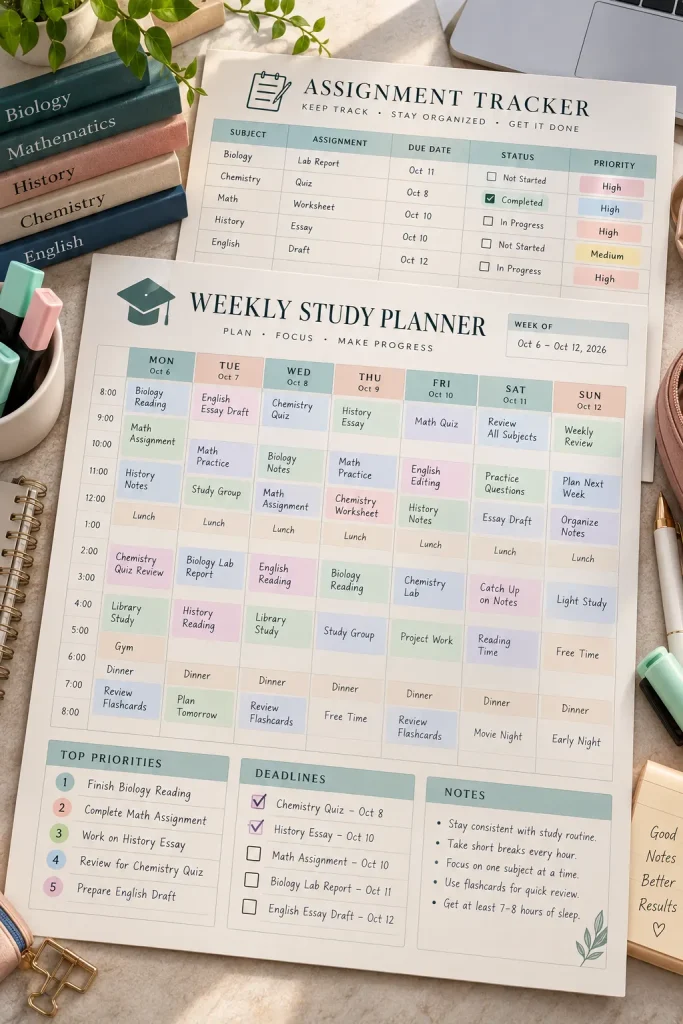
A weekly grid with clear spaces for classes, homework, and study time can help students see what needs attention.
High school students, college students, and parents shopping for study tools may want printable or editable schedule templates.
Create pages with separate areas for:
- Class times: Regular lessons and activities.
- Study sessions: Planned reading and revision.
- Deadlines: Assignments, projects, and upcoming tests.
Use soft colors to separate categories without making the page distracting.
Offer both dated and undated versions so buyers can reuse the layout.
Leave a little empty space for unexpected changes. Students need a schedule they can adjust, not one that becomes useless when plans move around.
22. Teacher Lesson Plan Page Templates
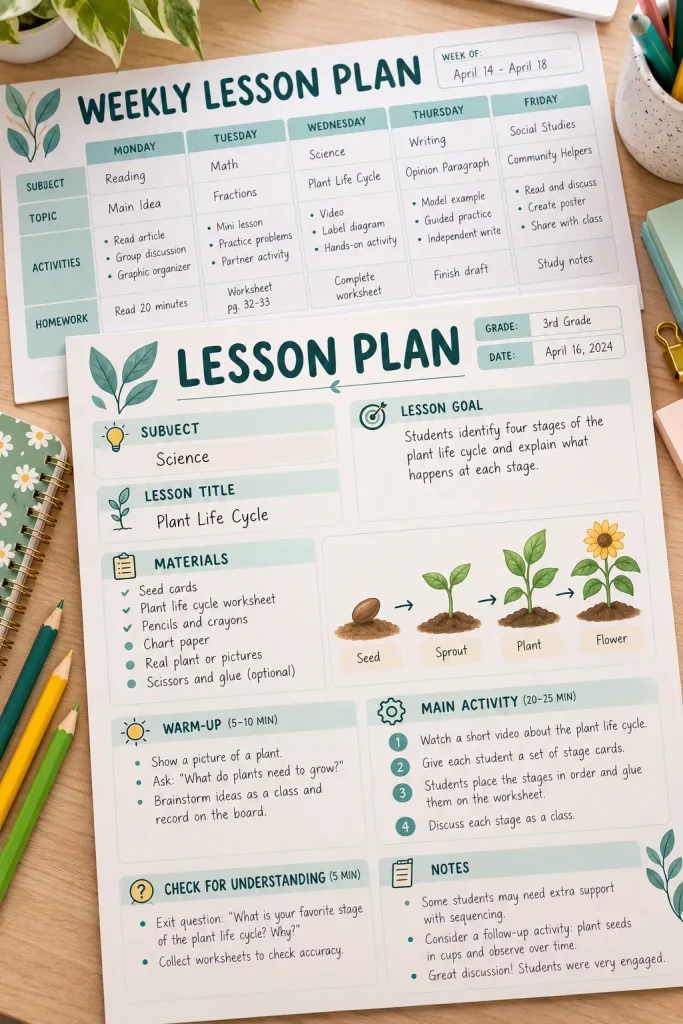
Build lesson plan templates around the information teachers need while preparing a class, not around decorative page designs.
Teachers may want editable planning sheets that keep lesson goals, materials, activities, and notes together.
Create a clean page with sections for:
- Lesson goal: What students should learn.
- Materials: Books, worksheets, or classroom supplies.
- Activities: The order of the lesson.
- Teacher notes: What needs changing next time.
Include a version with more writing space for detailed lessons and a shorter version for quick daily planning.
Keep headings clear and leave room for handwritten notes. A simple layout can be more useful than a colorful page with nowhere to write.
23. Kids Reading Log Chart Templates
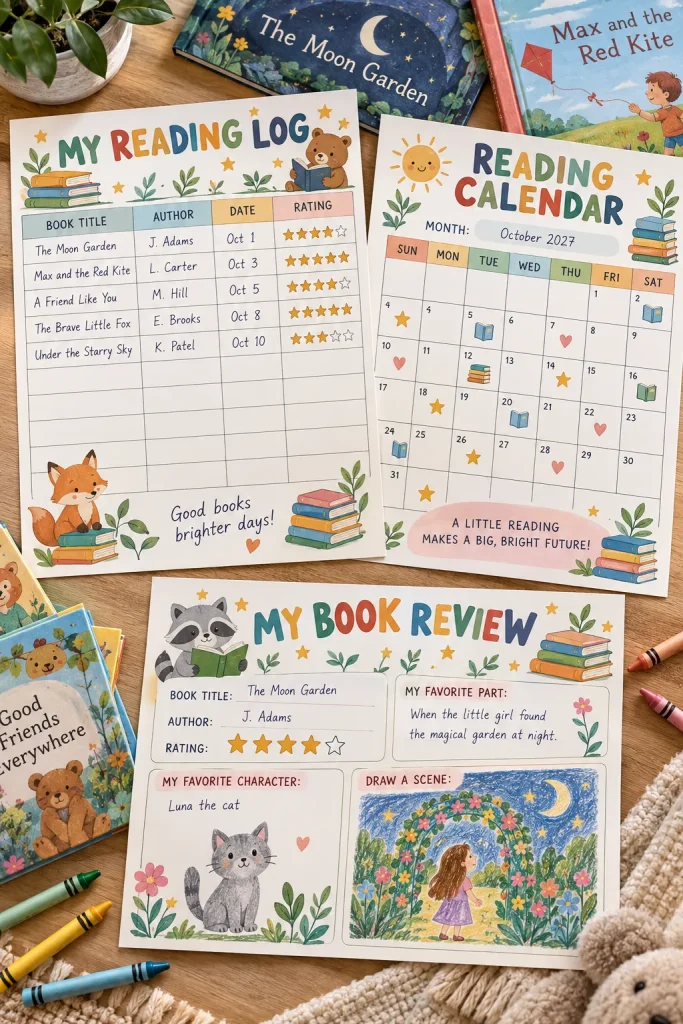
A plain notebook page can record the books a child reads. A colorful reading log adds a clear place to track progress and celebrate finished stories.
Parents, teachers, and homeschool families may want simple reading chart templates for children.
Design printable sheets with friendly illustrations, large writing spaces, and easy checkboxes.
Different versions could include:
- Book tracker: Title, author, and date completed.
- Reading calendar: A space to mark each reading day.
- Book review: A short area for favorite characters or scenes.
Keep the designs age-appropriate without filling every inch with artwork.
Give younger children enough room to draw a picture if writing a full review feels difficult.
Finished books are written on loose sheets, making it harder to see what a child has already read.
Book titles, reading dates, and favorite stories have their own spaces on a chart that is easy to review.
24. Weekly Meal Planner Templates
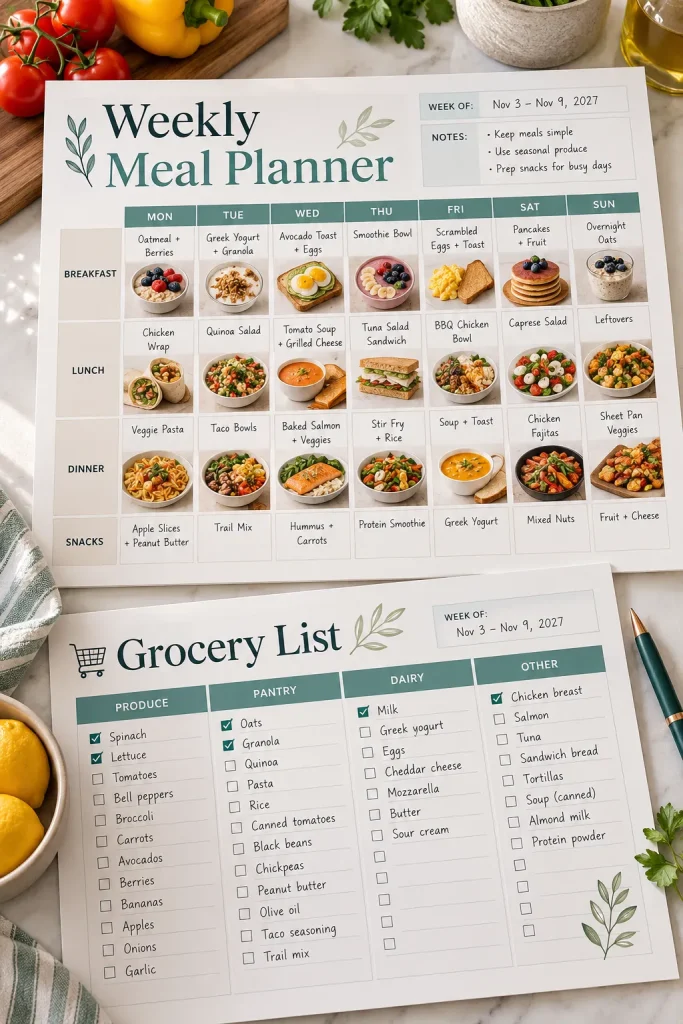
Sunday meal planning can turn into a messy mix of recipe notes, grocery lists, and forgotten ingredients.
A weekly meal planner gives households one place to organize meals before shopping.
Create editable or printable pages with spaces for breakfast, lunch, dinner, and a grocery list. Keep the layout simple enough to use on a busy kitchen counter.
You might include:
- A full weekly meal grid.
- A separate grocery list organized by food category.
- A small space for meals that use leftovers.
Use generous writing areas instead of tiny boxes.
An undated template allows buyers to print fresh copies whenever they need them, even if they skip planning for a week.
25. Travel Itinerary Page Templates
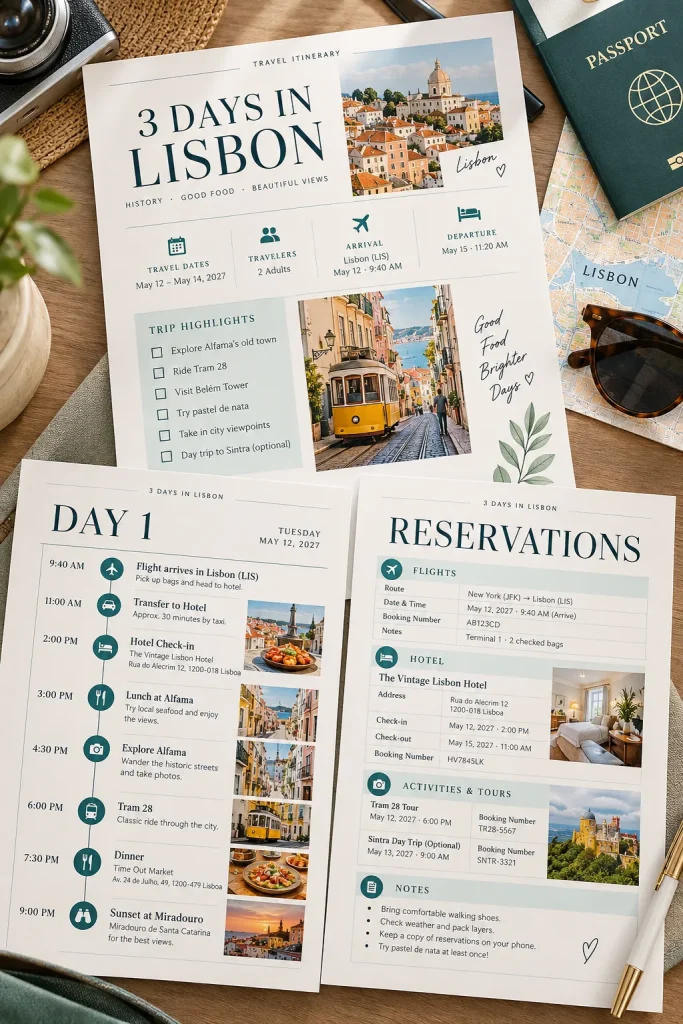
A tidy travel itinerary keeps important trip details together, so travelers do not have to search through messages and booking emails while on the move.
Create editable Canva itinerary pages for vacation planners, families, and people organizing group trips.
Include sections for:
- Travel details: Flight times, transport, and arrival information.
- Accommodation: Hotel names, addresses, and check-in notes.
- Daily plans: Activities, reservations, and places to visit.
Offer both a one-page trip overview and a longer daily planner.
Use clear headings and leave space for changes. A good itinerary should be easy to check on a phone and simple enough to print before leaving home.
26. Monthly Budget Worksheet Templates
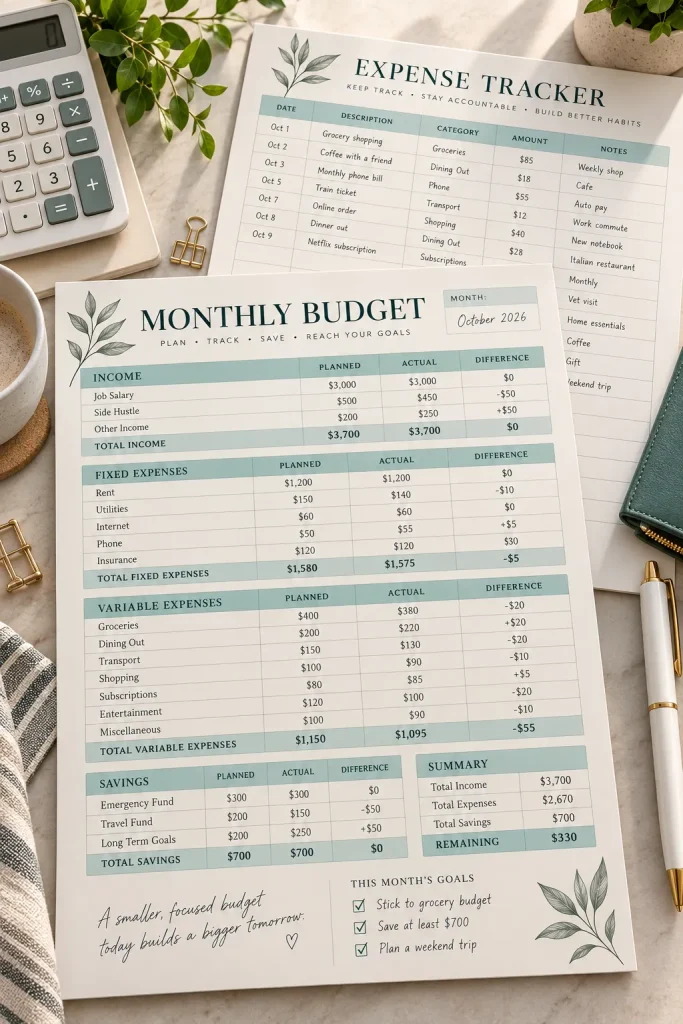
A budget worksheet becomes difficult to use when income, bills, and everyday spending are squeezed into one long list.
Beginners may prefer a simple printable page that helps them organize their money without learning complicated spreadsheet formulas.
Design a monthly budget worksheet with separate areas for income, regular bills, flexible expenses, and savings goals.
Consider offering:
- A monthly overview with blank amount fields.
- An expense tracker for recording purchases.
- A page for reviewing planned and actual spending.
Keep the math areas clearly labeled. If calculations need to be completed by hand, make that obvious in the product description.
A Canva worksheet is a document layout, not an automatic budgeting tool.
Use two clearly labeled columns so buyers can record what they expected to spend and what they actually spent.
Leave a third space for the difference. Keep the fields large enough for handwritten amounts and avoid filling the sample with invented financial results.
27. Workout Log Page Templates
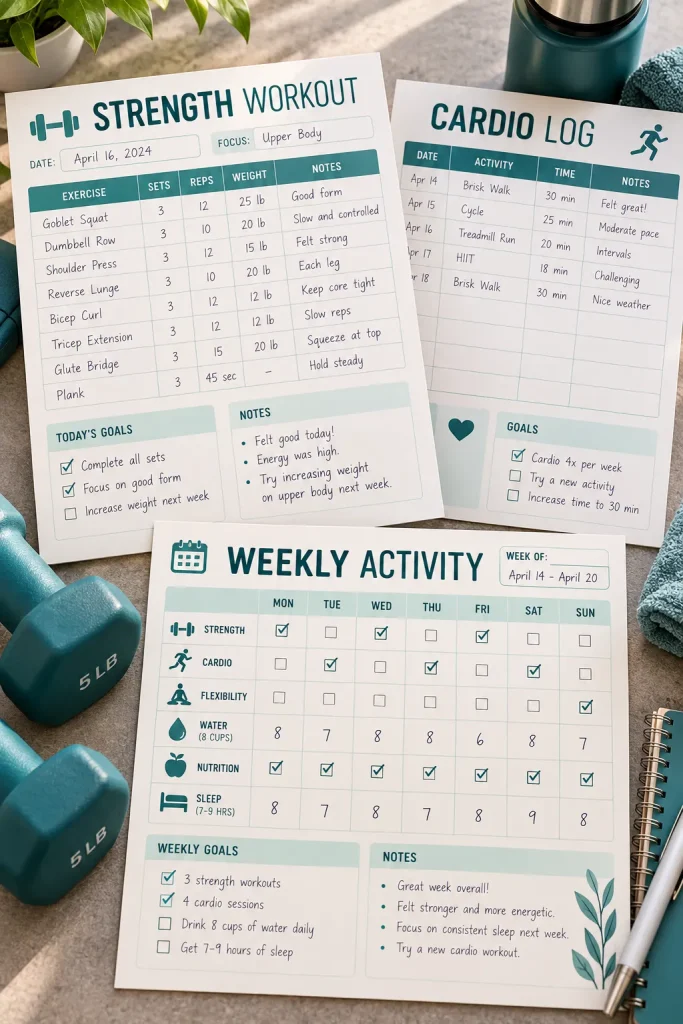
Start with the information someone wants to record after a workout. That might be the exercise name, the number of sets, repetitions, or how the session felt.
Fitness beginners, personal trainers, and people who like paper tracking may want reusable workout log pages.
Make layouts for different tracking needs:
- Strength training: Exercises, sets, repetitions, and weights.
- Cardio sessions: Activity, duration, and personal notes.
- General activity: A simple daily movement record.
Use clean rows with enough space for writing. Keep sample entries neutral and avoid promising specific fitness results.
An undated version gives buyers the freedom to record sessions whenever they exercise.
Give each exercise its own writing row.
Leave room for personal notes or changes.
Use simple labels that beginners can understand.
Crowded tracking boxes with barely any writing space.
Unexplained fitness abbreviations.
Prewritten claims about expected physical results.
28. Guided Journal Page Templates
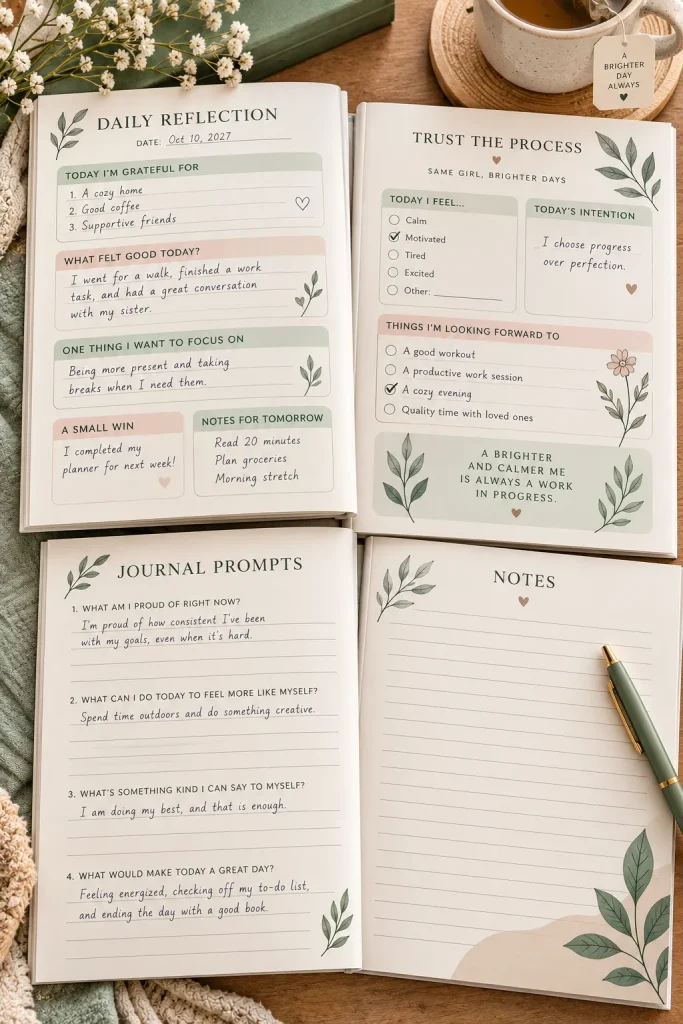
The notebook is open, but the page is still blank. A few thoughtful prompts can make it easier for someone to begin writing.
Guided journal templates give buyers a simple structure for reflection, creativity, or recording everyday moments.
Design matching pages around one clear theme, such as daily reflection, gratitude, or personal goal setting.
A starter pack could include:
- A page with a short daily writing prompt.
- A reflection page with open-ended questions.
- A blank notes page for longer entries.
Keep decorations light so there is plenty of writing space.
Use gentle, optional prompts rather than questions that pressure readers to share private feelings. The design should support their writing, not tell them what to think.
29. Recipe Book Page Layouts
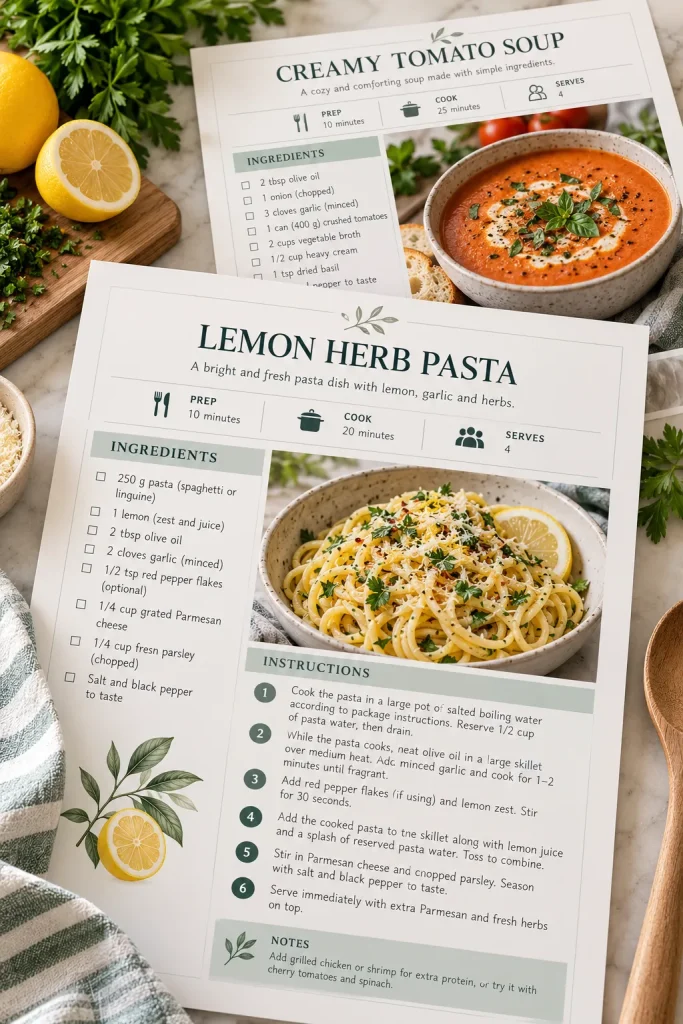
Recipe book templates do not need detailed food illustrations on every page. Good spacing and readable instructions matter more when someone is cooking with the book open on a kitchen counter.
Home cooks, family recipe collectors, and food bloggers may want matching recipe pages they can fill with their own dishes.
Create layouts with:
- Recipe information: Name, servings, and preparation notes.
- Ingredients: An easy-to-scan list.
- Instructions: Numbered steps with enough room for details.
- Photos: An optional space for a finished dish.
Offer both photo-heavy and text-focused versions.
Keep ingredients and instructions separate so readers can find what they need while preparing a meal.
Design recipe pages for someone who is actually cooking. Clear ingredients, readable steps, and space for personal notes are more useful than crowded decorations.
30. Home Cleaning Checklist Templates
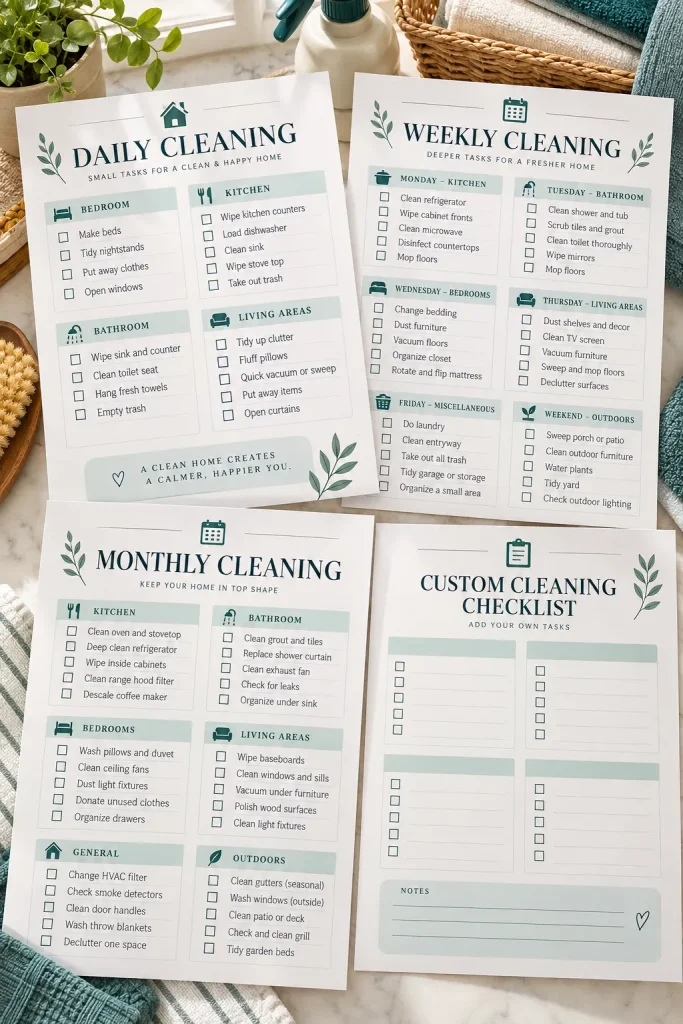
A cleaning checklist clipped to the fridge can help a household see which chores still need attention.
Busy families, renters, and people organizing their homes may want printable cleaning templates with clear tasks and checkboxes.
Make separate layouts for daily, weekly, and monthly cleaning routines.
For example:
- Daily: Wipe kitchen surfaces, wash dishes, and tidy shared spaces.
- Weekly: Clean bathrooms, vacuum floors, and change bedding.
- Monthly: Check overlooked shelves, light fixtures, and storage areas.
Keep the tasks editable so buyers can match the checklist to their homes.
Use simple boxes large enough for a pen mark. Add a blank version for households that want to write their own cleaning routines.
| Daily Checklist | Weekly Checklist |
|---|---|
| Short tasks completed regularly. | Larger tasks spread across the week. |
| Compact list with easy checkboxes. | More room for rooms and chore assignments. |
| Useful on a kitchen counter or fridge. | Useful inside a household planner. |
Final Thoughts on Selling Canva Templates
Choosing what to create is easier when you start with a real task someone wants to finish. A good template should save the buyer from arranging every heading, text box, and design element themselves.
These Canva template ideas give you different audiences to consider, but you do not need to make all 30. Pick one that interests you, create a small matching set, and check whether the layouts are easy to edit and use.
Clear previews, honest product details, and helpful instructions matter just as much as the design.
Save this list to your Pinterest board so you can come back when you are ready to make your next digital product.